
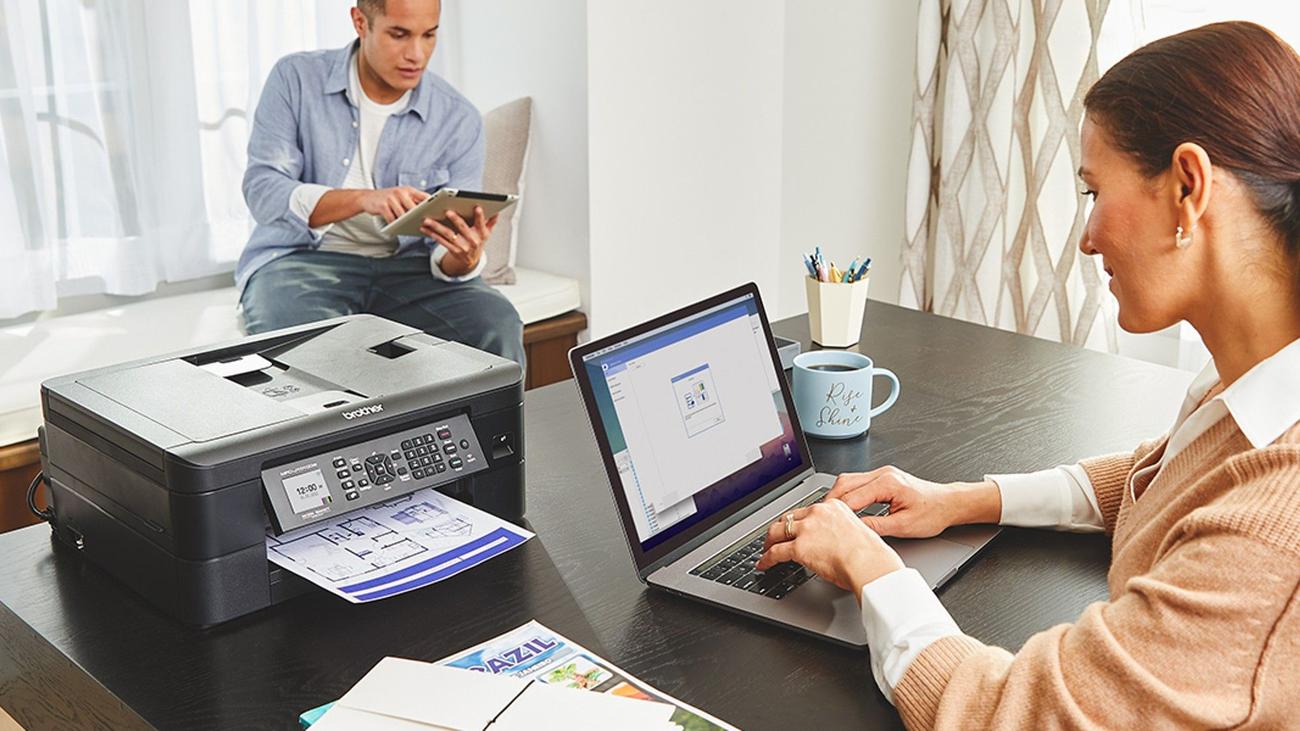
Best network-connected printers in 2023
Network-connected printers, often referred to as wireless printers, transcend the limitations of traditional printing by offering users a truly wireless and efficient printing experience.
Instead of being stuck printing from a single computer, these convenient smart printers allow you to send a document to them from a tablet, laptop, smartphone, desktop computer, or any other connected device. This eliminates the need for cumbersome cables and allows effortless printing from virtually anywhere.
Some printers even let you connect via USB, while many work with third-party apps like Mopria. Whether you’re in the same room or on a different floor, the convenience of printing over Wi-Fi networks grants you the freedom to bring your ideas to life (or a paper, at least) without the constraints of physical connections.
Our winners for the best network-connected printers in 2023
Epson EcoTank ET-2803 All-in-One Printer
Best overall
Simple, efficient, eco-friendly printing
Want an easy-to-use printer with scan and copy functionality that uses an eco-friendly ink refill system? If so, you can’t go wrong with the Epson EcoTank ET-2803 All-in-One Printer and its convenient EcoFit easy refill ink tanks. It can also print documents from any other gadget on your home or
business
Wi-Fi network.
Pros
- Sharp detailed docs & scans
- Voice-activated functionality
- Eco-friendly high-capacity ink tanks
Cons
- No duplex feature
- Not ideal for photo printing
- Pricey
While a good printer will print documents and even give you scan and copy functionality, the best printers also make it easy to get new ink and make it last longer. That’s precisely what the Epson EcoTank ET-2803 All-in-One Printer does and why it’s our best overall choice. It doesn’t use cartridges but instead makes use of high-capacity ink tanks. In addition, its exclusive EcoFit ink bottles offer easy and stress-free refills.
The EcoFit bottles are equivalent to roughly 90 individual ink bottles and can print as many as 4,500 black pages or 7,500 color pages. The refillable eco-friendly ink tanks mean zero cartridge waste while offering sharp results on most paper types, thanks to its Micro Piezo Heat-Free technology. Depending on your use, you’ll get up to two years of ink in the box.
The Energy Star-certified printer has a copier and flatbed scanner for daily document management tasks. It can print up to five color pages or ten pages per minute for monochrome jobs. In addition, you can connect any device on your network to it via Wi-Fi or a compatible USB
cable
or even set up a print job via Alexa, Google Assistant, or Siri. Plus, its sleek modern design makes it easy to use, and it’ll blend in with the other gadgets you have in your home office.
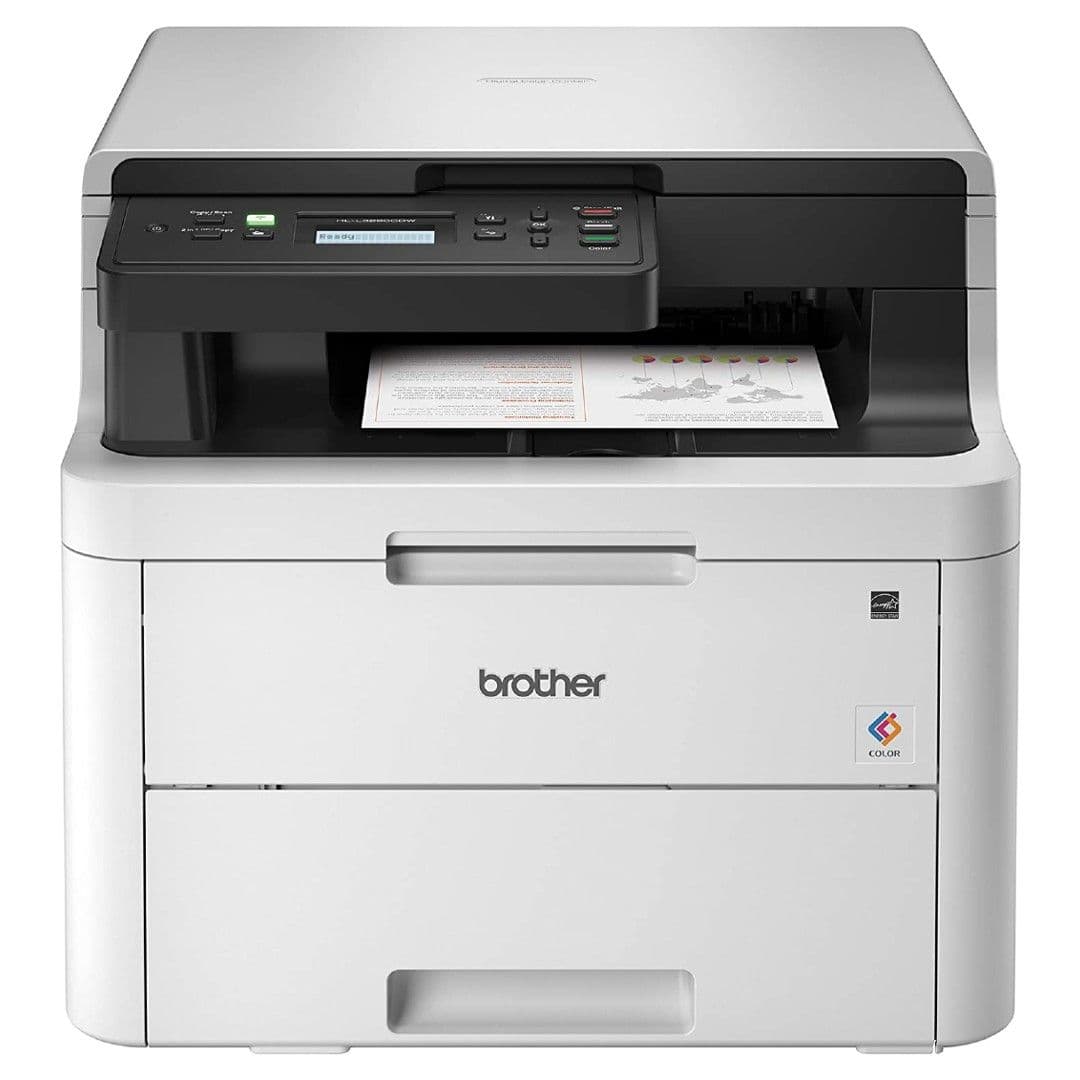
Brother HL-L3290CDW Compact Printer
Premium pick
Fast printing and robust features
With the Brother HL-L3290CDW Compact Printer, you can print sharp and bold-looking documents, make copies, and scan important documents with no trouble. It also easily connects with other network devices, making it great for families and small businesses. And with a simple setup, small footprint, and a slew of other top-notch features, it’s a great addition to any office.
Pros
- Fast printing speed
- Wide media type support
- Super breezy setup
Cons
- Expensive
- Heavy bulkier design
Looking for a heavy-duty wireless printer that can print your documents lightning fast? Let the Brother HL-L3290CDW Compact Printer help you out! It’s one of the fastest printers in our lineup, clocking in at 25 pages per minute for both color and monochrome printing, and it can also hold 250 sheets of paper in its adjustable loading tray, so go ahead and send it a huge printing task. It works with plain ol’ printer paper, glossy photo paper, envelopes, card stock, and other media types.
Even though it weighs just under 50 pounds, it has a fairly minimal footprint (measuring 18.7 x 16.1 x 14.5 inches), so it won’t take up much
space
in your office. Its flatbed scanner is located up top for easy access, and it has a two-line LCD that makes quick work of navigating menus and viewing printing tasks. You can print from any device on the Wi-Fi network (using AirPrint, Mopria, and other options) or connect a specific device via the USB port.
The HL-L3290CDW is compatible with Amazon Dash Replenishment, which makes it a little easier to get a new batch of toner cartridges before you run out. You can toggle on
Toner Save Mode
to help stretch your toner a little longer between refills, too. Either way, you’ll get sharp and vivid prints with this fantastic printer from Brother.
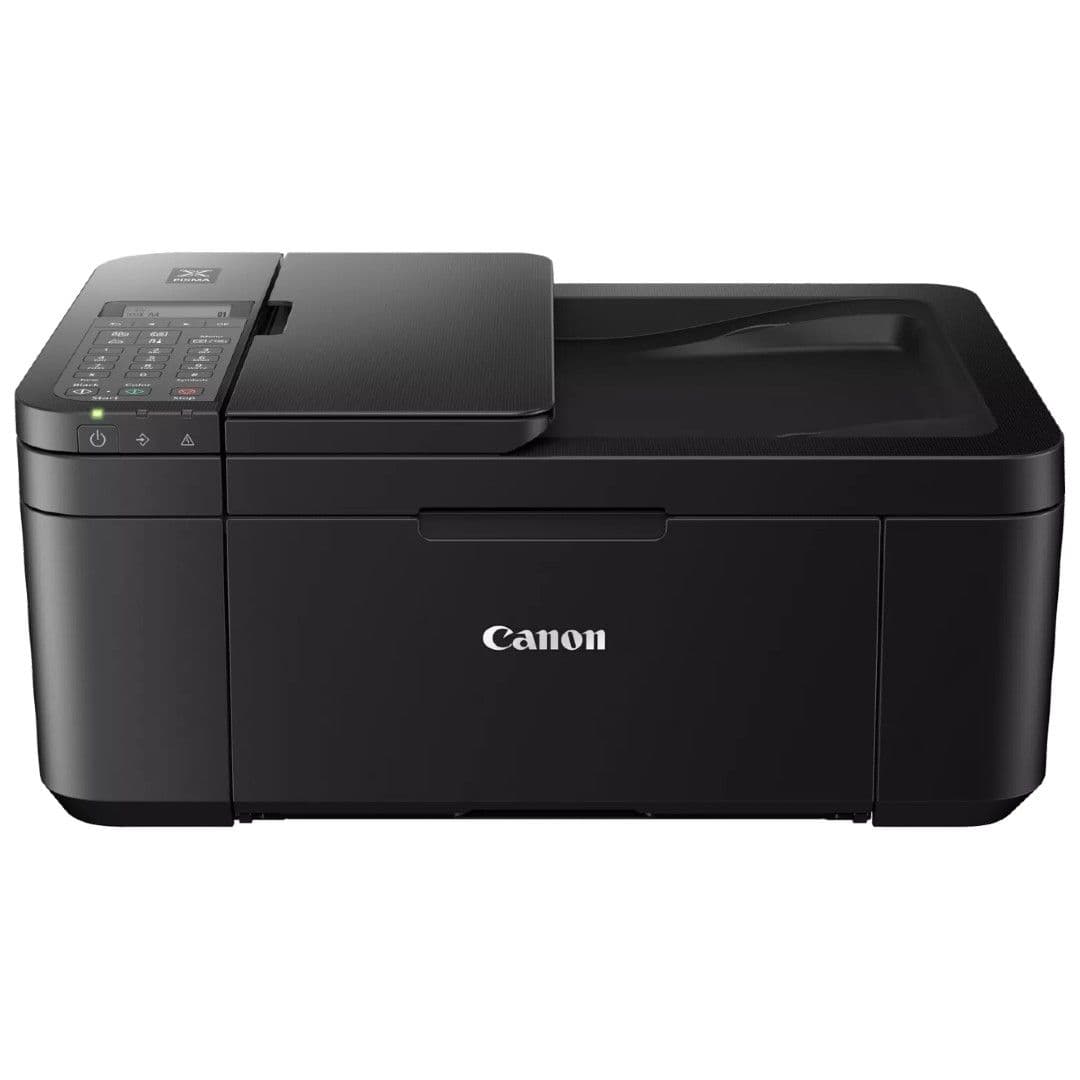
Canon Pixma TR4270 All-in-One Printer
Best value
Small yet mighty; great for photos
$60
$100
Save
$40
Print, scan, copy, and fax to your heart’s content with the Canon Pixma TR4270 All-in-One Printer. Its stylish design, powerful performance, and easy wireless connectivity are hard to beat for the price.
Pros
- Great photo print quality
- Decently-small footprint
- Robust feature set
Cons
- Lackluster paper tray capacity
- No card support
- Low page yield
While premium wireless printers may have a lot of neat features, you don’t have to spend a small fortune to get a quality printer. In fact, the Canon Pixma TR4270 All-in-One Printer offers a lot despite its diminutive price point, making it a fantastic choice for anyone looking to build a home office on a budget.
The Pixma TR4270 measures just 11.7 x 17.2 x 7.5 inches and weighs about 13 pounds, so it’ll easily fit on a desk or bookshelf. The top-facing display and button interface are intuitive and easy to use, no matter what kind of task you’re working on. Moreover, the inkjet printer can scan documents (with a 600 x 1200 dpi resolution), make copies, print borderless photos, and even send and receive faxes.
While the printer has a few mild shortcomings, including no SD card support and a slow print time (4.4 pages per minute in color, or 8.8 pages per minute monochrome), it doesn’t really hit a sour note at any point. It offers a ton of functionality, a small stylish design, and easily connects to any device on the same Wi-Fi network. Not bad at all for the price.
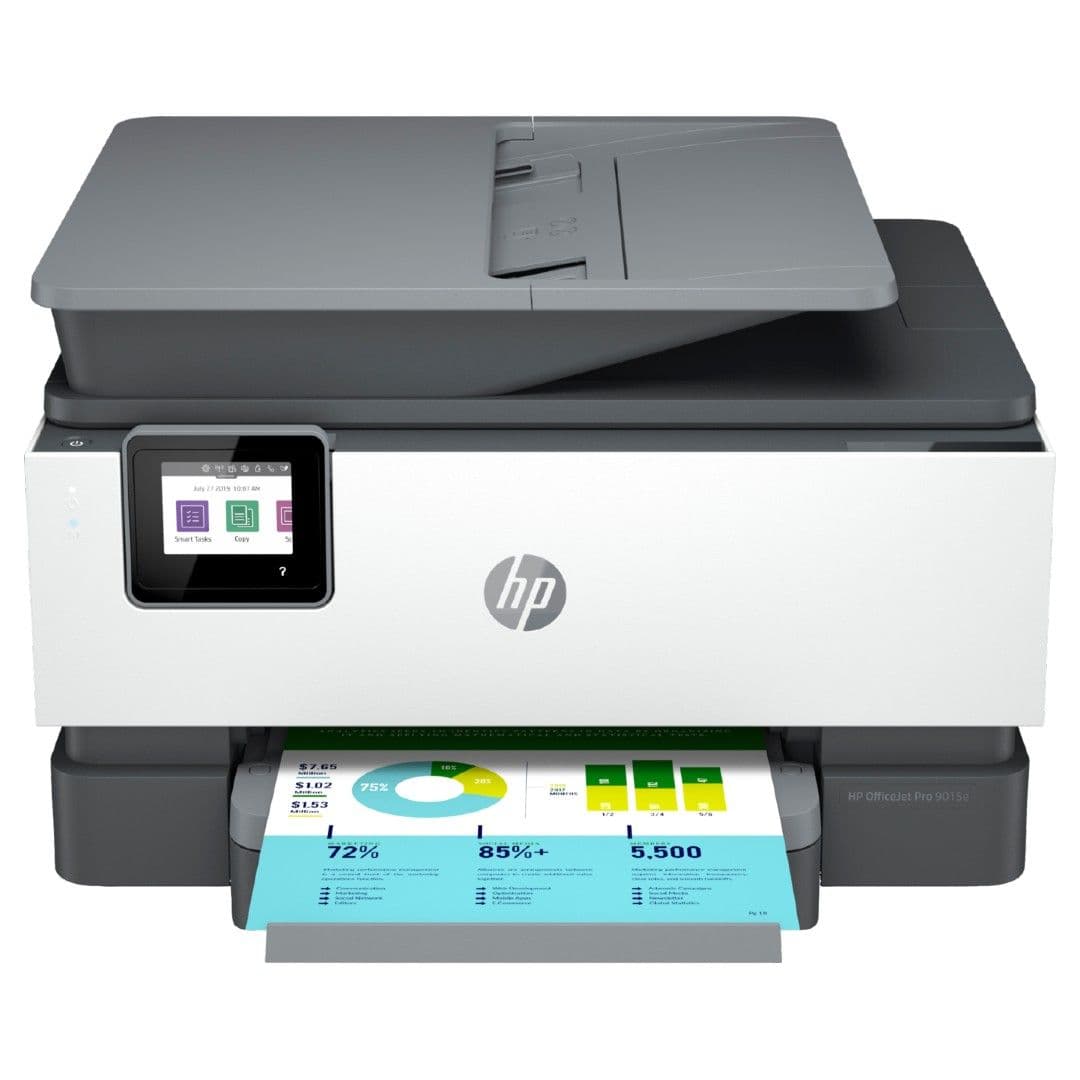
HP OfficeJet Pro 9015e All-in-One Printer
Best fast printer
Solid Wi-Fi connectivity and fast printing
$230
$290
Save
$60
Ensure that your printer never misses a job, no matter which device you send documents from, with the HP OfficeJet Pro 9015e All-in-One Printer. It prints quickly and lets you scan, copy, and connect other network devices however you want.
Pros
- Fast printing speeds
- High-capacity paper tray
- Self-healing Wi-Fi
Cons
- Pricey
- Scanner should be of higher quality
- Single paper tray
When it’s time to print a document, nobody wants to deal with a printer that’s slow at its job or, worse, keeps losing its Wi-Fi connection and never receives the print job to begin with. Fortunately, you won’t ever need to worry about this with the HP OfficeJet Pro 9015e All-in-One Printer. It has self-healing Wi-Fi that automatically detects and resolves most connectivity issues, ensuring it’ll never miss anything you send to it.
The 9015e also pushes out prints at a rapid pace, handling monochrome jobs at 18 pages per minute, and color ones at 22 pages per minute. That’s perfect for when you’re in a rush! It works with various media types, from plain paper and card stock to envelopes and glossy photo paper. Its paper tray can hold up to 250 sheets at a time, so you won’t need to refill it as often. It also supports automatic duplex printing, scanning, and copying.
The inkjet printer offers a variety of connectivity choices to easily integrate with any office setup, from simple Wi-Fi to USB and Ethernet. The printer also allows you to activate HP+, a free cloud-based upgrade from the company that gives you six months of free Instant Ink delivery and other perks like shipping and
recycling
ink cartridges and automatic hardware updates.
Brother MFC-J1010DW All-in-One Printer
Best easy-to-use printer
Budget-friendly and beautiful prints
$80
$100
Save
$20
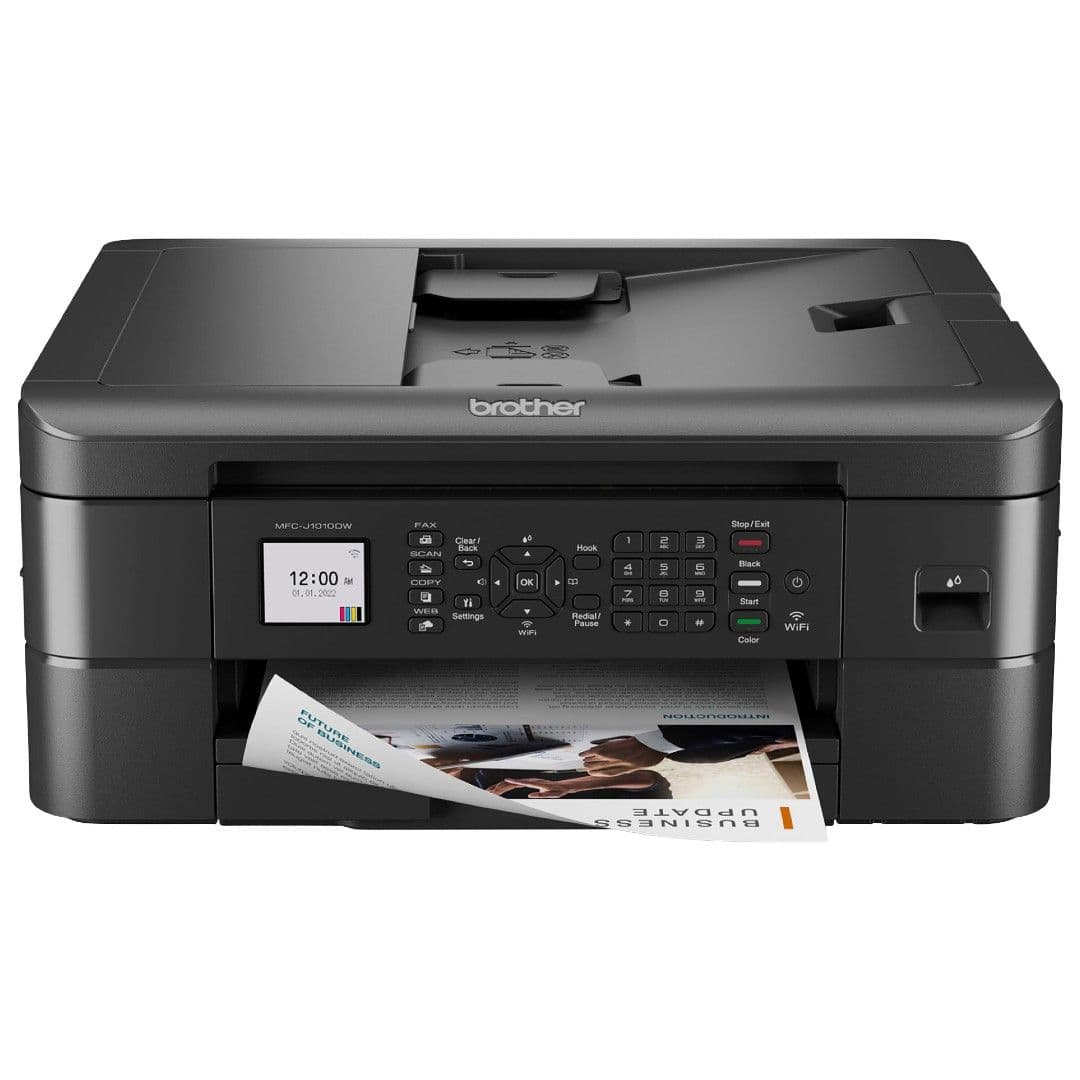
We love any printer that’s easy to use with many solid and convenient functions, which is why the Brother MFC-J1010DW All-in-One is a perfect budget recommendation. It can print, scan, copy, and even fax. Plus, it has lots of options for connecting to other devices and getting ink refills.
Pros
- Plentiful connectivity options
- Sharp, bold photo prints
- Great low price
Cons
- Middling scan quality
- Not the fastest printing speeds
Using a printer doesn’t always have to be difficult or confusing. And with an easy-to-use choice like the Brother MFC-J1010DW All-in-One Printer, you won’t need to feel stressed about printing or making copies ever again. It has an intuitive design overall, a 1.8″ color LCD, and a handy array of clearly-labeled buttons, including those dedicated to specific tasks and functions (Fax, Wi-Fi, and Settings).
Despite its low price, the MFC-J1010DW boasts a ton of nice-to-have hardworking functionality in addition to printing, faxing, copying, and scanning. Plus, the Brother companion mobile app’s fantastic Page Gauge tool shows you exactly how much ink you have left. The compact inkjet printer is also compatible with Amazon Dash Replenishment and Brother’s EZ Print Subscription Service to have ink delivered to your doorstep before it runs out, so you’re never left hanging.
Yes, you can send your print jobs to the printer via Wi-Fi, but the printer also supports USB and Ethernet connectivity for those who want it. The wireless printer sports automatic duplex printing on various media types (like glossy photo paper and envelopes) up to 78.5 x 14 inches. Its paper tray holds 250 sheets at a time, so you won’t constantly need to refill it. And with its decent printing speed (although not the fastest), you can print your fresh documents fairly quickly.
Source: HP
HP OfficeJet 200 Portable Printer
Best portable printer
Battery-powered printing
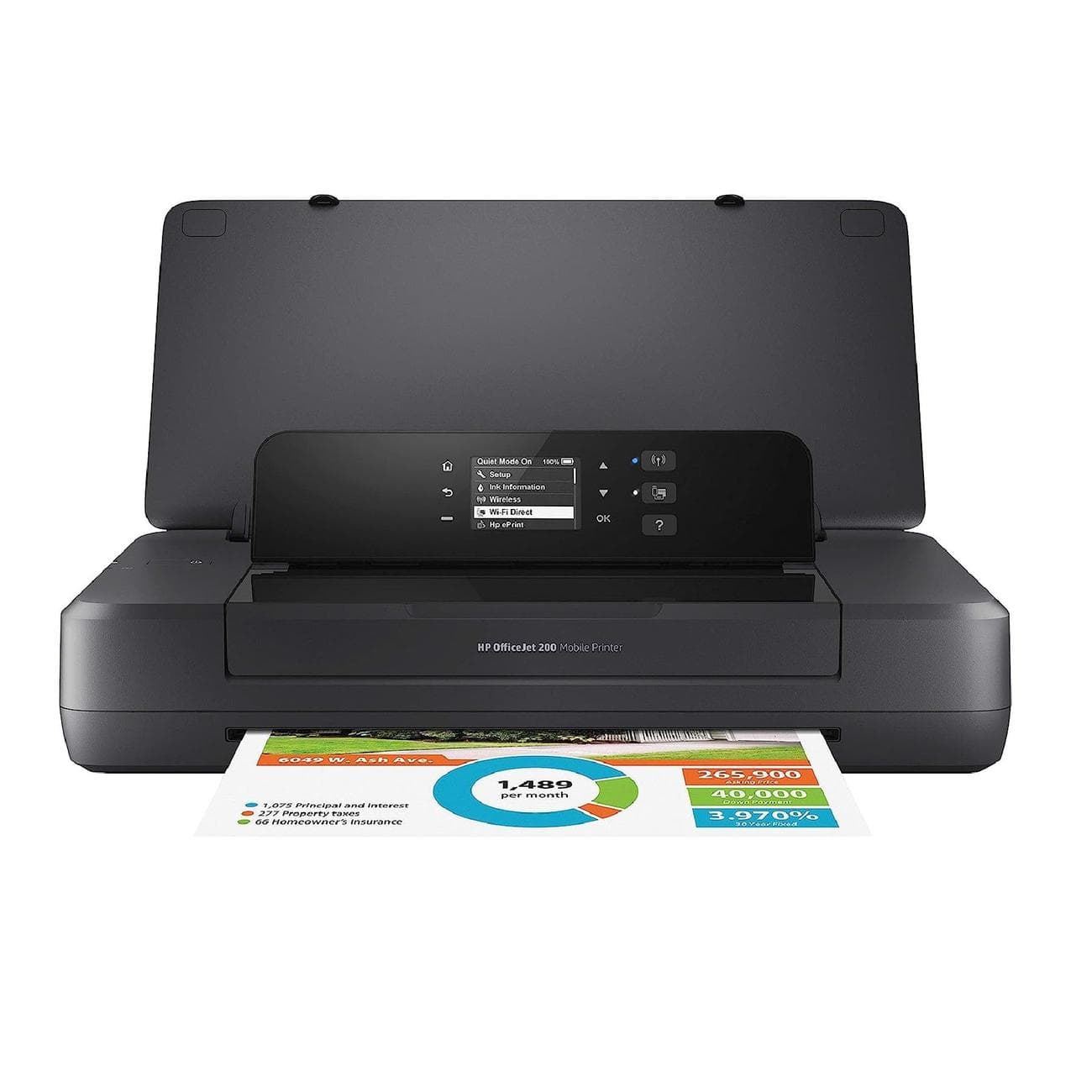
The HP OfficeJet 200 portable printer is for those who need the ultimate printing mobility. Designed to cater to professionals on the go and individuals with ever-changing work environments, this portable printer comes with a rechargeable battery enabling you to print anywhere, whether in a coffee shop, airport lounge, or client’s office.
Pros
- Lightweight, portable design
- Battery-powered printing
Cons
- Low printing speeds
- No auto-feed feature
- Doesn’t have a scanner
Printers are usually plugged into one spot and never moved until they stop working – but they don’t have to be.
HP’s OfficeJet 200 is a portable printer that can run on a battery. Recharging the battery takes approximately 90 minutes when the printer is powered off. Aside from its battery capabilities, the OfficeJet 200 also offers the convenience of wireless printing, allowing you to print from your smartphone or other mobile devices anywhere you are. It even supports printing without the need for a network through its Wireless Direct printing feature.
The printer’s compact design ensures easy portability, fitting effortlessly into vehicles or backpacks, which can be particularly useful if your work requires a lot of traveling. Regarding its input capacity, the OfficeJet 200 can handle up to 5 envelopes, 50 legal-sized documents, and a maximum of 20 cards or photo papers concurrently. However, due to its compact size, the printer’s printing speed is limited, reaching a maximum of around ten black-and-white or seven color pages per minute.
Another downside to the portability is that it lacks an integrated scanner and an auto-feed tray for multi-page documents. Despite these limitations, the printer’s wireless printing capabilities and battery-powered convenience make it an attractive option for those who are frequently on the move.
Canon Pixma TS6420a All-in-One Printer
Best for photos
For fine photo prints and more
$70
$130
Save
$60
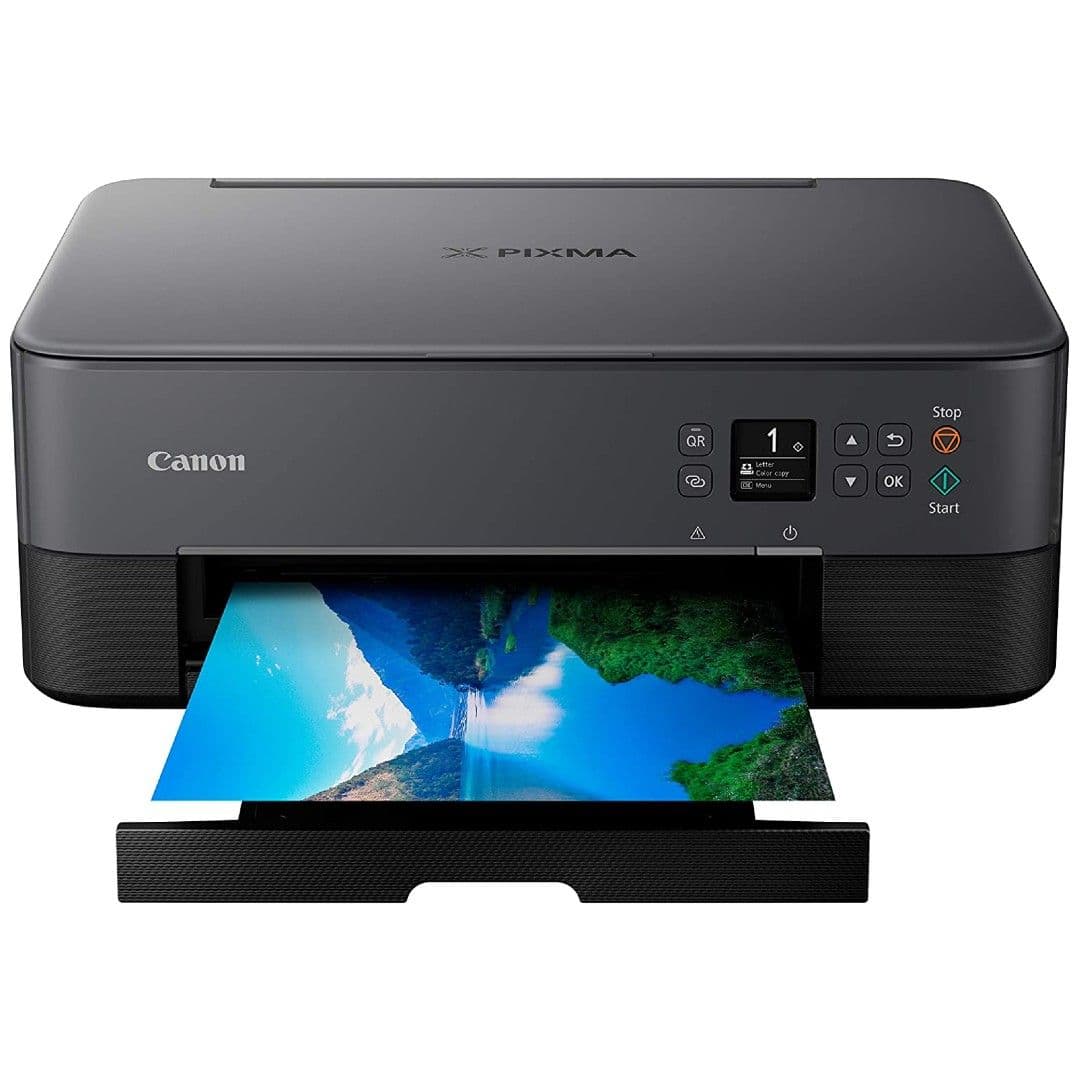
While the Canon Pixma TS6420a All-in-One Printer can handle all your print jobs, it’s tailor-made for printing photos. It supports multiple photo paper types, auto duplex printing, and has a svelte design with plenty of considerate features.
Pros
- Printed photos look great
- Easy-to-use flatbed scanner
- Handy two-way paper feed
Cons
- No card support
- Slow print speed
- Lacks premium features
If you know that you’ll most likely be printing way more photos than plain paper documents, why not get a printer designed to do just that? With the Canon Pixma TS6420a All-in-One Printer, you’ll get outstanding borderless photo prints every time but also great-looking standard prints, scans, and copies.
The color inkjet printer has a compact footprint, measuring just 12.5 x 15.9 x 5.9 inches, so it’ll easily fit in your home office. In addition, the printer’s 1.44-inch OLED display makes navigating the printer’s many options easier.
The printer works with a variety of media types — plain paper, glossy photo paper, envelopes, cardstock, double-sided matte photo paper, magnetic photo paper, and more — and even prints at a decent speed of 6.8 pages per minute for color, or 13 pages per minute for monochrome jobs. It can also scan documents and make copies.
The TS6420a supports automatic duplex printing and can hold up to 200 sheets of paper in its collapsible tray. And with a two-way paper feed, it can simultaneously hold plain paper and photo paper, so you won’t have to swap trays or paper types. Also, you can queue printing jobs from devices like your smartphone and tablet or plug in directly via USB. And if you use the Canon
Creative
Park App or Easy-Photo Print Editor apps, you can get even more creative with your projects.
HP DeskJet 2755e All-in-One Printer
Best for ink subscriptions
Affordable printing and ink subscription
$60
$85
Save
$25
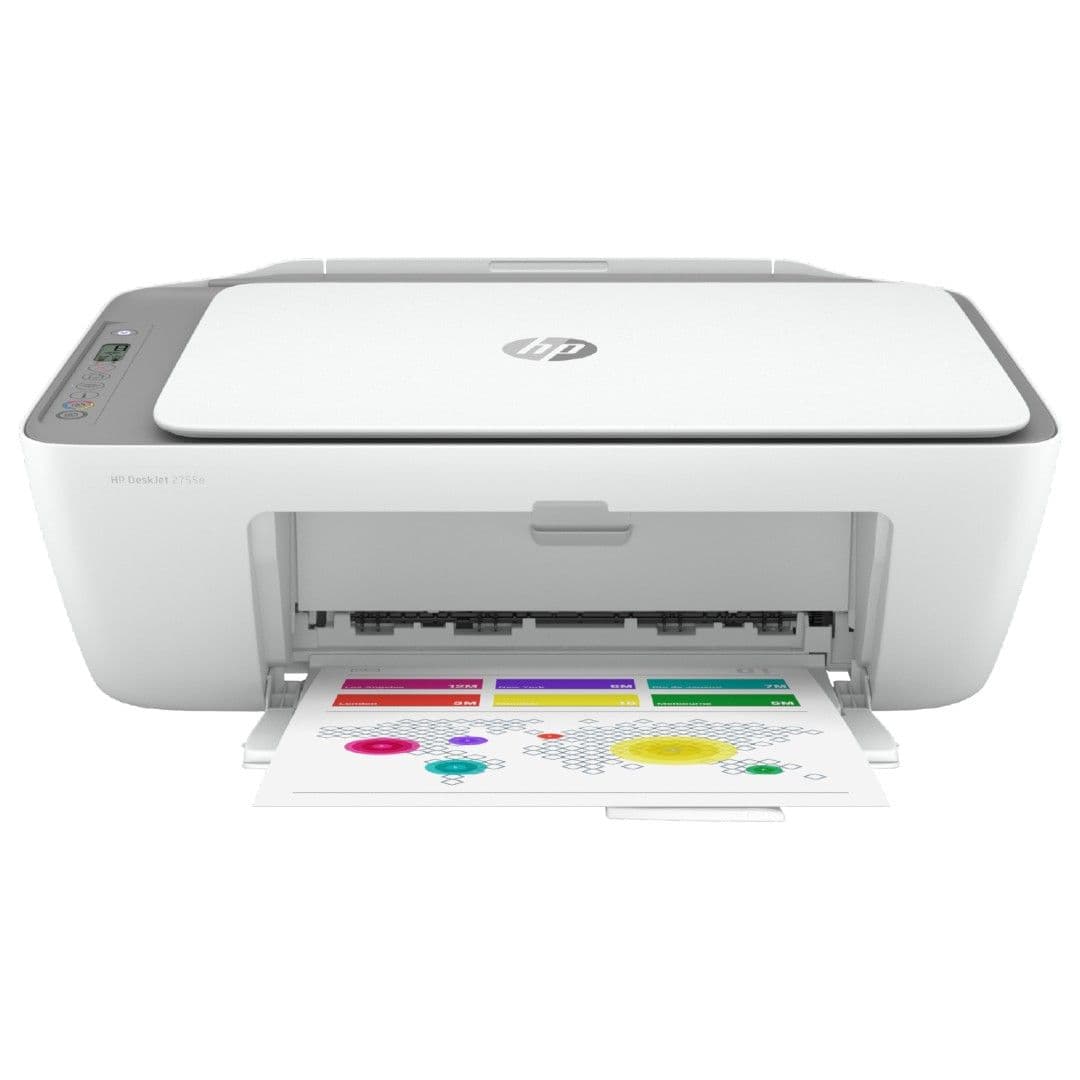
With the HP DeskJet 2755e All-in-One Printer, you can get easy ink refills via the HP+ service. The printer also offers print, scan, and copy functionality, many connectivity options, and terrific (albeit basic) functionality.
Pros
- Wide media type support
- Affordable price, even with ink subscription
- Small footprint
Cons
- Manual duplex
- Low-capacity paper tray
- Slower printing speeds
Needing to print something in a hurry only to learn you’re out of ink is an annoying (and often costly) experience. Ensure that doesn’t happen with the HP DeskJet 2755e All-in-One Printer. Not only is it affordable and well-rounded in its features, but it’s also compatible with HP+, the company’s free cloud-based upgrade.
This feature gets you six free months of Instant Ink delivery, access to advanced features on the HP Smart app, an extended warranty on your printer, and more. Some of the app’s advanced features you’ll gain access to include automatic updates and self-resetting Wi-Fi, cartridge recycling, and mobile faxing. While none of these are necessary for the printer to work, they’re nice extras.
As for the printer itself? You can use it to print, copy, and scan on various paper types, like envelopes and even glossy photo paper. It’s easy to set up, and you can send it print jobs from devices over Wi-Fi, via USB, or even through Bluetooth if you’re nearby. Although the DeskJet 2755e is not perfect — it’s limited to manual duplex printing, its paper tray only holds 60 sheets, and it’s not the fastest printer (just 5.5 pages per minute in color or 7.5 in monochrome) — it’s still a robust printer for the price, and great for home use.
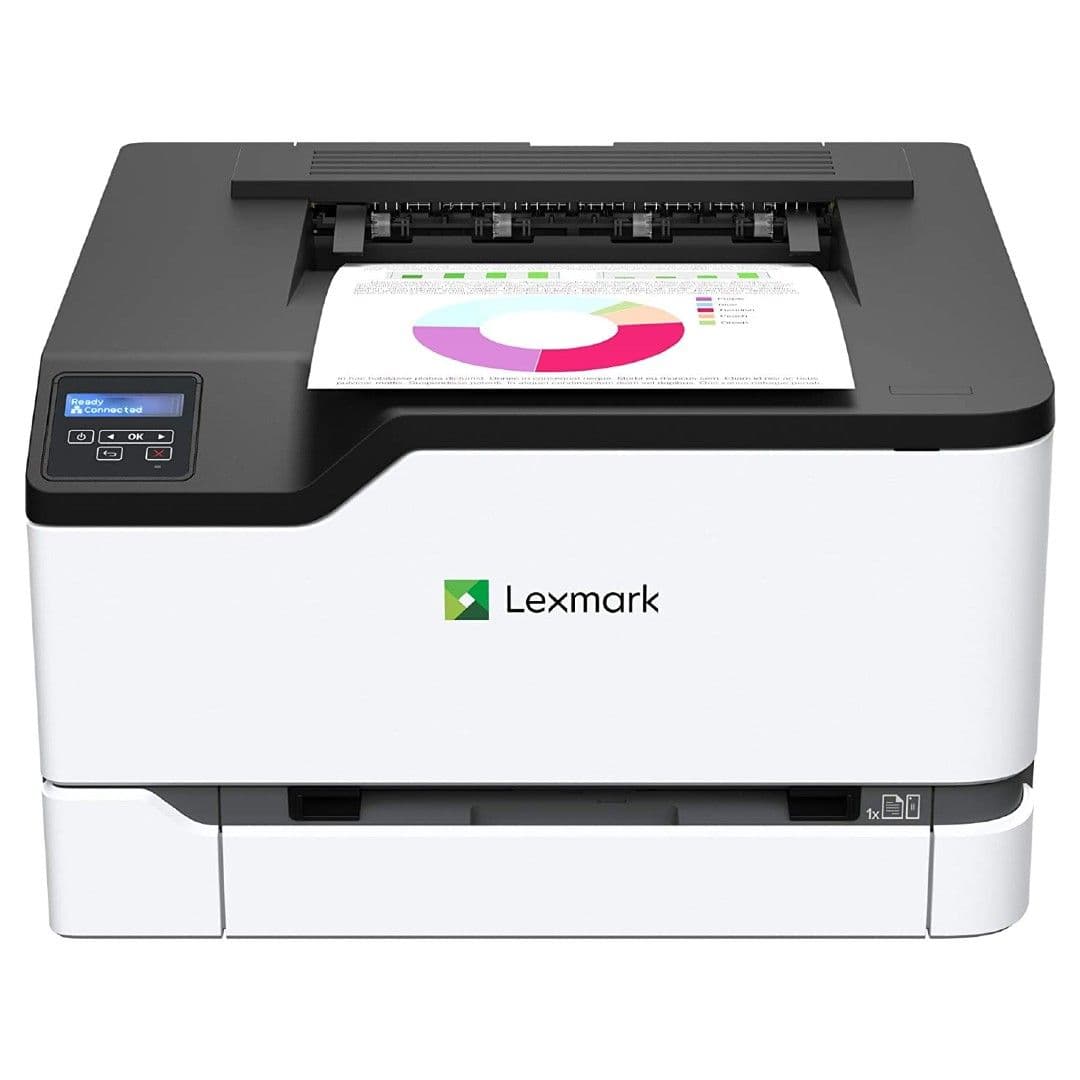
Lexmark C3326dw Color Laser Printer
Best high-capacity printer
Secure, fast, and high-capacity printing
Get your documents printed quickly and securely with the Lexmark C3326dw Laser Printer. It’s great for frequent and large-job printing, offers an artillery of connectivity options, and won’t take up much space in your home or office.
Pros
- Fast printing speeds
- High-capacity paper tray
- Robust mobile printing options
Cons
- Limited media options
- No card/flash drive support
- Expensive
Need a hardworking printer that can keep up with your fast-paced printing needs? The Lexmark C3326dw Laser Printer has your back. Not only is setting it up a fast and easy process, but it can also handle printing as many as 26 pages per minute. The powerful printer has a 1GHz dual-core processor and 512MB of memory, so you can throw multiple large print jobs at it, and it won’t bat an eyelash. It’s also backed by Lexmark’s full-spectrum security architecture, making it a great choice for anyone worried about document information safety.
The C3326dw can hold 250 sheets of paper in its tray and handle printing as many as 2,500 pages every month. You can send it print jobs via Wi-Fi, USB, or Ethernet, plus it works with Lexmark’s mobile print app, Mopria, Apple AirPrint, and other similar apps for your convenience. Even though the printer has a hefty weight (35.5 pounds), it still has a relatively small footprint (15.5 x 16.2 x 9.6 inches), so it won’t take up much space on your desk. Although the C3326dw isn’t compatible with additional media types, it’s a great option for those needing a reliable plain paper printer.
Source: Brother
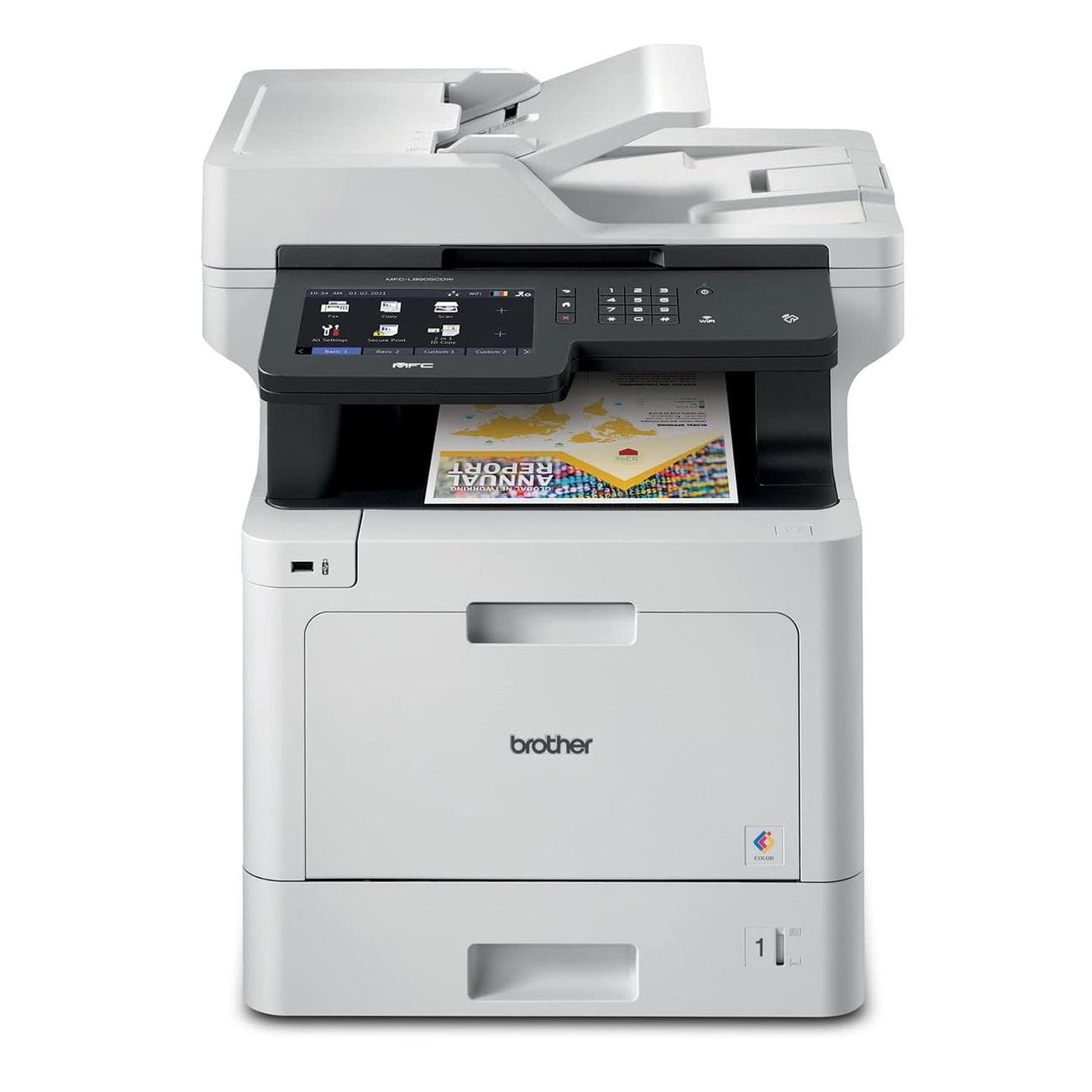
Brother MFC‐L8905CDW All-in-One Printer
Best for businesses
High-volume, low-cost printing
Perfectly suited for corporate settings, this versatile printer offers wide-ranging capabilities and cost-effective operation. It can handle multiple tasks, including duplex printing, scanning, copying, and faxing. Additionally, it offers various connectivity options, such as integrated wireless and Gigabit Ethernet network interfaces and the ability to print from or scan to mobile devices.
Pros
- High-yield, low-cost printing
- Advanced scanning options
Cons
- Much larger footprint
- Not suitable for photo-printing
The L8905CDW is a color laser printer with print speeds reaching 33 pages per minute for both color and monochrome prints. The printer also has advanced scanning features, including a 70-page capacity auto document feeder that can rapidly scan two-sided documents at speeds up to 58 images per minute. It can also scan via the document glass for bound materials, accommodating legal-sized documents.
Speaking of accommodating, it brings a 250-sheet capacity paper tray that adjusts to both letter and legal sizes. And guess what? You can get even more capacity by tossing in additional paper trays, bringing the grand total to a whopping 1,300 sheets.
Among its many business-oriented features, this printer prioritizes economical printing by using TN437 ultra high-yield replacement toner cartridges, which can print 9,000 pages for black and 8,000 pages for color, effectively reducing the cost per page. Security is a priority, too, with triple-layer security features in place to ensure network, device, and document protection during transmission. The printer’s NFC card reader allows for easy badge authentication as well.
All this versatility and budget-friendliness do come with trade-offs. Remember, it’s not the most petite printer on the block, which might not make it the perfect fit for cozy home offices or cramped workspaces. Also, the focus on high-speed printing renders it less suitable for high-quality photo reproduction. Not to mention it’s much more expensive than other options on our list.
Choosing the best network-connected printer for you
Printers are a handy bit of technology to have in our home, office, and home office — and the choices available for network-connected printers have never been more diverse or innovative. Each printer on our list offers a unique blend of features catering to various use cases, whether you’re seeking color accuracy, seamless wireless connectivity, or compact portability. It’s important to evaluate your specific requirements, from heavy office use to leisure use, and also consider factors such as printing volume, speed, and specialized functions.
Our best overall pick, the Epson EcoTank ET-2803 All-in-One Printer, offers many features and is the most eco-friendly option on our list. It does a great job printing sharp vivid documents, works with smart assistant voice commands, and uses high-capacity eco-friendly ink tanks that save you money.
For those working on a tight budget, the small but mighty Canon Pixma TR4270 is the one to beat. While it won’t win any races for printing quickly, it works hard to print, scan, copy, and even fax all your important documents. It even supports printing borderless photos. What’s not to like?
If you have a few extra bucks to spend on your wireless printer, you can’t go wrong with the Brother HL-L3290CDW Compact Printer and its impressively powerful artillery of features. It’s great at quickly knocking out huge monochrome and color print jobs, offers several ways to connect to and print from your favorite on-network devices, and is even compatible with Amazon Dash Replenishment, so you’ll never run out of ink.
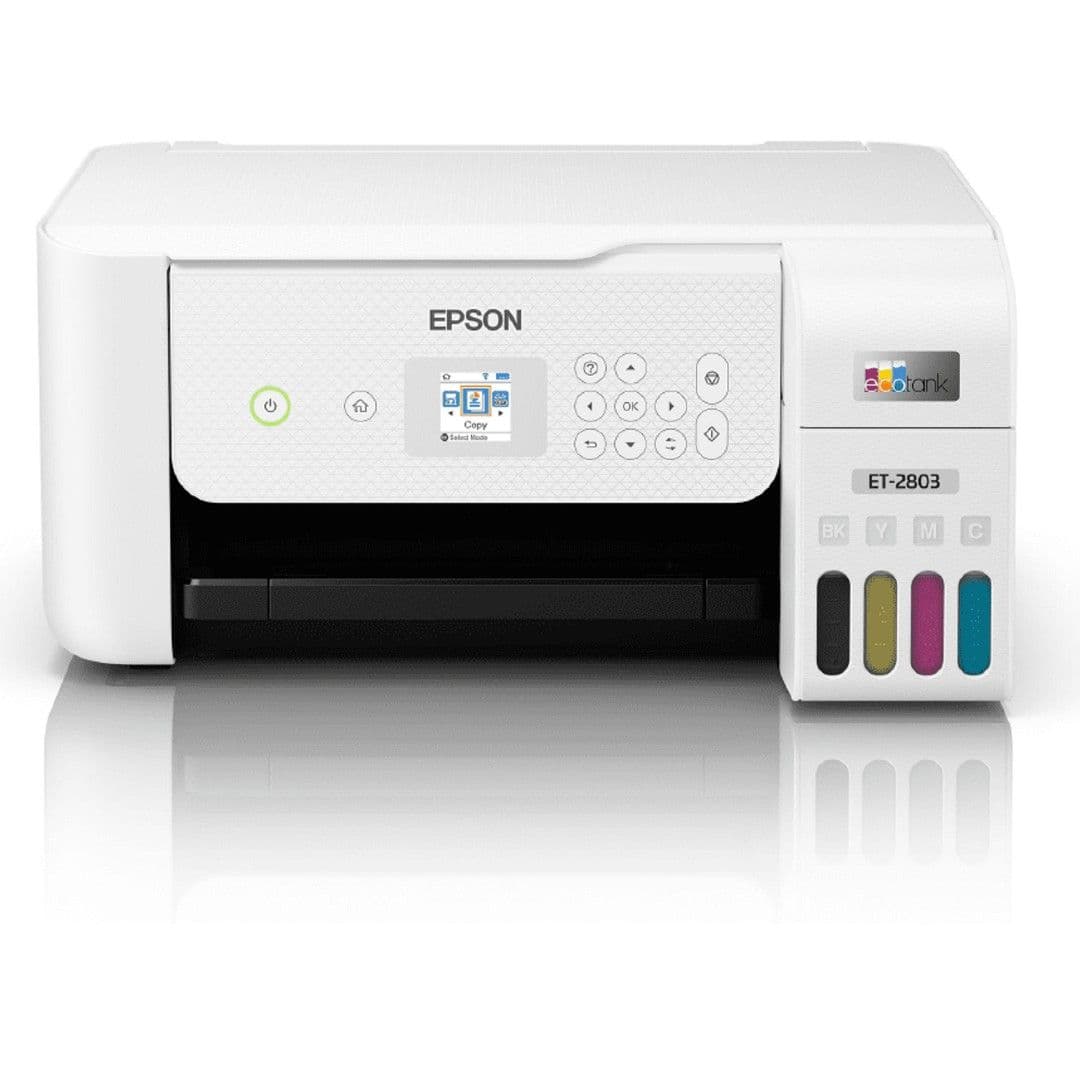
Epson EcoTank ET-2803 All-in-One Printer
Best overall
Simple, efficient, eco-friendly printing
Want an easy-to-use printer with scan and copy functionality that uses an eco-friendly ink refill system? You can’t go wrong with the Epson EcoTank ET-2803 All-in-One Printer and its convenient EcoFit easy refill ink tanks. It can also print documents from any other gadget on your home or business Wi-Fi network.
