

Best NAS for home in 2023
NAS enclosures are designed for storing a lot of
data
and running some apps and services, making them a great addition to a busy household. Whether you and your family members need somewhere to stash files and backups, or you wish to create your very own media streaming
service
, we’ve rounded up our favorite enclosures that we consider to be the very best NAS for homes.
-
Source: Synology
Synology DiskStation DS224+
Best NAS for home
Our top picks for best NAS for the home

Source: Synology
Synology DiskStation DS224+
Best NAS for home
The undisputed best NAS for even the busiest of households
The Synology DiskStation DS224+ is the direct successor to the popular DS220+, which was praised for the value it offered to consumers looking to buy their first enclosure. The DS224+ has an Intel Celeron processor, 2GB of DDR4 RAM, and support for Synology’s excellent DSM operating system and catalog of apps.
-
Brand
-
Synology
-
CPU
-
Intel Celeron J4125
-
Memory
-
2 GB DDR4
-
Drive Bays
-
2
-
Ports
-
2x 1GbE, 2x USB-A 3.2 Gen 1
-
Caching
-
No
-
OS
-
Synology DSM
-
Price
-
$300
-
Dimensions
-
165 x 108 x 232.2 mm
-
Weight
-
1.3 kg
Pros
- Great value
- Excellent DSM OS
- Powerful Intel processor
Cons
- Only 1 GbE networking
- Limited upgrades
- No expansion support
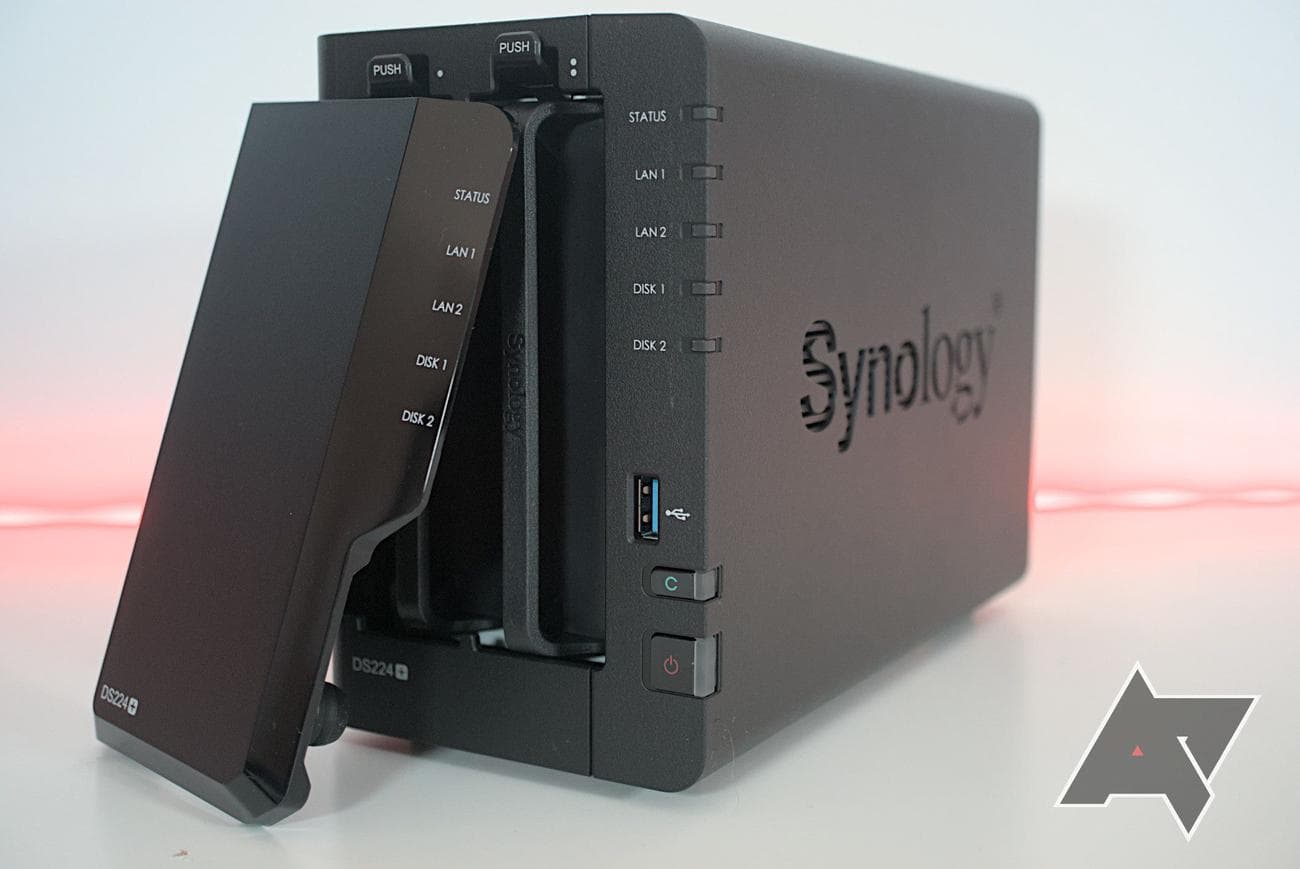
In our extensive testing, we found the NAS to perform just as well as its predecessor with notable improvements in media transcoding and running more intensive apps. The faster processor is capable of doing all tasks with fewer system resources, allowing other tasks to be run or accounts to connect to the enclosure without slowing down overall performance. 2GB of DDR4 RAM should be enough to get started, but it can be expanded to a maximum of 6GB, as supported by Synology.
There’s no way to connect an expansion unit, nor are there any M.2 slots. Once you’ve fully loaded this NAS with data, you’ll need to consider a replacement with more bays. It’s a good place to start for a home NAS, however, with its good value and affordable price tag. Just remember to factor in the cost of NAS drives.
Source: TerraMaster
TerraMaster F2-223
Runner-up best NAS for home
A great substitute for the two-bay Synology NAS
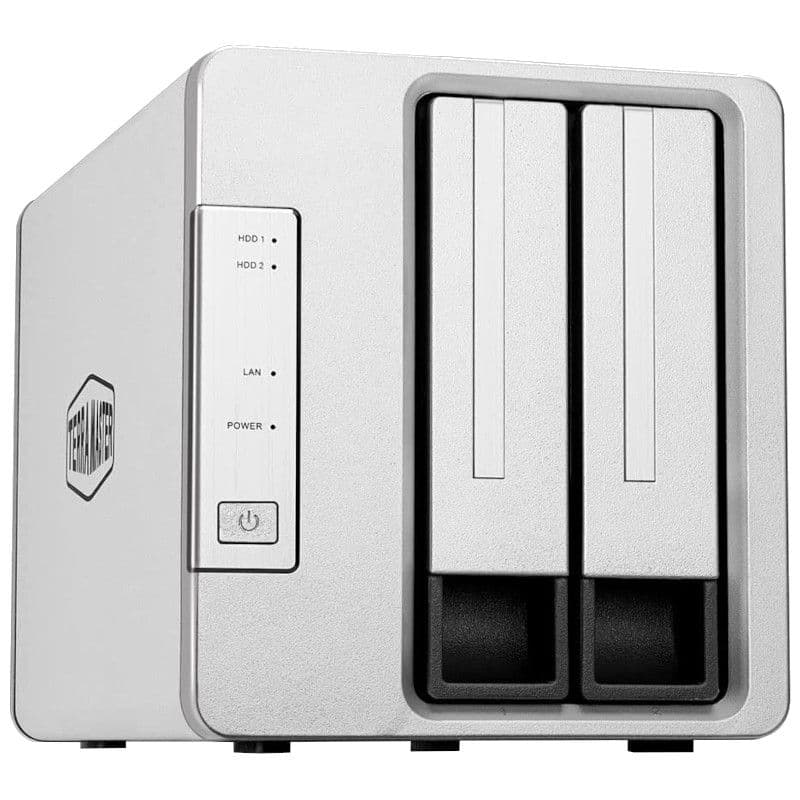
The TerraMaster F2-223 is one of the more powerful two-bay NAS from the brand, rocking a capable Intel processor, two drive bays, multiple 2.5GbE ports, and a decent OS. This is a good value choice for homeowners seeking a serious enclosure.
-
Brand
-
TerraMaster
-
CPU
-
Intel Celeron N4505
-
Memory
-
4 GB DDR4 (max. 32 GB)
-
Drive Bays
-
2
-
Expansion
-
2x M.2 SSD
-
Ports
-
2x 2.5 GbE, 1x HDMI, 2x USB-A 3.1
-
Caching
-
Yes
-
OS
-
TOS
-
Price
-
$260
-
Dimensions
-
227 x 119 x 133 mm
-
Weight
-
2.4 kg
Pros
- Great value
- Powerful Intel processor
- 32GB RAM capacity and M.2 slots
Cons
- Rougher OS UI
- Weaker app support
- HDMI port cannot be used for media
The TerraMaster F2-223 offers great value when compared against our top recommendation. The company managed to price this NAS at $260 while offering an Intel Celeron N4505 processor, supporting up to 32GB of RAM — which is more than what some have in their desktop PCs — and M.2 slots for good measure. Not only is this NAS capable of handling a busier household, but it’s also a good pick for a smaller Plex Media Server installation. Don’t read too much into the available HDMI port, as TerraMaster has yet to enable this for media playback.
TerraMaster F2-223
Still, the specifications and price make this a great pick for those wanting the best bang for their buck. The two 2.5GbE connections on the rear are ideal for taking advantage of additional network bandwidth or to provide scope for infrastructure upgrades in the future. We found in our testing for review that the TerraMaster F2-223 only suffered from a limited app selection, resulting in the company relying on community-maintained offerings, and a downgrade in cloud support compared to Synology.
If you’re searching for a NAS to be used as local storage without cloud-backed services, the TerraMaster F2-223 may be the better fit over the Synology DiskStation DS224+.
Source: QNAP
QNAP TS-464
Best NAS for Plex
The NAS to buy for running your own media server
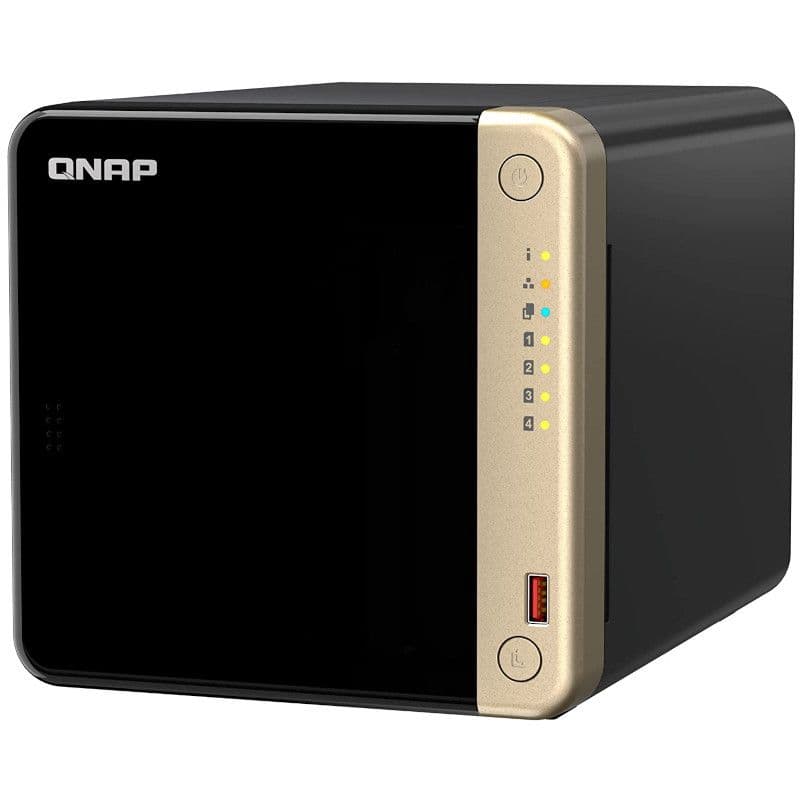
The QNAP TS-464 is a brilliant and powerful NAS, rocking an Intel Celeron processor, 4GB of RAM out of the box, and even two M.2 slots and a single PCIe expansion slot. It has everything you need to run a Plex Media Server, including dedicated HDMI output.
-
Brand
-
QNAP
-
CPU
-
Intel Celeron N5095
-
Memory
-
4 GB DDR4 (max 16 GB)
-
Drive Bays
-
4
-
Expansion
-
1x PCIe 3, 2x M.2
-
Ports
-
2x 2.5GbE, 2x USB-A 3.2 Gen 2, 2x USB-A 2.0, 1x HDMI
-
Caching
-
Yes
-
OS
-
QNAP QTS
-
Price
-
$549
-
Dimensions
-
168 x 170 x 226 mm
-
Weight
-
2.26 kg
Pros
- Powerful Intel processor
- HDMI output for TV
- Expansion support
Running Plex Media Server can be an intensive process for a NAS to handle, especially when multiple streams are running and transcoding is taking place. The better the processor, the easier the NAS will be able to handle streaming and the QNAP TS-464 has the mighty Intel Celeron N5095 with its four physical cores and a maximum burst speed of 2.9GHz. 4GB of RAM included with the NAS is ample system memory for running Plex and other services, and QNAP supports a maximum capacity of 16GB, which can transform this into a powerful home server.
As well as the processor and expandable RAM, QNAP included two M.2 NVMe slots for not only adding caching support to improve performance, but these can also be used to expand the storage pool with speedy SSD drives. There’s also a single PCIe 3.0 expansion slot for expanding the capabilities of the NAS, such as 10GbE networking. By default, the QNAP TS-464 includes two 2.5GbE networking ports for high bandwidth connections, an HDMI port for direct playback to a TV, and an IR sensor for remote control support.
We found the NAS to be perfectly suited to running Plex Media Server in our testing and found no issues with transcoding multiple 4K streams at various settings without experiencing sluggish playback. It could be considered overkill for general storage usage and is priced accordingly, but if you plan on running a media server, this NAS can help save you money long term through the cancelation of streaming services. We also compared the Synology DiskStation DS923+ vs. QNAP TS-464, which shows the differences between the two NAS for running Plex.
Source: ASUSTOR
Asustor Flashstor 6 FS6706T
Best SSD NAS
Go all-out with flash storage for best performance
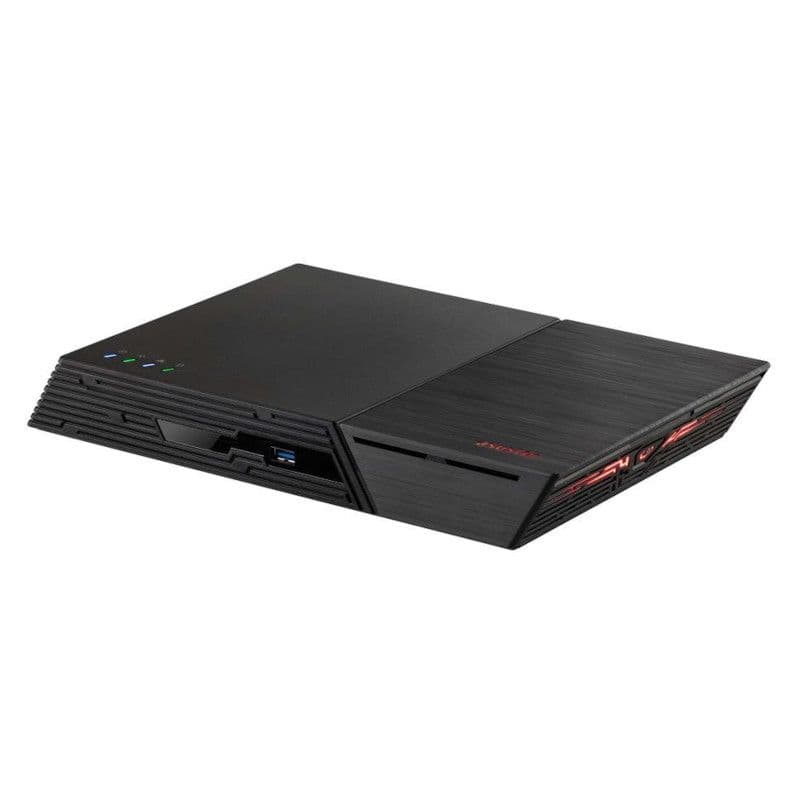
If you’re looking for a NAS with excellent transfer rates, look no further than the Asustor Flashstor 6 FS6706T. This thing is rapid, with six M.2 slots available for speedy SSD drives. There’s 2.5GbE networking, HDMI output, expansion support, and expandable RAM, making the FS6706T an impressive NAS.
-
Brand
-
Asustor
-
CPU
-
Quad-core Intel Celeron N5105
-
Memory
-
4 GB DDR4 (max 16 GB)
-
Drive Bays
-
6
-
Expansion
-
Yes
-
Ports
-
2x 2.5GbE, 1x HDMI 2.0b, 2x USB 3.2 Gen 2×1, 2x USB 2.0
-
Caching
-
Yes
-
OS
-
Asustor ADM
-
Price
-
$500
-
Dimensions
-
48.3 x 308.26 x 193 mm
-
Weight
-
1.35 kg
Pros
- Six M.2 SSD slots
- Quieter and less power draw
- HDMI output for TV
Cons
- Pricey
- PCIe and LAN bottlenecks
- M.2 NVMe SSDs are expensive
Spinning mechanical drives offer the best value in terms of price-per-GB, but they’re loud, having motors that cause vibrations, and aren’t terribly reliable. Moving parts have a higher chance of breaking than immobile parts, which is why SSDs are becoming more commonplace in NAS. Asustor went above and beyond with the Asustor Flashstor FS6706T by offering no 3.5-inch drive bays. Instead, this enclosure houses six M.2 NVMe drive slots for rapid solid-state storage.
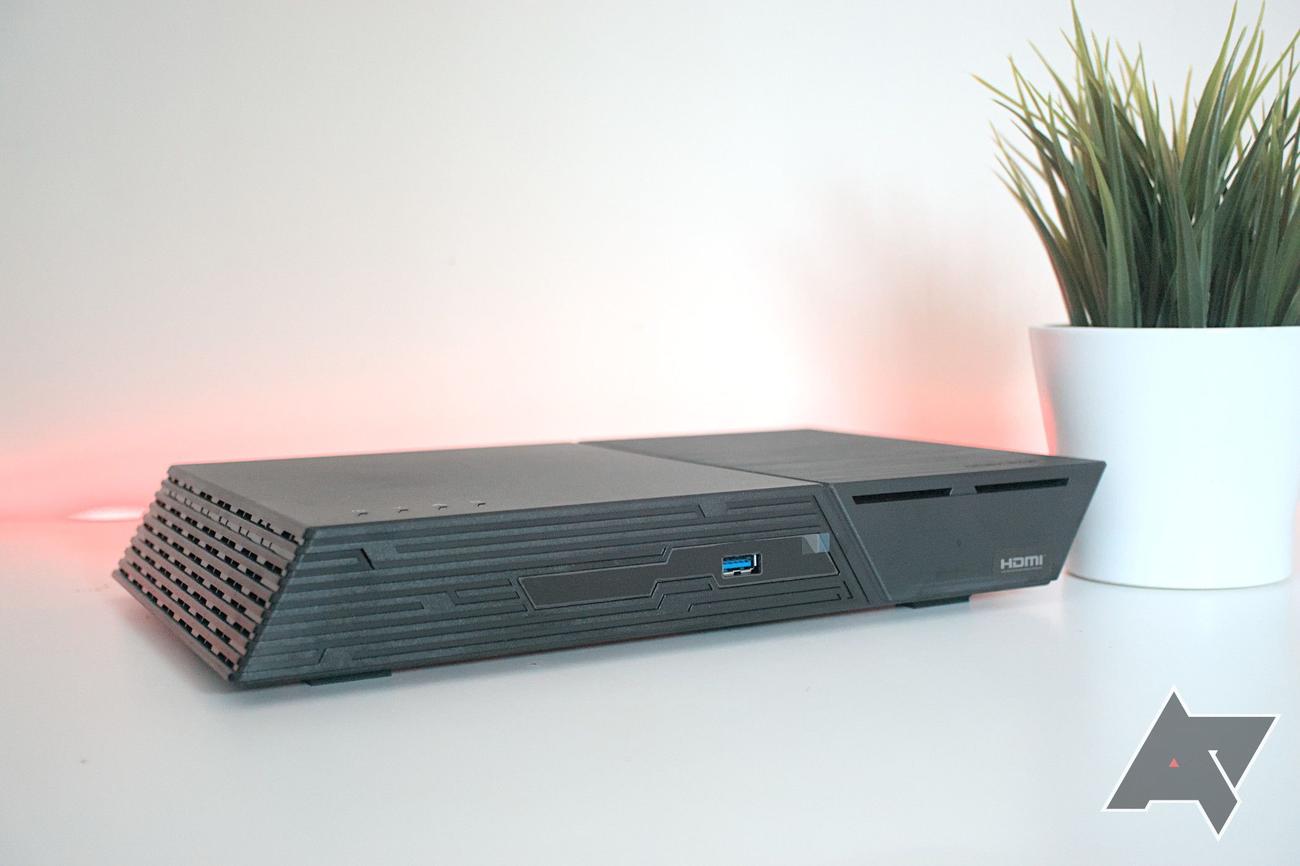
This opens up access to many possibilities for creating a home server without the noise, high power draw, and vibrations. Using SSDs may be more expensive than mechanical drives, especially when purchasing those designed for NAS usage, but it could be worth it if you desire the best endurance. This NAS would be a good match for storing data and running some services or creating a media streaming platform. The Intel Celeron N5095 is one we’ve seen in many of the best NAS out there and 4GB of DDR4 RAM is a great starting point.
Having access to six M.2 slots for speedy NVMe drives is great on its own, but this requires considerable bandwidth for it to be worth the investment. Unfortunately, as we highlighted in our review, it’s not possible to run six PCIe 3.0 drives at full speed and enjoy the highest transfer rates of data. The CPU and two 2.5GbE network points act as a bottleneck for the available storage slots. It’s no
deal
-breaker and will only affect those seeking high speeds across the network. We found fully saturating the two 2.5GbE ports to be more than enough for the home or office.
Source: Synology
Synology DiskStation DS223j
Best budget NAS
A cheap NAS with access to Synology’s ecosystem
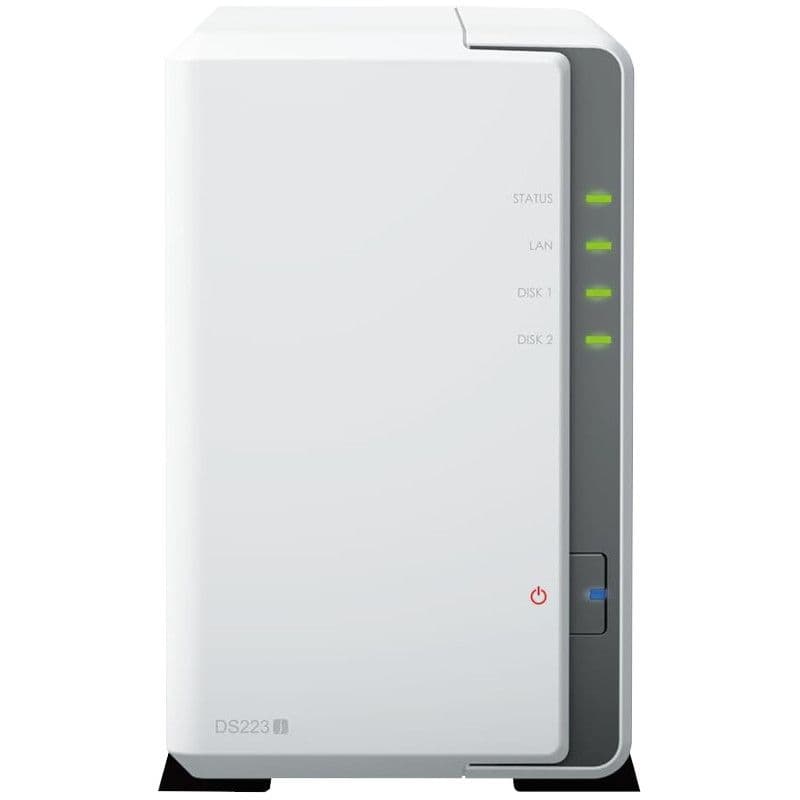
Synology’s DiskStation DS223j is the replacement for the popular and well-received DS220j, an affordable two-bay enclosure with access to the company’s excellent DiskStation Manager (DSM) OS. Rocking a new ARM processor and more RAM, it’s a solid choice for those who simply wish to store files and backups.
-
Brand
-
Synology
-
CPU
-
Realtek RTD1619B
-
Memory
-
1 GB DDR4
-
Drive Bays
-
2
-
Ports
-
1x 1 GbE, 2x USB-A 3.2 Gen 1
-
OS
-
DSM
-
Price
-
$190
-
Dimensions
-
165 x 100 x 225.5 mm
-
Weight
-
0.88 kg
Pros
- Affordable
- Great for beginners and file storage
- Access to DSM and Synology apps
Cons
- No expansion support
- Weaker ARM processor
- Only a single 1GbE connection
For a NAS that won’t cost much, there’s little reason to consider anything other than the Synology DiskStation DS223j. This is an enclosure that costs less than $200, yet manages to house two 3.5-inch drive bays for up to 40TB of raw storage capacity. This makes it the ideal NAS for homes and NAS beginners where more intensive apps such as Plex Media Server will not be installed. It is possible to stream media with this enclosure, but transcoding is out of the question due to the ARM processor.
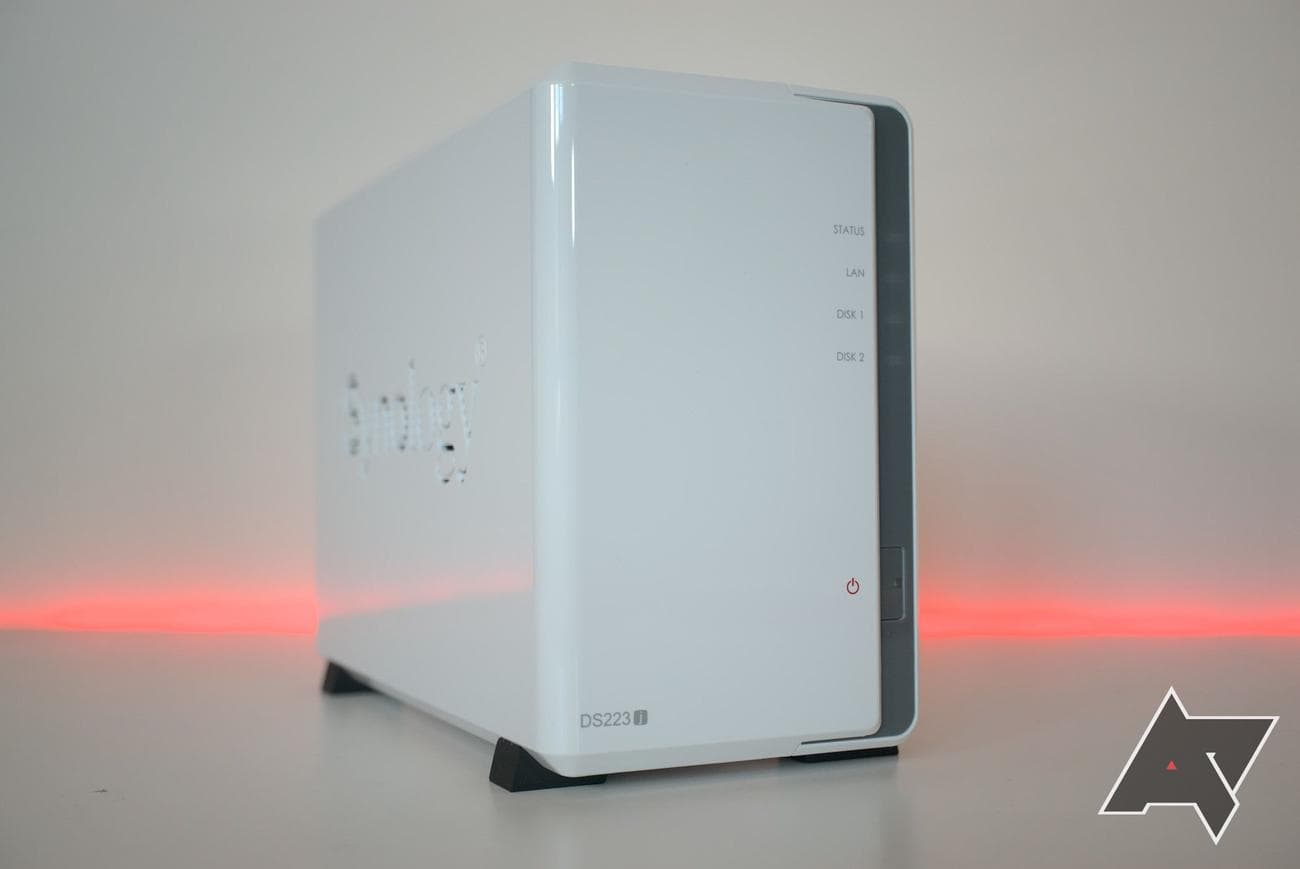
How Synology was able to make this NAS so affordable is by using a Realtek RTD1619B processor. It’s an ARM chip and packs less of a punch than its Intel Celeron counterparts. This does mean the enclosure draws less power and should run cooler. 1GB of DDR4 RAM is installed and this is all you’ll be able to use as there’s no option to expand it. Just like all other Synology NAS enclosures, the DS223j runs DiskStation Manager (DSM), providing access to the best-in-class operating system.
We found the NAS to be an excellent budget-friendly enclosure with only a few drawbacks when factoring in its low price. First, there’s the issue with limited system resources. 1GB of RAM may not be enough for busier households with multiple accounts attempting to perform various NAS-related tasks. The CPU isn’t the most powerful we’ve seen in an enclosure either. There’s no expansion support and a single 1GbE connection to the network can quickly become saturated. Still, the DS223j is a good affordable NAS for most homes.
Source: TerraMaster
TerraMaster F4-423
Best value NAS
A perfect mix of power and affordability
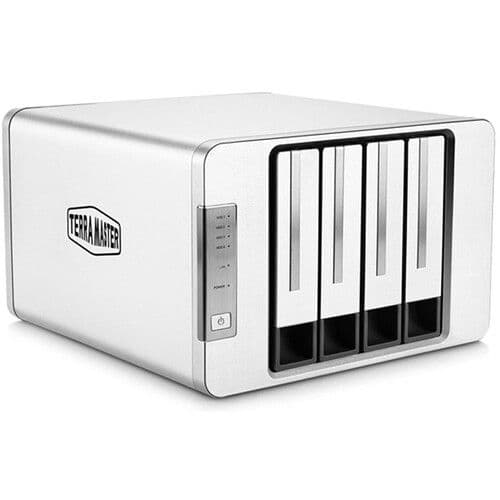
TerraMaster’s F4-423 might not offer the same depth and breadth of features as options from more established competitors, but it’s a capable and reasonably priced option that’ll do everything most users need it to.
-
CPU
-
Intel Celeron N5095, Quad-Core 2.0 GHz
-
Memory
-
4GB, upgradeable to 32GB
-
Drive Bays
-
4
-
Caching
-
2x M.2 2280 NVMe Slot
-
OS
-
Terramaster TOS 5.1
-
Price
-
$500
-
Dimensions
-
227 x 225 x 136 mm
-
Weight
-
3.6 kg
Pros
- Powerful Intel processor
- Up top 32GB RAM and M.2 slots
- Excellent value
Cons
- Rougher OS and weaker app support
- M.2 SSD slots cannot be used for storage
- HDMI port cannot be used for media
We recommend the mighty TerraMaster F4-423 as the best NAS in terms of value. It’s not as affordable as the Synology DiskStation Ds223j, nor TerraMaster’s own F2-223, but this is quite the enclosure. The F4-423 has four drive bays, much like the QNAP TS-464. There’s a powerful Intel Celeron process inside with 4GB of DDR4 RAM out the box, which can be expanded up to a whopping 32GB. Two M.2 NVMe slots are also present for improving overall system performance through data caching with SSDs.
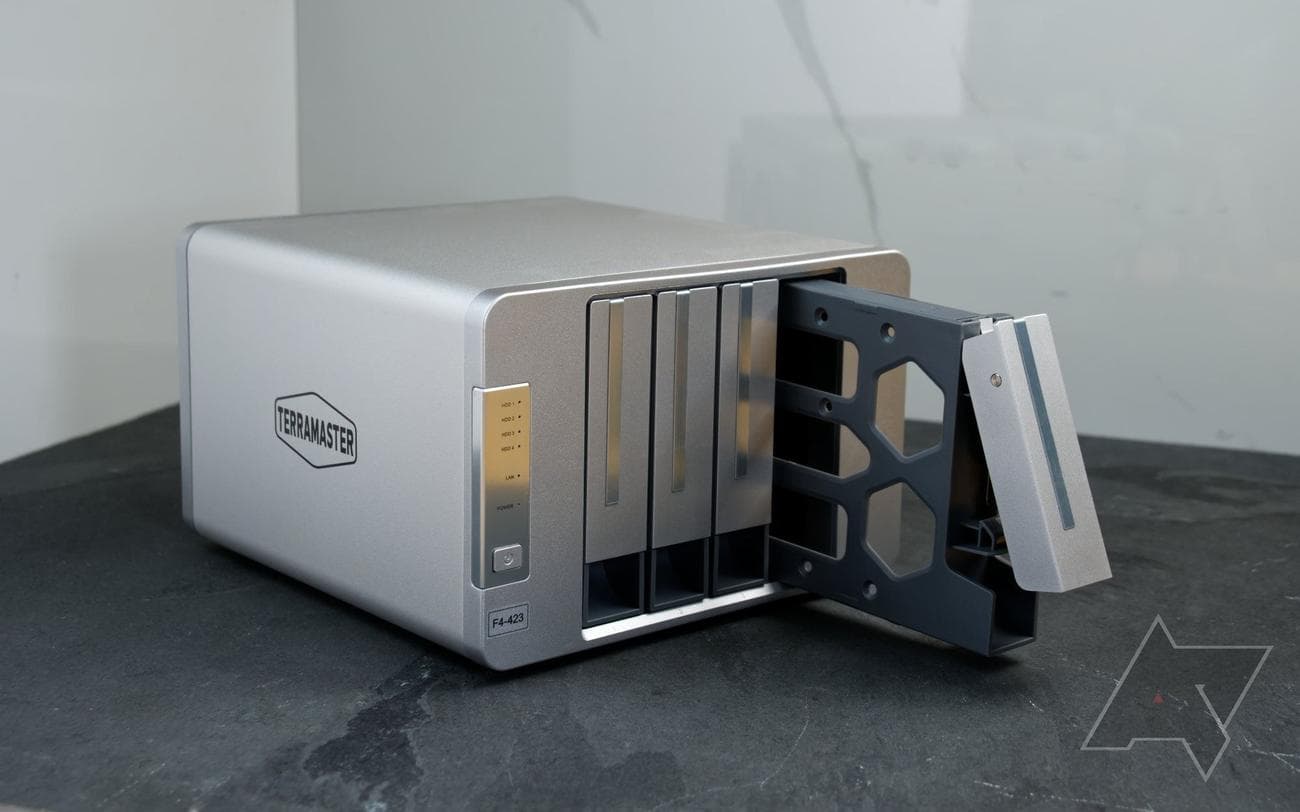
We’re big fans of the TerraMaster F4-423, but did come across is lack of advanced features when compared to other branded NAS. There’s also the issue of hardware upgrades, namely the RAM and SSDs, not being a straightforward process and requires the removal of the outer shell. Then there’s the OS, which isn’t terrible but it’s also not as refined as Synology, QNAP, and Asustor offerings. You can perform most tasks without issue but it would be good to see TOS receive a visual upgrade to bring it up to par.
TerraMaster more than makes up for this with the specifications on offer. The processor and RAM make it a great option for running Plex Media Server, storing files, and even recording surveillance footage from security
cameras
. The HDMI port cannot be used, which is a shame, but the ability to install up to 32GB of RAM and utilize M.2 SSDs for caching make this a very capable enclosure.
Choosing the best NAS for home
Picking the right NAS for your home is largely dictated by how much you’re willing to spend. NAS enclosures can cost anywhere from $100 all the way up to $2,000 and beyond. A two-bay NAS with an Intel Celeron processor is usually more than enough for even busier households with multiple family members simultaneously accessing data stored on the server or apps. We’ve tested countless enclosures and found many released within the last few years to be more than adequate for the home. If we had to select one to recommend above the rest, it would be the Synology DiskStation DS224+.
This is a very capable enclosure with an Intel Celeron processor, upgradable DDR4 RAM with 2GB from the factory, access to Synology’s excellent DSM operating system, and two 1GbE network connections. Competitors such as TerraMaster may be offering NAS with 2.5GbE ports in similarly priced enclosures, but two 1GbE links are still good enough for most home networks. We wouldn’t envision this being an issue with most homes, making this our go-to recommendation for buying a two-bay NAS for your family to enjoy.
Source: Synology
Synology DiskStation DS224+
Best NAS for home
The Synology DiskStation DS224+ is the direct successor to the popular DS220+, which was praised for the value it offered to consumers looking to buy their first enclosure. The DS224+ has an Intel Celeron processor, 2GB of DDR4 RAM, and support for Synology’s excellent DSM operating system and catalog of apps.