
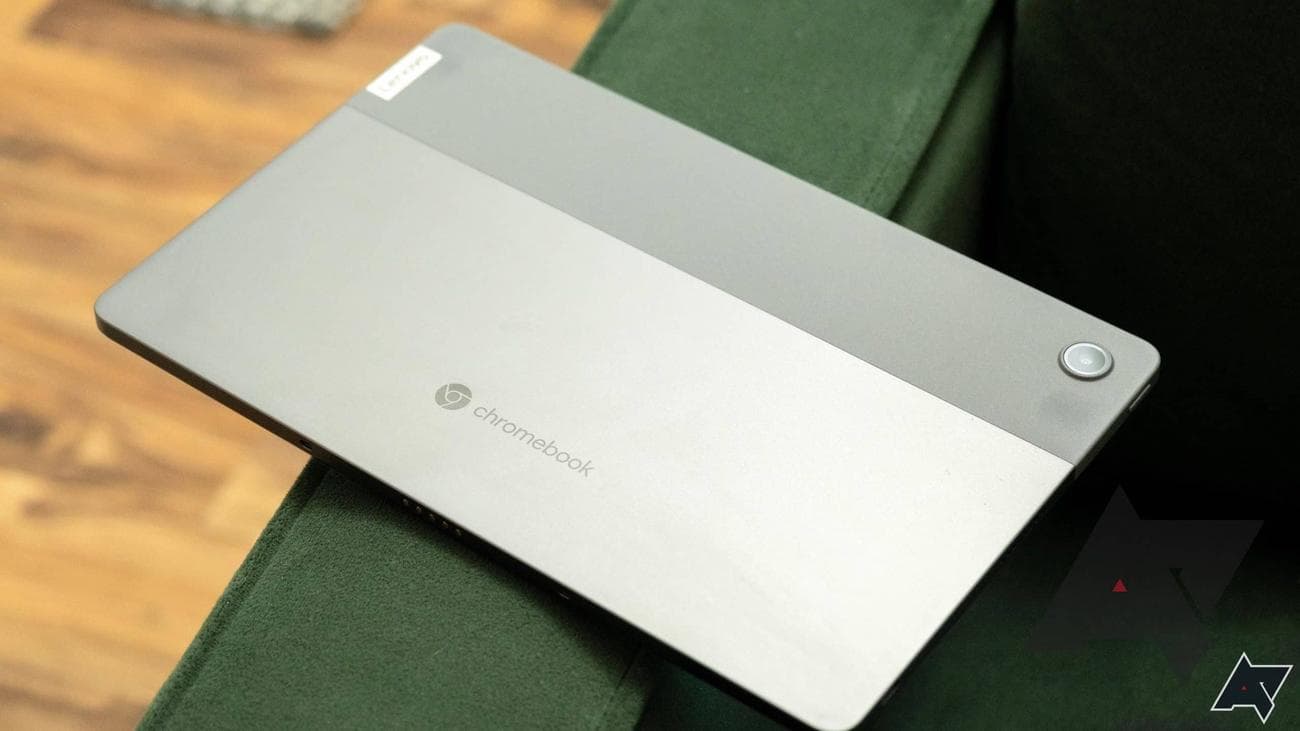
Best Chromebook VPN in 2023
With a VPN (Virtual Private Network), you can easily access online content anywhere in the world and surf the web anonymously from the comfort of your Chromebook. From bypassing region-locked content on streaming services to watch the best new movies to hiding your IP address to keep your online activity encrypted, a VPN lets you do it all with a simple click of a button. As Chromebooks make the most out of being online, VPNs go hand-in-hand with Chrome OS laptops.
Plenty of VPN services exist, but some have apps and services specifically designed to work with the best Chromebooks. Whether you’re searching for fast internet speeds, reliable online privacy, or an affordable way to unlock streaming services around the globe, we’ll help you choose the best Chromebook VPN that suits your needs.
Installing a free VPN may be tempting, but they lack a key feature in subscription-based services: privacy. The best VPNs are based in privacy-friendly countries and have a credited no-logs policy,
unlike SuperVPN, which exposed 360 million users’ data in mid-2023
. However, if you prefer to check out a VPN without signing up for the subscription fee, we recommend taking advantage of their 30-day free trials.
Our top VPNs for Chromebooks
Source: ExpressVPN
ExpressVPN
Best overall
Top choice for excellent speeds
ExpressVPN comes out on top thanks to its blazing-fast speeds, array of servers in nearly 100 countries and an impressive suite of security features. Its Android app for Chromebooks is
easy
to set up and navigate around, and it comes with an extensive list of handy features to keep you safe online while efficiently bypassing streaming service blocks.
Pros
- Easy-to-navigate app for Chrome OS
- Superb speeds
- Up to five devices allowed
- British Virgin Islands jurisdiction
For many, ExpressVPN is often the VPN of choice, and it’s no different for Chromebook users. Boasting excellent connection speeds, over 3,000 servers in 94 countries, and a user-friendly Android app for Chrome OS with an extensive list of features, ExpressVPN is an easy pick for those needing online privacy while streaming movies and TV shows worldwide.
Along with its vast array of servers in nearly every corner of the globe, it offers its very own Lightway protocol to allow for lightning-fast connections that don’t slow down your internet speeds. It consistently bypasses geo-blocked content and strict streaming services, allowing Chromebook users to easily access Netflix, Amazon Prime Video, BBC
iPlayer
, Disney+, Paramount+,
HBO Max
, and more.
In terms of security, you can expect a kill switch that automatically protects your internet traffic if your VPN connection drops, a Threat Manager feature to block trackers and malicious websites, split tunneling that lets you decide which apps are connected to a VPN, 256-bit AES encryption to protect your data and plenty more.
ExpressVPN is based in the British Virgin Islands, a privacy-friendly country. It has a no-logs policy and Perfect Forward Secrecy, meaning all your encrypted data can’t be captured and decrypted by threat actors. It may be on the pricier end of VPN services, but it won’t disappoint.
Source: NordVPN
NordVPN
Premium pick
The fastest VPN to grab
NordVPN is an excellent pick for Chromebook users looking for serious internet speeds and online protection. While its servers aren’t in as many countries as our top choice, it makes up for this in terms of affordable pricing and well-designed features. Plus, it gives users up to six devices simultaneously, meaning more Chromebooks to stream content on easily.
Pros
- Incredible speeds
- Massive network of servers
- Up to six devices at once
- Located in Panama with no required data logs
Cons
- Could have more countries
- You can still go cheaper
NordVPN is an exceptional alternative to our top pick, as it features superb speeds, a wide
variety
of servers in nearly every corner of the globe, and security tools that keep any malicious activity at bay. Moreover, its Chromebook Android app works like a charm, allowing users to hop from different locations effortlessly.
With over 5,700 servers in 60 countries, it may not have as diverse locations as ExpressVPN, but it makes up for this with the vast amount of ultra-fast servers you can connect to. It makes streaming content on all major platforms such as Netflix, BBC iPlayer, Disney+, and more a breeze, as a server will always be ready to connect to.
Throw in its super-fast NordLynx protocol, along with its heavy-duty security features. One of them is AES 256-bit encryption, a Threat Protection feature that avoids ads and protects you from malware, dark web monitoring, an app-specific kill switch, and split tunneling, and you’ve got yourself a premium VPN service.
NordVPN is based in Panama, which has no mandatory data retention laws. As with best VPNs, it has a zero-logs policy and supports Perfect Forward Secrecy, meaning your private data is safe.
Source: Surfshark
Surfshark
Best value
Low-cost VPN with no device limit
Surfshark is the most affordable VPN for Chromebooks by far, especially if you have multiple devices and want to share with family and friends. You can connect as many Chromebooks and other devices as possible with no device limit. Its Android app is simple to use and features over 3,000 servers in 100 countries. A British Virgin Islands jurisdiction means it has no data retention laws.
Pros
- Affordable yearly plans
- No device limit
- British Virgin Islands jurisdiction
- More than 3,200 servers in 100 countries
Cons
- Not the fastest VPN service
- Can have unblocking issues
Surfshark is affordability at its finest, especially if you opt-in for its annual subscription plan, starting at $2.30 per month. Where its value truly shines, however, is with its unlimited device connections. No matter how many Chromebooks and other devices are in a household (and beyond), all it takes is one subscription for all devices to surf the internet anonymously.
Featuring over 3,200 servers in over 100 countries, you’ll get a fast connection in every major region worldwide. It may not deliver turbo internet speeds like many VPNs on this list, but its WireGuard protocol offers plenty of security and adequate speeds to stream content without hassle.
It’s important to note that it sometimes has trouble getting past blocks from streaming platforms like Disney+. However, switching to a new server quickly resolves this issue, allowing you to get past Netflix, Amazon Prime Video, Hulu, Paramount+, and more.
Surfshark offers several security tools, including a kill switch, a Dynamic MultiHop mode that channels data through two VPN servers, and a built-in ad and malware blocker called CleanWeb. The British Virgin Islands jurisdiction governs the VPN service and has a no-logs policy.

Source: CyberGhost
CyberGhost
Plentiful servers
Plenty of servers around the world
CyberGhost VPN is a fantastic option for Chromebook users who enjoy streaming and torrenting. With over 9,400 servers in 91 countries and speedy connections to dedicated servers for streaming, it does an excellent job of unblocking content. It offers up to seven device connections and has jurisdiction in Romania.
Pros
- Very affordable two-year plans
- More than 9,000 servers in 91 countries
- 45-day free trial
- Up to seven devices allowed at onc
Cons
- Chrome OS app could be better
- Low on features
CyberGhost VPN is a fast and reliable service that’s hard to fault, as it’s an excellent and affordable option for Chromebooks. If you get a VPN purely for streaming, you’ll enjoy its 9,400 servers in 91 countries and dedicated streaming servers for optimal connection speeds.
The best plan is its two-year subscription, which works out at just $2.19 per month. If you’re not ready to spend that much, the 45-day free trial gives you more than enough time to decide.
CyberGhost brings swift speeds thanks to its WireGuard protocol, which means streaming or gaming on your Chromebook is lag-free. It doesn’t offer the most features on Chrome OS, as the app doesn’t provide features such as split tunneling. However, it still offers a kill switch to protect your online identity.
CyberGhost VPN is based in Romania, a privacy-friendly country outside the Five Eyes alliance. With its no-logs policy, expect your data to be safe with this VPN switched on.
Source: IPVanish
IPVanish
Worldwide streaming
Bypass region-locked content easily
IPVanish is a master at letting you unblock geo-restricted content with its stylish dark mode-like Chromebook app. It offers over 2,200 servers in 51 countries, unlimited device connections, and several unique features Chromebook users can use. While the VPN service is based in the U.S., leaving it open to privacy concerns, it has a strict lo-logs policy.
Pros
- Unique VPN features for Chromebooks
- Affordable yearly plans
- No device limit
- Easy access to region-locked content
Cons
- United States jurisdiction
- Needs more servers
IPVanish is a fantastic choice for Chromebook owners looking for a VPN service to unblock geo-restricted content at an affordable price. From as low as $3.33 per month, you can expect stable internet speeds, unlimited simultaneous connections, and an easy-to-navigate app.
What it lacks in server numbers, it makes up for in reliable unblocking techniques and fast connections. It gives you quick access to Netflix, Disney+, Amazon Prime Video, and more streaming platforms in 51 countries, and it’s made more accessible with its user-friendly Chromebook app (its dark mode aesthetic is a bonus).
Speaking of, the app lets you add your favorite VPN servers to a shortlist for quick access, and it offers an OpenVPN Scramble tool to trick strict geo-blocked content that blocks VPNs into thinking you’re not using a VPN. What’s more, its WireGuard protocol delivers fast and secure connections.
For Chromebook owners who are wary about keeping their data private, it’s important to note that IPVanish is under U.S. jurisdiction. This means a government entity can obtain and share its private information. However, the VPN service has a no-logs policy, which has been audited and verified by a third-party cybersecurity company.
Source: Private Internet Access
Private Internet Access
Low-cost unblocker
An affordable option for streaming
PIA (Private Internet Access) is another excellent budget Chromebook VPN, even though its app could be more intuitive. Starting at $2.69 monthly, it offers over 35,000 servers in 84 countries, unlimited device connections, fast connection speeds, and plenty of advanced security tools. Despite being open source, it is based in the U.S.
Pros
- Affordable subscription plans
- Many advanced security features
- Reliable internet speeds
- Unlimited device connections
Cons
- U.S. jurisdiction
- No-frills app for Chromebooks
PIA (Private Internet Access) is a fantastic low-cost VPN, but its Chromebook app is a tad lackluster. However, this shouldn’t take away from what it offers at its $2.69 per month pricing, which includes fast internet speeds, over 35,000 servers in 84 countries, and a lengthy list of advanced security tools.
Thanks to its incredible number of servers offering 10GB/s network speeds, it can easily bypass country-specific content, including on streaming platforms like Netflix, Disney+, Paramount+, Amazon Prime Video, and more.
Speed isn’t PIA’s only strength, as it also comes with a selection of security tools worth using. This includes the reliable WireGuard protocol, split tunneling, kill switch, ad and malware blocking, anonymous cryptocurrency payments, and an email breach scanner to check if your email address has been compromised in a data breach.
PIA is based in the U.S., which isn’t ideal if you’re concerned about your data. That said, it’s an open-source VPN with a strict no-logs policy, which has been reviewed and approved by an independent audit firm. If you can get used to navigating through its no-frills app on Chromebook, PIA offers fantastic value.
Source: Atlas VPN
Atlas VPN
Beginner-friendly
Perfect for beginners
Atlas VPN makes a strong case for Chromebooks, as it features one of the most affordable subscription plans while still being a fast and secure VPN service. It has over 1,000 servers in 41 countries, unlimited simultaneous device connections, solid internet speeds, and a unique security feature that further protects online traffic. Its U.S. jurisdiction may turn some users away, though.
Pros
- Straightforward app on Chromebooks
- Low-cost plans
- Unique security features
- Unlimited device connections
Cons
- Based in the U.S.
- Over 1,000 servers is low
Atlas VPN may be a relatively new VPN on the block, but it made a strong start thanks to its easy-to-use Android app that works great on Chromebooks. Its beginner-friendly user interface makes connecting to VPN servers around the globe a breeze, and its special SafeSwap servers let you access the internet from several IP addresses automatically, bolstering your privacy without lifting a finger.
While its basic version is free, the affordable paid plan is the one to go for. From 1.82 per month for a two-year subscription, you get access to 10GB/s server speeds and a host of security features, such as WireGuard protocol, a kill switch, split tunneling, malware blocking, and MultiHop+, which lets you tunnel your connection via multiple rotating VPN locations.
The VPN is let down by its low server count. With over 1,000 servers in 41 countries, it doesn’t give you many options to connect to the right VPN server for you. However, this small selection lets you access Netflix, Amazon Prime Video, BBC iPlayer, and more.
Atlas VPN is based in the U.S., which isn’t a privacy-friendly country. However, as with all of the best VPNs, it has a strict no-logs policy and has completed several independent security audits to back this up. With its low pricing and no-nonsense app, Atlas VPN is a fine choice for Chromebook users.
Source: ProtonVPN
Proton
VPN
Free plan included
A focus on security and privacy
Proton VPN delivers an open-source, fully-featured Chromebook app that puts privacy first. It’s one of the only VPNs that offers free and paid plans, but the latter brings better internet speeds and more advanced security options. It has over 2,900 servers in 69 countries and is based in Switzerland, which has strong privacy laws.
Pros
- Free tier is available for all users
- User-friendly app for Chromebooks
- 2,900 servers in 69 countries
- Switzerland jurisdiction
Cons
- Relatively expensive yearly plans
- Speeds could be better, especially with free tier
Proton VPN is all about online privacy, making it a fantastic choice for Chromebook users looking to protect their data. From the makers of the end-to-end encryption email service Proton Mail, this VPN is open source and fully audited by third-party professionals. Its Switzerland jurisdiction means your information and internet activities stay private.
While privacy is at its forefront, the free-tier plan makes it stand out. It’s one of the only free VPNs that doesn’t limit bandwidth but only gives you three countries to connect to. While it’s a great option to try out and keep your identity hidden, the paid Proton VPN Plus plan gives you access to 2,988 servers in 69 countries, Secure Core that routes your traffic through multiple servers, security tools such as a NetShield adblocker and kill switch, and 10GB/s capable servers.
Proton VPN’s paid plans don’t come cheap, and there’s room for more servers and better speeds, but Chromebook owners will be more than happy with the app’s list of security features and snappy user interface.
Should I get a VPN for my Chromebook?
VPNs offer the best way to protect your data while browsing the internet and to keep your online activity private. While Chromebooks are known for their robust protection features, such as automatic security updates, sandboxing, and data encryption, VPNs offer the added benefit of staying safe online.
The best VPNs not only keep you anonymous by hiding your true IP address but also let you bypass geo-blocked content anywhere in the world. This allows you to stream country-specific content on the most popular streaming platforms and browse through region-restricted websites, all while keeping your online identity encrypted. This isn’t something Chromebooks can do, making it an essential way to explore the internet safely.
The best Chromebook VPN for you
Not all Chromebook VPNs are equal, as some offer faster connection speeds, better security tools, and more user-friendly apps. It also depends on what key features you’re interested in and how much it will cost.
For example, ExpressVPN delivers exceptional speeds and a suite of advanced protection tools in an easy-to-use app. While it isn’t the most affordable, its Lightway protocol will give you top speeds and fortified security that outshines many VPNs.
On the other hand, NordVPN presents a slightly more affordable way to jump online in disguise and is tested to be faster thanks to its NordLynx protocol. However, it doesn’t cover as many countries as our top pick, which some users may need.
If budget is your top priority, but you’re still after top-of-the-line features, then Surfshark is an excellent option. Not only is it affordable, but it also offers unlimited simultaneous connections. One subscription can be used on a household’s Chromebooks, Android devices, iPhones, and more. It may not be as fast as other VPN providers but it still delivers stream-worthy speeds.
Most importantly, all these VPNs have in common are their no-logs policy and security audits. Regardless of what VPN you use for your Chromebook, make sure it is in a privacy-friendly country or states that it doesn’t log your personal information and is backed up with a security audit.
If you want to learn more about VPNs and what they can do, check out our VPNs for beginners guide. It will walk you through bypassing region-restricted content, different features like split tunneling and kill switches, and protocols like WireGuard and OpenVPN.

Source: ExpressVPN
ExpressVPN
Best overall
Top choice for excellent speeds
ExpressVPN comes out on top thanks to its blazing-fast speeds, array of servers in nearly 100 countries and impressive suite of security features. Its Android app for Chromebooks is easy to set up and navigate around, and it comes with an extensive list of handy features to keep you safe online while efficiently bypassing streaming service blocks.

