
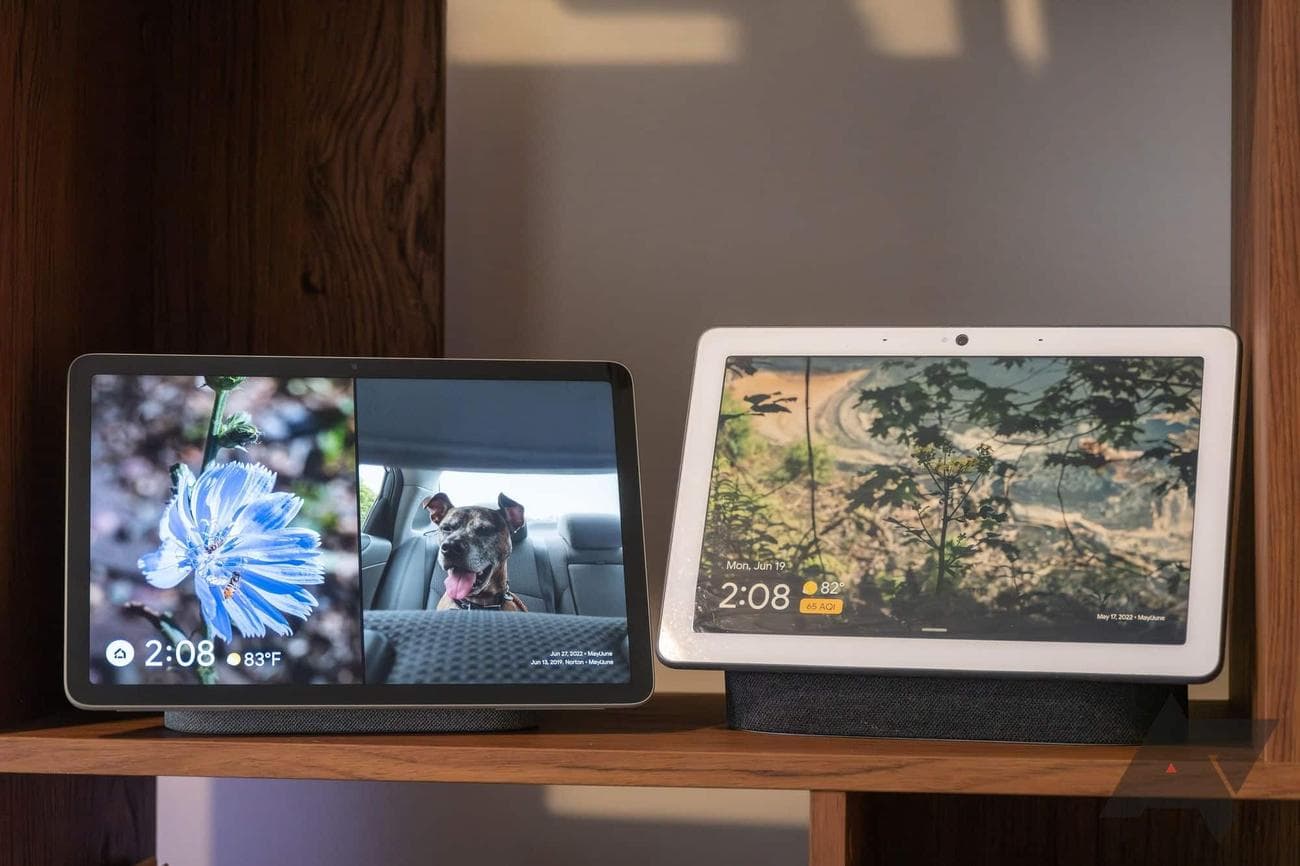
Best smart home hubs in 2023
What does one do when all the smart home devices in your home are made by different companies? Connecting all this gear to Wi-Fi is usually straightforward, but what about controlling all the stuff once it’s activated and networked? If all the gadgets aren’t made by the same brand, you’re going to have multiple companion apps installed on your phone or
tablet
, and no one likes a cluttered screen.
This is why a smart home hub is always a wise investment. Typically no bigger than the average smartphone (unless it’s a
smart speaker
or display), a smart hub allows you to connect and automate most smart home devices using a single app or voice assistant. Delivering an “everything under one roof” experience is integral to an organized and adaptive smart home, and our list of smart home hubs highlights all the best options on digital and brick-and-mortar shelves.
Our top picks for the best smart home hubs
Source: Google
Google Nest Hub Max
Best overall
Gestures or touchscreen, the choice is yours
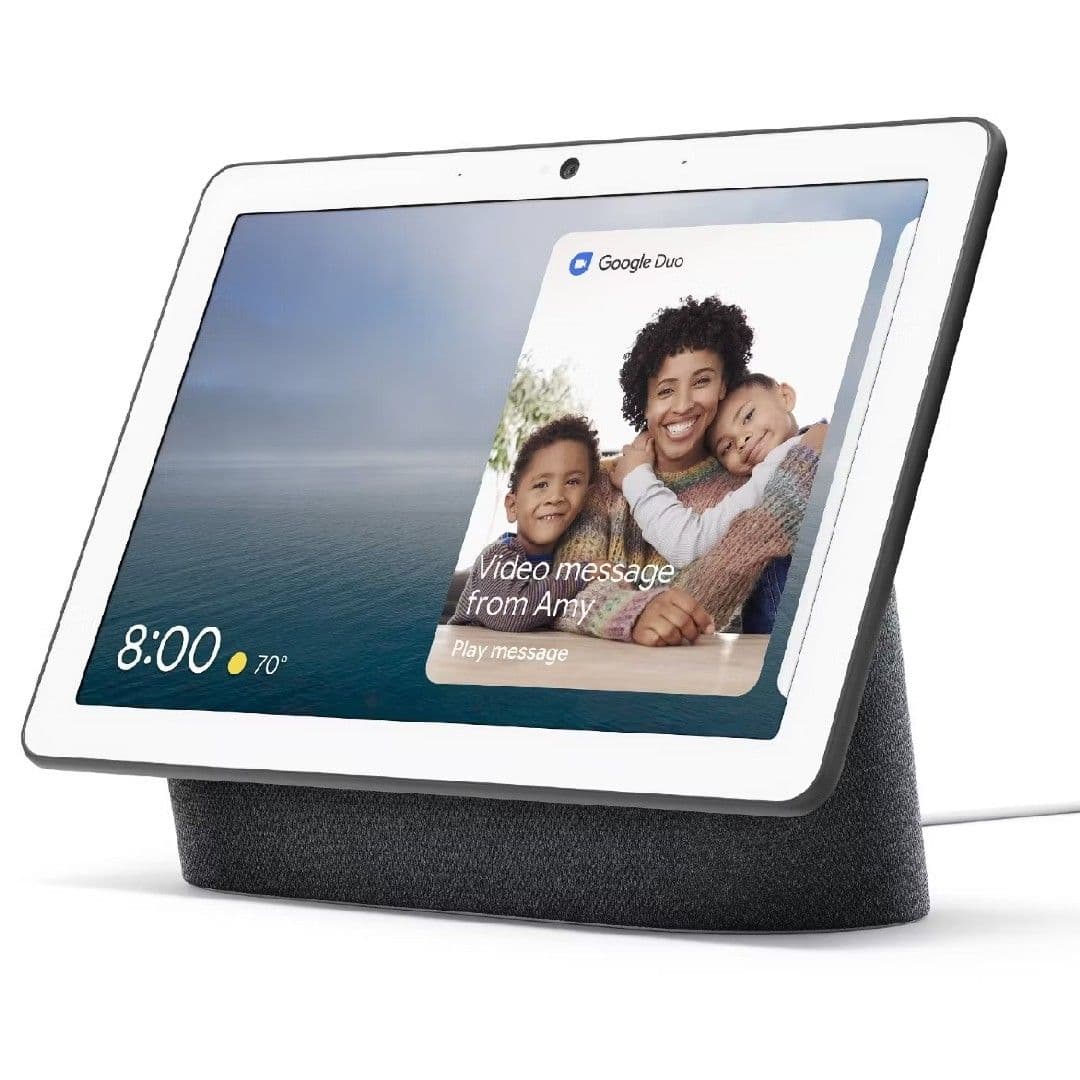
The Google Nest Hub Max is a powerful smart display that is more than fit to function as the brains behind your entire smart home’s operation.
Pros
- Compatible with many smart home devices
- Built-in camera
- Intuitive gesture controls
Cons
- Expensive
- No camera shutter
When it comes to all things smart home, we think the Google Nest Hub Max is the best device for all your web-connected gear. Featuring a 10-inch HD touchscreen that acts as an immersive display for apps like YouTube, Hulu, and Disney+, the Nest Hub Max also includes a built-in camera for making video calls and home monitoring. But that’s just scratching the surface.
The Nest Hub Max is partnered with numerous third-party smart home developers, ranging from August and D-Link to DigitalSTROM and many others. This means you’ll be able to incorporate all kinds of smart home devices into your everyday Google Home Routines. You’ll also be able to use the Nest Hub Max to search the web, check local traffic info, send and receive messages, and so much more.

Amazon Echo Show 10
Premium pick
Featuring a rotating display
The Amazon Echo Show 10 may be on the pricey side, but if you’re looking for a next-level smart home hub that doubles as a rotatable and remote security camera, this is the smart display for you.
Pros
- Rotatable HD touchscreen
- Zigbee and Matter compatibility
- Built-in camera with privacy shutter
Cons
- Pricey
- Alexa isn’t as responsive as Google Assistant
The Amazon Echo Show 10 is the kind of smart display that’s intelligent enough to follow you around during video calls while zeroing in on your face whenever it’s in view. But beyond its rotating display (which can also be used for home monitoring), the Echo Show 10 can act as both a Zigbee and Matter smart home hub, allowing you to connect and control a wide array of smart home peripherals.
You’ll be able to control thousands of devices, from smart lights and locks to thermostats and security cameras; thanks to those Matter integrations, you’ll have to ask Alexa to search for new smart devices to set up. You can also use the Echo Show 10 to ask Alexa questions, get step-by-step recipe advice, stream music, and
watch
Netflix (and more).
Source: Amazon
Amazon Echo Dot (5th Gen)
Best value
Expand your Wi-Fi coverage
The Amazon Echo Dot (5th Gen) goes a little easier on the wallet than other smart home hubs on this list, while still delivering an exceptional Alexa-powered experience.
Pros
- Can fit just about anywhere
- Can be used as a Wi-Fi node for Eero systems
- Built-in accelerometer and temperature sensor
Cons
- No 3.5mm auxiliary port
- Sound not strong as Echo Show 10
If your smart home hub needs are limited by a strict budget, we think the Amazon Echo Dot (5th Gen) will give you the best bang for your buck. While there aren’t a ton of improvements or new
features
over the fourth-gen Alexa speaker, the newest model comes with a built-in accelerometer and temperature sensor. Perfect for a bedside table or desktop, the Echo Dot is more than capable of controlling the many smart devices in your home.
You can also use the Echo Dot to stream music, ask Alexa questions, check the weather, get a readout of your daily schedule, and other useful features. Conveniently, owners of Eero networking equipment will also be able to use the fifth-gen Dot as an additional Wi-Fi node. It may lack a screen and the superior audio of the Echo Show 10, but the Echo Dot (5th Gen) still means business.
Source: Apple
Apple TV 4K (3rd Gen)
Best for HomeKit
Make any TV a smart TV
The Apple TV 4K delivers a blistering-fast streaming experience for all your favorite movie and TV show apps, thanks in part to Apple’s A15 Bionic chip. And if you’re planning on going all in on a HomeKit ecosystem, it’s also one of the company’s most user-friendly hub devices.
Pros
- Excellent UI and fast performance
- Can be controlled with Siri voice commands
- Great HDR support
Cons
- No HDMI cable included
- Lacks wide-ranging compatibility of other hubs
Controlling your smart home via Apple HomeKit and Siri is just as immersive and intuitive as doing so with Google Assistant or Alexa. Unlike the competing voice assistants, though, Apple’s smart hub options are a bit more limited and cost more than the rest. Enter the Apple TV 4K: Apple’s amazing HomeKit controller and a top-notch streaming device.
Powered by Apple’s lightning-fast A15 Bionic chip, the Apple TV 4K turns your living room TV into a smart home command center. Not only will you be able to use the device to stream your favorite movie and TV show apps, but the included Siri Remote lets you issue voice commands to the hub, making it quick and simple to launch a number of automations right from your living room couch.
Samsung SmartThings Station
Best for SmartThings
Doubles as a wireless charger
Once the Samsung SmartThings Station is configured, you’ll be able to use single and double-tap commands, along with long presses, to activate various smart home automations throughout your residence.
Pros
- Fairly inexpensive
- Integrated touch commands for smart home controls
- Works with a number of wireless protocols
Cons
- Won’t charge Samsung Galaxy Watch
- Not as advanced as other smart home hubs
Samsung SmartThings is one of the less talked about smart home ecosystems, but that doesn’t mean it’s not worth considering. And once you incorporate this Samsung SmartThings Station, you’ll be able to activate and automate all kinds of smart home devices. This is because the SmartStation is compatible with several wireless protocols, including Wi-Fi, Bluetooth, Zigbee, Thread, and Matter.
We also like the fact that the SmartStation doubles as a 15W wireless charger for compatible devices. In terms of features and customizations, the SmartStation isn’t as robust or advanced as our other picks, but if you’re using Bixby to run your smart home, the Samsung SmartThings Station is definitely a worthy addition to your home.
Moes Tuya Zigbee Hub Gateway
Best for Zigbee
Built for wireless reliability
Unleash the power of Zigbee networking with the Moes Tuya Zigbee Hub Gateway. This smart hub is easy to set up, simple to add devices to, and makes controlling your Zigbee gear a breeze!
Pros
- Great for Zigbee-powered smart homes
- Good price
- Works with Alexa and Google Assistant
Zigbee is one of the most reliable wireless protocols for connecting smart home devices, and it’s known to be stronger and less power-hungry than Wi-Fi. That’s why you should keep your phones, laptops, and tablets tied to your internet connection and invest in this Moes Tuya Zigbee Hub Gateway.
Once activated, you’ll be able to use Zigbee 3.0 to connect all your smart devices under one roof, with simple controls and automations offered in the Tuya app. Plus, the Moes Tuya is compatible with Alexa and Google Assistant, so you can use voice commands to toggle your lighting and adjust your thermostat.
Hubitat Elevation
Best third-party option
Delivers a ridiculous amount of control
If you’re looking to get meticulous with how your smart home automations are carried out, the Hubitat Elevation has got what it takes to fine-tune each and every aspect of your smart ecosystem.
Pros
- Works with several wireless protocols
- Compatible with over 1,000 smart home devices
- Tons of control over how specific your smart home automations can be
Cons
- Not as user-friendly as other brands
- On the pricier side
Not all smart home hubs are created equal, and equipment starts getting a bit fishy when you start looking at the many third-party companies making these networkable pieces of equipment. But if you’re not into spending the kind of dough that an Echo Show or Nest Hub Max will cost you, the Hubitat Elevation is a safe and reliable alternative. It’s also one of the few hubs on our list that works with Wi-Fi, Bluetooth, Zigbee, Z-Wave, and IFTTT programming.
The Elevation also offers some of the most detailed automations for your smart home devices, which can be adjusted through the Elevation’s web interface, mobile app, and Alexa/Google Assistant. This latest version of the hub also includes two external antennas for improved Zigbee 3.0 and Z-Wave performance.
Source: Aqara
Aqara Smart Hub M2
Also consider
Amazing IR controls
$60
$64
Save $4
Aqara is rising through the ranks of smart home stardom, with the M2 Smart Hub offering next-level integrations with some of the most popular ecosystems of the day.
Pros
- Compatible with Alexa, Google Assistant, HomeKit, and IFTTT
- 360-degree IR controls
- Includes an Ethernet port
Cons
- Requires 2.4GHz Wi-Fi connection
- Zigbee 3.0 requires separate repeaters
The Aqara Smart Hub M2 doesn’t have the kind of notoriety collected by Google or Amazon, but don’t let its indie status in the smart hub world deter you. In fact, if you don’t already own some smart devices, we recommend investing in a few Aqara gadgets for the most seamless ecosystem integrations. Most of us already own something smart, though, and the M2 is just as good at shaking hands with Alexa, Google Assistant, HomeKit, and IFTTT.
There are a few drawbacks, however. For one, you’ll need to have the M2 connected to your 2.4GHz Wi-Fi. Secondly, Zigbee 3.0 controls can only be used for Aqara devices (and you also need to purchase separate Zigbee repeaters for said devices). But if you can get past these obstacles, the M2’s 360-degree IR capabilities offer some of the best extended controls we’ve ever seen from a hub.
Automate each day with a comprehensive smart home hub
On the surface, smart home hubs may not appear to do very much; but it’s what goes on behind the scenes that makes these devices so incredible. There are all kinds of smart home devices out there, and while many support A-list voice assistants like Alexa and Google Assistant, chances are your smart lights are going to be controlled and automated with a different app than your smart thermostat.
A smart home hub takes the hassle out of ensuring that each and every smart gadget you buy will work with the same wireless protocols (like Wi-Fi, Bluetooth, and Zigbee) and voice assistants. And thanks to advancements in Matter’s cross-device integrations, many smart home hubs will let you control your equipment using just a single app (or assistant).
One last look at our favorite smart home hubs
For our money, we’re happy to give Google’s Nest Hub Max top honors in the world of smart hubs. Not only will you be able to use the smart display to control your lights, thermostats, and cameras, but it’s also one of the only touchscreen peripherals that uses gesture-based controls (in addition to taps, swipes, and voice commands).
Another fantastic smart hub option, the Echo Show 10 not only takes video calls but will actively track your movements throughout, keeping you centered and in focus for important work chats and family communication. Amazon’s rotating speaker also offers some next-level audio performance for all the music-streaming apps you’re subscribed to.
We understand that not every smart home hub is price-friendly, which is why the Amazon Echo Dot (5th Gen) is our go-to pick for budget-conscious shoppers. It comes with a number of the same features as the Echo Show 10 (sans screen) and can also be used as an extra node for your Eero Wi-Fi network.
Source: Google
Google Nest Hub Max
Best overall
Gestures or touchscreen, the choice is yours
The Google Nest Hub Max is a powerful smart display that is more than fit to function as the brains behind your entire smart home’s operation.