
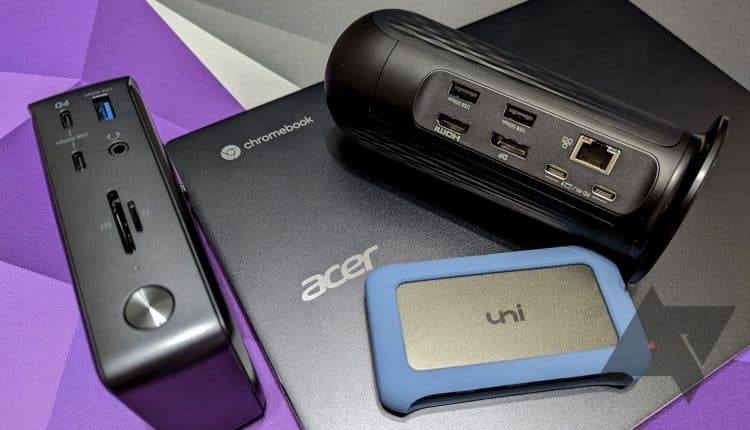
The best Chromebook docks and docking stations in 2023
Related Posts
The best Chromebook docks can help you make the most of your favorite Chromebook when sitting at a desk. You can use a port or docking station to connect monitors, use various peripherals, plug in Ethernet for reliable internet connectivity, and even charge your laptop, making it an essential Chromebook accessory for just about anyone.
Depending on your needs, you can find relatively affordable docking stations that only include the most necessary ports or more expensive docks with just about every popular connection type. However, not all USB-C docks work with ChromeOS devices without issues or offer full functionality. To help you find the most suitable docking station, we have handpicked the best ones confirmed to work with Chromebooks.
-
Source: Plugable
Plugable UD-MSTHDC Docking Station
Best overall
Our favorite docks and docking stations for Chromebooks in 2023
Source: Plugable
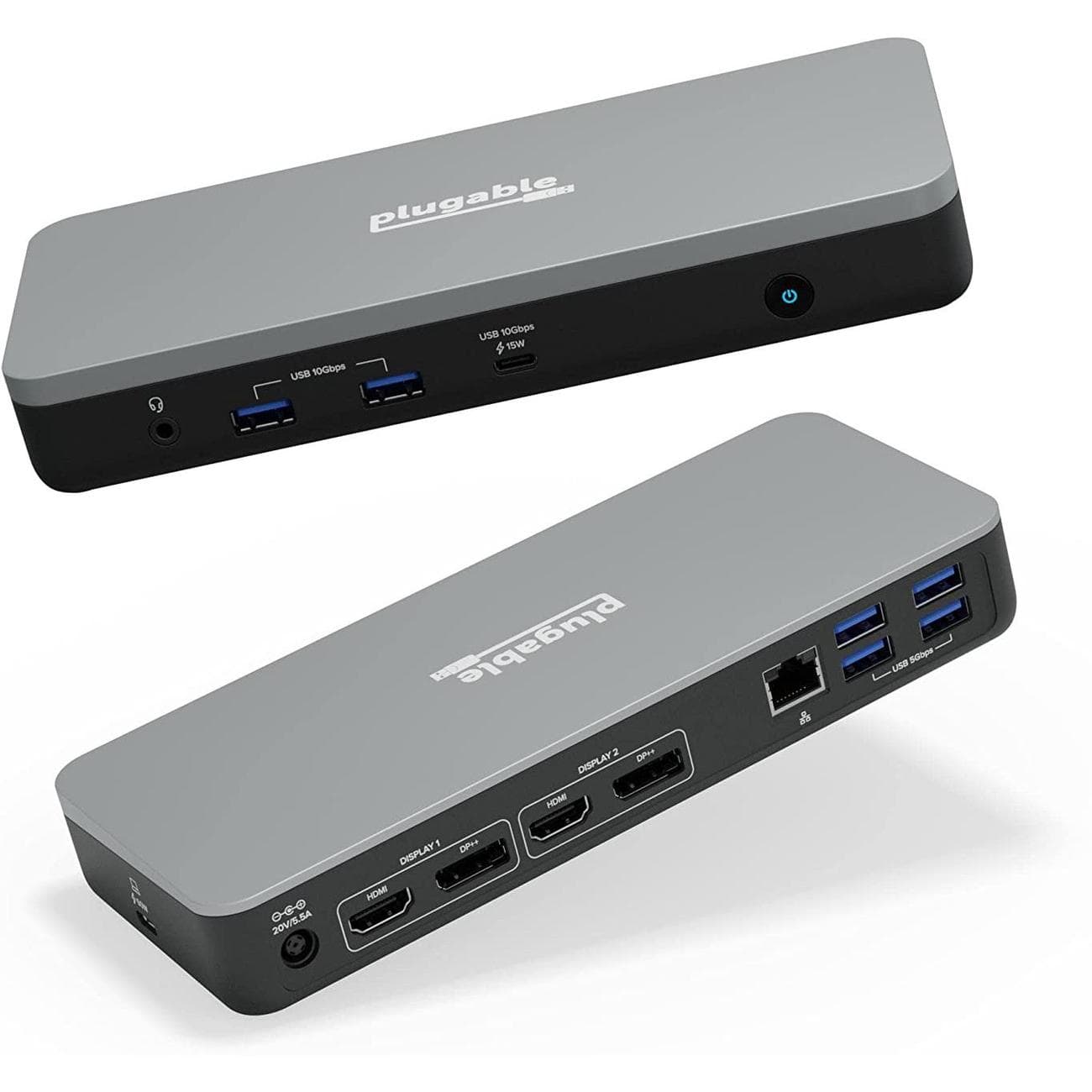
Plugable UD-MSTHDC Docking Station
Best overall
Built specifically for Chromebooks
$190
$200
Save
$10
Plugable’s UD-MSTHDC dock is built specifically for Chromebooks and offers 13 downstream ports. The USB-C host cable can deliver up to 60W of charging power back to your laptop, and the dock will handle dual 4K displays at 60Hz.
Pros
- Works With Chromebook certified
-
Dual
[email protected]
monitor support - 60W charging back to host
Plugable’s UD-MSTHDC is one of the newer docks in this roundup, released recently by Plugable as a Chromebook-first solution. It has Works With Chromebook certification but will also work with Windows devices. The dock has 13 downstream ports, including on the front 3.5mm audio, dual USB-A at 10Gbps, and USB-C at 10Gbps with 15W of charging power. The back of the dock has another four USB-A ports at 5Gbps, Gigabit Ethernet, two DisplayPort and two HDMI, and an AC plug. The USB-C host cable lives on one end of the dock, while the other end has lock slots.
This dock will allow you to power up to dual 4K external monitors — each with a 60Hz refresh rate — and the mix of HDMI and DP means fewer potential dongles. In addition, the USB-C host cable can deliver up to 60W of charging power back to your Chromebook. Although this is a relatively expensive option, it’s a powerful Chromebook accessory for anyone who wants a more permanent setup.
Source: HyperDrive
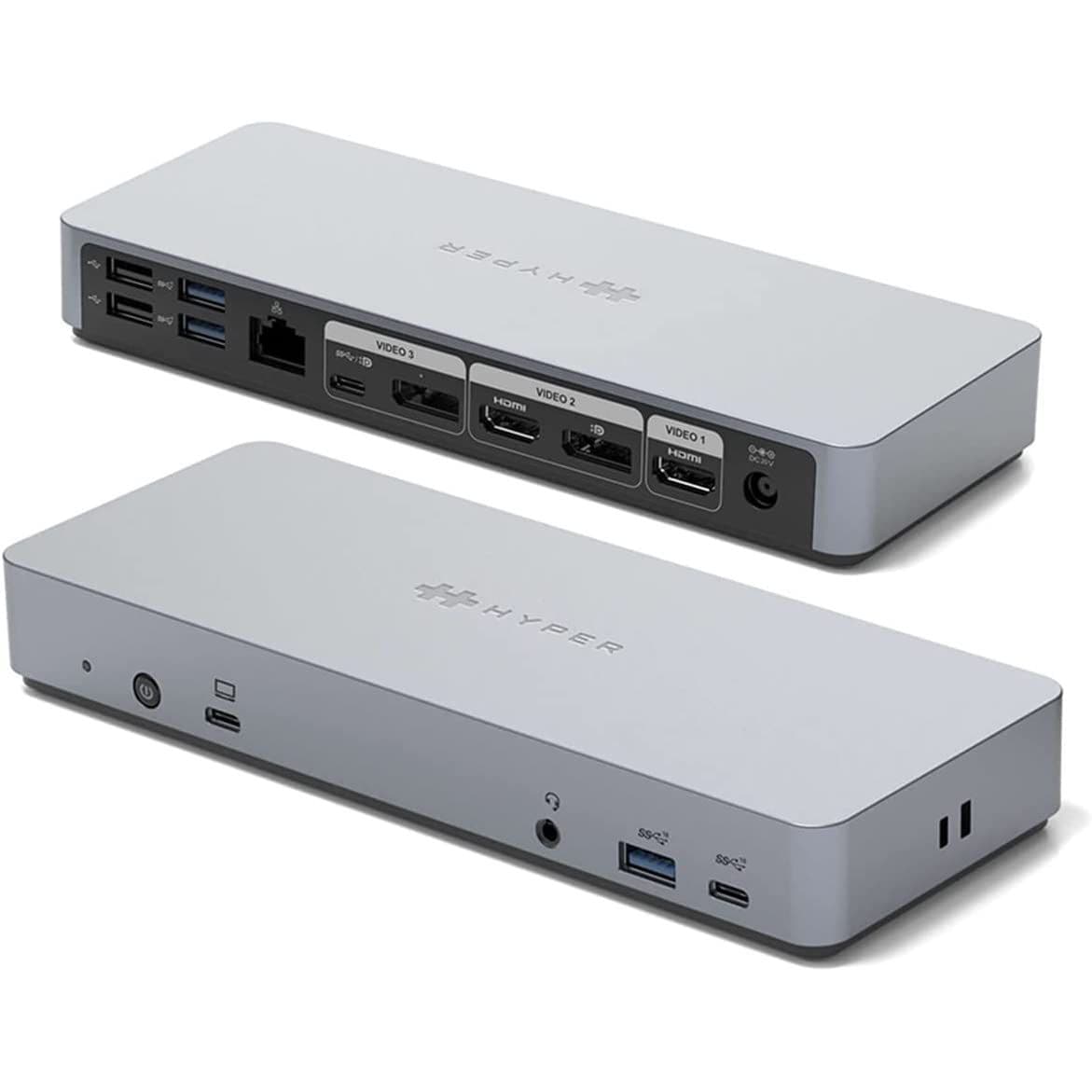
HyperDrive 14-in-1 USB-C Dock
Best value
A high-end dock at a great price
$80
$90
Save
$10
HyperDrive’s 14-port USB-C dock is Works With Chromebook-certified and is available at a severely discounted price when shopping at Amazon.
Pros
- Works With Chromebook certified
- 13 downstream ports
- Potent external display support
Cons
- Very expensive at the regular $250 price
HyperDrive’s 14-in-1 USB-C dock (HD-GD1000) is regularly priced at about $250 on the official HyperDrive site, but Amazon is currently offering it for about $80. That’s an extreme discount for a Works with Chromebook-certified dock that will work with just about any other laptop with USB-C; it also includes 13 downstream ports and a USB-C host connection with up to 65W of charging power.
The dock offers up to dual 4K monitor support at 60Hz (with triple display support at a lower refresh rate) via the dual HDMI and dual DisplayPort hookups, plus the USB-C port can handle video. It also has three USB-A at 10Gbps, two USB-A at 4.8Gbps, Gigabit Ethernet, two downstream USB-C at 10Gbps, and a 3.5mm audio combo jack, which is pretty much all you’ll ever need.
Source: StarTech
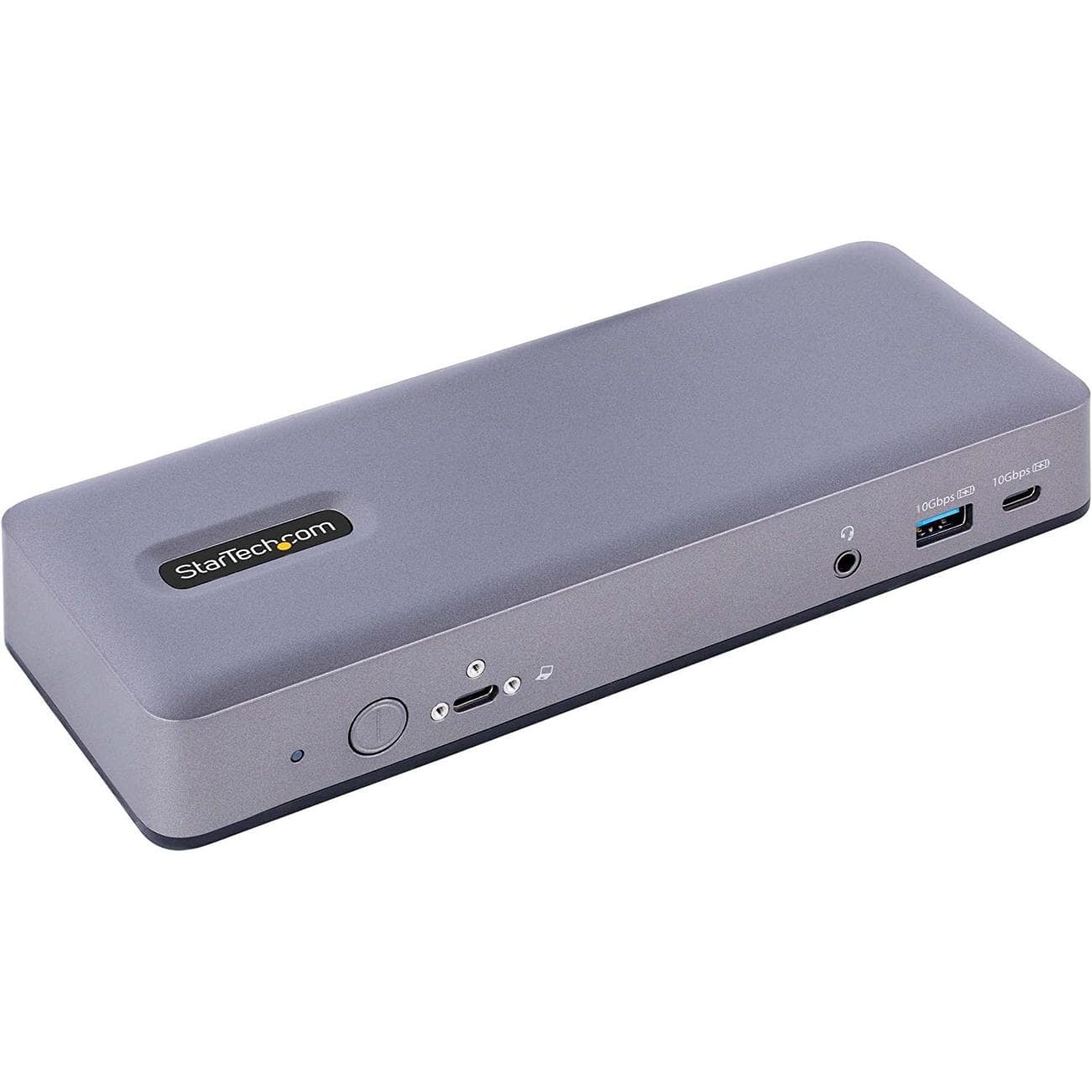
StarTech.com USB-C Docking Station DK31C3MNCR
Premium pick
Triple monitor support, 13 downstream ports
$197
$250
Save
$53
Looking to maximize external monitor support for your Chromebook? The StarTech USB-C dock is designed specifically for Chromebooks and features triple 4K support at 30Hz. It has 13 downstream ports and up to 60W of charging power.
Pros
- Works With Chromebook certified
- Triple 4K monitor support at 30Hz
- Up to 60W of charging power
Cons
- Might be overkill for some users
Designed specifically for Chromebooks, the StarTech USB-C Dock (DK31C3MNCR) is an excellent option with multiple video outputs, including a USB-C port capable of delivering a video signal. It can transmit a 4K 30Hz signal to three monitors, a 4K 60Hz signal to two monitors, or a 5K 60Hz signal to a single monitor. If you’re interested in a multiscreen setup with a bunch of
great Chromebook monitors, this should be a top choice.
In other features, you get 60W power delivery for charging the Chromebook, a Gigabit Ethernet port for wired connectivity, and an audio jack for speakers or microphones. You can also use the VESA mounting holes to mount the dock and reduce the clutter on your desk. The screw lock host post also ensures no accidental disconnection to the dock.
Source: Kensington
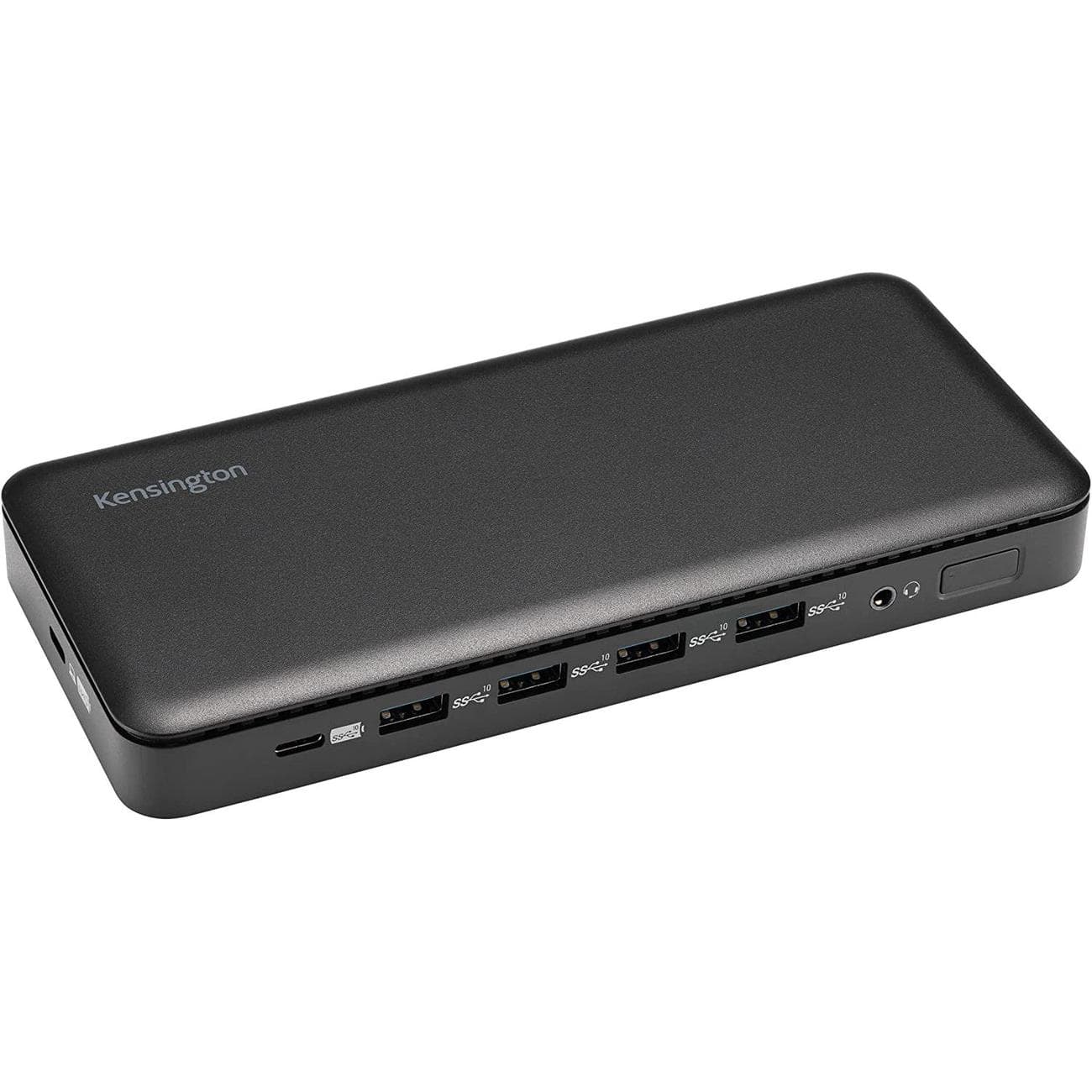
Kensington Triple-Display USB-C Docking Station SD4839P
Best charging
Up to 100W of power available
$148
$180
Save
$32
Looking for a dock that can handle Chromebook and other laptops? Want tons of charging potential? This Kensington USB-C dock can deliver up to 100W of power to the host and features 10 downstream ports.
Pros
- Works with most Chromebooks and other laptops
- 10 total downstream ports
- Triple external display support
Cons
- 100W of laptop charging isn’t needed by everyone
This dock from Kensington works with a wide range of devices, including most Chromebooks. It has a sleek design that sits low on your desk, and it boasts a fairly generous selection of ports. The front has four USB-A 3.2 (Gen 2) at 10Gbps each, one downstream USB-C 3.2 (Gen 2), and a 3.5mm audio jack. The back of the dock offers two DisplayPort 1.4, HDMI 2.0, and Gigabit Ethernet. The host USB-C port is located out of the way on the side of the dock.
When connected to a laptop, the dock can deliver up to 100W of power to the host. It can also handle up to three external displays, with maximum resolutions depending on your laptop’s USB-C port capabilities. This is a great option if you often switch between devices, as it should work with just about any laptop out there.
Source: Acer
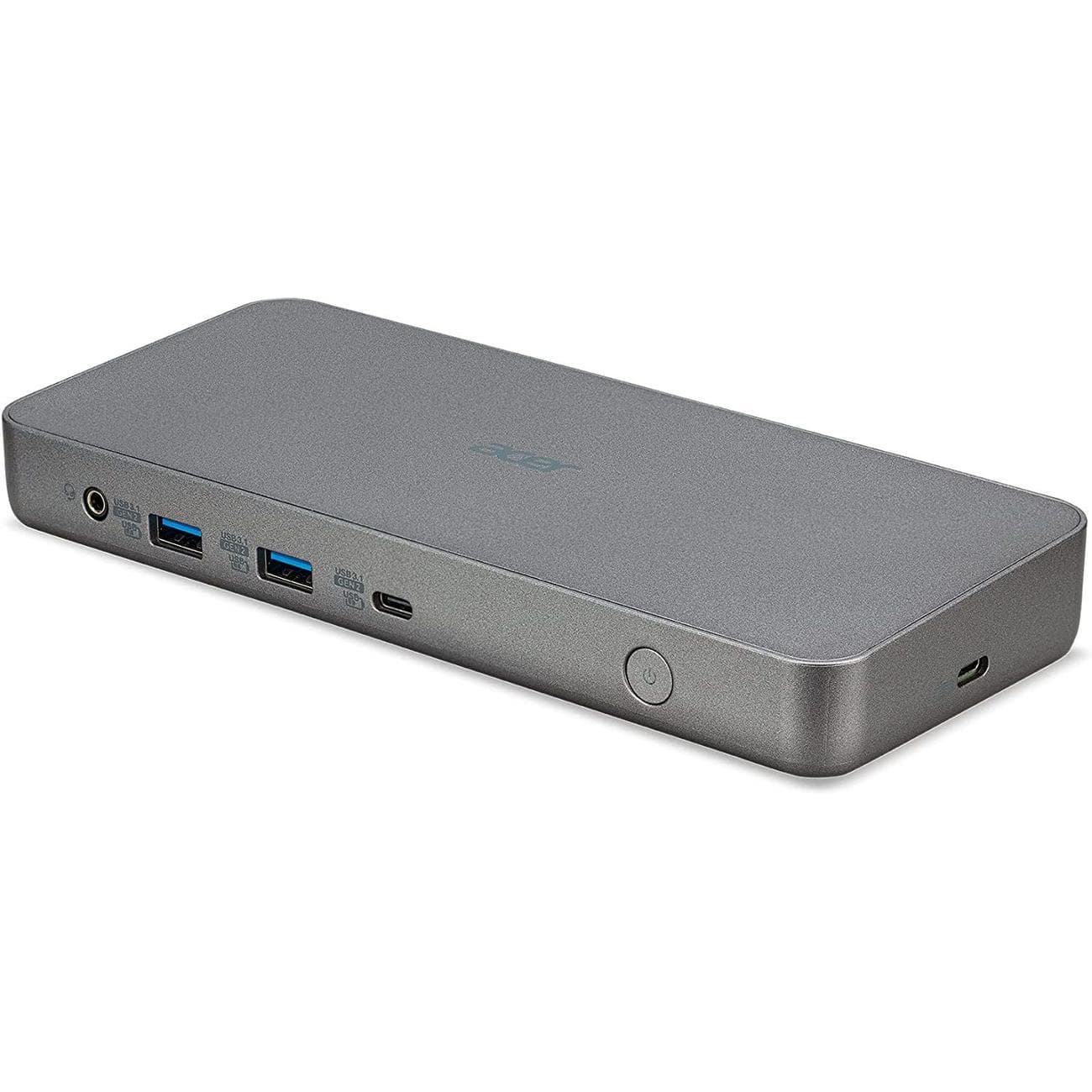
Acer USB-C Dock
Triple display support
Durable wedge design
$232
$250
Save
$18
Acer’s D501 USB-C dock comes with two USB-A 3.1 (Gen 2), two USB-A 3.1 (Gen 1), two HDMI, two DisplayPort, Ethernet, downstream USB-C 3.1 (Gen 2), and 3.5mm audio. It connects with USB-C and offers up to 60W of power back to the host laptop.
Pros
- Works With Chromebook certified
- Supports up to three displays
- Up to 60W of charging power
Cons
- Can get more ports in other docks
Certified by Works With Chromebook, the Acer USB Type-C Dock (D501) will work seamlessly with Chromebooks from all brands. It also packs pretty much everything you need from a dock. There are 11 ports, including four USB-A, two HDMI 2.0, and two DisplayPort 1.4. The dock can also deliver up to 60W power to a connected laptop, enough to fast charge almost any Chromebook on the market.
Among other highlights, two of four USB-A ports and the single downstream USB-C port on the dock are rated USB 3.1 Gen 2 and support up to 10Gbps data transfer rates, which is excellent if you want to connect any fast external storage. Additionally, you can connect up to three monitors using Acer D501. However, you’ll only get a Full HD output if you plug in three monitors; 4K output is only possible when only one or two external monitors are attached.
Source: CalDigit
CalDigit TS4 Thunderbolt 4 Dock
Best Thunderbolt
The ultimate dock for Thunderbolt 4
$400
$450
Save
$50
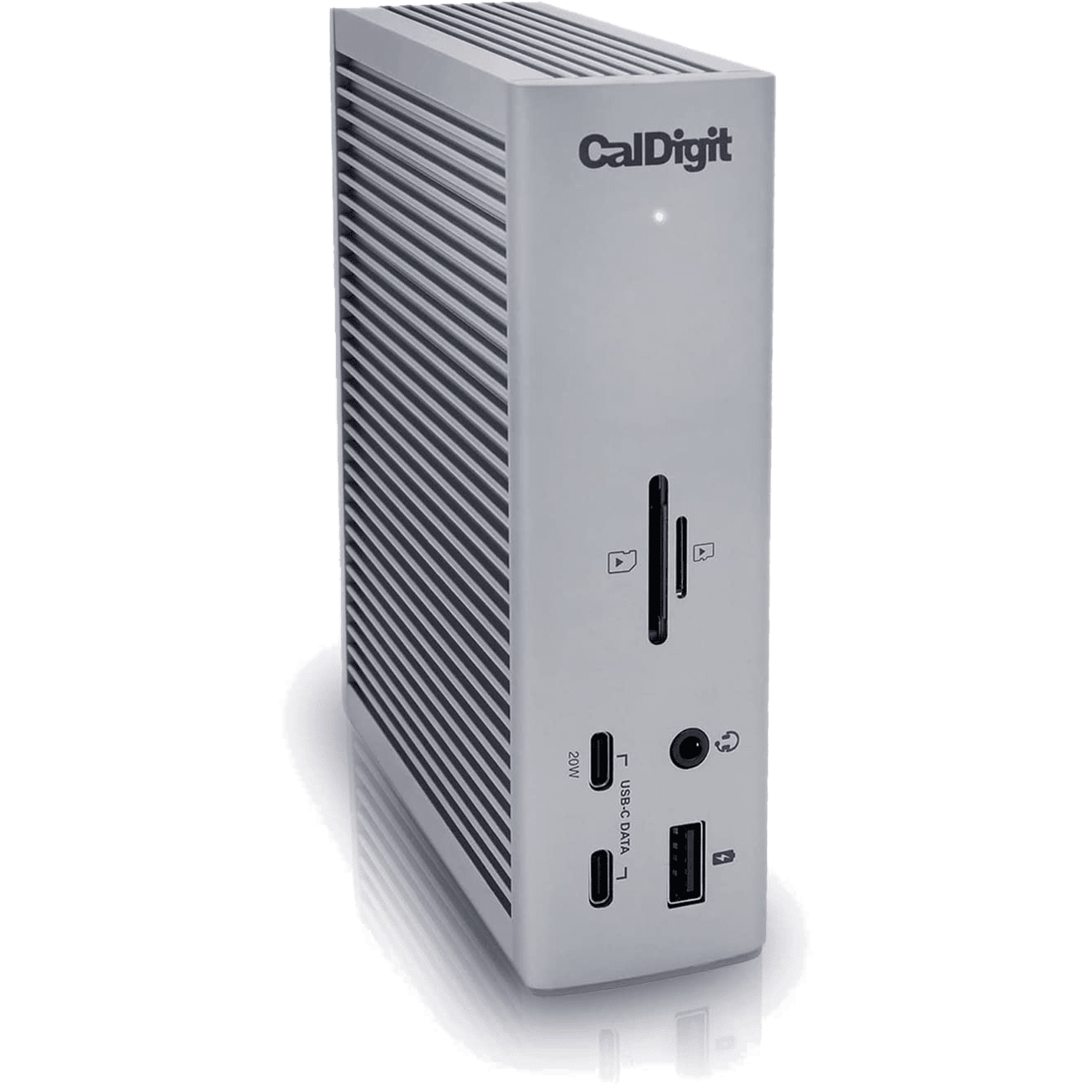
CalDigit’s TS4 isn’t for everyone, but those who need Thunderbolt 4 connectivity — especially when working across devices — will find that it offers the most ports and the most power. It’s expensive, but it’s built well and should be relevant for years.
Pros
- 18 ports for maximum connectivity
- Works across operating systems and devices
- Up to 98W of charging power
Cons
- Thunderbolt is required to get the most out of this dock
- Very expensive
Thunderbolt connectivity isn’t yet super common when it comes to Chromebooks — the HP Dragonfly Pro Chromebook that we reviewed is a high-end exception — but it is typically the standard for Windows and is sort of in place with Macs, thanks to their USB4 hookups. The beauty of Thunderbolt is that it’s backwards compatible with many standards, including regular ol’ USB-C that your Chromebook might offer. If you often switch between devices and operating systems, this is one of the best docks you can buy today. It costs a fortune, but its wide selection of ports and strong performance make it a top option for power users and pros.
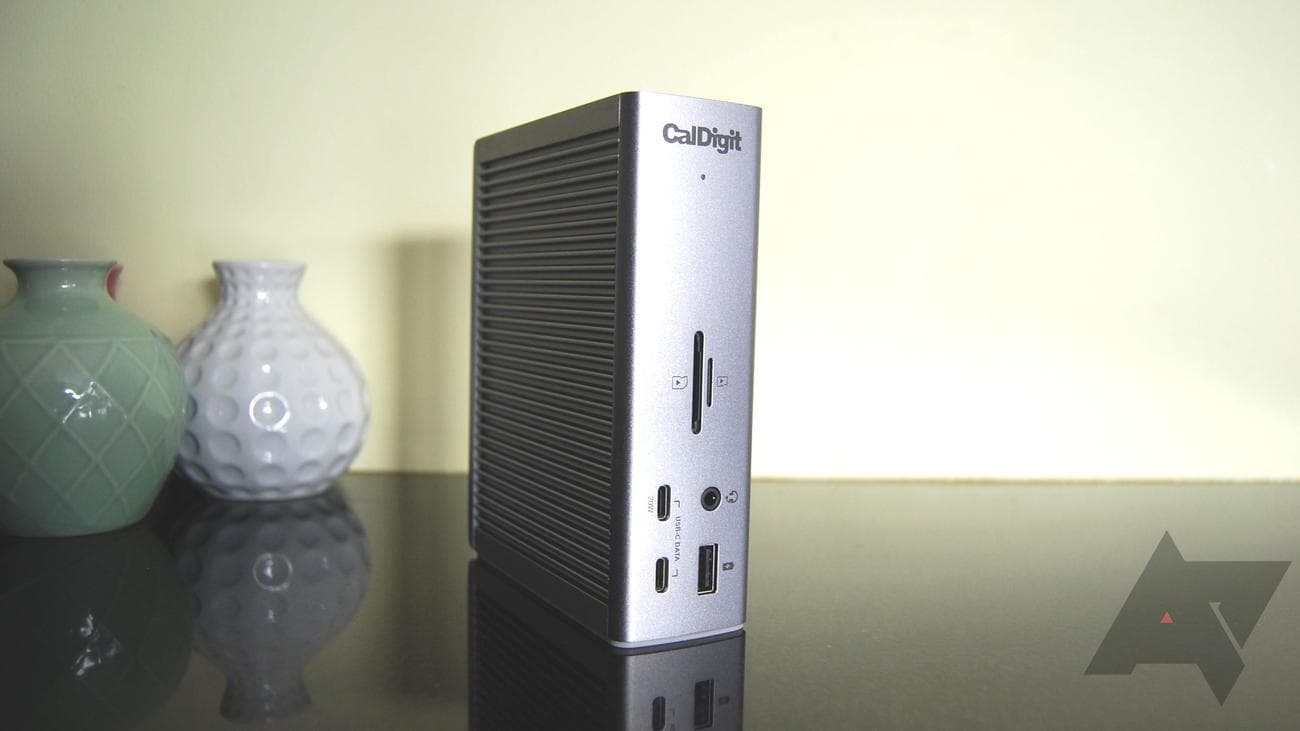
CalDigit managed to cram 18 ports into the full aluminum body, with three Thunderbolt 4 (one reserved for the host connection), three USB-C, five USB-A, DisplayPort 1.4, 2.5 Gigabit Ethernet, 3.5mm audio combo, 3.5mm in/out, and UHS-II SD and microSD card readers. It can optimally handle up to an 8K display at 60Hz, but only if you’re using Thunderbolt. It can deliver up to 98W of charging power back to the host, and its front USB-C port can also handle up to 20W of charging power for connected accessories. The rest of the USB-C and USB-A hookups top out at 7.5W.
Source: OWC
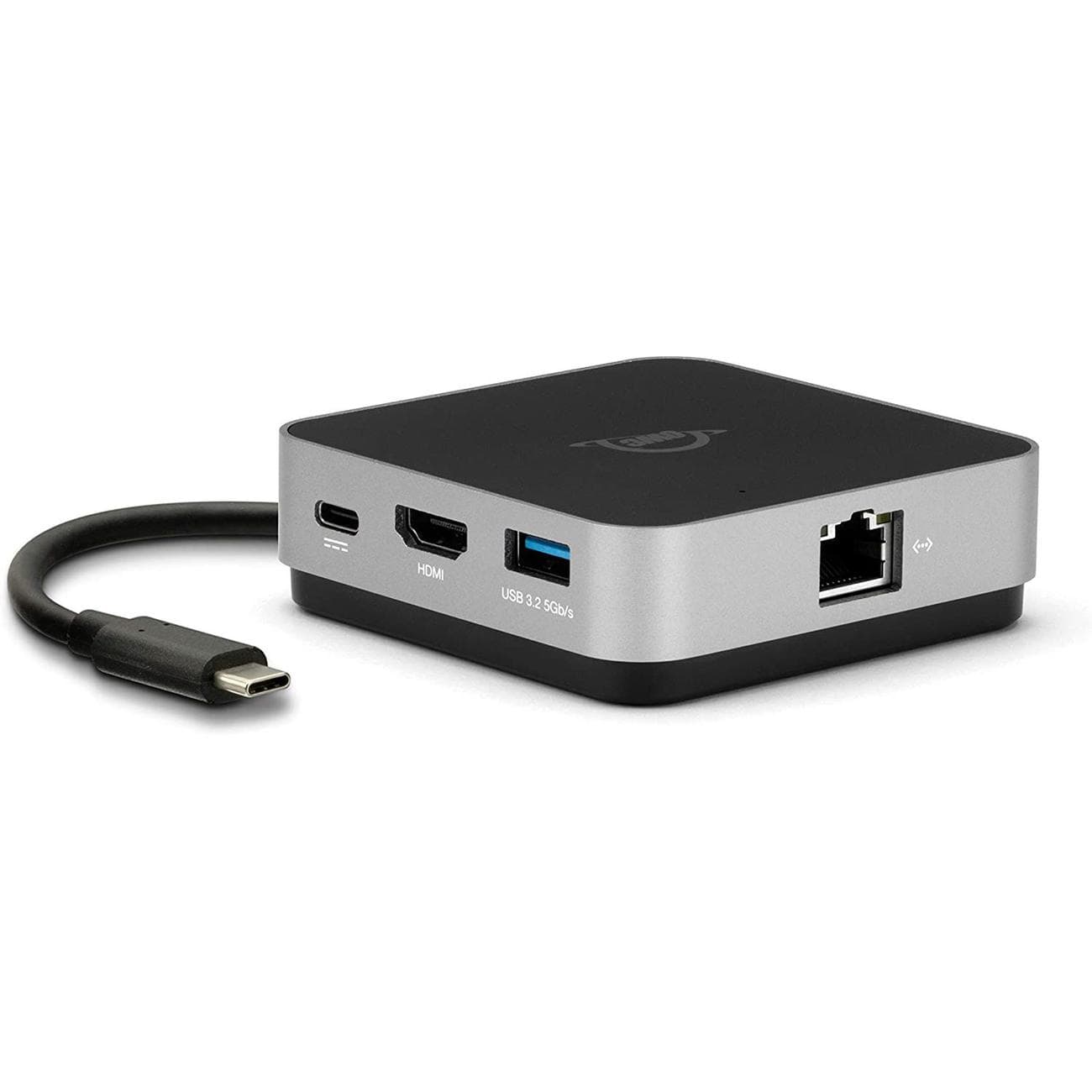
OWC USB-C Travel Dock E
Compact design
Perfect for use while traveling
OWC’s Travel Dock E is a compact dock that doesn’t require AC power, making it perfect for those on the go. It offers five downstream ports, USB-C passthrough for host charging, and a fixed host cable.
Pros
- 100W power passthrough
- UHS-II SD card reader is a nice addition
- No AC power required
Cons
- Not ideal for a permanent setup
- Some will need more than five ports
- Fixed host cable
Those who often travel might not want to leave their dock behind, and in that case, the OWC Travel Dock E should be a great choice. It does not require AC power, but it does have a USB-C passthrough port that can handle up to 100W of power. So even if your Chromebook has just one USB-C port, you can still keep it topped up.
The dock otherwise has two USB-A 3.2 ports at 5Gbps each, an HDMI 2.0 port for a 4K external display, a UHS-II SD card reader, and Gigabit Ethernet. The host cable is fixed, which is a downside — if it gets damaged, you’ll likely have to replace the entire dock — but the package remains affordable. It can certainly be used full-time on a desk, but it will excel when on the move.
Source: Anker
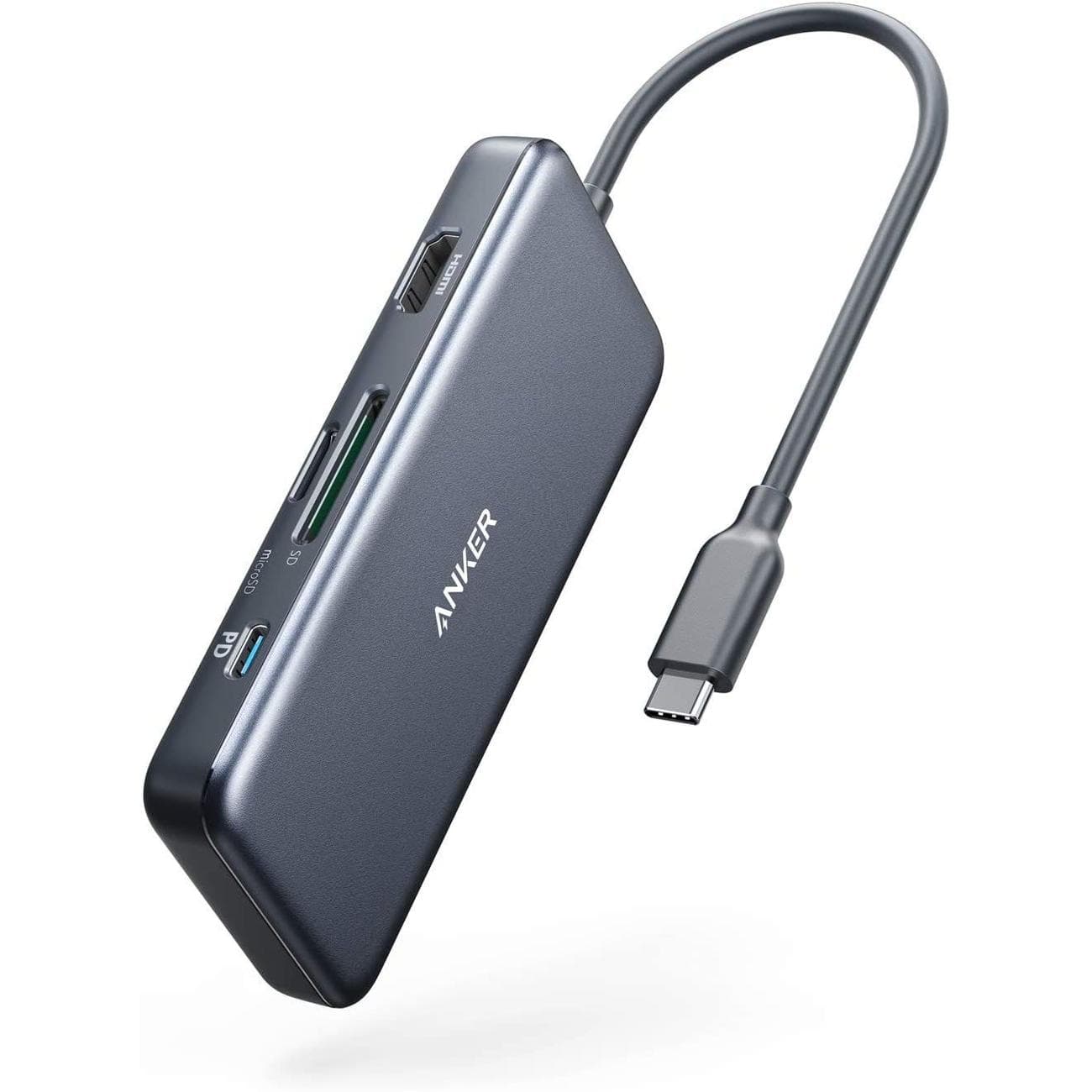
Anker 341
Budget hub
A bridge between dock and hub
The Anker 341 is a USB-C hub with six downstream ports, 4K external display support, and 85W passthrough charging capabilities. It’s also affordable and portable, making it perfect for those who don’t quite need a full desktop docking station.
Pros
- Passthrough charging up to 85W
- Six downstream ports
- Universal compatibility
Cons
- Host cable is fixed
- Not ideal for a more permanent setup
While this accessory belongs more in the realm of great USB-C hubs for Chromebooks, its seven ports and rock-bottom pricing keep it in the running whenever we talk about expanding ports. The Anker 341 costs only about $35 and includes seven total ports as well as a fixed USB-C host cable. Moreover, it’s designed to work across different laptops using different operating systems, including ChromeOS.
The HDMI port can handle 4K at 30Hz, there are microSD and SD card readers, and the USB-C port offers passthrough charging at up to 85W. Furthermore, you get a downstream USB-C port and two downstream USB-A ports. This hub doesn’t require an AC power source, making it great for travel. And for those in an office, it’s handy to have around when you need to read removable storage or add a few USB-A ports on the cheap.
Getting the best docking station for your Chromebook
Picking the right docking station for your favorite Chromebook depends on the ports you need most, the size you can fit on your desk (or in your luggage), and the price. That’s why our recommendations offer a varied range of docks, falling in different price brackets and featuring a diverse selection of ports.
Our favorite dock for Chromebooks right now is the Plugable UD-MSTHDC. It’s Works With Chromebook-certified, yet it can also work with Windows laptops for added versatility. It has 13 downstream ports, including a mix of dual HDMI and dual DisplayPort, with support for dual external displays at a 60Hz refresh rate each. It also has six USB-A ports, 3.5mm audio, Gigabit Ethernet, and downstream USB-C at 10Gbps with 15W of charging potential. When connected, the dock can also deliver up to 60W of charging power to the host laptop.
If the Plugable dock is a bit too pricey, the HyperDrive 14-in-1 USB-C Dock should be a great second choice — at least as long as the hot discounted price continues at Amazon. The regular $250 price that HyperDrive suggests is down to just $80, easily making it the best value in this roundup. It has 13 downstream ports, 65W of charging power for the host, and dual external display support at 60Hz.
Source: Plugable
Plugable UD-MSTHDC Docking Station
Best overall
For Chromebooks and Windows laptops
$190
$200
Save
$10
The Plugable UD-MSTHDC docking station is Works With Chromebook-certified but can also work with Windows laptops. It offers thirteen downstream ports, with support for dual 4K displays at 60Hz each.
