

Best Plex NAS in 2023
Related Posts
Plex Media Server is a media platform that allows one to store, catalog, and stream music, movies, shows, photos, and more using their own purchased/owned files. Think of it as combining Spotify, Google Photos, Netflix, and OneDrive all into one service. It’s free, with an optional upgrade to unlock additional benefits, including hardware transcoding. This allows the server PMS is running on to utilize the CPU (and GPU if present) to convert media files for streaming on almost any device. We’ve compiled a list of the best NAS for Plex that will happily transcode and stream 4K movies and then some.
Plex Media Server is a media platform that allows one to store, catalog, and stream music, movies, shows, photos, and more using their own purchased/owned files. Think of it as combining Spotify, Google Photos, Netflix, and OneDrive all into one service. It’s free, with an optional upgrade to unlock additional benefits, including hardware transcoding. We’ve compiled a list of the best NAS for Plex that will happily transcode and stream 4K movies and then some.
Our recommended Plex NAS in 2023
Source: QNAP
QNAP TS-464
Best overall
Our top pick for running Plex on your NAS
The QNAP TS-464 is a brilliant and powerful NAS, rocking an Intel Celeron processor, 4GB of RAM out of the box, and even two M.2 slots and a single PCIe expansion slot. It has everything you need to run a Plex Media Server, including dedicated HDMI output.
Pros
- Supports 4K transcoding
- Intel CPU
- PCI and M.2 slots
The QNAP TS-464 gets most of what one would require with a NAS for Plex right. It has an Intel Celeron processor with integrated graphics. It can handle 4K transcoding to client hardware that requires it, and there’s an expansion slot and some M.2 slots thrown in for good measure. It’s a little pricey, especially if this happens to be the first NAS purchase you plan on making, but it’s well worth it should you have a large catalog of media to store and stream.
The 4GB of DDR4 RAM included as standard can even be expanded up to a whopping 16GB, which is considerably more than what many desktop computers have. The single PCIe 3.0 slots can be used to install expansion cards for faster networking (10GbE) or additional M.2 storage. There are two 2.5GbE connections natively found on the rear of the NAS, alongside an HDMI port that negates the need to transcode to a connected TV.
Source: QNAP
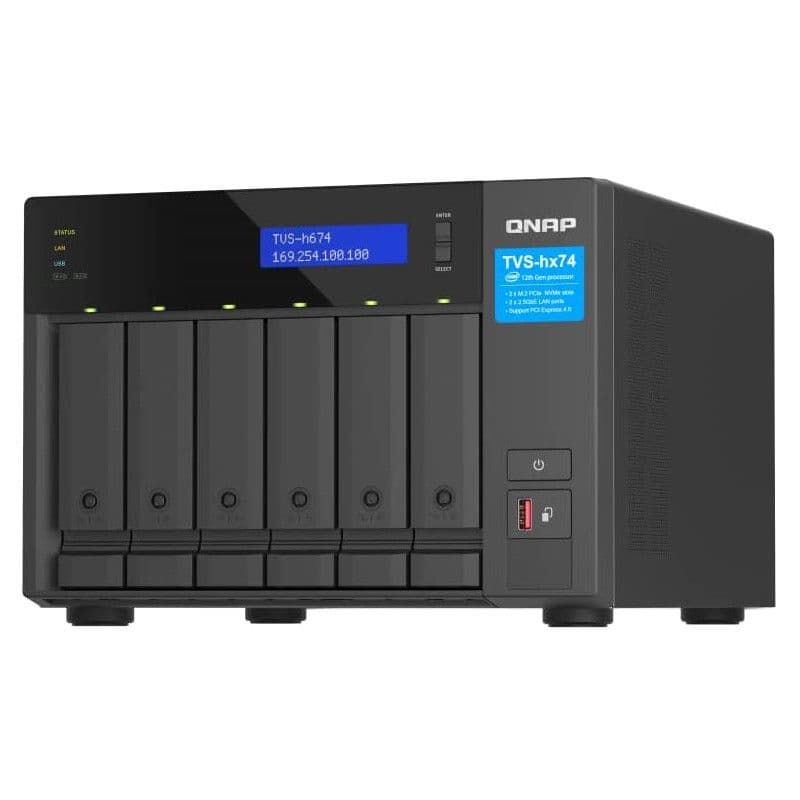
QNAP TVS-h674-i3
Premium pick
Unmatched NAS with an Intel Core CPU
The QNAP TVS-h674-i3 is a very powerful NAS. Inside is the same Intel Core i3-12100 processor that you’d find in more affordable desktop PCs, providing the QTS OS with plenty of performance headroom. The HDMI port, expansion slots, and upgradable RAM make it the perfect NAS for heavy Plex usage.
Pros
- Intel Core CPU
- 4K transcoding and HDMI
- QTS OS
Cons
- Expensive
- Overkill for most people
- Power-hungry
The Intel Core i3-12100 is a quad-core desktop-class processor you’d typically find in a PC, but here it is in the QNAP TVS-h674 NAS. This makes it an incredibly potent machine capable of supplying all your stored media without breaking a sweat and everything else you’d want to do on a NAS. I’m talking virtualization, big data processing, creator collaboration, and more. 16GB of RAM from the factory makes this possible, and you can push the capacity of system memory up to a whopping 64GB. In addition, six drive bays can be populated with the largest drives on the market for a capacity of more than 120TB. Two M.2 slots are also included for SSD caching or expanding the storage pool with rapid drives.
And yes, the TVS-h674 supports the addition of expansion units for
even more
drive bays. On the rear, you’ll find two 2.5GbE ports, one USB-C 3.2 Gen 2, two USB-A 3.2 Gen 2s, and an HDMI 1.4b port. Should you require them, two PCI slots are available inside the NAS that can be used for upgrading the network connectivity to 10GbE. This is about as good as you can get for a Plex NAS. Also, an Intel Core i5 version is available for even more performance.

Source: Synology
Synology DiskStation DS220+
Best value
Save a little and enjoy a glorious NAS experience
The DiskStation DS220+ is the perfect package for anyone looking to get their first NAS. It balances its performance and value proposition pretty well — a crucial factor for something catering to home users. Its two bays let you add up to 32TB of total storage, which is ample for personal use even after accounting for redundancy. The best part is that the DS220+ uses an Intel Celeron processor paired with 2GB of RAM, making it more than capable of 4K streaming through Plex and similarly demanding use cases.
Pros
- Intel Celeron CPU
- Supports 4K transcoding
- DSM OS
Cons
- Only two drive bays
- No expansion support
- 1GbE networking
The Synology DiskStation DS220+ has been around for what seems like an eternity, but that’s for good reason. This is a very capable NAS and one that has yet to be replaced. It’s positioned as one of the best-value NAS offered by Synology, one of the leading brands in the market. There’s a dual-core Intel processor inside the chassis, alongside 2GB of DDR4 RAM, which can be upgraded to 6GB.
The two drive bays may be a limiting factor for long-term Plex use, especially if your library of content grows at a considerable pace. There’s no support for expansion through the use of external units, which means you’ll need to buy a new NAS once you’ve completely exhausted the installed drives. Installing two 20TB drives would provide 20TB of space with RAID in use, so there’s still a considerable amount of storage available.
Where this NAS shines is with the operating system. DiskStation Manager (DSM) is widely considered as one of the best OS for NAS.
Source: ASUSTOR
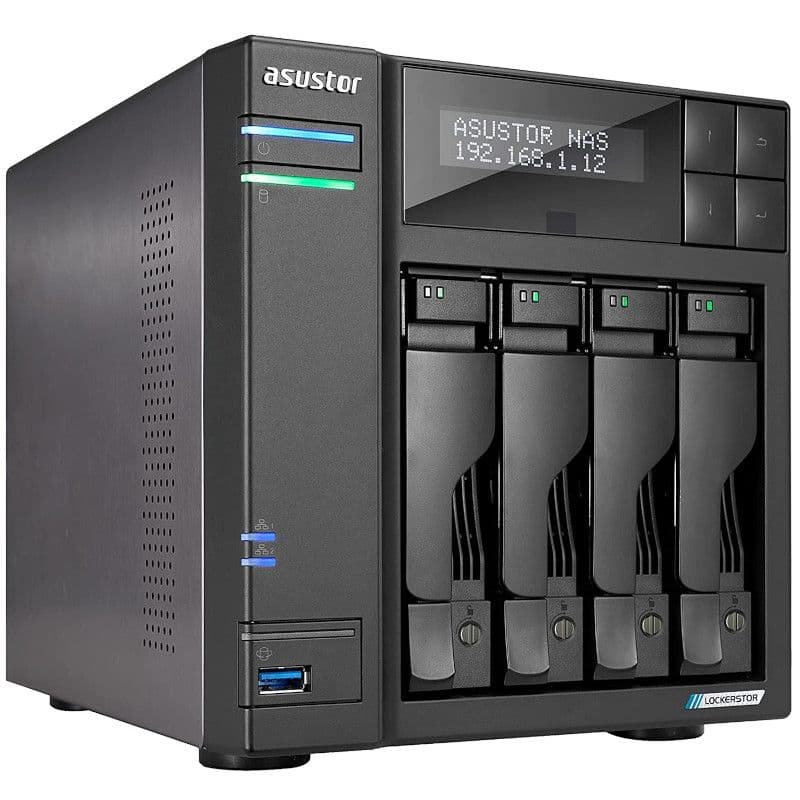
ASUSTOR Lockerstor 4 Gen2 (AS6704T)
Best four-bay
Everything you need for running Plex
$609
$656
Save
$47
The ASUSTOR Lockerstor 4 Gen2 (AS6704T) is a very capable NAS for running Plex Media Server and then some, thanks to the Intel CPU, upgradable RAM, 2.5GbE networking, expansion support, and a great OS.
Pros
- Intel CPU
- Upgradable RAM
- Expansion support
The ASUSTOR Lockerstor Gen2 (AS6704) has it all. ASUSTOR decided to take its four-bay NAS and turn everything up to 11. Let’s start with the CPU — the trusty Intel Celeron N5105. It’s a quad-core processor capable of bursting up to 2.9GHz and supports hardware transcoding with an integrated GPU. 4GB of DDR4 RAM is pre-installed and can be expanded up to 16GB, though the base capacity is more than enough for most users, including running Plex Media Server. Four drive bays are included, storing up to 80TB using the best NAS hard drives. This can be expanded using ASUSTOR’s expansion units, allowing the NAS and ASUSTOR ADM operating system to handle up to 12 bays.
Knowing that it can be expanded when you inevitably run out of space with the default drive bays makes the ASUSTOR Lockerstor Gen2 (AS6704) perfect for starting your first Plex NAS. Four M.2 SSD slots can be used for SSD caching or storage, depending on your needs. Finally, there’s a solid selection of ports, including HDMI out, which can be used to connect the server to the big screen directly. Overall, this is an immensely capable NAS enclosure.
Source: TerraMaster
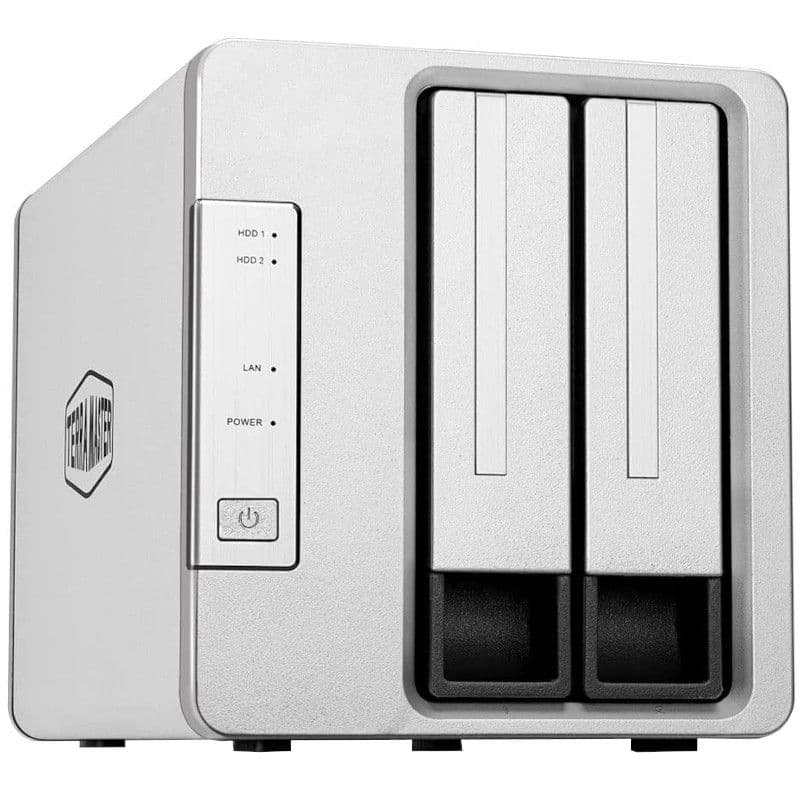
TerraMaster F2-221
Best two-Bay
One of the best Plex NAS with two drive bays
The TerraMaster F2-221 is an affordable two-bay NAS with enough power to run Plex Media Server and transcode some media. While 2GB of DDR4 RAM is present out of the factory, you can bump this up to 6GB. The Intel Celeron J3355 is a killer processor with two cores that can bump up to 2.5GHz and an integrated graphics processor that can handle 4K. The two drive bays will be a limiting factor, especially since this NAS doesn’t have M.2 slots or expansion support.
Pros
- Intel CPU
- Supports 4K transcoding
- Upgradable RAM
Cons
- No expansion support
- Rougher OS experience
- No M.2 slots
TerraMaster is a unique NAS brand as its catalog of products usually undercuts the competition with just a few cut features. The TerraMaster F2-221 is a prime example of this, being a direct competitor to the Synology DiskStation DS220+. It has an Intel Celeron processor, supports for up to 6GB of DDR4 RAM (2GB preinstalled), and even has an HDMI port on the rear for direct connection to a TV.
That makes this NAS a great value option for running Plex Media Server. TerraMaster’s TOS operating system isn’t as refined as Synology DSM, but it’s more than capable of managing everything on the enclosure and then some. Various apps are available for download in the respective store too. These enclosures also rock a design unlike anything else on the market, which may fit better in your environment.

Source: Synology
Synology DiskStation DS220j
Best budget
Cheapest and least powerful NAS for running Plex
The DS220j cannot match the DS220+ in terms of raw performance, and it isn’t particularly ideal for things like running multiple streams of videos. But its biggest selling point is its price. For less than $200, you get a Synology NAS that runs the same DSM 7.0 version and quality first-party apps as its much beefier siblings. Its basic hardware makes it a good deal if you want to use it only as a storage unit for all your data or as an off-site backup option.
Cons
- ARM CPU
- 512MB DDR3 RAM
- Limited storage
The Synology DiskStation D220j is the most affordable NAS in our collection. It has the same two drive bays as the Synology DiskStation DS220+, so what’s the difference between the two enclosures? This NAS has a quad-core Realtek ARM processor, which is considerably less powerful than the Intel chip and it doesn’t support hardware transcoding so streaming 4K media will be out of the question if the client device is unable to handle it.
There’s also only 512MB of DDR3 RAM and it cannot be expanded. The two drive bays can support up to 16TB each and when RAID is factored in that’ll be a maximum capacity of 16TB. Ports-wise, you’ve got a single 1GbE port and a few USB connections for good measure. The best part about this NAS, like the other Synology enclosure, is the DSM OS. It’s perfect as your first NAS for running Plex on the side.
How to choose the best NAS for Plex
Picking the best NAS for Plex depends on what you plan to use the server for, so we’ve compiled a list of reasons you should buy a NAS. Plex can be a demanding process to run on a NAS, largely due to transcoding which can really tax the processor. Our top recommendation is the QNAP TS-464. It has an excellent Intel processor with integrated graphics, four drive bays, and M.2 slots for one powerful little server.
Some things to bear in mind when shopping for a Plex NAS:
-
Brand:
The brand isn’t terribly important when it comes to choosing a NAS; all brands recommended here are among the best in the industry. There are differences in support, OS, and first-party app support, but your NAS experience will be similar for the most part. -
CPU:
An Intel Celeron or higher CPU will be able to transcode up to a 4K file. Go with an ARM processor if you won’t be transcoding much and want to stream music and photos more than anything else. An Intel Core processor would be overkill unless you transcode frequently or have other heavy apps running on the NAS. -
RAM:
1GB or higher is recommended for most NAS servers with more than one person accessing data or services at any given time. Before buying, make sure the NAS is capable of expanding available RAM if you plan to increase usage down the line. Some NAS will go beyond officially supported capacities. -
Drive bays:
These are used to add storage capacity to the NAS. Each bay usually supports either a 2.5-inch or 3.5-inch drive — the more bays, the higher the maximum storage capacity. To unlock additional bays, some NAS will allow adding expansion units that can be connected via USB. -
Ports:
USB isn’t too important regarding NAS, either. Your LAN will largely determine Ethernet speeds, and you’ll find 1GbE or 2.5GbE ports unless you’re prepared to spend the big bucks. HDMI ports are great for negating the need for the processor to transcode anything since you can connect the NAS directly to the big screen.
What is Plex?
Plex is an online media streaming service, much like Netflix and Spotify. It specializes in providing TV shows, podcasts, DVR, music, and movies, but is capable of so much more. The Plex Media Server is a server package that can be run on a PC or NAS and is essentially a DIY media streaming service. So if you’ve purchased movies, shows, or music in the past and need somewhere to catalog, store, and stream it all, Plex Media Server can do precisely that.
It’s capable of pulling art for albums, shows, and movies, as well as necessary metadata, descriptions, and genres. There’s an optional account upgrade that unlocks hardware transcoding, which is vastly more efficient and powerful than software transcoding. The upgrade also has the ability to skip show credits and intros and so much more. If you’re serious about creating your own media library, you’ll want to consider using this service.
What is transcoding?
Transcoding is the process of taking a media file and converting it to a format that can be used on the receiving device. For example, you may have a 4K movie with all the HD bells and whistles, yet your TV doesn’t support the format. Plex will then transcode the file while streaming it to the device. This takes a fair share of computing power, which can be alleviated through hardware transcoding.
Most Intel (and AMD, such as the one inside the Synology DiskStation DS1522+) processors in NAS enclosures can use hardware transcoding with accelerators. In contrast, more affordable servers with ARM CPUs will struggle to achieve similar results, especially with FHD (1080p) or UHD (2160p) files. Some NAS may have an HDMI port, which can connect the server to the recipient device and negate the need to transcode anything.
Source: QNAP
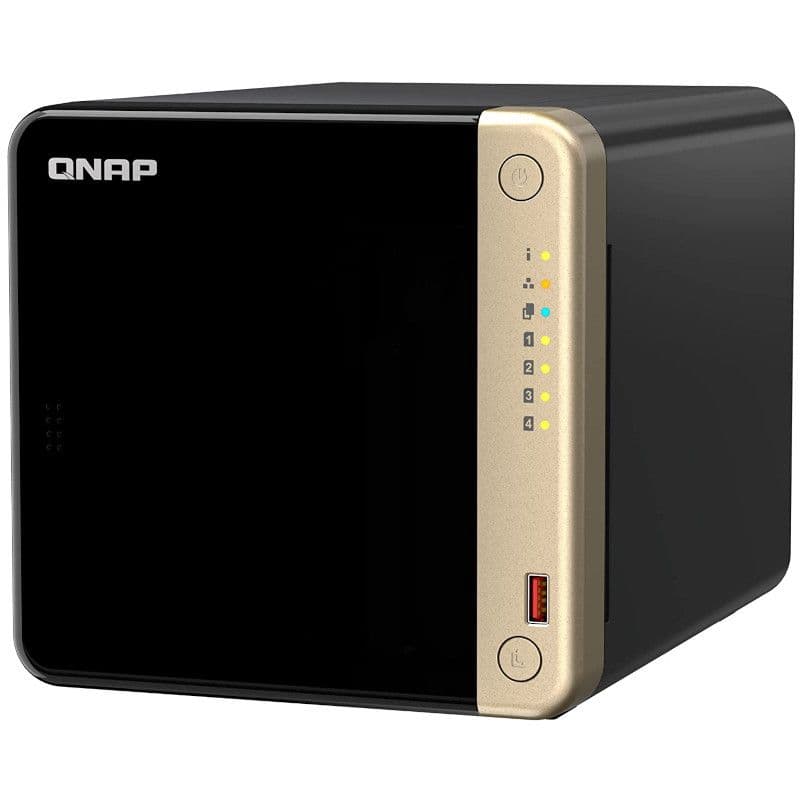
QNAP TS-464
Best overall
Our top pick for running Plex on your NAS
The QNAP TS-464 is a brilliant and powerful NAS, rocking an Intel Celeron processor, 4GB of RAM out of the box, and even two M.2 slots and a single PCIe expansion slot. It has everything you need to run a Plex Media Server, including dedicated HDMI output.
