

The Best Corsair Gaming Mice
There are few manufacturers who produce such a wide range of PC components and accessories as Corsair. Even though the company makes everything from cases to prebuilt PCs, it’s the brand’s diverse selection of keyboards, mice, and headsets that attract the most attention. In particular, Corsair’s gaming mice are essential peripherals for Esports pros who compete in tournaments or just need a reliable device for casual gaming.
-
M65 RGB Ultra Tunable FPS Gaming Mouse
Best Overall Corsair Gaming Mouse
-
Corsair Sabre RGB Pro Wireless
Best Corsair Wireless Gaming Mouse
-
Scimitar RGB Elite Optical MOBA/MMO Gaming Mouse
Best Corsair MMO Gaming Mouse
What to consider when choosing a Corsair Gaming Mouse
Deciding which of Corsair’s excellent gaming mice to choose comes down to striking a balance between cost, style, and performance specs. In general, Corsair is known for creating heavy, angular gaming mice that are perfect for palm grip styles, large hands, or players who simply prefer a beefy gaming mouse.
Corsair’s lineup of gaming mice lets players decide what’s important to their gaming experience, including features like:
- Affordability
- Dependable Durability
- Lots of Customizability
- Versatile Connectivity
- Stylish RGB Lighting
Players will have to decide which factors are must-have features and which ones they could pass on. Recently, Corsair has revamped their attempts to create a high-performance option, with the M65 RGB displaying significant improvements over previous models. While some fans won’t let go of their more recognizable mouse brands, like Razer or Logitech, Corsair can easily earn gamers’ respect.
Game Rant’s picks for the Best Corsair Gaming Mice
M65 RGB Ultra Tunable FPS Gaming Mouse
Best Overall Corsair Gaming Mouse
$62
$70
Save $8
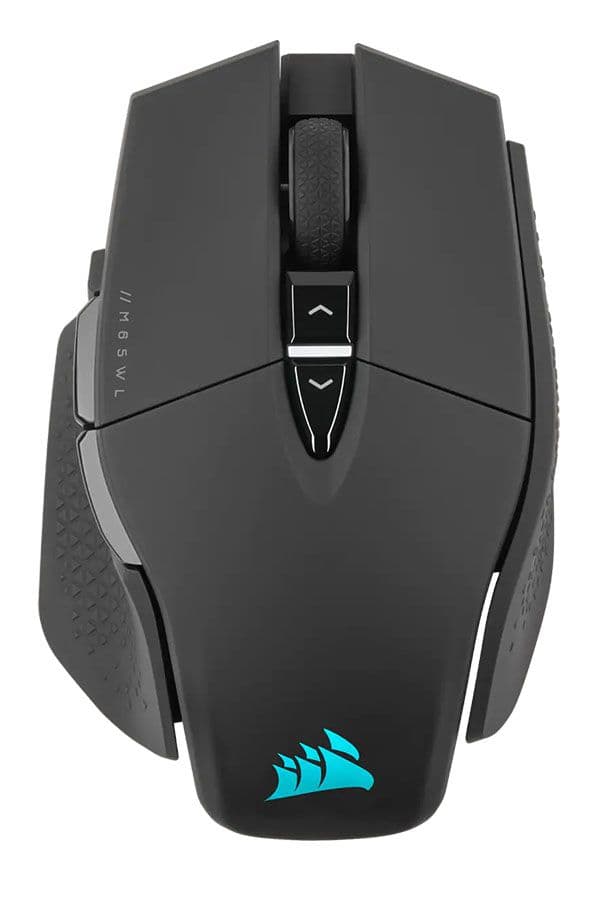
The best Corsair gaming mouse is surprisingly also one of their most affordable ones. The M65 RGB Ultra wired gaming mouse features all of Corsair’s top tech, giving it competitive specs perfect for fast-paced shooters and high-precision sniping.
-
Weight
-
97g – 115g
-
Sensor and DPI
-
MARKSMAN 26K
-
Switches
-
8
-
RGB Lighting
-
Yes
-
Programmable Buttons
-
Yes
-
Connectivity
-
1.8m Drag-Reducing Paracord
-
Wireless
-
No
Pros
- Has textured sides with thumb rest
- Very customizable for comfort
- Pro-level specs
- Simple style and design
- Convenient, customizable buttons
- Very affordable
Cons
- May not be suitable for larger hands
- The max DPI is too high for most gamers to make use of
The shape and design of the Corsair M65 RGB Ultra look a bit dull at first glance with the sleek black color and smooth top buttons, but texture and style can be found where it’s needed most: along the sides. On the left side is a wide thumb rest with a rubberized texture to support a strong grip, while the same type of texture can be found on the slightly contoured right side. The full shape of the mouse is a bit askew, leading to extra space between the buttons above the thumb rest.
Players will find three buttons, two standard rectangular ones, and a big, red sniper DPI shift button. All the buttons sit nearly flush with the mouse itself, making it a little more difficult to avoid misclicks until the player is used to the mouse, but ultimately making it easier to glide over the DPI shift button and access the other two when needed. Five more buttons sit on top of the mouse, including the scroll wheel and the two main clickers. Four extra functions can be assigned to motion controls by lifting any side of the mouse too. All the buttons can be remapped with ease using Corsair’s iCue app. The program also allows for customized RGB lighting, of which there are two zones: the scroll wheel and the Corsair logo.
For more on one of Corsair’s best overall peripherals, check out our full review of the Corsair M65 Pro Gaming Mouse.
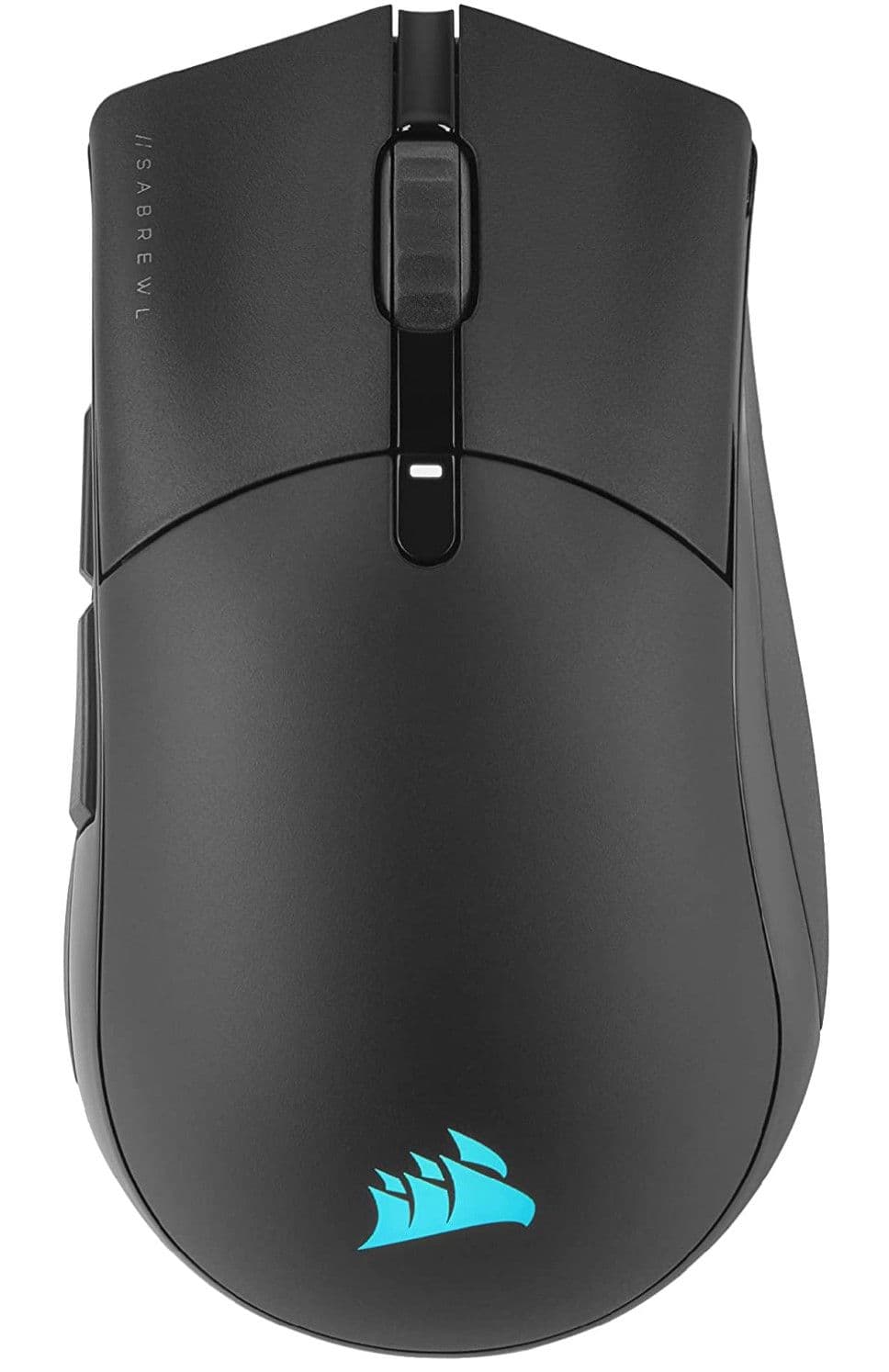
Corsair Sabre RGB Pro Wireless
Best Corsair Wireless Gaming Mouse
The Corsair Pro RGB Wireless gaming mouse is an excellent choice for highly competitive players looking for an advantage during shooters. The minimalist design is unobtrusive and offers an ergonomic grip. This is the best wireless gaming mouse Corsair has to offer, packed with specs like an industry-leading max DPI, sub-1ms transmission speeds, and super-sensitive mechanical switches.
-
Weight
-
79 g
-
Sensor and DPI
-
MARKSMAN 26K
-
Switches
-
7
-
RGB Lighting
-
Yes
-
Programmable Buttons
-
Yes
-
Connectivity
-
2.4GHz Slipstream USB & Bluetooth
-
Wireless
-
Yes
-
Battery Life
-
Up To 90 Hours
-
Battery Type
-
Rechargeable
-
Multi-Device Pairing
-
Yes
Pros
- Impressive specs like 26k DPI and up to 50g acceleration
- Both Bluetooth and USB wireless connectivity available
- Customizable buttons and RGB lighting
- Sleek, lightweight design
- Long-lasting, rechargeable battery
Cons
- No grip texture
- High DPI may not be useful to more casual gamers
- Accidental clicks can easily happen
Corsair’s Sabre RGB Pro is a beloved gaming mouse and the wireless version promises the same performance at a bit heavier weight. It’s actually impressive that this wireless version is only 5g heavier than the wired counterpart but at 79g total, it’s definitely at the edge of lightweight gaming mouse standards.
However, the reduced weight benefits this high-speed gaming mouse. The max DPI is a wild 26,000 and undoubtedly won’t get used by anyone but the pros, but regardless this is one of the most powerful sensors on the market. Esports pros looking for an edge in shooters and other fast-paced games will find it with this Corsair gaming mouse. Plus, there are three onboard memory slots and a DPI shift button, so players can have preset DPI speeds to match each of their favorite games without having to mess with their settings every single time.
Along with the sensor, Corsair has optimized their switches to the max with their spring-loaded Quickstrike design. This tech makes the buttons have essentially no lag at all, but many users have noted that accidental clicks are easy to do thanks to the superb sensitivity.
To find out more about the best Corsair to game cord-free with, read our full review of the Corsair Sabre RGB Pro.
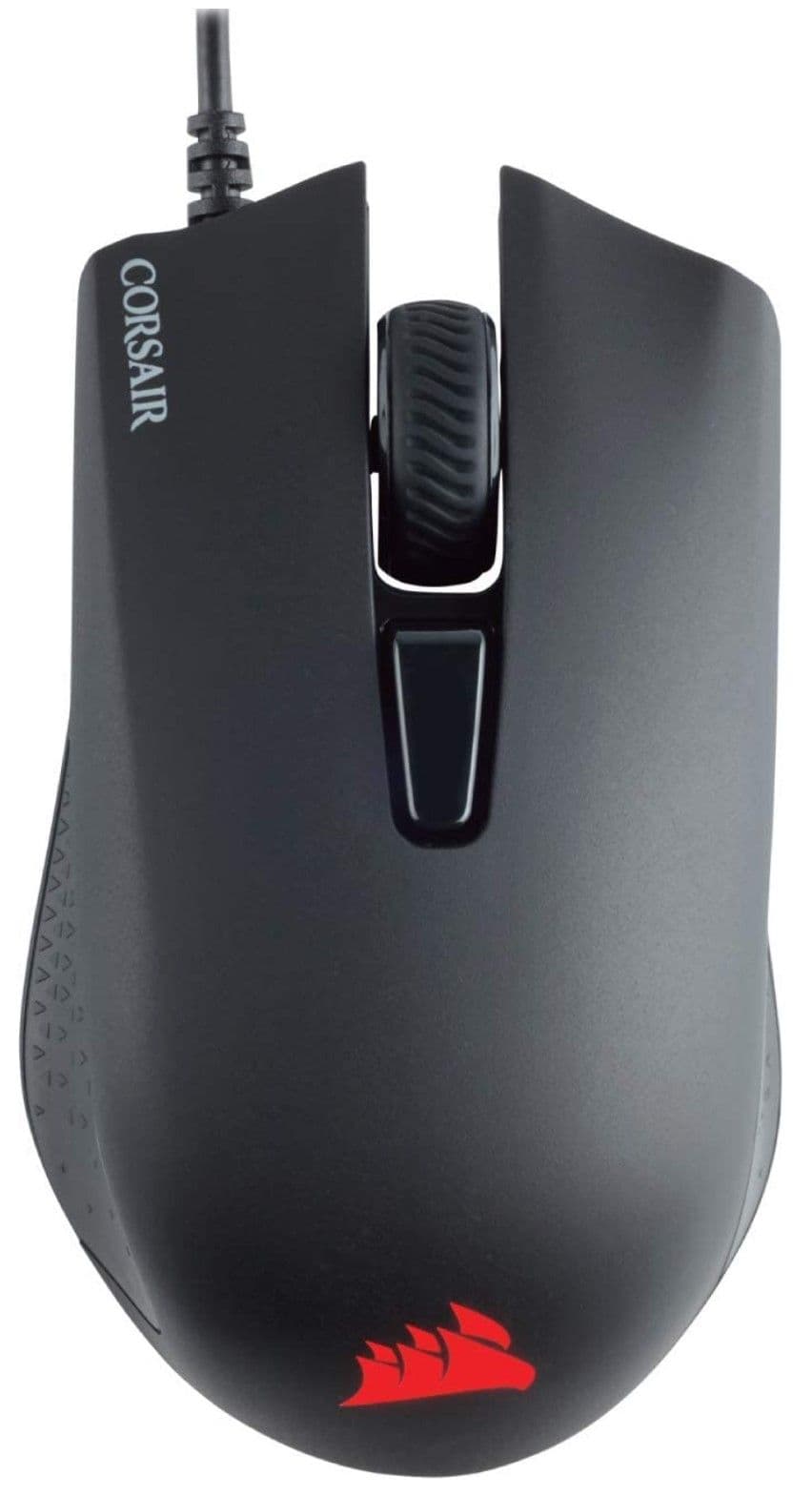
Corsair Harpoon RGB Pro Wired
Best Corsair Wired Gaming Mouse
The Corsair Harpoon RGB Pro is a wired mouse that allows competitive gamers to perform their best. Weighing just 85 grams, gamers will never lose grip of this mouse thanks to its ergonomic design and rubber side grips. The optical 12K DPI sensor is precise enough for FPS titles and its 6 programmable buttons give users plenty of customizable commands.
-
Weight
-
85 grams
-
Sensor and DPI
-
Optical, 12K DPI
-
Switches
-
Omron
-
RGB Lighting
-
Yes
-
Programmable Buttons
-
6
-
Connectivity
-
Wired
-
IPS
-
220
-
Polling Rate
-
1000 Hz (1ms)
-
Acceleration
-
30 G
Pros
- 6 programmable buttons at budget price
- Sensor inconsistencies improved
- Excellent build quality
- Responsive buttons
Cons
- Cable not braided
- Not ideal for larger hands
Despite improvements in wireless connectivity, some gamers refuse to abandon their trusted wired headsets, mice, and keyboards. As a reliable performer, the original Corsair Harpoon RGB wired gaming mouse surfaced in 2016 and quickly became a favorite of top Esports pros. Yet, there is always room for improvement with mice, and Corsair more recently revised the device with the Harpoon RGB Pro. The new Harpoon RGB Pro features an improved optical sensor, with a boosted maximum DPI of 12K. Some gamers reported inconsistencies with DPI sensitivity settings with the first Harpoon RGB, but these problems are no longer an issue.
At 85 grams, the mouse is not the lightest Esports mouse available, but it suits gamers who prefer controlling a slightly heftier device on a mousepad. Even so, the Harpoon RGB Pro is still a small mouse and appeals to buyers with small and medium-sized hands. Corsair markets the mouse toward players with claw grips, but its pronounced hump makes it a reasonable choice for palm grips as well.
Relying on Omron switches, the buttons on the Harpoon RGB Pro give a slightly mushier sensation when pressed, compared to more clicker mechanical switches. Even so, professional gamers appreciate the instant response time when activating any of the mouse’s 6 programmable buttons. The Harpoon RGB Pro is as plug-and-play as it gets, but with Corsair’s iCue software, users can remap commands and also adjust the dash of RGB lighting on its lower front side.
Unless you have especially large hands, the Corsair Harpoon RGB Pro is as comfortable to hold as any mouse available. Grips are even more secure thanks to generously sized rubber pieces on the side of the device. Unfortunately, the smooth cable is reminiscent of older mice and is not the flexible braided cable that’s found on more expensive wired peripherals.
With plenty of Esports accomplishments to boast about, solid build quality, and stellar ergonomics, the Harpoon RGB Pro is the best Corsair mouse among all wired options.
Make sure you check out our review of the original Corsair Harpoon RGB gaming mouse.
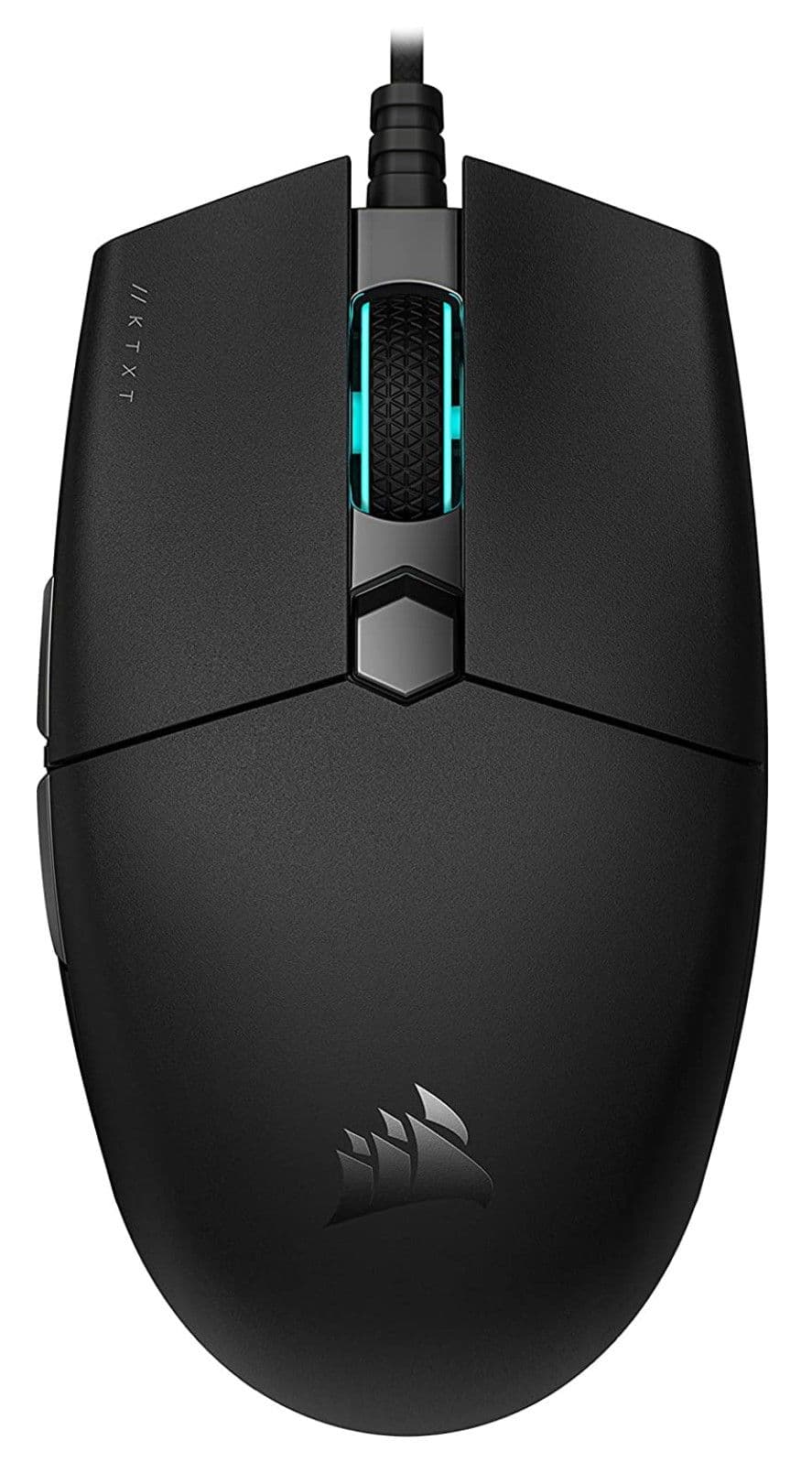
KATAR PRO XT Ultra-Light Gaming Mouse
Best Corsair Budget Gaming Mouse
$35
$51
Save $16
For gamers on a budget and gamers that much prefer claw grips or small gaming mice, the Katar Pro XT Ultra-light is the best choice among Corsair’s wide selection. This seriously affordable gaming mouse trims the fat where it can, saving the all-important specs so players can keep pace with more expensive alternatives.
-
Weight
-
73 g
-
Sensor and DPI
-
Pixart PMW3391, 18k DPI
-
Switches
-
6
-
RGB Lighting
-
Yes
-
Programmable Buttons
-
Yes
-
Connectivity
-
1.8m Drag-Reducing Paracord
-
Wireless
-
No
Pros
- Impressive 18k DPI sensor
- Customizable buttons
- Ideal for claw or fingertip grips
- Very light design
Cons
- May not be suitable for large hands
- Only one RGB lighting zone
The Katar Pro XT Ultra-Light gaming mouse from Corsair is the epitome of small but mighty. This gaming mouse stays true to its name with a weight of only 73g. The overall design and feel of the mouse heavily reflect this small profile, with a smaller chassis that ends in a somewhat narrow, tapered point. For honesty’s sake, in order to feel comfortable holding this mouse a player will need a small hand, a claw or fingertip grip, or a tight budget. However, for such players, this affordable gaming mouse has a lot to offer.
For starters, the sensor is remarkably accurate for the price point with a max DPI of 18k that can certainly compete with much more expensive models. This sensor pairs with smooth PTFE feet and the paracord cable to provide excellent precision. The buttons are all just as fast too, built with the Corsair Quickstrike switches that are super sensitive and have essentially imperceptible lag.
Featuring six fairly standard yet customizable buttons, players can have the right DPI and button layout for every game. With only one onboard memory profile available, it isn’t as convenient to remap buttons as with other gaming mice, but with Corsair’s iCue app, the layout is still more flexible than most options at this price.
As the best Corsair mouse for gamers on a budget, some sacrifices are made with the Katar Pro XT’s exterior, which is about as plain as it gets. There is some texture on the sides, but it’s just enough to support fingertip and claw grips. Other than that, the whole mouse is smooth and sleek, for better or worse. The scroll wheel is the only place where players will find RGB lighting, and that’s not exactly exciting. On the other hand, this gaming mouse has wonderful contouring on the sides and along the top buttons, plus the scroll wheel has some satisfying texture to help control the spin.
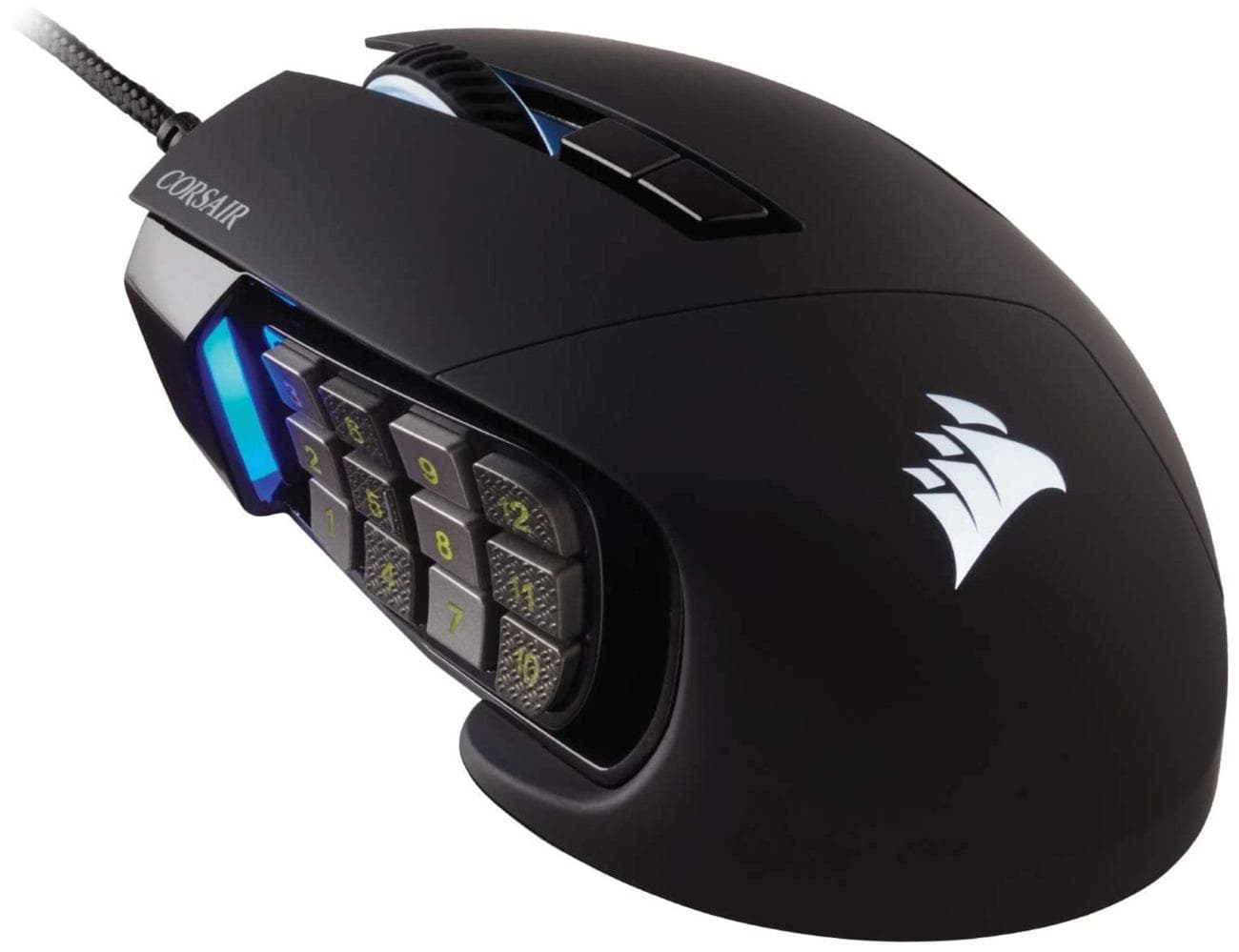
Scimitar RGB Elite Optical MOBA/MMO Gaming Mouse
Best Corsair MMO Gaming Mouse
$61
$80
Save $19
This Corsair gaming mouse is perfect for competitive MMO or MOBA players, and not anyone else simply because of the 12-key panel, which will be in the way of gamers who prefer shooters to MMOs. However, the comfortable design and top-of-the-line specs make the mouse well worth the mid-range cost, and gamers looking for a side key panel would be hard-pressed to find something comparable in this price range.
-
Weight
-
122g
-
Sensor and DPI
-
Pixart PMW3391, 18k DPI
-
Switches
-
17
-
RGB Lighting
-
Yes
-
Programmable Buttons
-
Yes
-
Connectivity
-
1.8m Braided Fiber
-
Wireless
-
No
Pros
- Has a wide, 12-button panel
- 4 RGB lighting zones
- Max DPI of 18k
- Contoured and textured shape for comfort
- Fairly affordable compared to similar models
Cons
- Far from ideal for shooters
- Very heavy
The 12-key panel is a time-honored favorite among elite MMO and MOBA players and the Corsair Scimitar RGB Elite optical gaming mouse continues to do it justice. This design certainly isn’t for everyone, but with the rise of multipurpose gaming mice with 12 or even 14 buttons, players who really love to grind in MMOs but also want to succeed in other genres like sports and FPS, this is the best Corsair gaming mouse.
Corsair’s Scimitar RGB Elite has a wide body with sculpted sides to support long gaming sessions without causing strain. While the chassis is mostly matte, the right side has soft, rubbery grips, and the scroll wheel is deeply indented at regular intervals. Additionally, the entire mouse is slightly tilted towards the right to give more room for a player’s thumb to navigate the 12-key side panel.
Some users may find it difficult to press these keys with precision but to help with this, the panel has a texture applied to every other key, so it’s easier to know which column and row is being activated. Corsair has also implemented a unique, patented sliding mechanism, so gamers can adjust the panel to better fit their hand size. The panel is moved using an Allen key, meaning that while it won’t be a quick change, it will be fairly sturdy once in place.
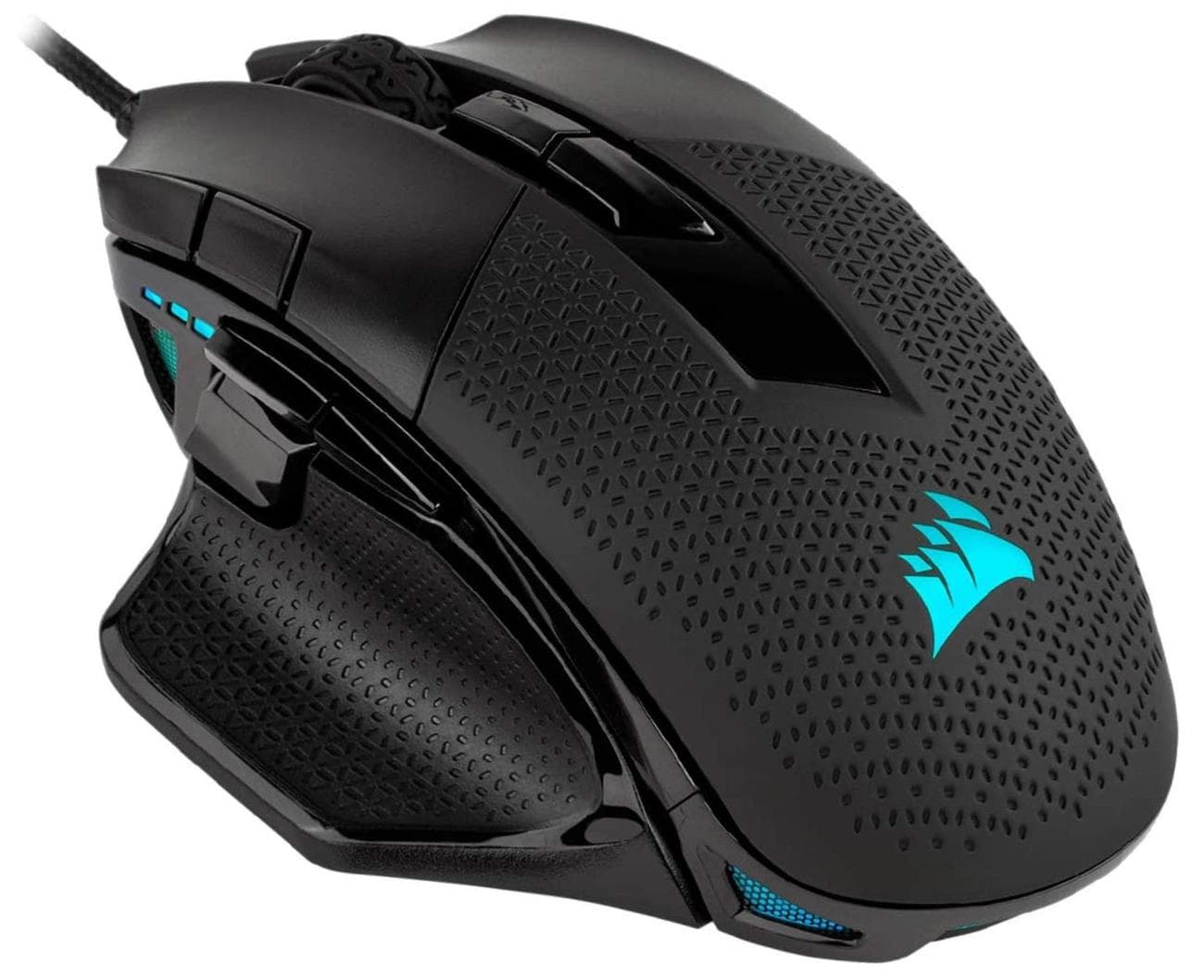
Corsair Nightsword RGB
Best Corsair FPS Gaming Mouse
This slightly oversized Corsair Nightsword RGB gaming mouse is the best wired Corsair mouse available, especially for gamers who want to prioritize comfort without sacrificing their high-end specs.
-
Weight
-
119g – 144g
-
Sensor and DPI
-
Pixart PMW3391, 18k DPI
-
Switches
-
8
-
RGB Lighting
-
Yes
-
Programmable Buttons
-
Yes
-
Connectivity
-
1.8m Braided Fiber Cable
-
Wireless
-
No
Pros
- Well textured for grip and comfort
- Uniquely customizable weight
- Hex pattern allows for airflow under grip
- Lots of RGB lighting
Cons
- Large size may not be suitable for smaller hands
- Rubber texture picks up a lot of dirt
The Nightsword RGB is Corsair’s large and in-charge gaming mouse, designed for long, grueling game sessions. Notably bigger than most other gaming mice, its base weight is 119g but with additional weights included, it could be as heavy as 144g! Much like the budget-friendly Logitech G502 Hero, there are three 4.5g weights and three 2.8g weights, so it’s easy to really fine-tune the heft of this gaming mouse and its overall feel.
The stylized shape alone offers a supremely comfortable palm grip. Assisting with comfort is the smooth, rubberized texture that runs along the sides and top of the mouse. The sides also include a wide-swept thumb rest on the left, but unfortunately have a glossy trim. This isn’t ideal because the side buttons above the thumb rest are also glossy, and with the trim sandwiched between the two it’s difficult to know when you’ve slid over the actual buttons, especially in the heat of battle.
All personal preferences can be set in iCue, including the extra weights. The app will show where the weights are currently inserted and where the center of mass is. All the RGB lighting zones can be just as easily customized, as well as the 8 programmable buttons.
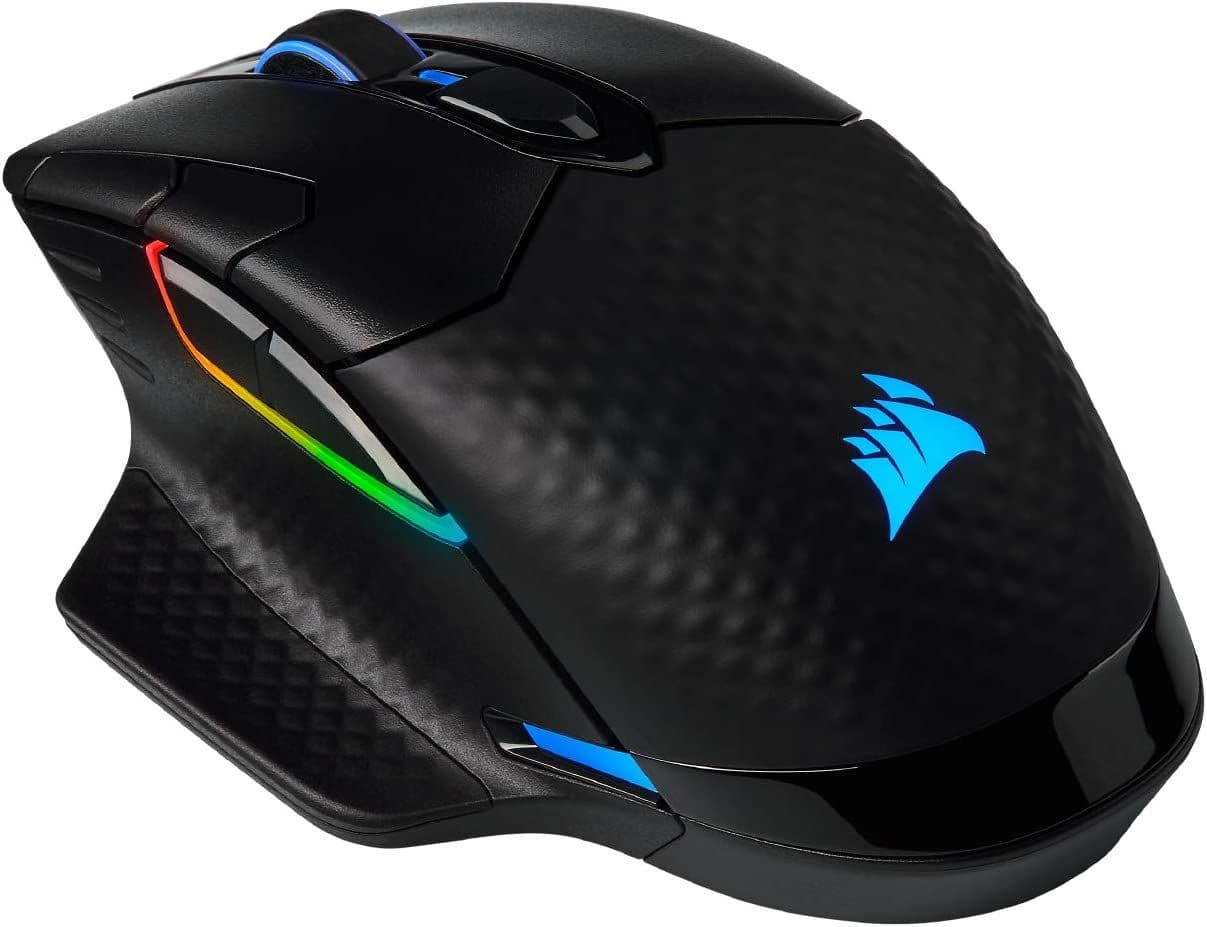
Corsair Dark Core RGB Pro SE
Best Corsair RGB Gaming Mouse
The Corsair Dark Core RGB Pro SE is a high-performance gaming mouse that offers both flexibility and performance all in one aesthetically pleasing package. Get the most out of a wireless mouse with the SE’s pinpoint accurate technology and precision with the PixArt PAW3392 DPI optical sensor. The SE charges with a versatile USB-C charger in less than 2 hours, offering a battery life of over 50 hours per charge.
-
Weight
-
133g
-
Sensor and DPI
-
PixArt Paw3392, 18,000 DPI
-
Switches
-
Omron
-
RGB Lighting
-
Yes
-
Programmable Buttons
-
6
-
Connectivity
-
Wireless/USB
-
Wireless
-
Yes
-
Battery Life
-
50 hours
-
DPI
-
1800
-
IPS
-
450
-
Polling Rate
-
2000 Hz
-
Acceleration
-
50G
Pros
- Spectacular 9 zone RGB lighting
- 2000 Hz polling rate
- Qi wireless charging
- Excellent battery life
Cons
- Very heavy
- Less buttons than original version
When gamers think of RGB-enabled peripherals, Razer Chroma and Corsair iCue are two lighting ecosystems that come to mind first. Corsair sells a wide range of exceptional keyboards, mice, and headsets with programmable lighting effects, and the Corsair Dark Core RGB Pro SE is a great example of iCue’s power. The wireless mouse has 9 individual lighting zones, including on the logo, mouse wheel, and nearly every side of the mouse. This lighting also serves a purpose, with a series of lights indicating the current DPI setting.
The Corsair Dark Core RGB Pro SE is a sizable mouse, and not a lightweight either checking in at 133 grams. While not ideal for FPS Esports competitions, the extra surface area is an adequate canvas for its RGB lighting and also allows the mouse to pack some impressive features. The rechargeable battery inside the mouse can endure up to 50 hours of play, though constant RGB effects reduce it to as few as 18. The Dark Core RGB Pro SE also supports Qi wireless charging, and Corsair sells a compatible mousepad that constantly recharges the mouse while is in use.
With a maximum DPI of 18K, the Dark Core RGB Pro SE is sensitive enough for any gamer, but Corsair’s hyper-polling technology allows the mouse to flex an impressive polling rate of 2,000 Hz. The PixArt PAW3392 optical sensor also constantly monitors mouse activity and limits power consumption based on the device’s usage.
As a substantial wireless mouse with an industry-leading polling rate, the Dark Core RGB Pro SE is also the best Corsair mouse for RGB lighting fanatics.
Read our complete review of the Corsair Dark Core RGB Pro SE for more on this unique top-performing wireless mouse.
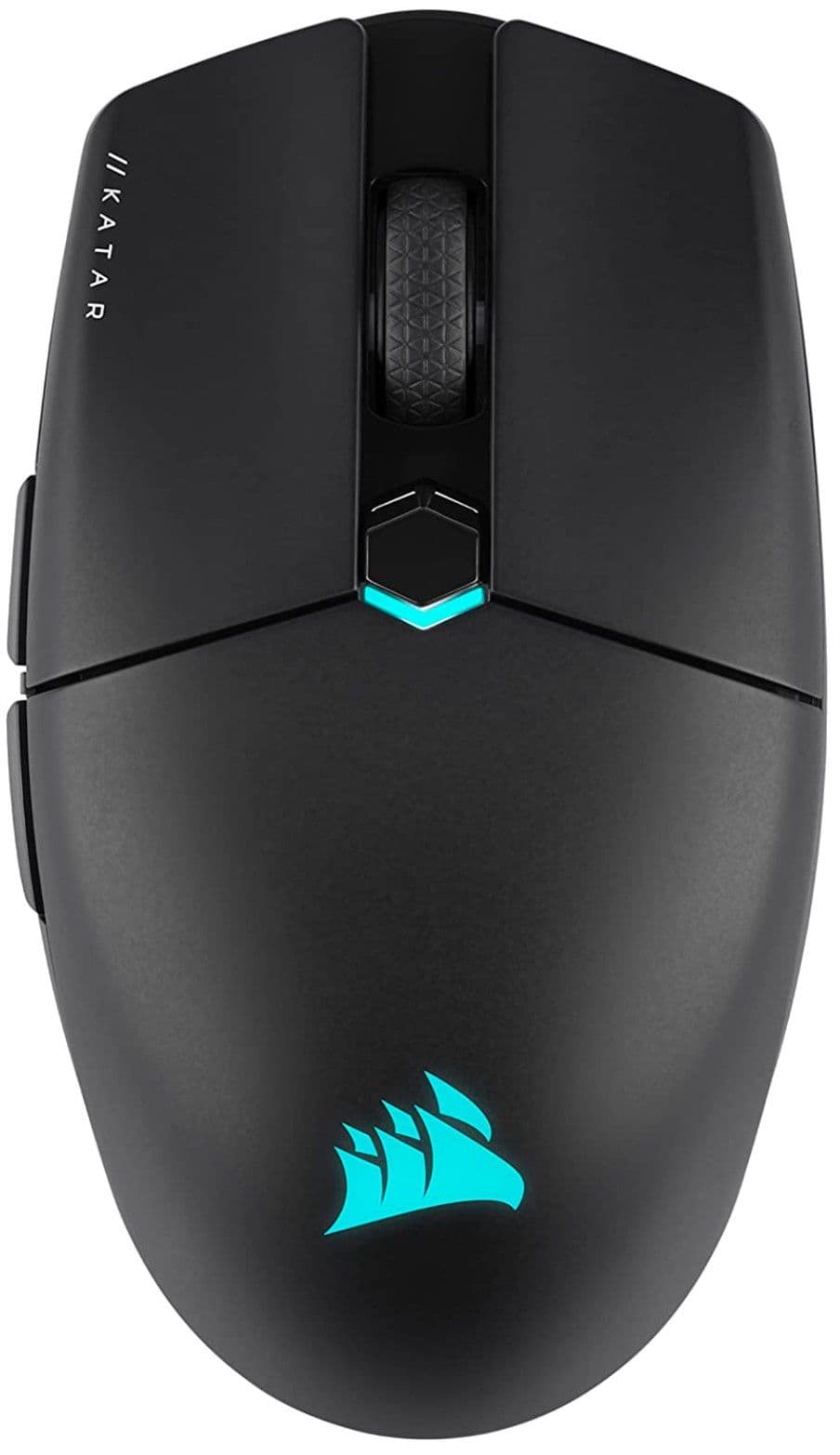
Corsair Katar Elite
Best Corsair Lightweight Gaming Mouse
The Corsair Katar Elite is the manufacturer’s lightest and most nimble mouse to date. At just 69 grams, this wireless mouse flies around mouse pads with a tracking speed of 650 IPS. Its Corsair Marksman optical sensor maxes out at a DPI of 26K with a Hyper Polling rate of 2,000 Hz.
The Katar Elite is a wireless mouse with the performance of a wired device, employing Corsair’s Slipstream wireless technology for minimal latency. Corsair’s mouse also gives the option of Bluetooth connectivity, to connect to a wide range of devices.
-
Weight
-
69 grams
-
Sensor and DPI
-
Optical, 26K DPI
-
Switches
-
Omron
-
RGB Lighting
-
Yes
-
Programmable Buttons
-
6
-
Connectivity
-
Wireless, Bluetooth, USB
-
Wireless
-
Yes
-
Battery Life
-
110 hours
-
IPS
-
650
-
Polling Rate
-
2,000 Hz
-
Acceleration
-
50 G
Pros
- Lightest Corsair mouse
- Low latency wireless connection
- Excellent battery life
- Ambidextrous design
Cons
- Expensive compared to similar gaming mice
- Not accommodating to most palm grips
The wired Katar Pro XT was one of Corsair’s lightest gaming mice until the Katar Elite hit the market late in 2022. Not only does it check in at only 69 grams, but it’s also wireless capable without adding any additional bulk. The Katar Elite doesn’t quite meet the qualifications of a miniature mouse, but it’s noticeably dwarfed by other mice intended for medium and large hands. Without much curvature in the middle of its shell, this mouse is a great option for claw and fingertip grips, but larger palms will struggle to maintain much control over it.
Some Esports pros who are always on the hunt for small, lightweight mice may scoff at the notion of using a wireless device. However, the Katar Elite keeps any wireless latency to a minimum, taking advantage of Corsair’s Slipstream wireless protocol. Gamers can also connect the mouse to a variety of devices with its Bluetooth capabilities. Even with a highly accurate 26K DPI sensor and 2,000 Hz polling rate, battery drain is not a major concern. If a gamer avoids using the Katar Elite’s modest RGB effects, the device can last for up to 110 hours with recharging.
The 6 programmable buttons on the Katar Elite seem on the low side for its price, but this is a peripheral ideal for FPS titles with a limited number of commands. More importantly, the Omron mechanical switches on the mouse meet Corsair’s Quickstrike standards, for instant responses to button presses. The switches are also expected to last up to 60 million clicks.
With a shell that’s not easy for palms to grip, this diminutive Corsair mouse may not have the most mainstream appeal. Regardless, the Katar Elite is the best Corsair gaming mouse for competitive Esports participants looking for an extremely agile wireless weapon.
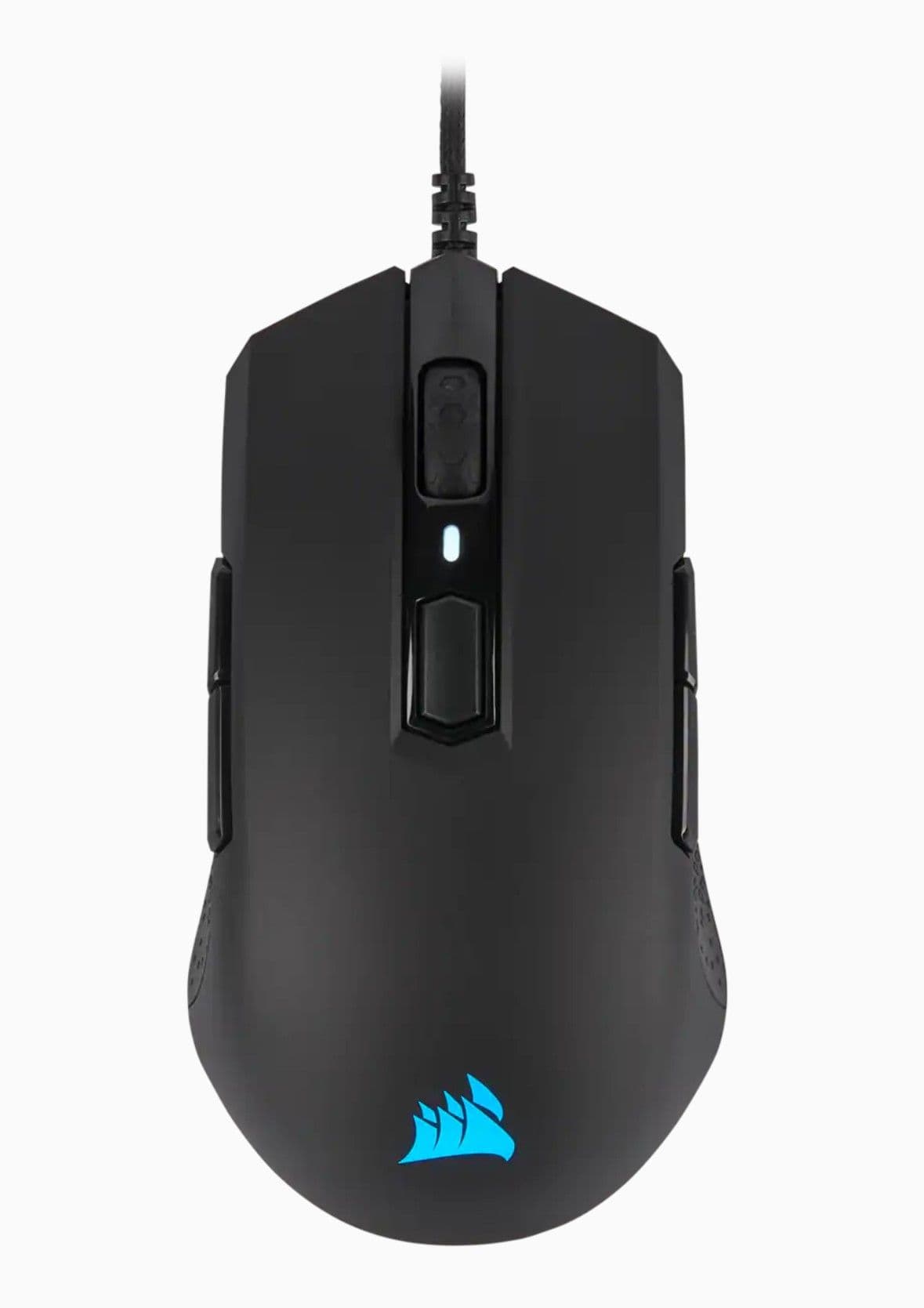
Corsair M55 RGB Pro
Best Left-Handed Corsair Gaming Mouse
For gamers looking for an ambidextrous mouse that will get the job done without breaking the bank, the Corsair M55 RGB Pro is one of the better options. The sensor offers a respectable maximum DPI of 12,400, which is more than enough for most gamers, especially outside of highly competitive shooters.
This budget gaming mouse gives left-handed players two buttons on each side, along with studded texture and RGB lighting. With a total of 8 programmable buttons, it’s easy to customize assigned keys to match gameplay, regardless of genre. The shape and size are equally accommodating, providing a comfortable and ergonomic experience through hours of play. Although not as powerful as some other options, its specs listed at this price are tough to beat.
-
Weight
-
86g
-
Sensor and DPI
-
Optical 12,400
-
Switches
-
Mechanical
-
RGB Lighting
-
Yes
-
Programmable Buttons
-
8
-
Connectivity
-
Wired, USB
Pros
- Impressive build quality
- Premium braided cord
- Strong specs for price
- Good option for left and right handed gamers
Cons
- Inconsistent sensitivity
- Lack of weight can make it difficult to control
Left-handed gamers dread having to shop for a new mouse, with so few candidates truly designed to meet their needs. Although Corsair doesn’t make a mouse that’s intended only for left-handers, the wired Corsair M55 RGB Pro is more than an adequate device for these neglected gamers. The ambidextrous mouse has 2 side buttons on both sides of the device, and Corsair’s iCue software makes it simple to choose each gamer’s preferred configuration.
Although it’s fairly lightweight at 86 grams, the shape of the M55 RGB Pro is also friendly to small and even moderately sizable hands. The mouse is somewhat long and lean, meaning that palm, claw, and fingertip grips are all possibilities when holding the M55 RGB Pro. For gamers who like customization, there aren’t many other mice in this price range that tops the 8 programmable buttons of this Corsair mouse.
FAQ
Q: What is the best DPI for gaming?
800 + changing in-game mouse sensitivity.
Q: What is the best way to hold a gaming mouse?
There is no singular best way to hold a gaming mouse. Palm, Claw, and Tip grips all have their uses.
Q: How should I choose a gaming mouse?
First and foremost, define the purpose of the mouse: will it be used exclusively for gaming? Will a specific genre be prioritized? After that, establish a budget, and research the market to get a thorough idea of the available candidates. It is advised to stick to well-known brands like Razer, Logitech, and SteelSeries. Important decision criteria are comfort, features such as extra buttons for versatility in gaming and accurate scrolling, sensor quality and the software that accompanies it, as well as build quality.
Q: Is Razer or Corsair better?
While both brands have pros and cons, Razer typically has more advanced sensors and tends to lead the industry in peripherals like gaming mice. However, Corsair has been working hard to offer a number of comparable gaming mice at a lower cost than Razer. Corsair also tends to prefer creating specialty mice that cater to specific game genres, mouse grips, or playstyles, while Razer tends to create multi-purpose gaming mice that focus on internal specs.
VIA:
GameRant.com

