
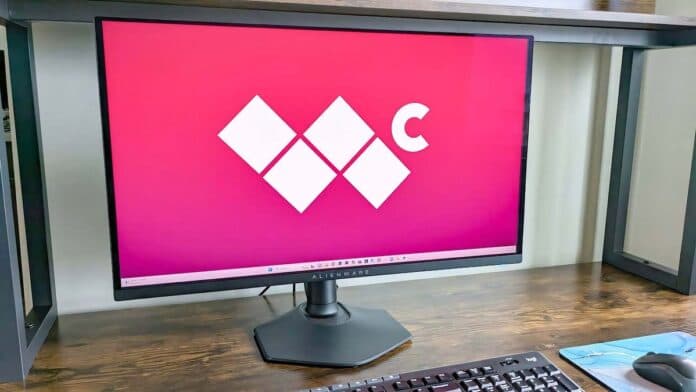
I’ve had the pleasure of seeing some truly impressive
gaming monitors
during my time here at Windows Central. Technology is constantly advancing with new display types and features that improve the playing experience, so I’m always excited to check out the latest and greatest monitors on the market.
This being the case, when I saw that Dell’s Alienware was releasing a new 27-inch QHD gaming monitor that could reach up to 360Hz with a fast 0.03 response time, I was eager to check it out. Now that I’ve spent over 16 hours playing various games on it, I can say it is an amazing display, though it might not be a good fit for everyone.
Disclaimer:
This
review
was made possible thanks to a review unit provided by
Dell
. The company did not see the contents of this review before publishing.
Alienware AW2725DF: Price and specs
Unlike some other Alienware monitors, this one doesn’t provide any RGB lighting.
(Image credit: Rebecca Spear / Windows Central)
Pricing & specifications highlights
- The super high 360Hz refresh rate and fast 0.03ms response time make this monitor stand out from the competition.
- While it does support AMD FreeSync Premium Pro, it doesn’t support NVIDIA G-Sync.
- Considering all of the features this monitor has, it is competitively and well-priced, but it’s still expensive.
-
Value rating: 5/5
Alienware AW2725DF
Price:
Starting at
$899.99 from Dell
Display size:
26.7-inches 16: 9
Resolution:
2560 x 1440p
Type:
QD-OLED
Refresh rate:
360Hz
Response time:
0.03 ms
VRR technology:
AMD FreeSync Premium Pro, VESA AdaptiveSync
Brightness:
1,000 nits
Camera:
No
Ports:
3x USB-A 3.2 Gen 1, 1x USB-C 3.2 Gen 1, 1x USB-B 3.2 Gen 1, 1x HDMI 2.1, and 2x DisplayPort 1.4
As you likely already know, the best gaming monitors tend to be rather expensive, and the more premium features a display has, the costlier it will be. That’s the case with this fantastic 27-inch Alienware AW2725DF monitor. It has an MSRP of $899.99 and can be purchased from Dell’s website.
You should note that this specific monitor only supports AMD FreeSync Premium Pro. However, Dell did hint that it would probably release another version that was G-Sync compatible in the future. This being the case, NVIDIA GPU players might want to wait for the other model to come out.
While expensive compared to many other 27-inch displays, the Alienware AW2725DF is well-priced given that it features a stunning 2560 x 1440p QD-OLED panel that can reach an extremely high 360Hz refresh rate with a speedy 0.03ms response time. What this all means is that the monitor is designed to give you an edge in competitive play. So, if you’re an eSports player or an aspiring one with an AMD
gaming PC
, then this might just be the gaming monitor for you.
My recommended Alienware AW2725DF configuration
Alienware AW2725DF: Setup and design quality
Image
1
of
2

No tools are required for assembly, the stand simply clicks into place on the back of the monitor.
(Image credit: Rebecca Spear / Windows Central)
Build quality & design highlights
- This is a very classy-looking monitor that will look good in any room.
- Toolless assembly makes it incredibly easy to set up and get gaming.
- An adjustable stand and cable tidy make it easier to keep your monitor positioned at a good angle while looking organized.
- Customizable lighting on the back of the monitor adds a fun vibe.
-
Design rating: 5/5
After opening the Alienware AW2725DF’s box, I was incredibly happy to see that this monitor was designed with toolless assembly in mind. All I had to do was connect the stand to the base by turning the built-in screw and then push the connected pieces into the back of the monitor until there was a click. The process was all incredibly easy, only taking a minute or so.
It also doesn’t take much work to get the gaming monitor looking clean on my desk thanks to the cable tidy hole located in the stand along with a removable back panel that covers the ports when in place. I just plugged my various cables into their ports, threaded them through the hole, hid the ports with the back panel, and then tucked the cables out of sight behind the desk.
Speaking of ports, there’s a good selection here that includes an HDMI 2.1 port as well as two DisplayPort 1.4 connections so I can connect the latest and greatest gaming devices to the monitor. Meanwhile, there are three USB-A 3.2 Gen 1 ports and a USB-C 3.2 Gen 1 port. These options make it easy to connect my best PC gaming accessories to the monitor as needed.
Image
1
of
4
The Alienware AW2725DF allows you to tuck unsightly cables out of view.
(Image credit: Rebecca Spear / Windows Central)
As for the actual design of the casing, the Alienware AW2725DF is a very classy-looking display. It’s definitely not the thinnest I’ve seen, but its depth is partially due to the amazing stand that can be adjusted vertically, tilted up or down, or pivoted side to side. It cannot be rotated, but that’s not something you usually need from a gaming monitor.
Adjusting the stand is effortless, being able to be positioned with just a little bit of pressure. What’s more, regardless of what angle or positioning I put the monitor in, the hexagonal stand always holds it sturdy, so I never have to deal with wobbling.
Image
1
of
4
Lighting on the back of the monitor can be adjusted using the OSD and it adds a fun vibe to any room.
(Image credit: Rebecca Spear / Windows Central)
Being a gaming monitor, it’s not surprising at all to learn that the Alienware AW2725DF features colorful lighting on the backside. Specifically, the stylized 27 and Alienware logo light up to provide a fun glow behind the display. The default is blue, but I can interact with the button on the bottom of the AW2725DF to bring up the OSD (on-screen display) and change the color to anything I want. This lighting looks good and adds a fun vibe to the monitor without looking cheap, like some low-grade RGB gamer devices do.
Alienware AW2725DF: Picture quality and gaming
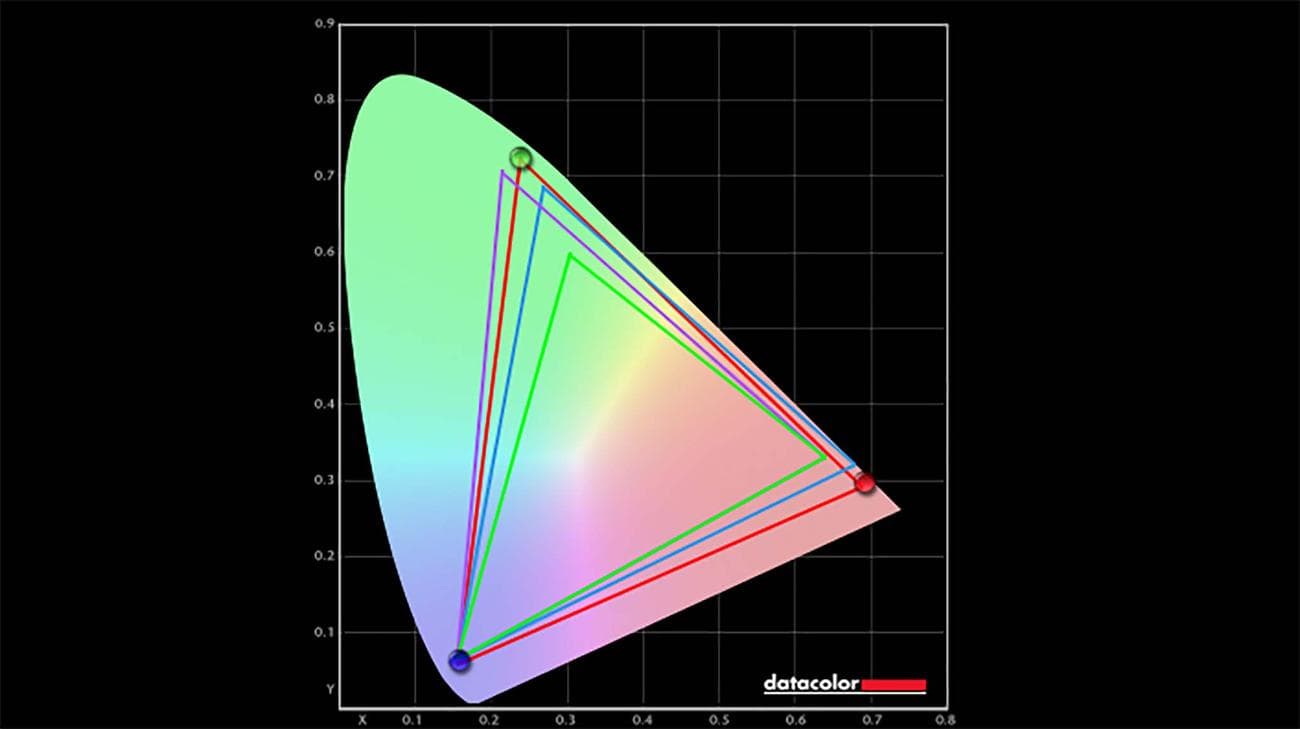
The Alienware AW2725DF’s Standard mode produced 100% of sRGB, 95% of Adobe RGB, 98% of P3 in my colorimeter test.
(Image credit: Windows Central)
Display highlights
- Excellent color accuracy, brightness, and contrast make it very easy to see details, even in dimly lit game scenes.
- Regardless of what mode I put the monitor in, it always provided excellent colorimeter results.
- Games run very smoothly and look incredible thanks to the 0.03ms response time and 360Hz refresh rate.
-
Display rating: 5/5
To get a feel for the Alienware AW2725DF, I spent time playing games on it for over 16 hours. It’s hard to completely describe how stunning the Alienware AW2725DF QD-OLED display looks in person. If you didn’t already know, QD-OLED displays are one of the very best options on the market today due to their excellent contrast and color accuracy. The one thing that tends to make them better than OLEDs is that they can reach a higher brightness, which is helpful for low-light game scenes, and this was very apparent when using the Alienware AW2725DF.
If you want to learn more, you can check out my display guide: OLED vs QD-OLED vs QLED vs AMOLED vs Mini LED.
| Setting | Brightness | Black | Contrast | White Point |
|---|---|---|---|---|
| 0% | 20.6 | 0.00 | 0:1 | 6300 (0.317, 0.324) |
| 25% | 71.6 | 0.00 | 0:1 | 6300 (0.317, 0.323) |
| 50% | 122.0 | 0.00 | 0:1 | 6300 (0.317, 0.324) |
| 75% | 172.8 | 0.00 | 0:1 | 6300 (0.317, 0.323) |
| 100% | 252.1 | 0.00 | 0:1 | 6300 (0.317, 0.323) |
As with OLED displays, this QD-OLED offers true black, meaning that the pixels completely turn off when displaying the darkest hues. This allows for the remaining colorful pixels to really shine and come through crisply for vibrant details.
For instance, I played a lot of Cyberpunk 2077 while testing the Alienware AW2725DF, and as you likely know, this is a game with a lot of night and low-light scenes. But even in the dimmest digital locations, the monitor made it easy for me to see movement or objects in my environment. Plus, the speedy response time and high refresh rate allowed me to play my games extremely smoothly while viewing the latest imagery sent from my system. As you can imagine, this made it possible for me to quickly respond to enemies and aim my crosshairs effectively.
Even in the dimmest digital locations, the monitor made it easy for me to see movement or objects in my environment.
In order to get a more quantitative measurement of the display, I pulled out my colorimeter and ran tests on each of the monitor’s modes. There were some mode differences — most notably with Creator Color Space RGB — but each test came back with excellent results that usually resulted in the monitor producing 100% of sRGB, 95% of Adobe RGB, and 98% of P3. That’s a great place for a gaming monitor to be.
| Mode | Colorimeter results |
|---|---|
| Standard | 100% of sRGB, 95% of Adobe RGB, 98% of P3 |
| FPS | 100% of sRGB, 95% of Adobe RGB, 96% of P3 |
| MOBA/RTS | 100% of sRGB, 95% of Adobe RGB, 98% of P3 |
| RPG | 100% of sRGB, 94% of Adobe RGB, 98% of P3 |
| Sports | 100% of sRGB, 95% of Adobe RGB, 98% of P3 |
| Creator Color Space DCI-P3 | 100% of sRGB, 87% of Adobe RGB, 97% of P3 |
| Creator Color Space RBG | 97% of sRGB, 73% of Adobe RGB, 75% of P3 |
| Warm | 100% of sRGB, 95% of Adobe RGB, 98% of P3 |
| Cool | 100% of sRGB, 95% of Adobe RGB, 98% of P3 |
I do want to mention that I did have some issues with the Alienware AW2725DF on two different devices — a Legion 9i (Gen 8) gaming laptop (see my Lenovo Legion 9i review) and a ROG G22CH-DB978 gaming tower (see my ASUS ROG G22CH review). I started testing the monitor with the Legion 9i, and within an hour of playing Cyberpunk 2077 on it, the screen suddenly went fuzzy. I couldn’t get it to display my game again until I unplugged the monitor from power and then plugged it back in again.
Curious to see if this was just some weird compatibility problem with the laptop or the game, I switched to testing the monitor with my ROG G22CH tower while playing Baldurs Gate 3. I was about three hours into a gaming session when the screen once more fuzzed out. At this point, I reached out to Alienware. After a few weeks, Alienware sent me a firmware
update
, which the company says should have fixed the problem. I then installed it and played Palworld on the monitor for dozens of hours. So far, I have not encountered the dreaded gray screen since doing this, so hopefully, it has been fixed.
Alienware AW2725DF: The competition
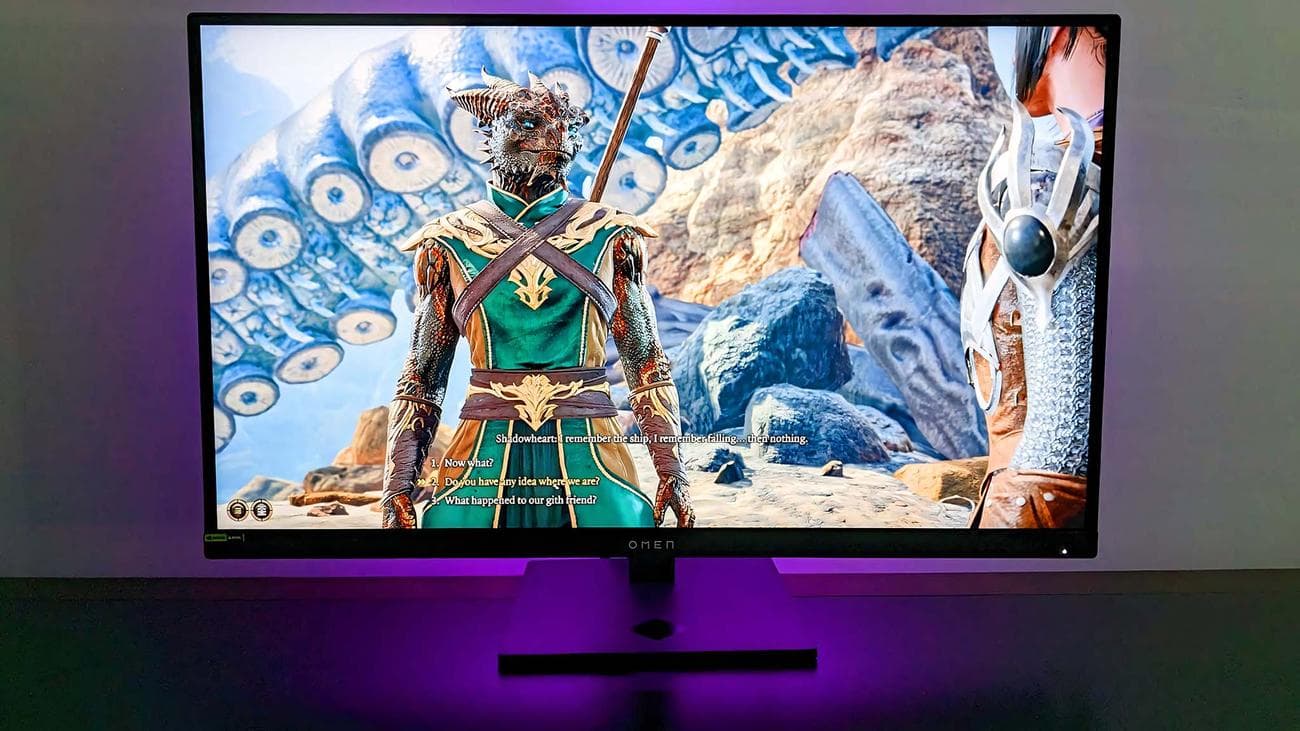
HP OMEN
27k is an impressive gaming monitor with RGB lighting on the back.
(Image credit: Rebecca Spear / Windows Central)
Obviously, the Alienware AW2725DF is a premium gaming monitor with top-tier features especially suited for the needs of eSports players and those hoping to become professional competitive gamers. However, there are also other options out there that can serve you well while costing less. You don’t even have to look beyond Alienware to find a good alternative.
In our own Ben Wilson’s Alienware AW2423DF review, he talks about how good this 27-inch 280Hz display looks with its impressive color gamut, 1ms response time, and crisp QHD resolution. It also supports both AMD FreeSync Premium Pro and NVIDIA G-Sync, which makes it more appealing to those with NVIDIA laptops and desktops. This fancy gaming monitor sells for $549.99.
Now, if you want a premium 27-inch gaming monitor, then another brand to look at is HP. As you can see in my HP OMEN 27k review, this $549.99 offering is a fantastic option for people who want a monitor with a built-in KVM switch. It offers a 144Hz refresh rate with a 1ms response time and features a diamond of customizable RGB lighting on the backside. It’s really an excellent choice.
Now, if you’re more interested in an ultrawide gaming monitor, then you don’t need to look any further than my HP OMEN 34c review. With its impressive 165Hz refresh rate and 1ms response time, the 34-inch curved display allows for more of a game world to be viewed at once. This can be ideal for playing games like Diablo IV, where a wider screen allows you to see distant enemies and pathways, so you can make better-informed decisions before you come up to them.
Alienware AW2725DF: Scorecard
| Attribute | Rating & Notes |
|---|---|
| Value | 5/5 — There’s no denying this is an expensive monitor, but it’s also at an expected price point given all of the premium features it offers. |
| Design | 5/5 — With a narrow bezel, adjustable stand, and classy design, the Alienware AW2725DF creates an elegant presence in any room. |
| Display | 5/5 — Excellent color accuracy, brightness, and contrast all work together to make games look absolutely stunning on this 360Hz and 0.03ms monitor. |
| Total score | 5/5 — It’s a premium display with amazing features, which makes it an ideal choice for competitive players. |
Alienware AW2725DF: Should you buy?
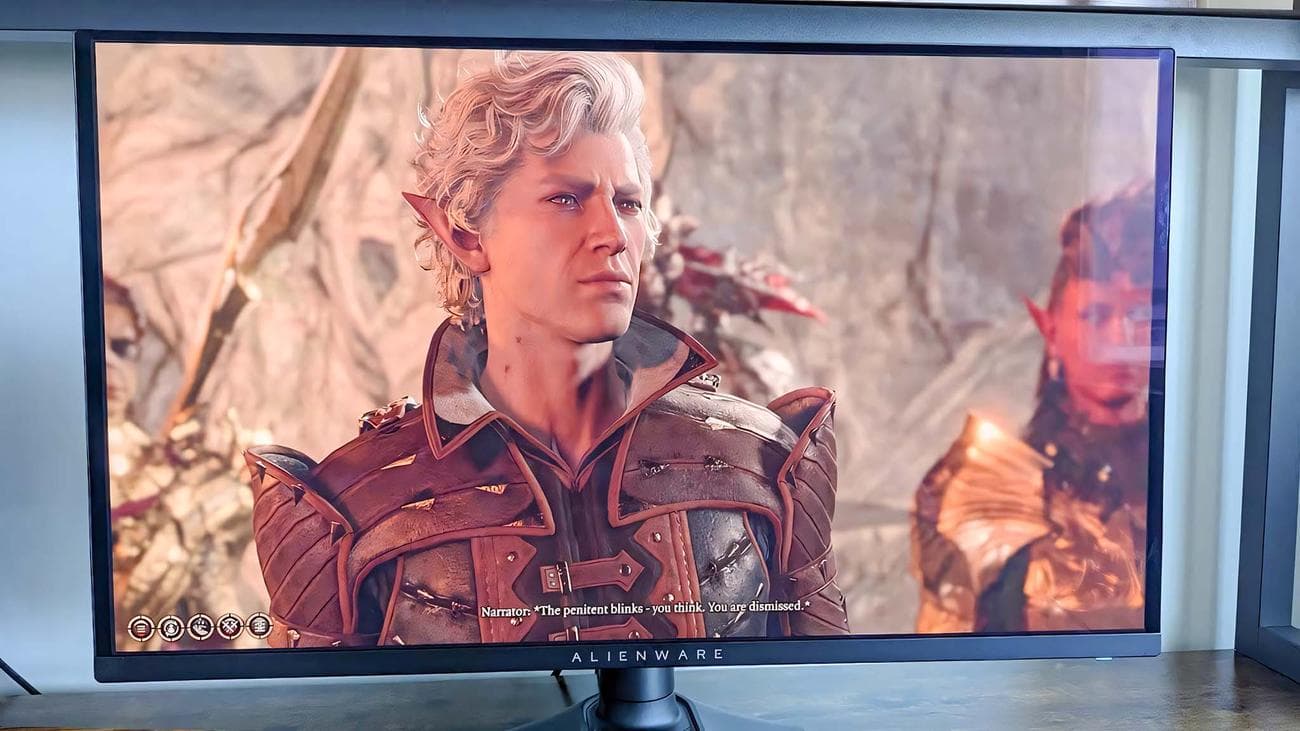
Colors come through beautifully and with great contrast even in darker scenes on the Alienware AW2725DF.
(Image credit: Rebecca Spear / Windows Central)
You should buy this if …
You should not buy this if …
I’ve seen some magnificent gaming monitors during my time at Windows Central, but at this point, the Alienware AW2725DF is the most impressive one of them all. So much so that it’s clear this monitor is intended for the competitive gaming scene —namely eSports players. So, if you’re in that scene or are aspiring to be, then you should definitely consider this excellent gaming monitor.
As you likely know, when it comes to challenging game competitions, every millisecond counts. A lot of professional gamers prefer to stick to a 24-to-27-inch display as this allows them to quickly take everything within their games in without having to waste time turning their heads. Plus, being able to reach such high refresh rates and fast response times can really give an edge against other players. Sometimes, it’s just a slight edge, but that might be all the extra help you need to come out victorious. With all this being the case, the Alienware AW2725DF might even be overkill for a lot of average players. But you’ll have to decide if that’s you or not.
When it comes to picture quality, the QD-OLED display looks amazing. Aside from the fuzz issue that was fixed with firmware, I never had any issues making out details or worrying about the brightness of the display, even when playing in some very dark digital environments. The AW2725DF’s color accuracy is stunning, with crisp detail and excellent contrast that you will appreciate from the moment you turn it on.
Outside of performance, the monitor is well-built with an elegant casing that allows it to look classy in any setting. Thanks to the removable port cover and cable tidy in the stand, creating a clean desk area is very achievable. Plus, I absolutely love the stand, which doesn’t require any tools to assemble out of the box and can easily be adjusted to get the monitor at the perfect height, tilt, or angle that you may need. You’ll pay a decent amount for the Alienware AW2725DF, but you’ll get a phenomenal experience out of it.
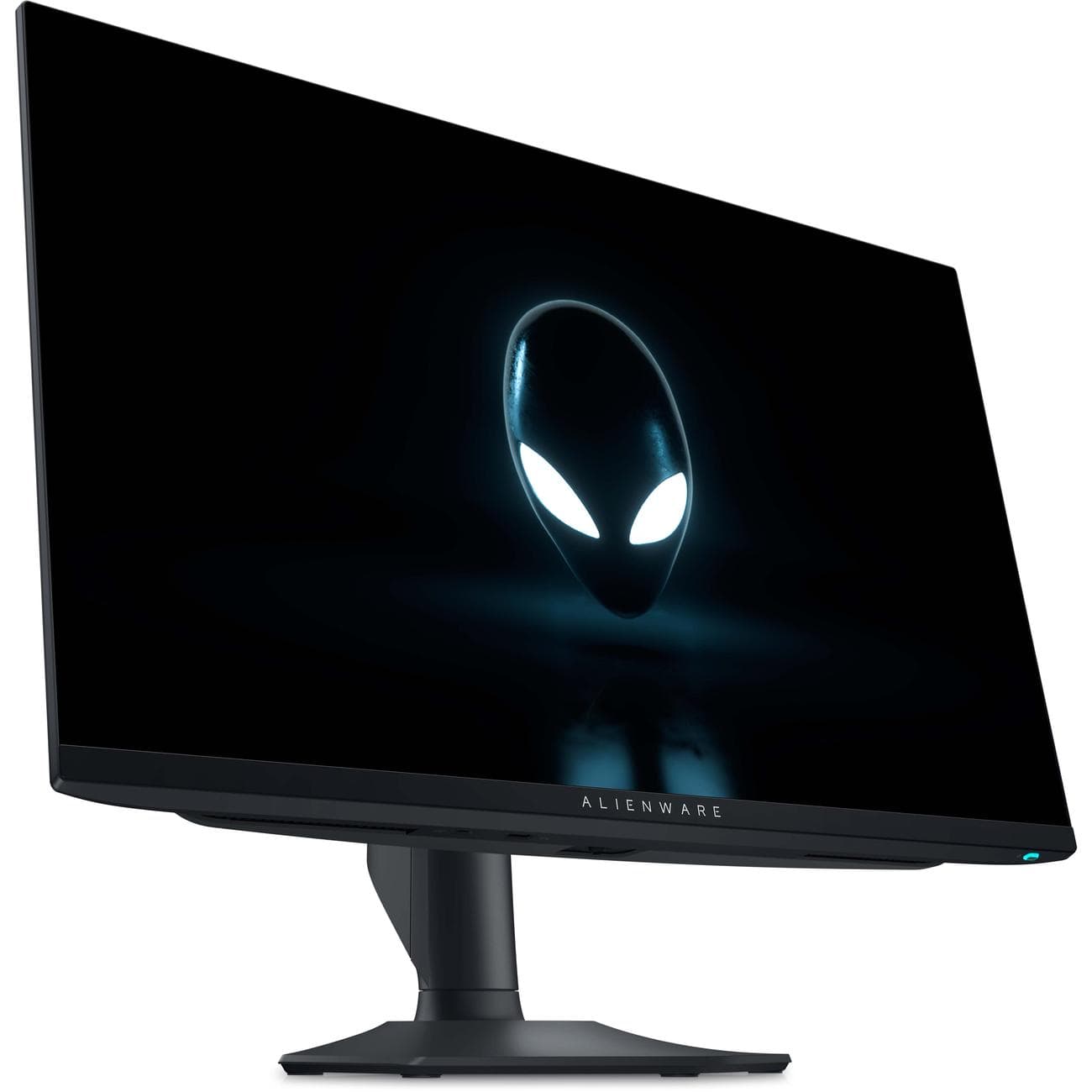
With its gorgeous OLED display, adjustable stand, high refresh rate, and sleek design the Alienware AW2725DF makes for a great addition to any gaming setup. Cable management is made easy with a cable hole in the stand as well as a removable port covering. What’s more, image quality is beautiful and displays even darker scenes with plenty of detail.
VIA:
WindowsCentral
