Best Roku alternatives in 2023
Related Posts
Roku has been a popular choice among streamer shoppers for a long time. It offers a simple user interface and doesn’t lock you into a smart home ecosystem, supporting both Alexa and
Google
Assistant. But Roku has had a fair share of issues in the past, with streaming services like YouTube TV and
Amazon
Prime Video threatening to leave the platform at various times. If these issues have deterred you from a Roku, that’s okay because there’s no shortage of top-tier streaming devices to choose from. So, from ultra-affordable to professional-grade, we’ve assembled the best Roku alternatives for you to consider.
Top alternatives to Roku for cord-cutting
Source: Google
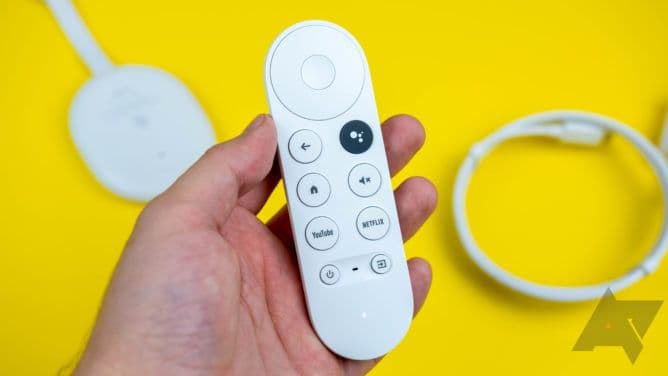
Google Chromecast with Google TV (4K)
Best overall
Excellent UI, solid app library, and Dolby Vision support
$40
$50
Save
$10
Chromecast with Google TV (4K) is Google’s flagship streamer. It’s perfect for most people and brings support for Dolby Vision HDR. You also get multiple user profiles.
Pros
- 4K with Dolby Vision and Atmos
- Remote can control your TV and sound system
The Chromecast with Google TV (4K) was the first to come with a real interface and a cute little remote, completely transforming the way we knew our humble Chromecasts. While it has some modern capabilities, like Dolby Vision and Atmos, Google actually priced it lower than its previous 4K dongle, making it one of our favorite streaming devices. In addition, it has double the RAM of what you typically get on similar Roku sticks. And due to the revamped Google TV interface, the Chromecast integrates better with the larger Google ecosystem.
Google Assistant can do a lot more than the limited TV-only capabilities of Roku’s voice assistant, such as controlling your smart home devices. Plus, if you aren’t happy with the content-focused interface, you can always swap it for a third-party launcher, and there are plenty of other things you can customize on your Chromecast as a power user.
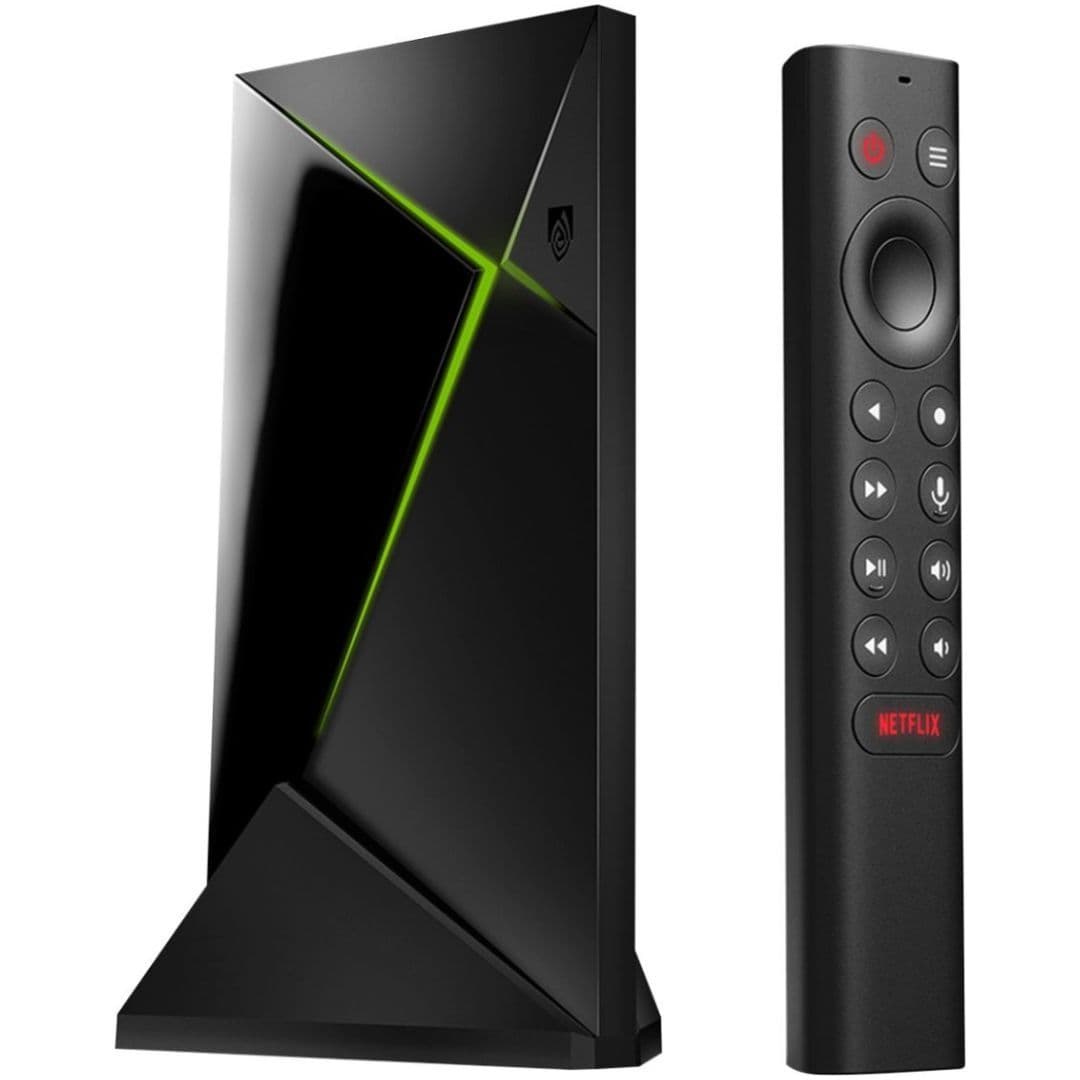
Nvidia Shield TV Pro (2019)
Premium pick
Powerful processor and AI-powered upscaling
The Nvidia Shield TV Pro is undoubtedly one of the most powerful streaming boxes on the market. It’s versatile and supports 4K HDR streaming, GeForce Now, Steam Link, and much more.
Pros
- Excellent performance
- Supports a variety of audio and video standards
- Excellent support from Nvidia
Cons
- Expensive
- Just 16GB of internal storage
For those who want to do more than just stream movies on an Android TV box, Nvidia Shield TV Pro is the best (and maybe only) choice. No Roku streamer can even come close to the Shield TV Pro’s capabilities and versatility. For one, the Shield TV Pro gets 3GB of RAM and 16GB of onboard storage, both of which are more spacious than most other streaming hardware.
Although the storage is actually a step down from the 500GB offered on previous Pro models, those used a slower hybrid mechanical HDD. Secondly, when paired with a game controller (sold separately), you can use the Shield to play games from a variety of sources, including GeForce Now and Steam Link. And if you attach an external hard drive to it, you can even turn it into a great Plex server. However, all those capabilities came at a price that most buyers won’t consider affordable.
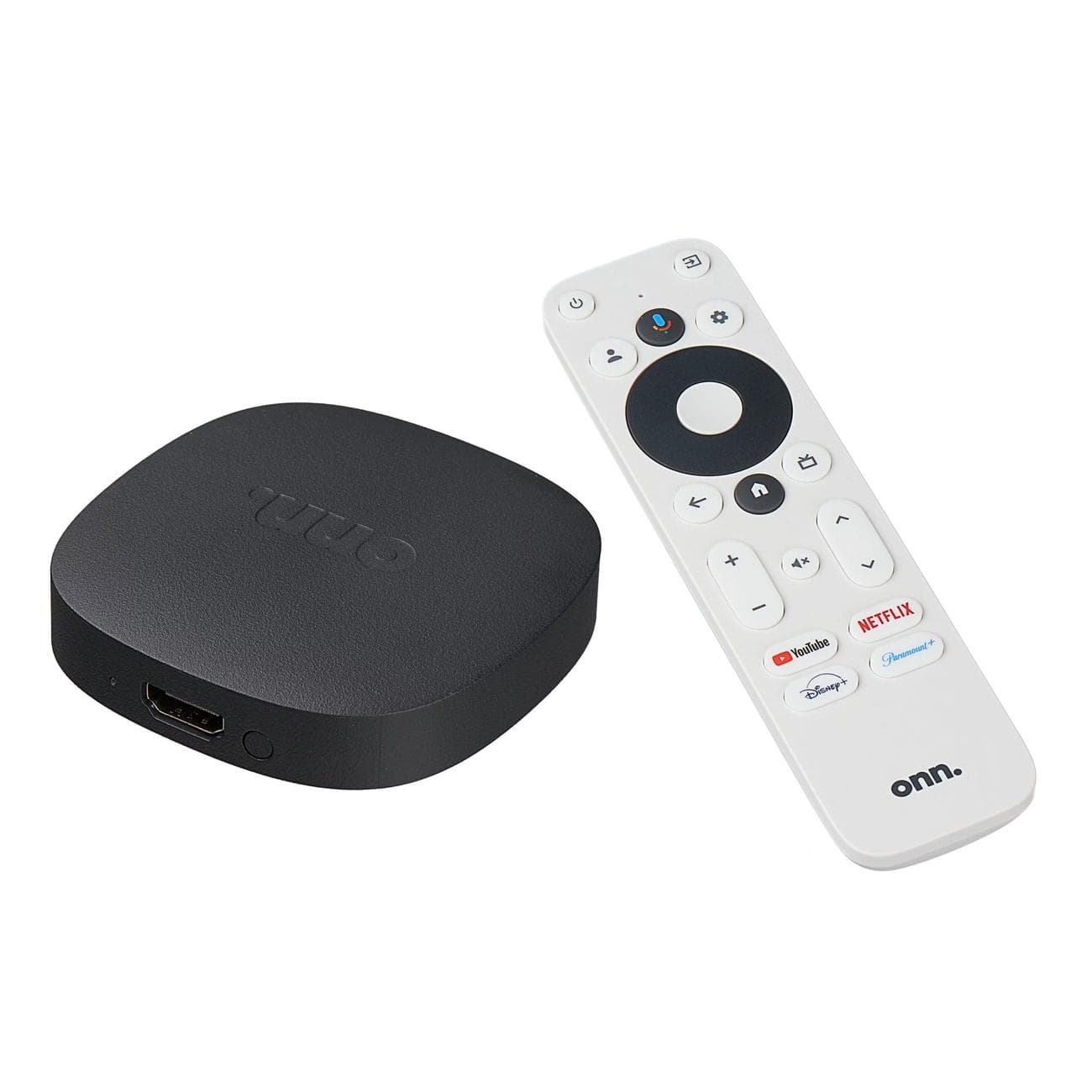
Onn Google TV 4K Streaming Box
Best value
An inexpensive 4K Google TV streamer
The Onn Google TV streamer is one of the more affordable 4K streaming boxes you can get. It’s not the most powerful, but it performs reasonably well.
Pros
- Great value for money
- Google TV interface
Cons
- Lacks Dolby Vision HDR
- No support for lossless audio formats
The newest entrant in the streamer space, the Onn Google TV 4K Streaming Box, comes from Walmart. Onn is a private label of the retail giant, and it has been selling Android TV boxes for some time. The latest box offers a pretty good value at just $20. It can stream in 4K and supports HDR10. But unfortunately, there is no support for dynamic HDR formats, like Dolby Vision or HDR10+.
The overall performance of the Onn TV box is good, even though it’s not super powerful, like the Nvidia streamers. You’ll also be happy to see the Google TV interface instead of the older Android TV one. Moreover, the bundled remote has pretty much everything you need and quick access keys for YouTube, Disney+, Netflix, Paramount+, and Google Assistant. All-in-all, it’s a good deal if you need a cheap 4K streamer but don’t care about Dolby Vision or lossless audio.
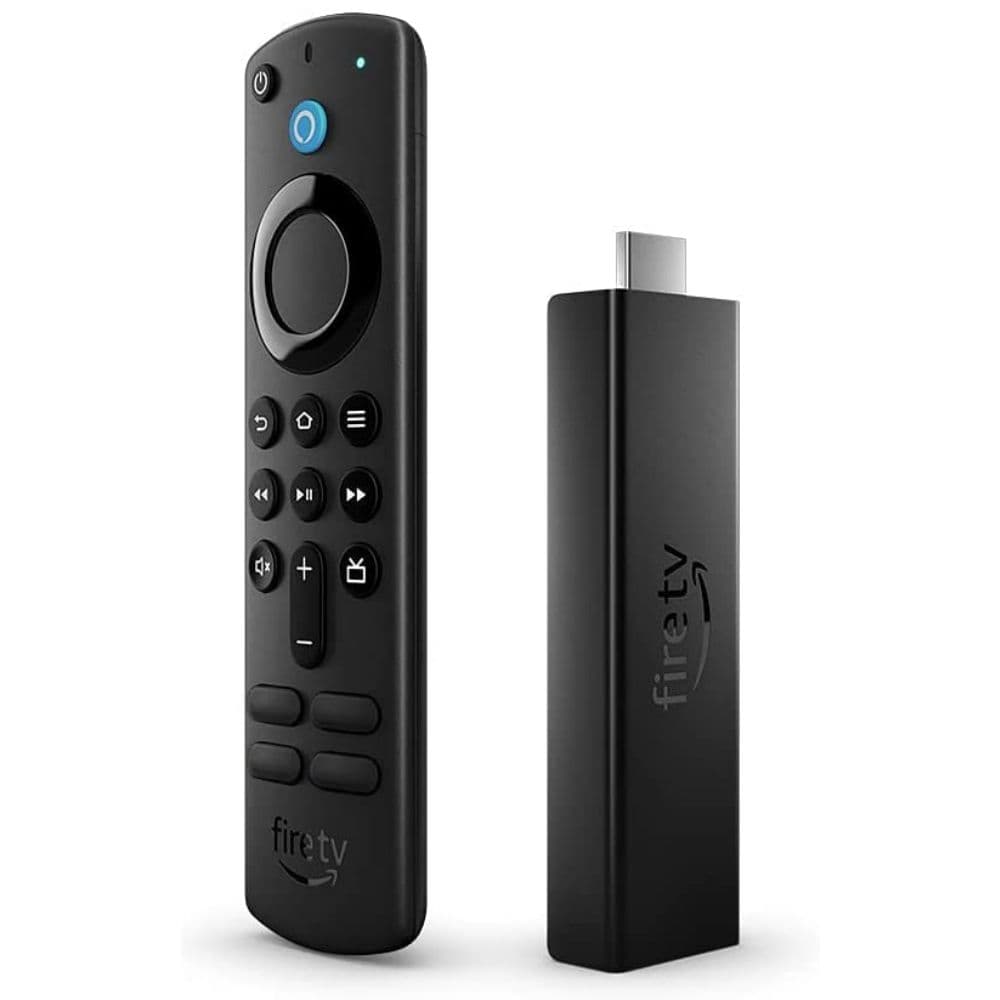
Amazon Fire TV Stick 4K Max
Best for Fire TV OS
Amazon’s flagship offering
The Amazon Fire TV Stick 4K Max is the fastest streamer in the company’s portfolio. If you like the Fire TV OS, it’s hard to go wrong with it.
Pros
- Most audio and video standards are supported
- Works with your Alexa smart speakers
- Fire TV OS feels smooth and responsive
Cons
- Not a big upgrade over the predecessor
- Software is cluttered
The Amazon Fire TV Stick 4K Max brings rather minor improvements to the hardware over its predecessor, but the experience has improved manifold in real-world use. For example, the apps open quickly, and moving between multiple apps is a breeze for the Max. Amazon also offers virtually any streaming service you can imagine, and since Fire OS is essentially Android at heart, you can easily install APKs to access even more apps. If you’re already deep in the Amazon ecosystem, a Fire TV Stick is a no-brainer, as it’ll integrate pretty well with your Echo speakers and many smart home devices that work with Alexa.
The new remote also has dedicated volume keys and the ability to control your TV and soundbar, though the branded shortcut keys may not be to everyone’s liking. Moreover, Amazon’s revamped Fire TV UI offers improved Alexa controls. However, the interface has started to feel cluttered with ads and promotional content taking over.
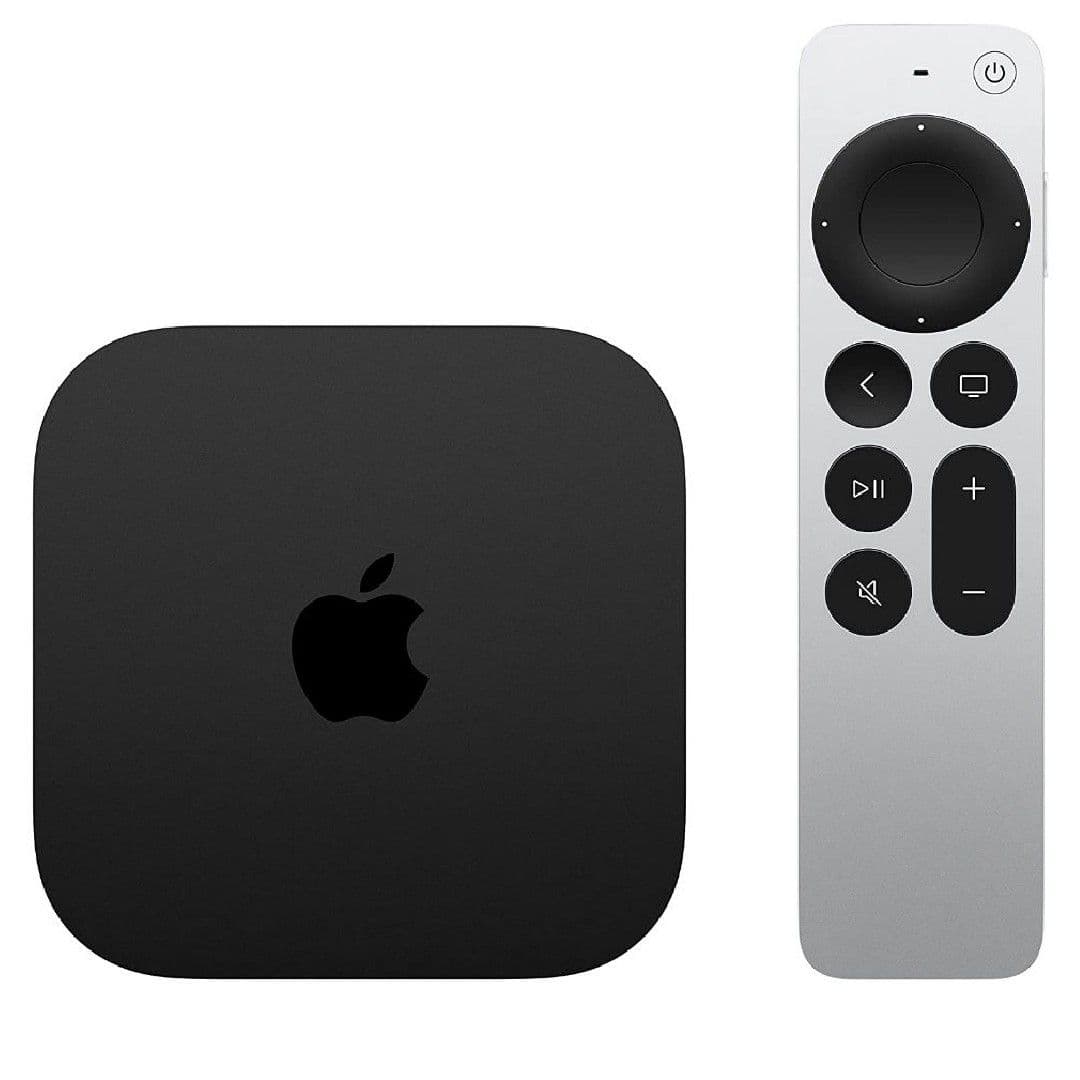
Apple
TV 4K (3rd Gen)
Powerful but expensive
Best for Apple enthusiasts
Apple TV 4K (3rd Gen) delivers one of the most refined media streaming experiences on the market. It’s also very powerful. But you’ll have to pay a premium for it.
Pros
- Plenty of storage
- Dolby Vision and HDR10+ support
- Software and app library are great
Cons
- Doesn’t integrate with non-Apple devices
- Ethernet port limited to 128GB model
- No bundled HDMI cable
The Apple TV 4K (3rd Gen) may be more expensive than every Roku streaming device, but it’s one of the best media streamers on the market, if not the best. If you are already a part of the Apple ecosystem, there is no better Roku alternative. The 3rd generation Apple TV, the latest version of the device, is considerably cheaper than its predecessors and starts at $129.
For this price, you get a powerful Apple A15 Bionic chip to keep everything running smoothly, an extremely easy-to-use user interface, a well-stocked app collection, and support for game controllers. The Apple TV 4K also supports all major HDR standards, including HDR10+ and Dolby Vision, and it can decode or pass through Dolby Atmos surround-sound audio format.
Unfortunately, Apple doesn’t bundle an HDMI cable in the box. And you’ll need an Ultra High-Speed HDMI cable to fully realize its potential. Also, the Ethernet port and thread networking support is limited to the more expensive 128GB model.
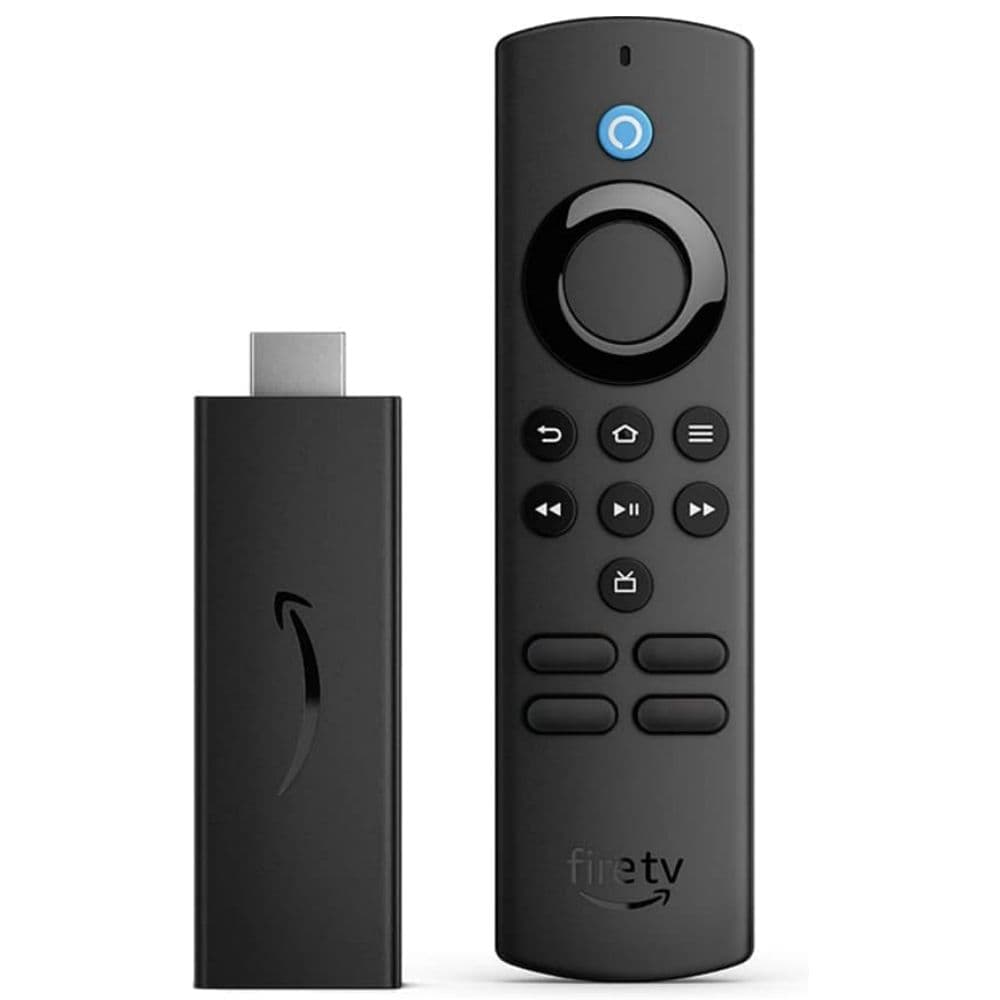
Amazon Fire TV Stick Lite
A budget Fire TV streamer
Tons of apps and Alexa support
Amazon Fire TV Stick Lite is one of the cheapest ways to get steaming capabilities on your TV. It supports up to full HD streaming and has a decent selection of apps.
Pros
- Supports HDR 10+ and Dolby Atmos
- Great value, especially during sales
- The remote has Alexa support
Cons
- Software isn’t the cleanest
- No dedicated volume keys on the remote
If you still haven’t given up on your old HD TV or have a liking for Amazon’s Fire TV interface, the basic Fire TV Stick Lite could be the one for you. It lacks the bells and whistles of its Max sibling but is still quite capable, with support for HDR10 and 10+ along with Dolby Atmos. You get the same refreshed interface as its pricier relatives and the plethora of apps that the Fire TV platform supports.
The only quibble about this Lite model is that its remote lacks dedicated volume keys and cannot control your TV, unlike what you get on the Max and the standard Fire TV stick. However, the remote does support voice inputs through Alexa, which is a big plus over Roku’s HD option, which misses out on the
feature
. And Amazon often makes the deal sweeter with an even better price during sales.
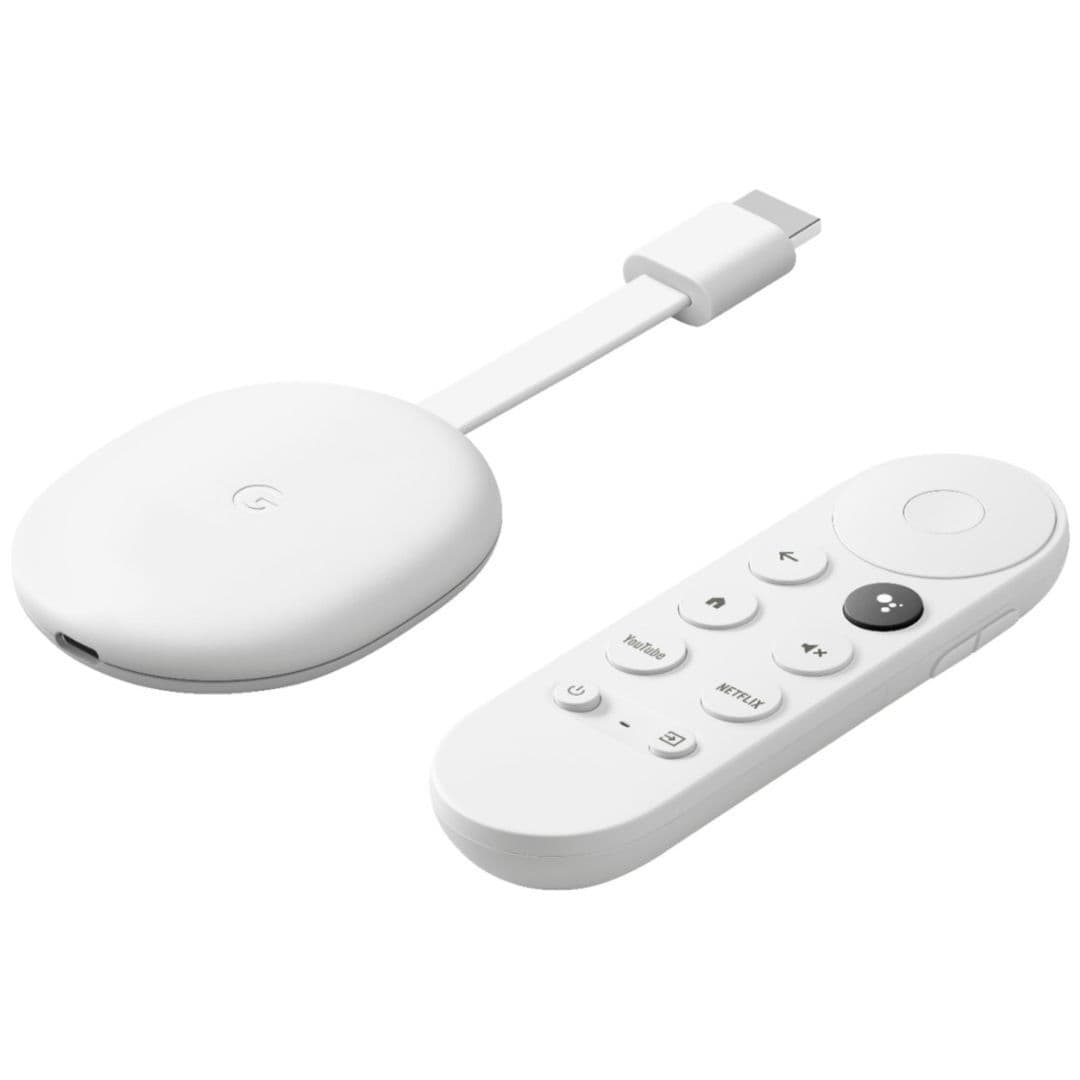
Source: Google
Chromecast with Google TV (HD)
Best for HD streaming
Google TV interface on a budget streamer
Chromecast With Google TV (HD) is a stripped-down version of the 4K Chromecast. If you don’t have a 4K or 8K TV, it’s more than enough for your needs.
Pros
- Snappy performance
- Great remote
Cons
- Great remote
- 4K version is only a $20 upgrade
Besides the 4K version of its Chromecast with Google TV streamer, Google also offers an HD version. It’s a solid option if you own an HD or full-HD resolution TV. It looks exactly like the 4K version, barring the HD branding, and you get the same remote with an onboard microphone. You can use the mic to talk to Google Assistant, navigate the Google TV user interface, control the TV volume, power off the TV, or switch the source input.
At $30, it’s cheap but still brings support for casting, smart home control, and HDR. Unfortunately, HDR support is limited to HDR10 and HDR10+, and you won’t get Dolby Vision. Nevertheless, Chromecast with Google TV (HD) is a good buy for any sub-4K resolution TV, thanks to its snappy performance and excellent app selection.
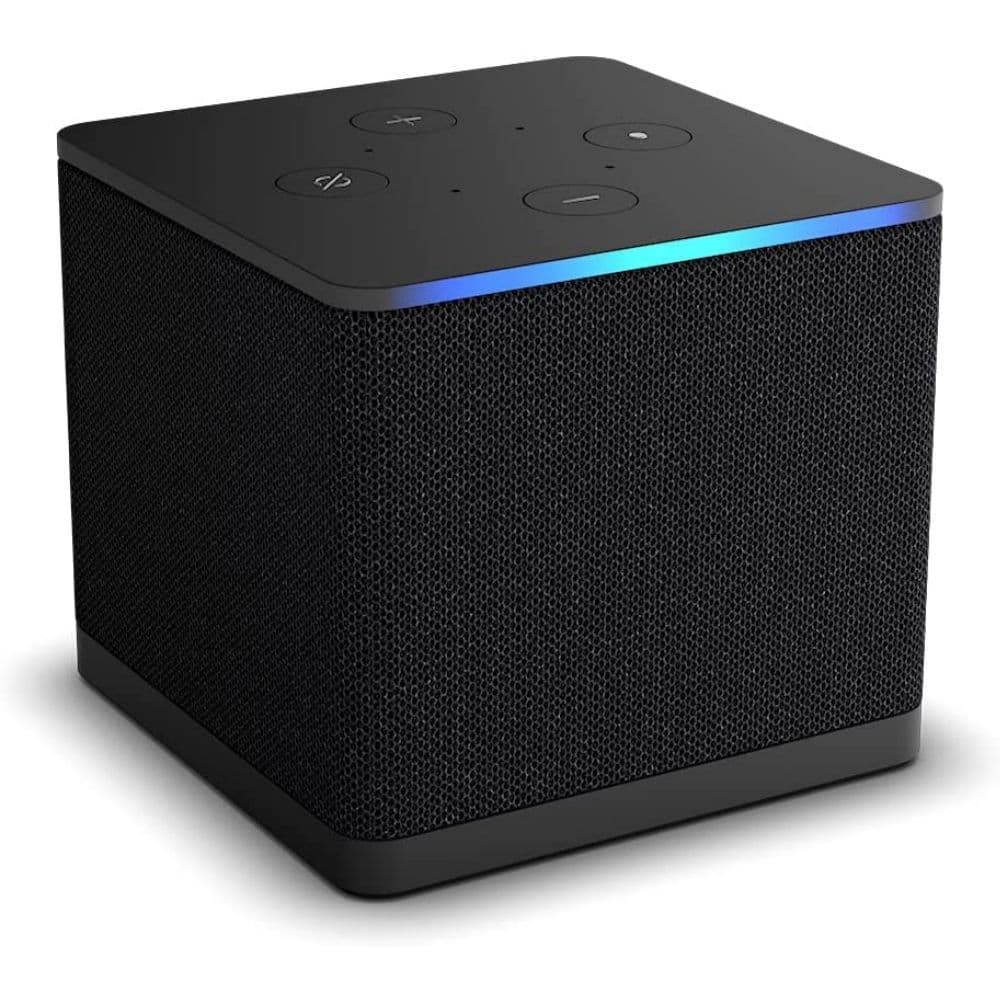
Amazon Fire TV Cube (3rd Gen)
Two-in-one
A Fire TV streamer hiding in an Alexa smart speaker
The Fire TV Cube (3rd Gen) combines the functionalities of a media streamer with a smart speaker. So if you are looking for both, it’s certainly worth considering.
Pros
- Hands-free access to Alexa
- Wi-Fi 6E
- Dolby Vision, HDR10+, and Dolby Atmos support
Cons
- Slow USB and Ethernet ports
- No HDMI cable in the box
- Expensive
The Fire TV Cube (3rd Gen) differs from any of our other recommendations because it does the double duty of a media streamer and a smart speaker. It’s also the fastest and most powerful media streamer in Amazon’s portfolio. As a result, it’s quick, and you won’t face any lag or slow-down.
Other Cube highlights include the ability to play 4K video, Dolby Vision and HDR10+ support, and Wi-Fi 6E connectivity. There’s also an HDMI input to pass through a gaming console, router, cable TV box, or another device’s output through it to the TV. The HDMI input comes in handy if your TV lacks HDMI inputs.
The Amazon streamer offers hands-free access to Alexa voice assistant thanks to its smart speaker internals. You can use it to find or play content, control smart home devices, and do much more without needing a remote — something that’s impossible on other Amazon Fire TV streamers. All these features and functionalities will set you back $140, plus the cost of an Ultra High-Speed HDMI cable, as one is not included in the box. The Fire TV Cube (3rd Gen) makes sense if you care for a smart speaker and value hands-free access to Alexa voice commands.
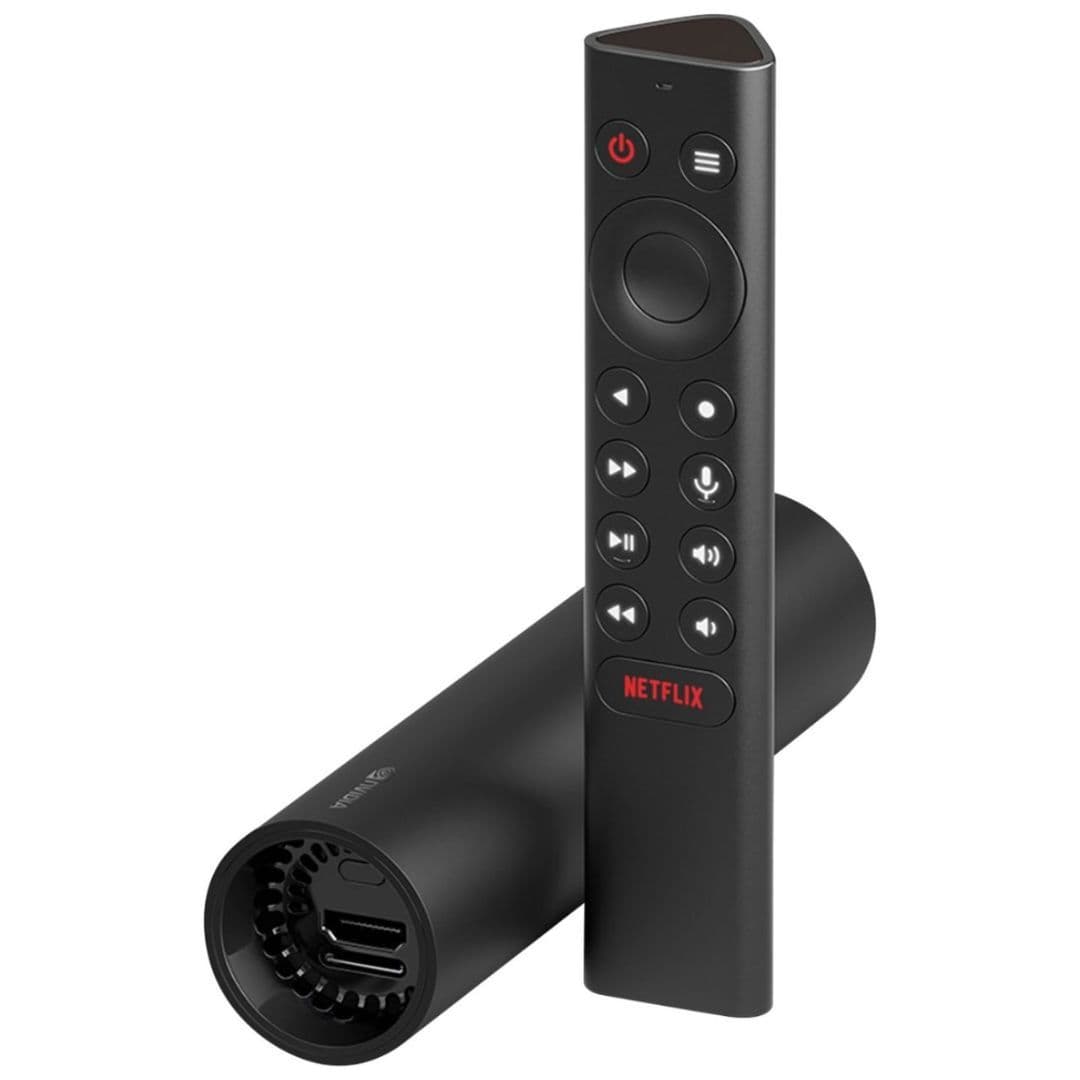
Nvidia Shield TV (2019)
A versatile choice
Impressive upscaling and DTS audio support
Besides its more expensive cousin, the Shield TV (2019) is one of the few streamers supporting DTS audio. It also uses the same CPU as the Pro model, so a lot of power is packed inside.
Pros
- More powerful than most streamers
- AI upscaling works really well
- Nvidia’s software support has been excellent
Cons
- Pretty steep price
- 8GB storage will fill up fast
The standard Nvidia Shield TV gets you many of the benefits that the Shield TV Pro is known for, including a beefy Tegra X1+ processor, a companion app, and an impressive AI, to name a few. It also has a cylindrical design unlike any other dongle and uses the same remote control as the Pro, which is miles better than the one bundled with older Shields.
As opposed to 3GB of RAM on the Pro, the standard Shield ships with just 2GB of memory. While this step-down doesn’t have any noticeable impact on your regular streaming services, it does mean you cannot play any Shield-exclusive games like Doom 3 and Half-Life 2. In a sea of cheap and equally capable video streaming boxes, the Shield TV isn’t the most value for your money. You can probably get by with the $50 Chromecast, but the non-Pro Shield TV won’t disappoint if you have your heart set on an Nvidia Android TV box.
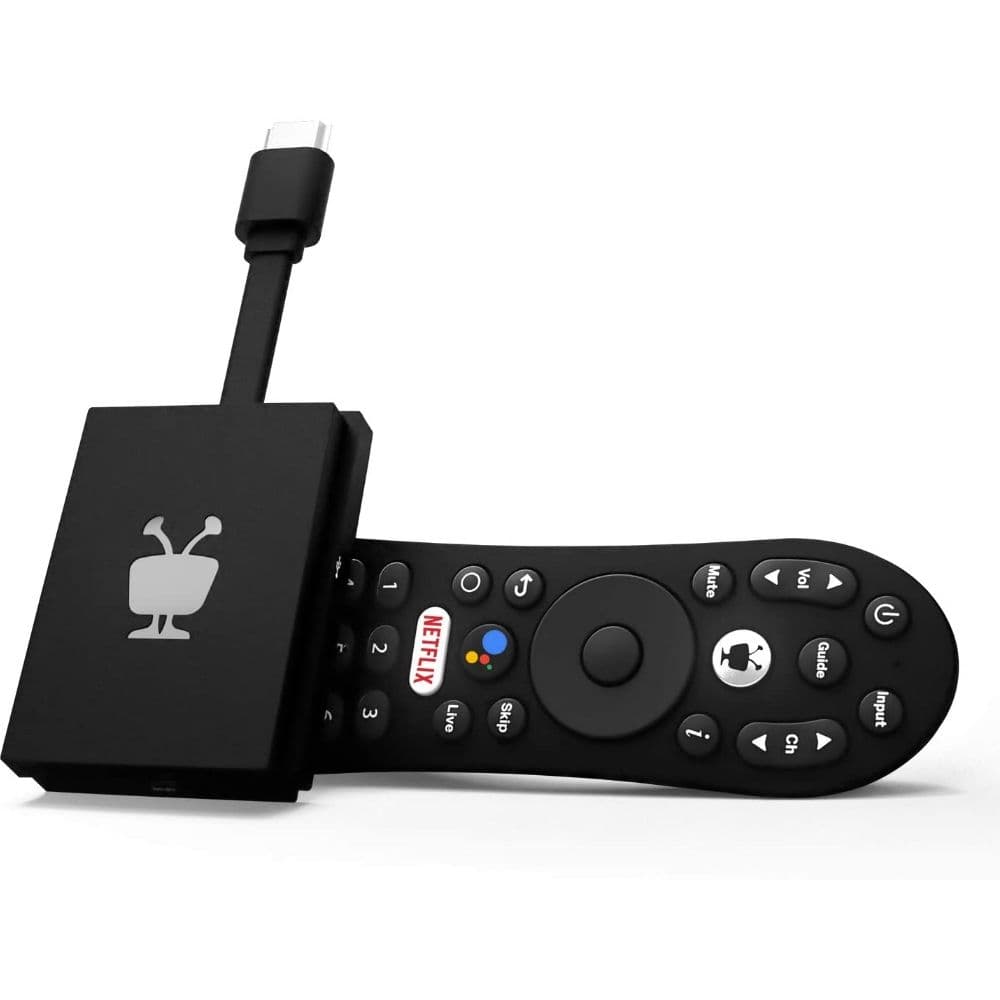
TiVo Stream 4K
Best for Sling TV
Ambitious and affordable
The TiVo Stream 4K offers deep integration of the Sling TV app, and its Stream app aggregates content from all your services in one place for quick access.
Pros
- Ambitious and affordable
- Great remote
- Stream app aggregates different services
Cons
- No Google TV launcher
- No HDR10+
TiVo is primarily known for its storied DVR history, but the company also has a regular media streamer in its arsenal. Originally launched for $50 in 2020, the streamer has since seen a price cut to $40, bringing it in line with similar streaming sticks and boxes. It runs on the Android TV platform, so you get the usual goodies, including cast support, Google Assistant, Google Play, and more. But TiVo also includes integration with Sling TV and its Stream app, which aggregates TV shows and movies from various streaming services for access in one place.
As the name suggests, TiVo Stream 4K can play 4K content and supports Dolby Vision and Dolby Atmos formats. Plus, the bundled remote can control your TV and the media streamer.
Roku media streamers have several advantages, with the easy-to-use interface being one of the big ones. But if you want to switch, plenty of excellent alternative streaming devices are on the market. Our editor’s choice, the Chromecast with Google TV (4K), has a lot going for it. It offers a modern user interface, a snappy performance, and access to its solid voice assistant.
But if you need power and versatility, it’s hard to go wrong with Nvidia Shield TV Pro. It offers 4K streaming from all popular services and can play PC games in 4K HDR via GeForce Now.
Value-conscious buyers or people on a tight budget will appreciate the Onn Google TV 4K Streaming Box. At just $20, it can stream in 4K and comes with the Google TV interface. And despite its rock-bottom pricing, the device delivers a good experience and access to all popular streaming services.
Finally, if you prefer Roku’s style of content delivery without overwhelming choices, Apple TV 4K (2022) is the closest you can get on that front, but you’ll have to shell out a pretty penny for it.
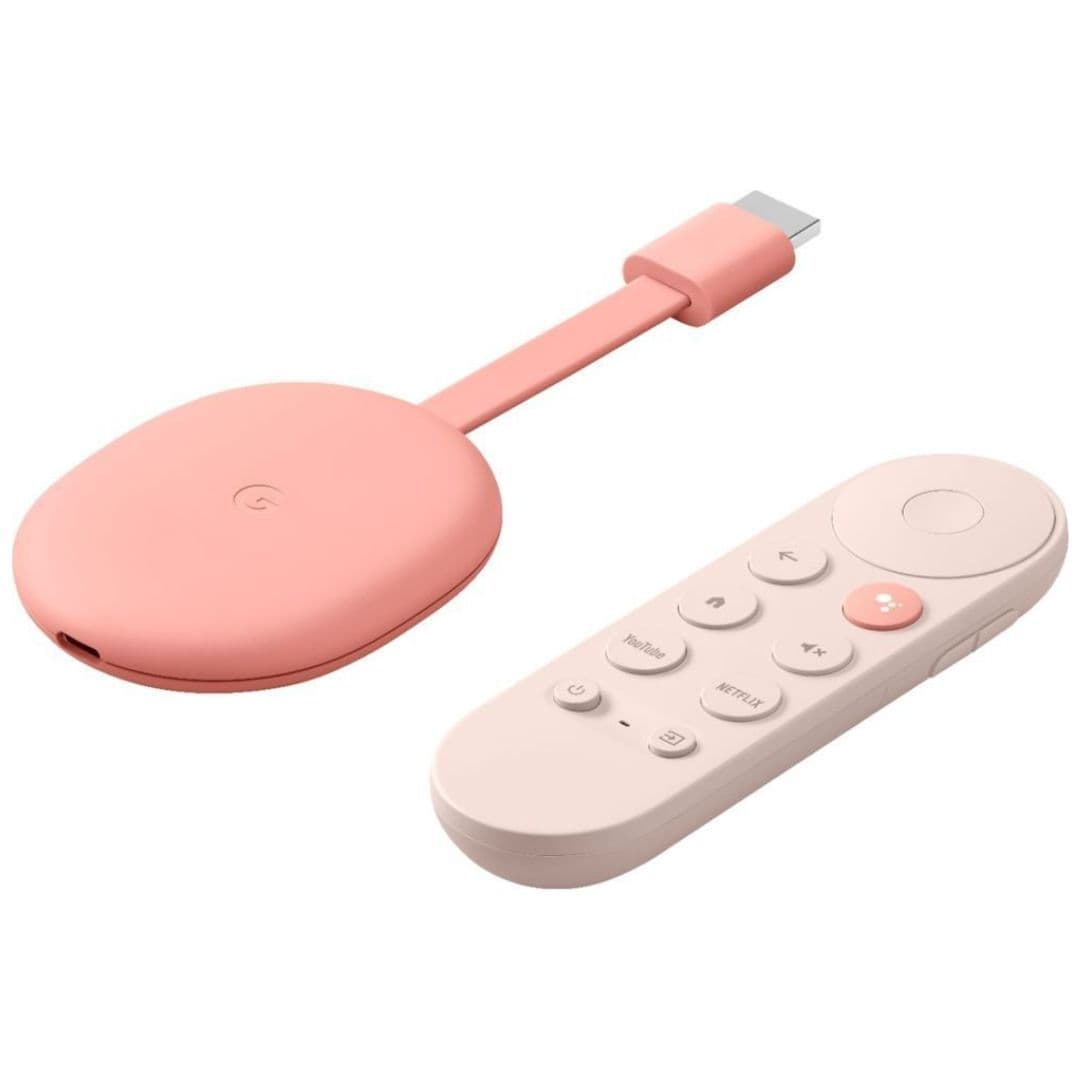
Source: Google
Google Chromecast with Google TV (4K)
Best overall
Excellent UI, solid app library, and Dolby Vision support
$40
$50
Save
$10
Chromecast with Google TV (4K) is Google’s flagship streamer. It’s perfect for most people and brings support for Dolby Vision HDR. You also get multiple user profiles.