Best Synology NAS in 2023
Related Posts
Synology makes a vast number of NAS enclosures, ranging from enterprise-grade systems for several thousand dollars to more affordable, basic home-use systems costing just $100. And a lot lies between those two extremes. All of these Synology NAS units have internals that cater to a specific user need, although it’s hard to tell just by looking at them. Some units are meant for business use alone and don’t make a very good Plex server, while others get you an all-around performance for mixed use at your home office.
To minimize the confusion and give you a clear-cut recommendation, we’ve put together a list of the best Synology NAS enclosures you can invest in without thinking twice.
Our selection of the top Synology NAS you can buy in 2023
Synology DiskStation DS1522+
Best overall
Perfect for both work and play
With the mid-tier Synology DS1522+, you get the best of Synology’s latest NAS lineup, including a super-fast AMD processor, the option to bump the RAM to a whopping 32GB, and an optional 10GbE network port. It can easily meet both your office and home needs without burning a hole in your pocket.
Pros
- Solid performance bump over the DS1520+
- Upgradable RAM and network port
- Ample drive bays that you can expand further
Cons
- No video transcoding on the fly
- Proprietary network adapter for 10GbE upgrade
The DiskStation DS1522+ tries to bridge the gap between the outgoing DS920+ and the uber-expensive DS1621+. You get four 1GbE LAN ports, enabling link aggregation or wired connection with a bunch of
computers
in your office. The best part is that the NAS comes with a (proprietary) slot where you can add a 10GbE network port as a separate purchase, keeping the cost low for those who don’t need a faster port — while still giving power users an upgrade option.
Compared to its direct predecessor, the DS1522+ gets a bump to a more powerful dual-core AMD processor, which is made for taxing business environments. And with 8GB of standard RAM (upgradable to a whopping 32GB), you can run virtual machines and server
apps
all you want. But without a GPU, don’t expect it to transcode your videos on the fly, although streaming already transcoded media shouldn’t be an issue.
Synology DiskStation DS1621+
Premium pick
It doesn’t get any better than this
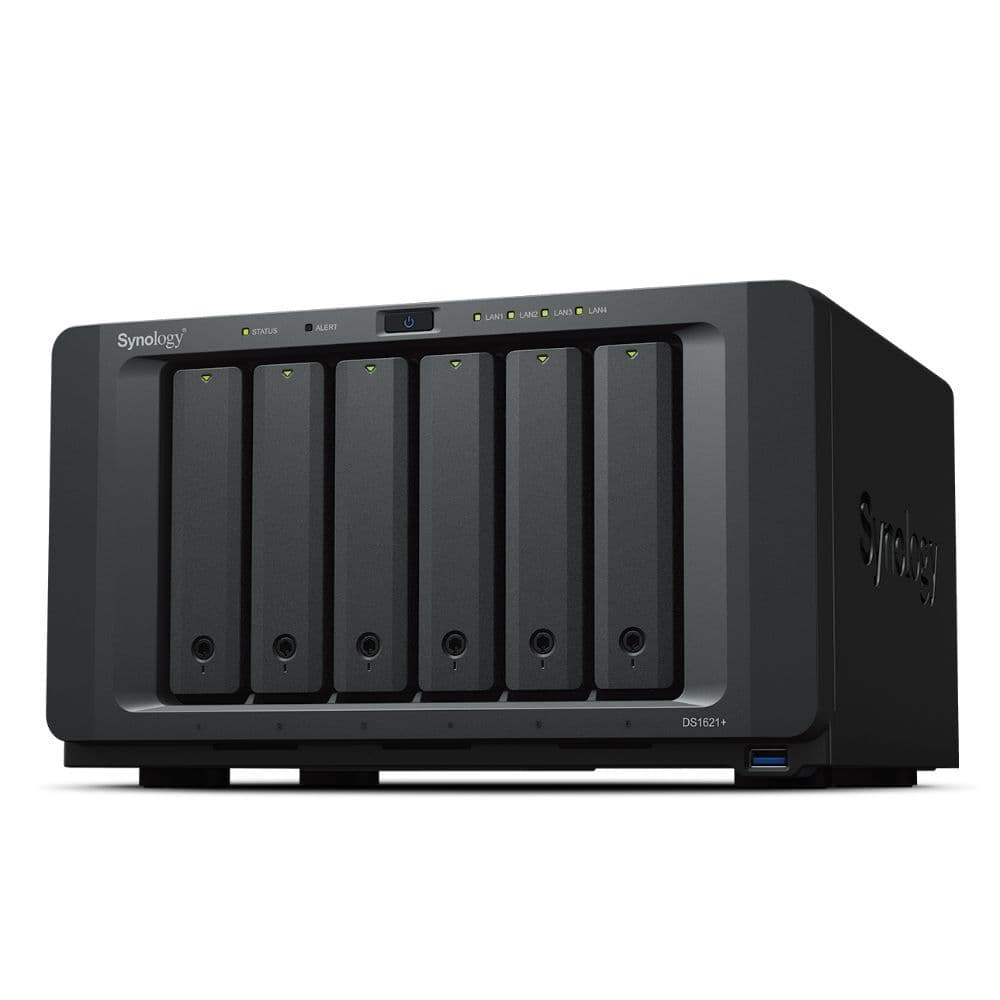
One of the beefiest desktop NAS you can buy from Synology, the DS1621+ is the way to go for all your heavy work needs, be it multi-cam surveillance or running virtual machines. That quad-core AMD processor can handle it all without breaking a sweat.
Pros
- Super-fast and reliable AMD Ryzen processor
- Easy upgrades with PCIe accessories
- Scalable with two expansion units
Cons
- Only 4GB of standard RAM
- Included LAN port is 1GbE
If the DS1522+ doesn’t cut it for you, you can go for the Synology DiskStation DS1621+, which is beefier in nearly all areas. Starting with the available storage space, the DS1621+ lets you add six hard drives before you need to buy an expansion unit to store more data. This is a big deal for small businesses with massive data needs, giving them some extra headroom to work with in the long run.
Speaking of businesses, the DS1621+ is designed for workplace users instead of home users, which is why an AMD processor makes more sense on this NAS enclosure. The quad-core Ryzen chip offers a far superior raw performance over the Intel Celeron range usually found on retail NAS boxes. It’s very well suited for heavy lifting, from running virtual machines and server-class apps to supporting tens of users accessing the files simultaneously.
With the DS1621+, you get a PCIe slot to add a bunch of compatible accessories to the NAS, including a 10GbE LAN port. However, the base model of this NAS enclosure starts with only 4GB of RAM, so you will have to increase the RAM from the get-go. Alternatively, you can go for the upgraded DS1621xs+ model, which gets you an even beefier Intel Xeon processor, a built-in 10GbE port, and 8GB of base RAM.

Synology DiskStation DS220+
Best value
The right pick for most home users
Upgrade your smart home with the affordable Synology DS220+ to house your entire movie collection and stream it on your living room TV with Plex. For the price, you can set it up as a
Google
Photos alternative to back up all your family photos and videos in full resolution.
Pros
- 4K transcoding and playback
- Excellent value
- Plenty powerful for home needs
Cons
- Does not support expansion units
- No M.2 NVMe slots
The DiskStation DS220+ has long been our go-to Synology NAS recommendation. That’s simply because it is the perfect package for home users who want something capable enough for their entertainment and data backup needs without burning a hole in their pockets. This value proposition becomes a crucial factor for budget shoppers when buying a NAS enclosure, especially considering the extra amount you’re required to spend on the hard drives.
It is a two-bay system, so it won’t take up a lot of space on your desk but will let you store up to 32TB of data. Even if you halve it to account for redundancy, it leaves ample space for all your pet videos and vacation albums in full resolution. Synology has used an Intel Celeron processor that comes with an integrated GPU, allowing you to transcode your movie collection on the fly. And if you want to occasionally stream a 4K movie through Plex, the DS220+ will be able to handle it without any hiccups.

Synology DiskStation DS423+
Made for Plex streaming
For your streaming needs and more
Synology’s new DS423+ has an uncanny resemblance to the popular (but now discontinued) DS920+ from the inside out. This means you’re getting the same excellent package for a lower price now. And the best part is that the DS423+ uses an Intel Celeron processor with an integrated GPU for perfect Plex streaming.
Pros
- Integrated GPU for video transcoding
- Takes two NVMe drives for caching
- Ample storage space
Cons
- Doesn?t support Synology?s expansion unit
- Only 2GB of base RAM
While Synology has been switching to AMD processors for many of its NAS models, it stuck with the good-old Intel Celeron J4125 processor on the DiskStation DS423+ — the same quad-core one used on the DS920+. The processor may not be the newest variant around, but it’s still a pretty capable chip for a consumer NAS. Its four cores can easily handle multiple apps and tens of surveillance cameras simultaneously. And if you’re wondering, the DS423+ is a perfect fit for Plex streaming as its integrated GPU can do the heavy lifting when transcoding media files on the fly.
Like its predecessor (the DS420+), the DS423+ is also a four-bay system, allowing you to insert four drives of 16TB each for a total capacity of 64TB (without accounting for redundancy). That’s more than enough for household use involving photo backups, media streaming, surveillance, and more. However, the 2GB of base memory is expandable up to only 6GB. And since the DS423+ isn’t designed for commercial use, it lacks an eSATA port that lets you attach a Synology expansion unit to add more drives.
Synology DiskStation DS723+
Compact powerhouse
Get all the power in a compact body
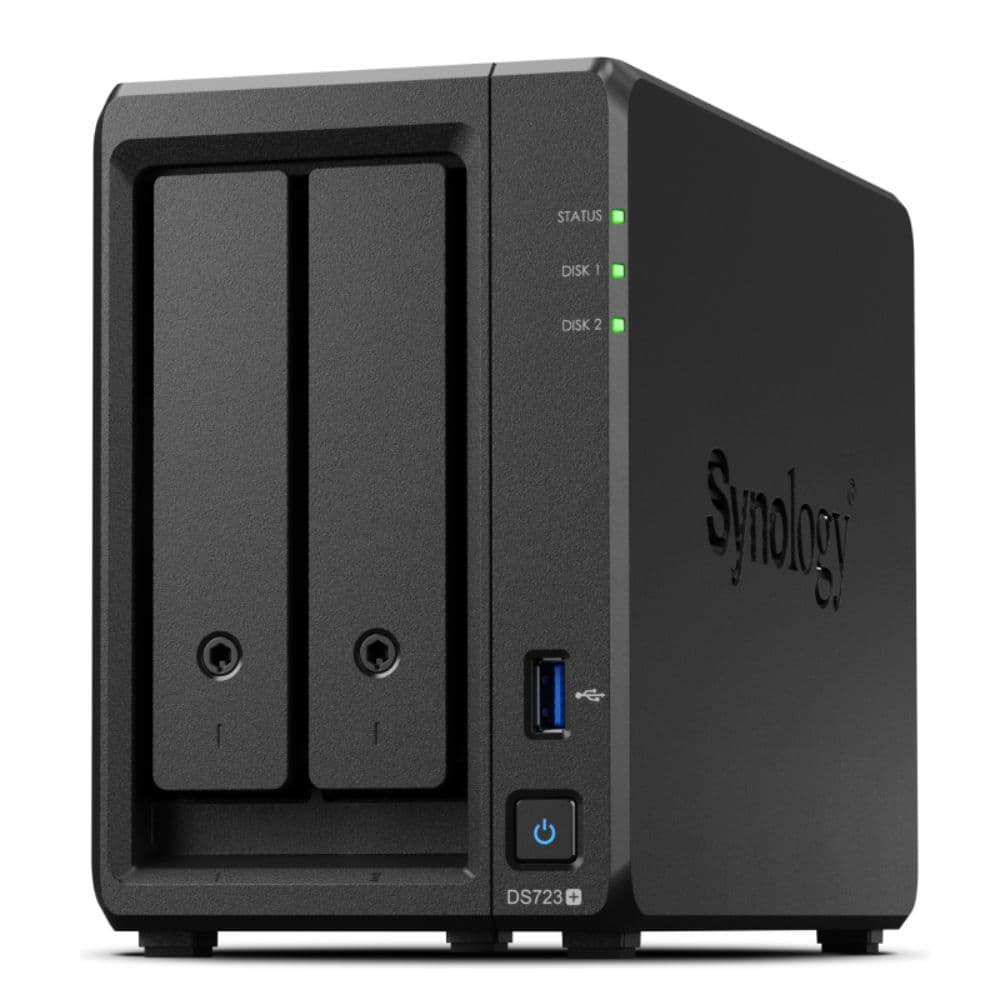
The Synology DS723+ comes with the internals of its more expensive siblings but without a bulky build. So, you can easily keep it on your desk and hook it directly to your computer with a LAN cable. Easy peasy.
Pros
- Snappy performance with Ryzen processor
- Compact, two-bay system for home office use
- Supports expansion unit
Cons
- Only 2GB of standard RAM
- No integrated GPU for video transcoding
For individual professionals and freelancers working from home, a NAS enclosure’s horsepower tends to be more crucial than its storage capacity. If you fall in that category, the new DS723+ is the right Synology NAS for you. This new model gets you the brains of the pricier DS1522+ but with a compact design of the DS220+ — all at an affordable price. In addition, the two-bay DS723+ comes powered by the dual-core Ryzen 1600, making it one of the best-performing NAS units in its price bracket.
However, the switch to a Ryzen chip may not go down well with those looking to run a Plex server on their DS723+. Due to no integrated GPU, you must ensure that your media files are in a format your client devices support so that the CPU isn’t overburdened with media transcoding while streaming content.
Synology has included eSATA and PCIe slots for attaching accessories or Synology’s expansion unit for a total of seven drive bays. You can further boost the NAS’s performance by adding two NVMe drives dedicated to caching, but its 2GB of RAM remains a sore point. You can expand the RAM up to 32GB, but you’ll have to spend extra on it.
Source: Synology
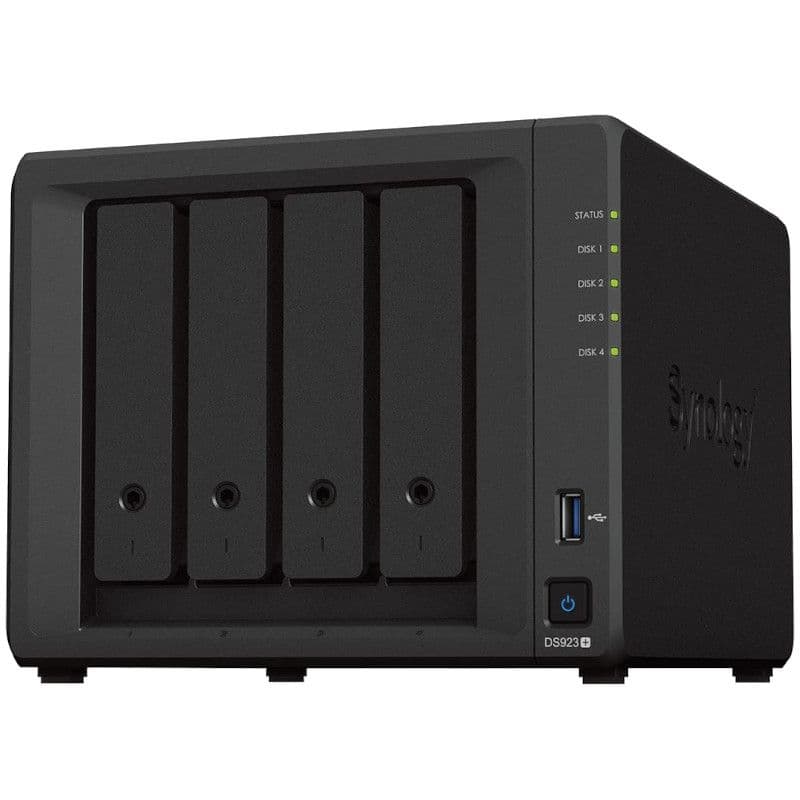
Synology DiskStation DS923+
The new default
The mid-tier champ for home offices
Replacing the uber-popular DS920+, the Synology DS923+ comes with a familiar and compact design and a more powerful processor to easily handle all your office needs. It is a great fit for your home office as it gets you the best of the DS1522+ but at a slightly lower price.
Pros
- NVMe drives can be used as storage
- Excellent performance with the AMD chip
- Supports up to 32GB of RAM
- Optional 10GbE network upgrade
Cons
- Lacks integrated GPU
- Included network ports are still 1GbE
The DiskStation DS923+ is the follow-up to arguably the most popular NAS model in Synology’s lineup: the DS920+. With some notable changes on the inside, Synology has put this new mid-tier model right up against its premium options. The DS923+ comes with the same Ryzen R1600 processor as many of its pricier siblings. While the AMD chip is indeed more powerful, it now lets you add up to 32GB of RAM as well, making the DS923+ a perfect NAS for small businesses and home offices.
Much like the DS1522+, you can use the included PCIe slot on the DS923+ to add a 10GbE network card to make full use of the NAS’s capabilities. With the right setup, the company claims the NAS can read and write data at over 500MB/s. A big change that Synology introduced with the DS923+ is that you can now use your NVMe drives as storage instead of just caching, which can help speed up your data transfers significantly. These changes alone make it a worthy upgrade over the outgoing DS920+.
The choices that Synology made with the DS923+ have some downsides, too. For starters, the NAS lacks an integrated GPU, which isn’t ideal if you’re looking for the best NAS for running a Plex server. And though the two included LAN ports support link aggregation, it’s a shame that they are still 1GbE each.
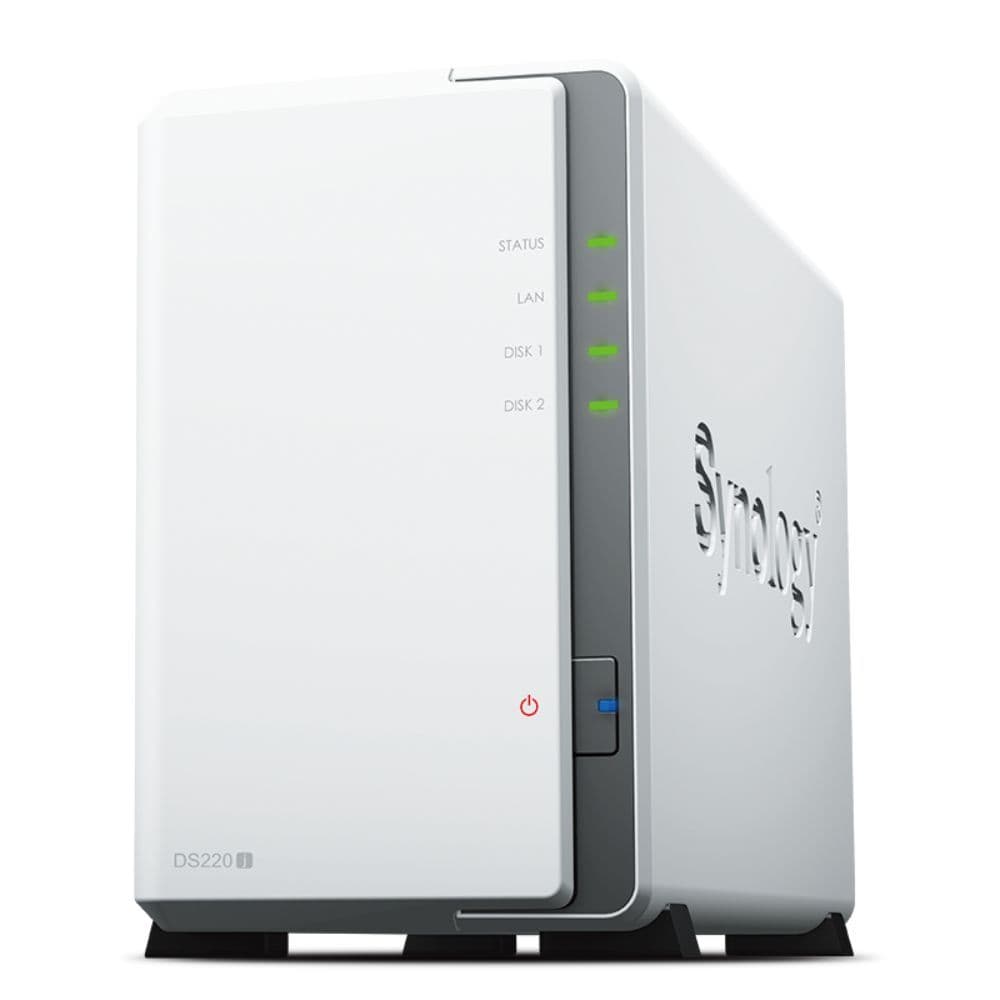
Synology DiskStation DS220j
Two-bay NAS for less
Excellent budget starter pack
The Synology DS220j is a budget champ among two-bay NAS systems as it lets you start with a network storage device for your home with just a couple of hundred dollars. It also gets you the software smarts of any other premium Synology DiskStation, thanks to the excellent DSM 7.0 OS, so you aren’t missing out on any key
feature
.
Pros
- Works with the latest DSM 7
- Light on your pocket
- Offers a decent port selection
Cons
- Not ideal for high-res media transcoding
- Does not support Btrfs file system
The DS220j is among the cheapest two-bay NAS units in Synology’s portfolio, but that doesn’t mean it’s a slouch. In fact, it runs the same DSM 7 software as its much pricier siblings, with support for all the first-party apps to give you a complete Synology experience without breaking the bank. For home users with limited needs, like storing family photos and managing office or school project files, the DS220j should easily fit the bill.
You also have the option to use the DS220j in tandem with your main office Synology NAS as a secondary unit to sync important files either as an off-site backup or to get some work done when at home. With its two hard drive bays, you can have several TBs of space for all your personal or work files and still have some space left for your home videos. The Realtek processor lets you stream videos from the NAS, but don’t expect it to handle your heavy 4K videos without a hitch.
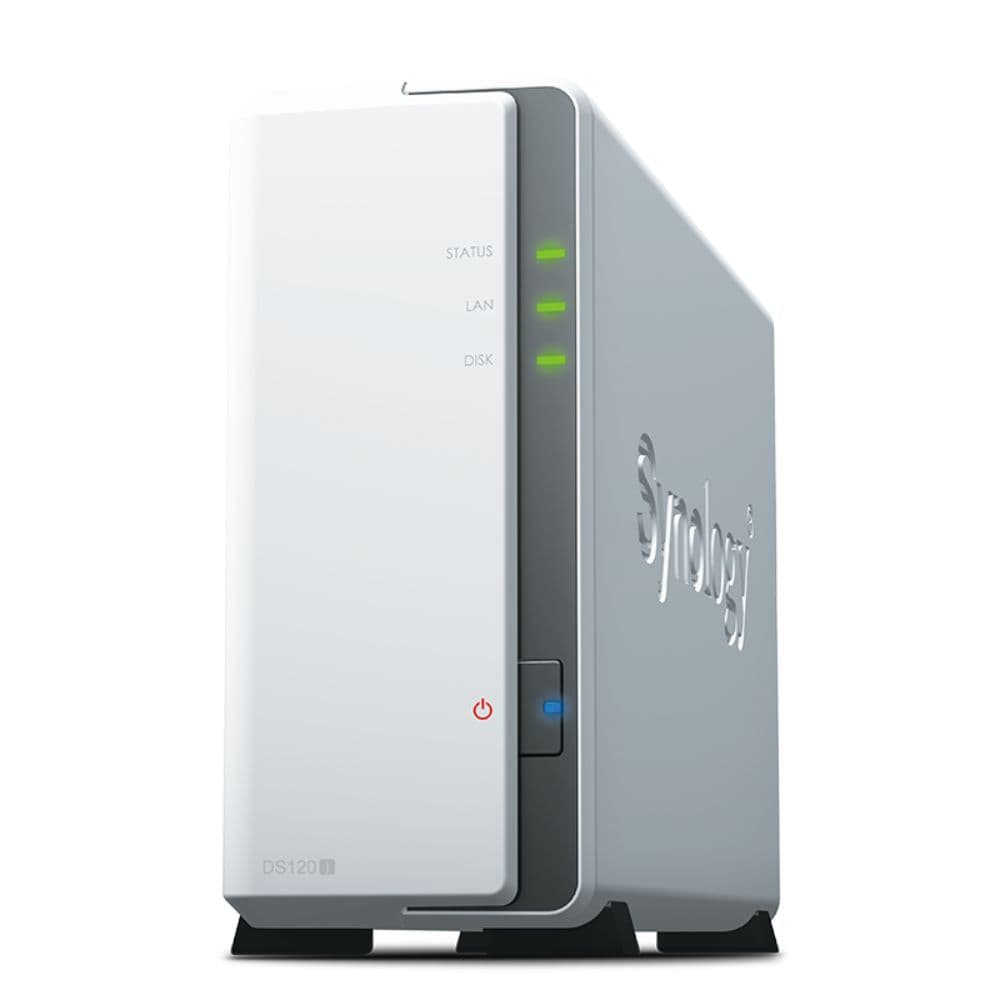
Synology DiskStation DS120j
Budget champ
All the smarts in an entry-level package
The Synology DS120j can be the right replacement for your good-old USB hard drives to back up your family photos seamlessly. Once you set it up, the NAS will automatically take care of your photos over Wi-Fi without you having to take a backup manually every few days. And the DS120j doesn’t even cost a lot to get started.
Pros
- Excellent value for budget shoppers
- Comes with the latest DSM 7 OS
- Compact and power-efficient
Cons
- Single drive means no data redundancy
- High-res video streaming may not be the smoothest
Getting your first NAS enclosure shouldn’t mean spending several hundred dollars upfront. You can pair a single-drive DiskStation DS120j with a 4TB HDD (supports up to 14TB) for under $200. And for that price, you get the same excellent Synology software as the more premium NAS units. The DS120j is perfect as a Google Photos alternative to store your family photos and videos, or you can use it as a secondary backup system for your primary NAS.
The DS120j is a power-efficient, compact machine you can easily tuck away on a shelf. Even on your desk, it won’t take up a lot of space. Its processor and RAM configurations are enough for data storage and light streaming needs but don’t expect it to play 1080p or higher-res videos without a hiccup. Just make sure to pick up a 7200 RPM drive to make the most of the NAS’s transfer speeds, and you will have an unbeatable package for its price.
Which Synology NAS is best for home use?
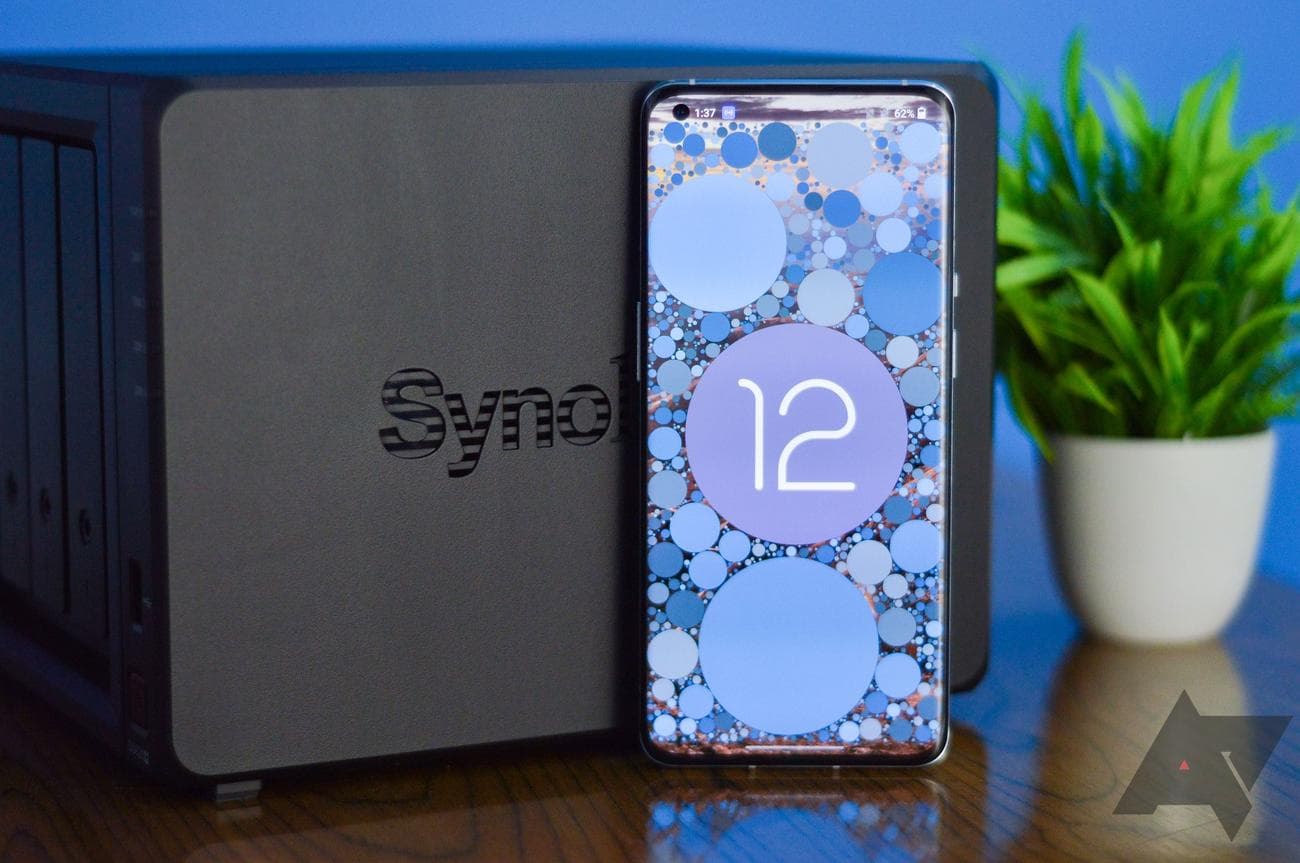
If you’re eyeing a Synology NAS for your home for things like backing up your data and watching your digitized movie collection, you can’t go wrong with our value pick. The DiskStation DS220+ is a perfect budget option for streaming HD movies with some 4K content occasionally added to the mix. Even if you decide to stick with the stock RAM configuration, it will serve you well, largely because of its Intel Celeron processor with a built-in GPU for efficiently handling video transcoding.
Synology’s new DS423+ could be even better for home use if you plan on streaming a lot of movies from Plex that need transcoding on the fly. It comes with the same quad-core processor as the now-discontinued DS920+, so performance won’t be an issue for years to come. If you have the budget for it, the DS423+ is great for all your home needs, and with its RAM expanded to 6GB, you could even get some work done on it.
But certain homes have even fewer needs. You can easily make do with the DS220j for stuff like hosting your files and sharing your family photos and videos. It’s a two-bay system, giving you up to 16TB of storage even after accounting for redundancy with RAID 1, which is ample for years’ worth of home videos, computer backups, and whatnot. We recommend going for the entry-level DS120j only if you’re on an extremely tight budget or plan to use it as a secondary backup for your existing NAS.
The perfect middle ground for mixed-use
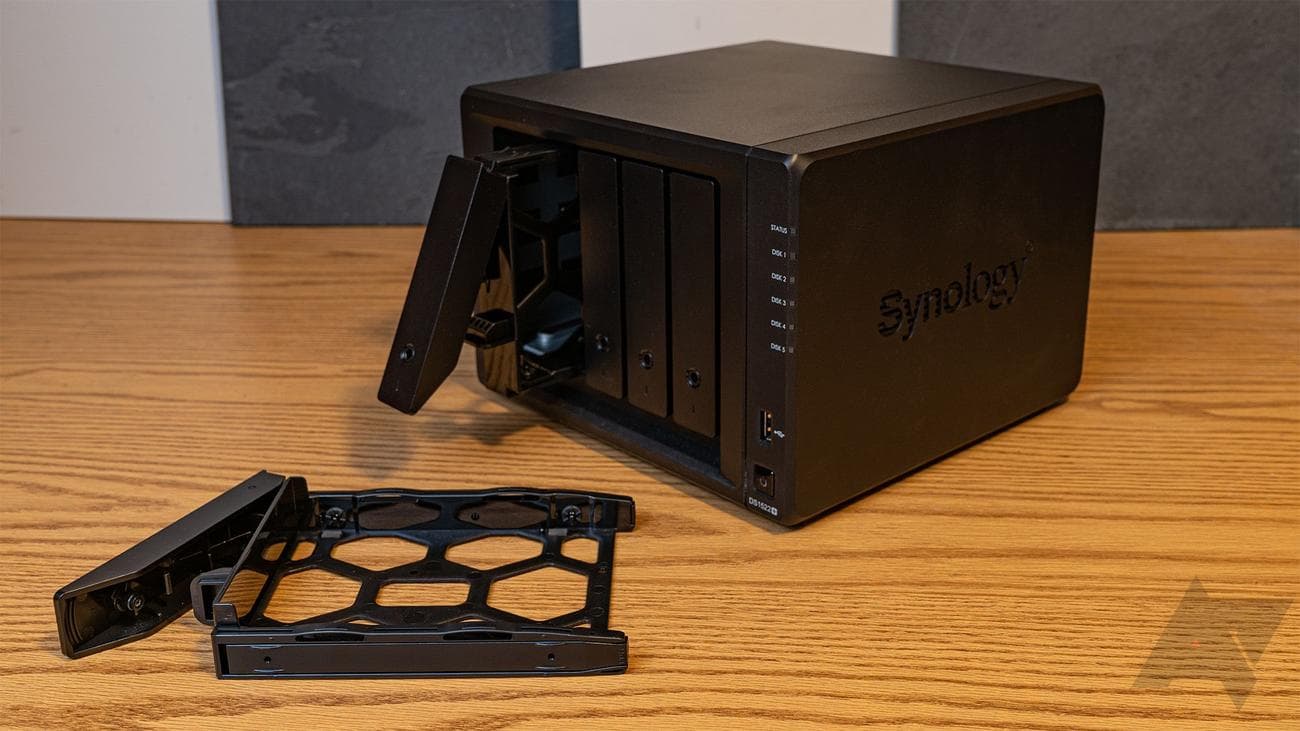
As your usage grows, like in the hybrid work environment of today, the demand for raw hardware performance will also increase. That’s where our upgraded picks — the DS1522+ and the DS923+ — come in. With both these models, you get a much more powerful processor and ample RAM to take care of all your advanced work applications. Handling multiple streams of security cameras or supporting a small team is a breeze for either Synology enclosure. You can even set up Synology Drive as your native Google Drive alternative for your entire team, which is one of the best parts of owning a Synology NAS.
Where the DS1522+ scores more than the DS923+ is its additional drive bay, 8GB of base memory, four LAN ports, and two eSATA ports for adding two drive expansion units. And you get all those extra benefits by spending just $100 more over the DS923+. But if you don’t care about all those extras, which could be the case if you are a freelancer or work from a home office, you can easily get by with the DS923+, considering how similar both models are otherwise, while saving some cash, which you can invest in NAS-specific hard drives.
The DS1522+ and the DS923+ use the same AMD processor that lacks an integrated GPU, making both of them a little less ideal for transcoding videos as it would stress out the CPU pretty quickly, depending on the file size and type. But if your media is already transcoded in a format that your client devices (such as your TV set) already support, then using either model or even the two-bay DS723+ won’t be a problem.
Synology NAS for heavy users
Certain use cases go beyond what we’ve discussed and require even more capable hardware. For example, if you plan on running a virtual machine on your Synology NAS, be it Windows or any Linux distro, you can benefit from something better than an Intel Celeron or a dual-core AMD chip.
The DS1621+ steps up the game with a quad-core AMD Ryzen processor and the option to go as high as 32GB of memory, which should be plenty for running your Windows applications on a virtual machine or even playing some games with RetroArch. The extra performance headroom will also ensure a smoother experience for years to come as the application load goes up.
You can go all in with the higher-end Synology DiskStation DS36xx series of massive NAS servers that include a class-leading Intel Xeon processor and 12 drive bays, which is ample for small to medium businesses with relatively larger teams. But be prepared to shell out several thousand dollars for the whole package.
Prepare for the future in any case
While adding more hard drives in available slots or using expansion units is easy, upgrading your Synology NAS’s performance capability won’t be easy — or cheap. Getting a NAS is a long-term investment, so it’s better to stretch your budget slightly to get an upper-tier enclosure from the get-go, especially if you’re buying one for your work needs.
And while you’re budgeting, don’t forget to account for the NAS-specific hard drives that can significantly drive up your initial cost. You can save a bit on that investment by starting with a couple of HDDs and adding more as your needs and team size grow.

Synology DiskStation DS1522+
Best overall
Perfect for both work and play
With the mid-tier Synology DS1522+, you get the best of Synology’s latest NAS lineup, including a super-fast AMD processor, the option to bump the RAM to a whopping 32GB, and an optional 10GbE network port. It can easily meet both your office and home needs without burning a hole in your pocket.