

The home theater is not one defined thing. Some home theaters are built around the
best TV
and
best soundbar
, but quite a few go for projectors. TVs have a lot of advantages, but when it comes to the sheer picture size you can get from even a small projector, it’s clear what value they offer in the home theater space.
Of course, just as no two TVs are created equal, projectors have a whole host of variables that can make one perfect for one person’s home theater and useless for someone else’s. But a few key variables help make a projector that’s better in any setup, such as brightness, contrast, and color.
We’ve tested a handful of popular, capable projectors to see which offer the most for your money. These include projectors using traditional bulbs, LEDs, laser phosphor diodes, and even more novel lighting systems, like triple-laser systems. We put them through the paces, watching a wide variety of content, gaming, pumping the speakers up, and taking a variety of detailed measurements so you can get a clearer picture of what they offer and how they stack up.
This will be an evolving list as new models are always coming, but for now, here’s a look at the best projectors for you to check out. At present, this only includes typical projectors, but ultra-short-throw projectors could work their way into future testing.
The best projectors
(Image credit: Tom’s Guide)
The JMGO N1 Ultra is a heavyweight — not literally, though. This compact projector dishes out surprise after surprise. The star of the show is its triple-laser light source, which uses separate red, green, and blue lasers to deliver not only exceptional brightness but staggering color gamut as well. The projector uses that to blast a stunning 4K picture wherever you want it, as it sits on an easily adjustable pedestal.
For its size, the JMGO N1 Ultra even has surprisingly potent speakers, which will more than do the job in a small room. For serious audiophiles, there’s an eARC port, but that leaves only one HDMI port left over for external sources. And you’ll probably want an external source. Even though the projector offers Android TV, it’s a little slow and buggy.
Read our full
JGMO N1 Ultra review
.
Best for gaming
(Image credit: Tom’s Guide)
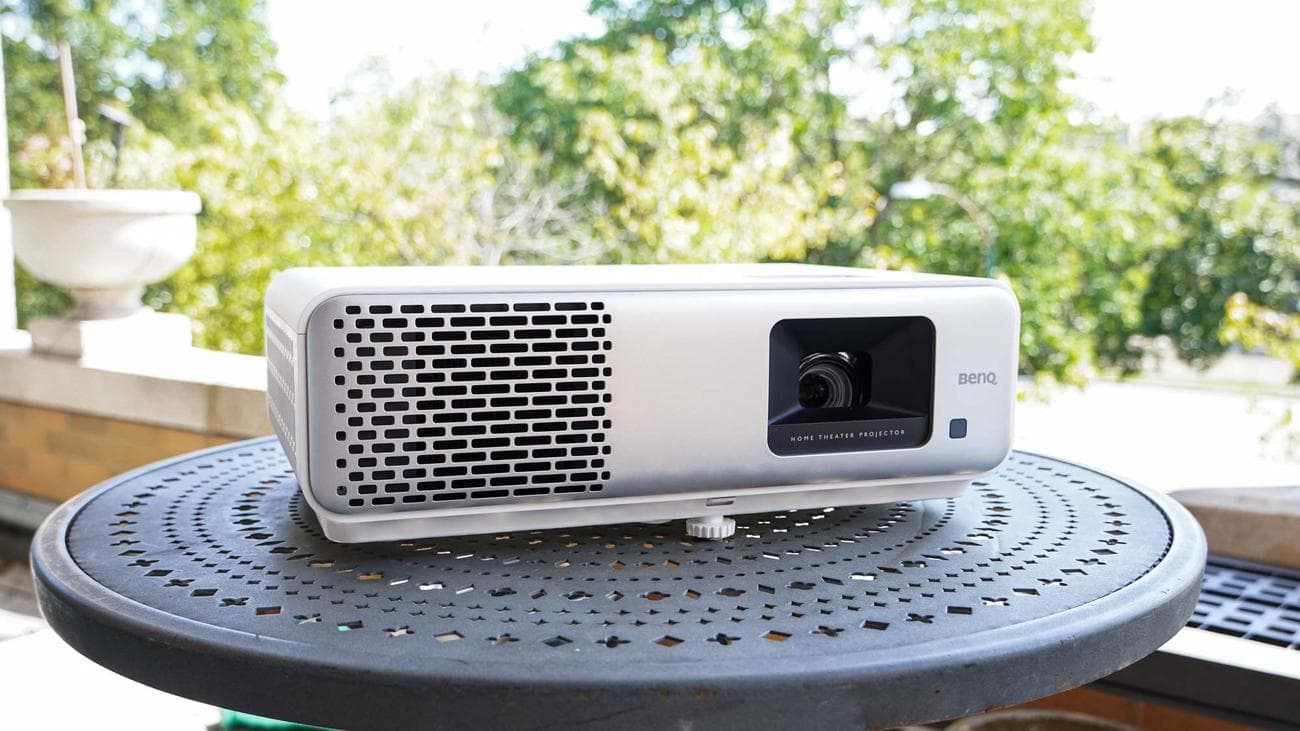
BenQ has what gamers need: speed. And with the BenQ HT2060, it doesn’t come with big sacrifices in other departments. In fact, the BenQ HT2060’s biggest shortcoming is that it’s only a 1080p projector, but the tradeoff is that it can run at 120Hz for even faster, smoother gameplay and nigh imperceptible input latency. Its brightness is enough for use in a lightly lit room, but it’s a stunner in a dark room thanks to its exceptional contrast ratio. It even has a wide color gamut, which can do a lot to bring game worlds to life — arguably more than a 4K resolution.
The projector itself is fairly large, so you’ll want to find somewhere to set it permanently. Thankfully, there’s a lot of flexibility in that department, as the projector has hardware zoom, focus, and vertical lens shift adjustments. You’ll need your own video source for streaming and gaming, but you can get by on the decent built-in speakers if you don’t want to deal with too many cables coming from the projector. While all of that is good, it’s made better by this projector only costing $1,000.
Read our full
BenQ HT2060 review
.
Best value
(Image credit: Tom’s Guide)
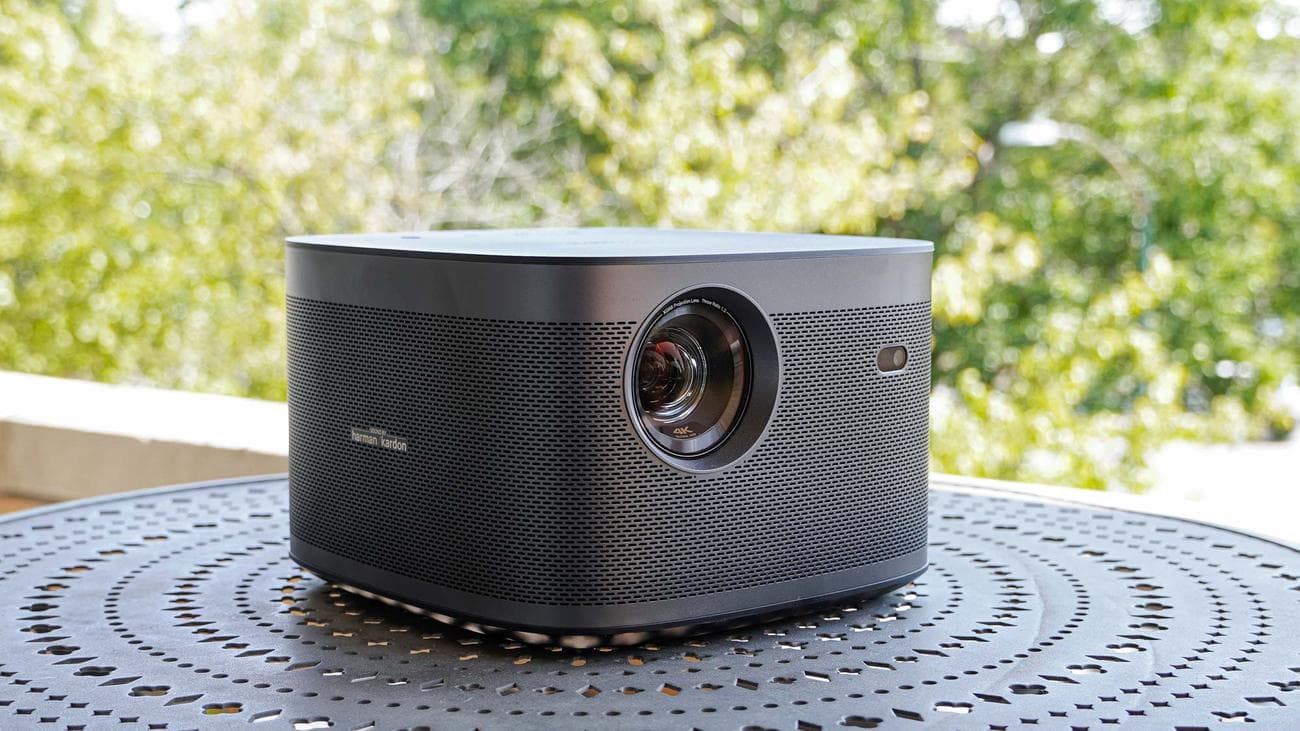
If having the very best in every category isn’t vital to you, and you prefer to get something that’s good enough as long as it means saving some bucks, then the Xgimi Horizon Pro is the one thanks to its new low price (originally $1,699 but now down to $1,199 to make way for the Horizon Ultra). It’s not the brightest, the most colorful, or the loudest. But it’s not trailing at the rear of the pack either. The Xgimi Horizon Pro puts on a good show. It’s decently bright, though you’ll want to dim the lights and draw the curtains for anything but light cartoons. And it has respectable color performance.
Its 4K picture provides sharp detail that’s not so easy to find at the price. And when you want to game, it provides surprisingly low input lag. With a built-in Android TV platform, the projector is effectively an all-in-one solution for home entertainment, and its portable size means you can bring it just about anywhere you like to enjoy TV and
movies
on the big screen.
Read our full
Xgimi Horizon Pro review
.
Best mid-range
(Image credit: Tom’s Guide)
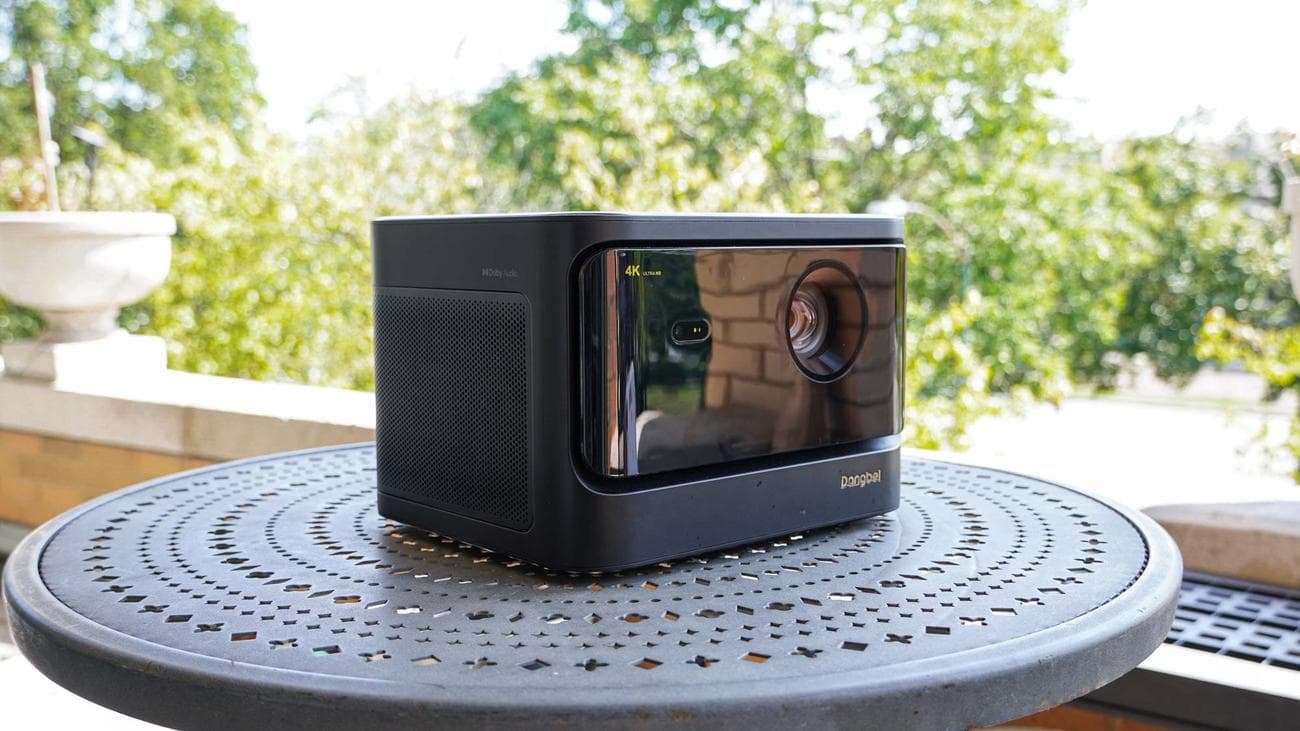
The Dangbei Mars Pro 4K can be a little more expensive than we’d like, but it often has discounts that bring to a much more palatable level. For the money, you get a capable 4K projector that relies on a laser light source. It’s a laser phosphor system, which means it can get plenty bright but doesn’t have as much color as systems using tri-color laser systems. Still, it makes for a reasonably attractive image, and its high brightness and contrast let you stretch it plenty large for home cinema use.
While the Dangbei Mars doesn’t have Android TV built in like some of its competitors, it comes with a speedy streaming stick and works well without other external sources. Crucially, the built-in operating systems runs quickly and smoothly, making it easy to power up, select the source you want, and get watching. Where many projectors run a slow operating system that can make it tedious to start watching, Dangbei avoids this, providing a little
extra
convenience.
Read our full
Dangbei Mars Pro 4K review
.
Best for flexibility
(Image credit: Tom’s Guide)
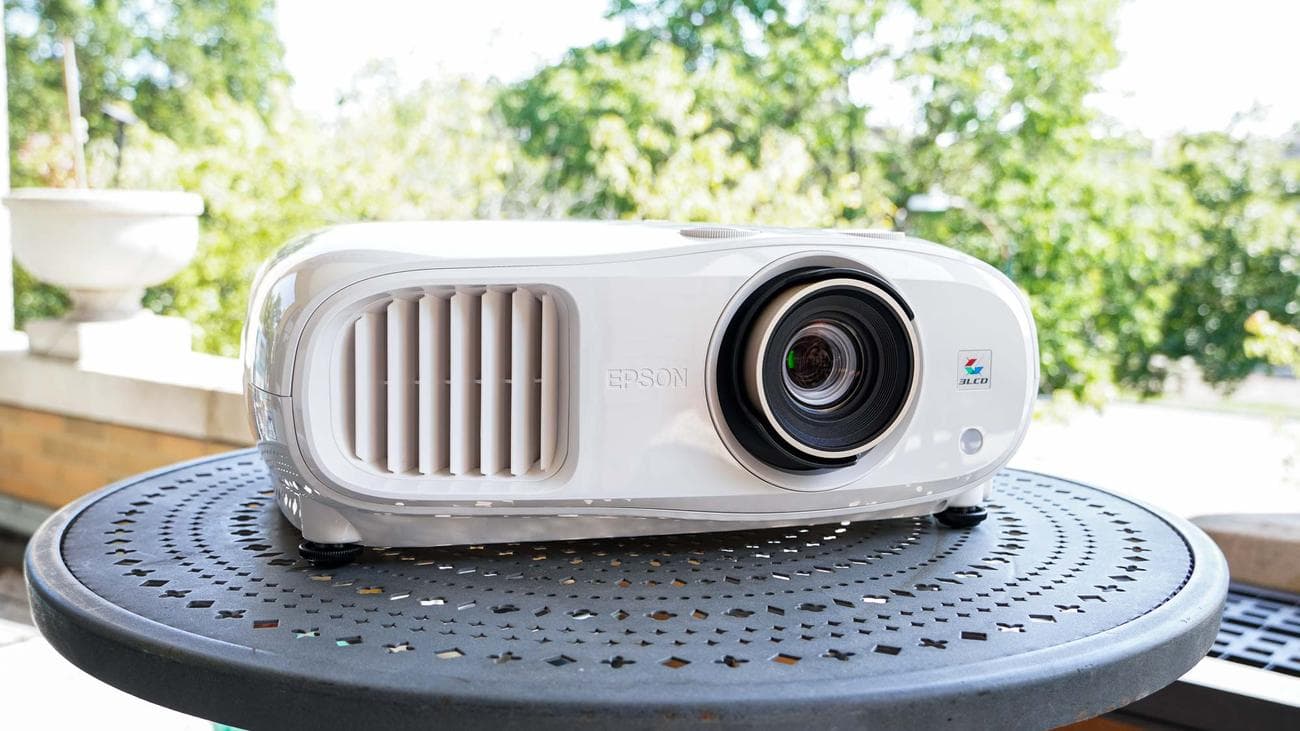
Epson has considerable experience in the projector space, and it shows in the Home Cinema 3800 projector. This may not be boasting the latest, fanciest features, but you’ll find a high-utility projector here. It’s one of the brightest projectors we’ve tested, and it actually looks good running that bright (unlike the Optoma GT2100HDR). That’s paired with a high contrast ratio that keeps visuals looking great. It’s a little lacking in color, but doesn’t look bad. And with Epson’s 3LCD projection system, the rainbow effect that can prove distracting to some people is largely gone.
Epson’s system doesn’t have a great speaker system or a streaming operating system. So you’ll want to pair it with some other home theater equipment. Fortunately, it has a lot of tools to help you get your setup just right. Where many projectors will digitally manipulate an image to make it fit your setup, in turn throwing away pixels and often leaving some unsightly artifacts, Epson’s projector can make optical adjustments to move and resize the projection. So you can more easily set the projector where it’s convenient and still align the projected image with your screen or wall.
Read our full
Epson Home Cinema 3800 review
.
Other projectors tested
-
Optoma GT2100HDR
:
This little short-throw projector gets plenty bright and has a high contrast image, but it’s pretty lacking everywhere else. -
Xgimi Horizon Ultra
:
Following up on the capable Horizon Pro, the Horizon Ultra was a bit of a disappointment. It’s bright and colorful, but lags behind JMGO in both departments, and its contrast was severely lacking no matter what we tried. As promising as it was, we just couldn’t get it to look as good as it should have at the price.
Projector Benchmarks Compared
|
Row 0 – Cell 0 |
JMGO N1 Ultra | BenQ HT2060 | Xgimi Horizon Ultra | Dangbei Mars Pro 4K | Epson Home Cinema 3800 | Optoma GT2100HDR | XGIMI Horizon Pro |
| Brightness (ANSI lumens): | 2143 | 1645 | 1296 | 1812 | 2375 | 3012 | 1270 |
| Contrast: | 1577:1 | 3253:1 | 250:1 | 1105:1 | 2055:1 | 2370:1 | 757:1 |
| sRGB coverage: | 100% | 99% | 100% | 92% | 91% | 90% | 100% |
| DCI-P3 coverage: | 96% | 87% | 90% | 75% | 76% | 74% | 83% |
| Input lag (default): | 144ms | 25ms | 145ms | 152ms | 24ms | 26ms | 144ms |
| Input lag (gaming mode): | 28ms | 25ms | 26ms | 27ms | 24ms | 25ms | 24ms |
| Lifespan: | 30,000 hours | 30,000 hours | 2,5000 hours | 30,000 hours | 5,000 hours | 30,000 hours | 30,000 hours |
| MSRP: | $2,299 | $999 | $1,699 | $1,799 | $1,699 | $1,799 | $1,899 |
| Street price: | $1,899 | $999 | $1,699 | $1,299 | $1,699 | $1,549 | $1,199 |
What to look for when buying a projector
Brightness:
One of the key factors in determining whether you’re going to be able to enjoy your projector is brightness, generally measured in lumens (though there are a few different ways companies measure lumens, and the advertised brightness is not easy to trust). In a very dark room, you can get away with a projector that only offers a few hundred lumens of brightness, but if you want to do some daytime viewing or don’t want to turn all the lights out, you’ll pretty much want to ignore anything that’s not breaking 1,000 lumens. As long as you have decent blinds and can dim the lights, you’ll probably find 1,000-2,000 lumens is enough for home viewing.
Color gamut:
This is essentially how rich the colors will appear from the projector. It won’t matter how bright your projector is if all of the colors look faded as a result. For the home theater, you should expect good colors, which ideally means
at least
90% coverage of the sRGB color space and all the better if you’re getting over 90% of the DCI-P3 color space.
Contrast:
Contrast goes hand in hand with brightness. If you have a high brightness but low contrast, dark colors and shadow details are going to be washed out, ultimately marring the cinematic image you’re looking for.
Resolution (Native):
As projectors offer a big image, the resolution can be a big factor. You’re stretching a lot of information out across your screen, so if there’s too little detail, it’s going to be that much more noticeable. In action, it can be a little harder to see the difference between 1080p and 4K, but if you’re looking at a lot of static content, the advantages of 4K will be more apparent. For a decent home theater, aim for 720p at a minimum and ideally 4K. There are plenty of 4K options out there, though 1080p or WUXGA are decent enough if you sit far back. It’s also important to look for “native” resolution on projectors, as many will prominently advertise a “supported” resolution. Long story short, “supported resolution” is just the signal the projector is capable of receiving, and “native resolution” is what it’s capable of displaying (e.g., a projector could receive a 4K signal but turn that into a 720p image if it has a native 720p resolution.
Light source:
Not all light sources are created. Lamps are cheap and bright, but they’re hot, take some time to warm up and cool down, and they don’t offer as much longevity as others. LEDs can get fairly bright and provide good color while offering a long lifespan. Lasers have the brightness advantage and can outperform LEDs in color if they combine multiple lasers of different colors, but they’re more expensive.
Ports:
How you’re able to use your projector is majorly impacted by its ports. If it doesn’t have some quality audio outputs, like eARC, you may have a hard time connecting it to a good sound system without also buying an AV receiver. Too few HDMI ports or lower bandwidth ports can also impact your ability to use the projector conveniently.
Speakers:
Many projectors include their own built-in speakers, but not all do. And many that have speakers don’t offer ones that can compare to the image they provide. It’s worth taking a note of how well the speakers performed and what wattage they offer to get a sense of whether you’ll need to factor the price of a separate sound system into your purchase.
How we test projectors
We test projectors in the real-world conditions a buyer would use a projector in. That said, we do have a degree of control, with heavy, light-blocking drapes and an ambient-light rejecting projector screen to test on. But since not everyone will use such a screen, we also view the projection against a bare wall.
While some of our testing is subjective, observing the projectors’ capabilities as we watch movies and play
games
, we also take measurements that allow for comparison between projectors. Projector brightness is measured using each projector’s brightest mode (and occasionally other modes if the brightest mode results in a worse overall image), using a light meter to measure the luminance of an all-white image at 9 points evenly spaced across the image and multiplying those by the projected area to derive an ANSI lumen measurement. Contrast is roughly estimated by comparing the average lux measurement of an all white image against a lux measurement of an all black image.
Color coverage is measured using a SpyderX Elite colorimeter and DataColor’s calibration software. The colorimeter sits a foot away from a 1.1-gain projection screen, angled to avoid seeing its own shadow, and then measures the color gamut of the projectors light reflected off the screen.
To measure input latency, we run a timecode displayed on a laptop and mirror the display to the projector over HDMI. We then take a high shutter-speed (over 1/1000th of a second) photo of the timecode on both the laptop display and projector to see how many milliseconds the projector is behind the laptop display.
VIA:
TomsGuide.com

