Powerful features at an (almost) affordable price
I absolutely love what Chromebooks offer for under $300. Aside from helping vanquish the horrid netbooks, Chromebooks provide low-cost, quality solutions for most people’s daily computing needs. The challenge for manufacturers has been bridging the gap between the reliable Chromebooks we love and the more robust features of Windows machines that some people need.
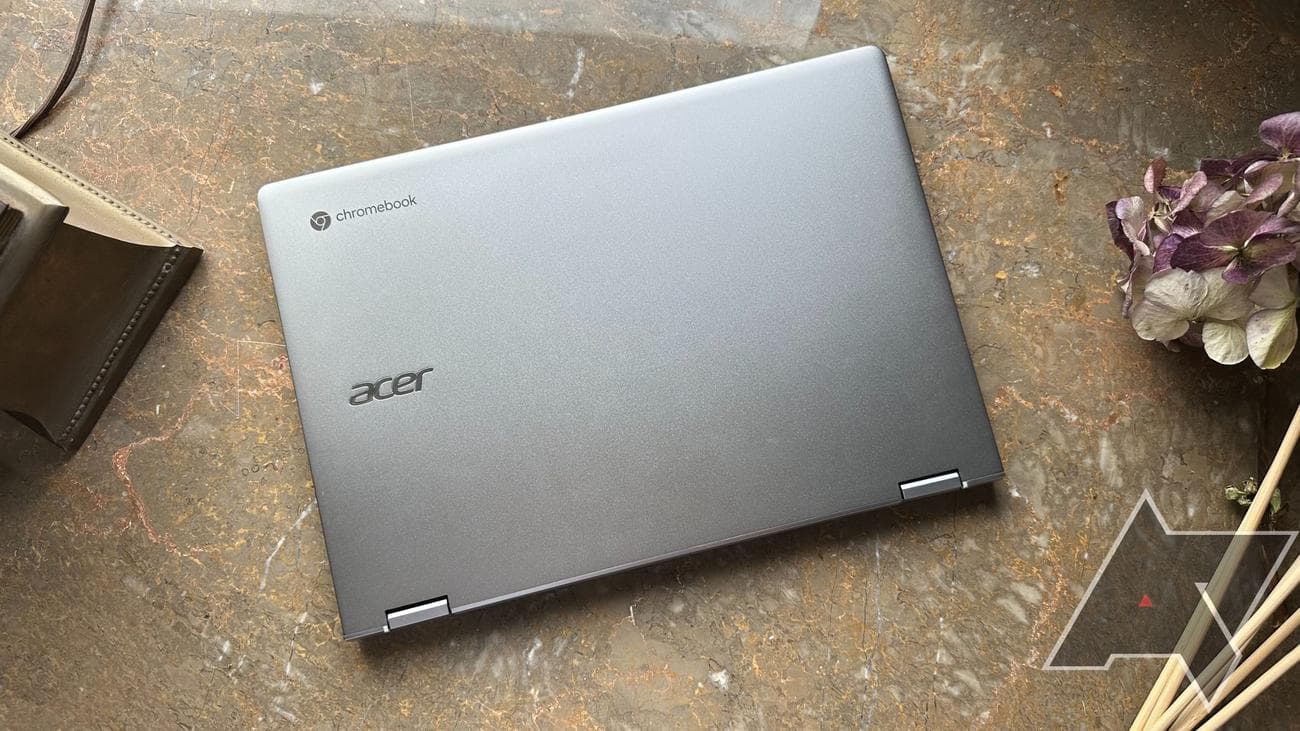
Acer looks to close that gap with their Chromebook Spin 514. It’s crafted to offer both the flexibility and performance of ChromeOS with features meant to entice the more hardcore users, such as a beefier processor and more impressive graphical capabilities. The result is about as mixed as the mission statement, with pros and cons for casual and demanding users. Even with all these additions, the question lingers about whether it’s worth the added premium over a typical Chromebook.
Source: Acer
Acer Chromebook Spin 514 (3HH)
$479
$629
Save $150
The Acer Chromebook Spin 514 is the bridge between affordable Chromebooks and
feature
-filled Windows machines. However, there are a few issues depending on what you plan to use it for.
-
Brand
-
Acer
-
Color
-
Silver
-
Storage
-
128GB eMMC
-
CPU
-
AMD Ryzen 5 5625C
-
Memory
-
8GB DDR4
-
Operating System
-
ChromeOS
-
Battery
-
56Wh
-
Ports
-
2 USB-C/DisplayPort, 1 USB 3.2, 1 Full HDMI, Headphone
-
Camera
-
1080p Webcam
-
Display (Size, Resolution)
-
14″ 1920×1080 IPS LCD
-
Weight
-
3.31 pounds
-
GPU
-
AMD Radeon
-
Auto Update Expiration (AUE)
-
June 2030
-
Form
-
Convertible
-
Dimension
-
12.7″ x 8.82″ x .68″
-
Network
-
Wi-Fi 6
-
Speakers
-
DTS-tuned upward firing
-
Price
-
Starting at $399
-
Model
-
CP514-3HH
-
USI Compatibility
-
Yes
-
Adaptor and Battery
-
45W
Pros
- Excellent performance
- Premium build
- Full-sized HDMI port
Cons
- Display doesn’t get bright enough
- Battery life falls a little short
- Lackluster gaming experience
Price and availability
The Acer Chromebook Spin 514 is available from Acer and Best Buy starting from $549, with two different versions available: a base model featuring an AMD Ryzen 3 processor and a higher-end model featuring an AMD 5000 C-Series Ryzen 5 processor, priced at $699.
The version tested was the $699 model, which sports 8GB of RAM and 128GB of eMMC storage. The current color available is Sparkly Silver. Thankfully, frequent sales have brought the base model’s price down to $300, with $479 getting you the higher spec.
Design, hardware, and what’s in the box

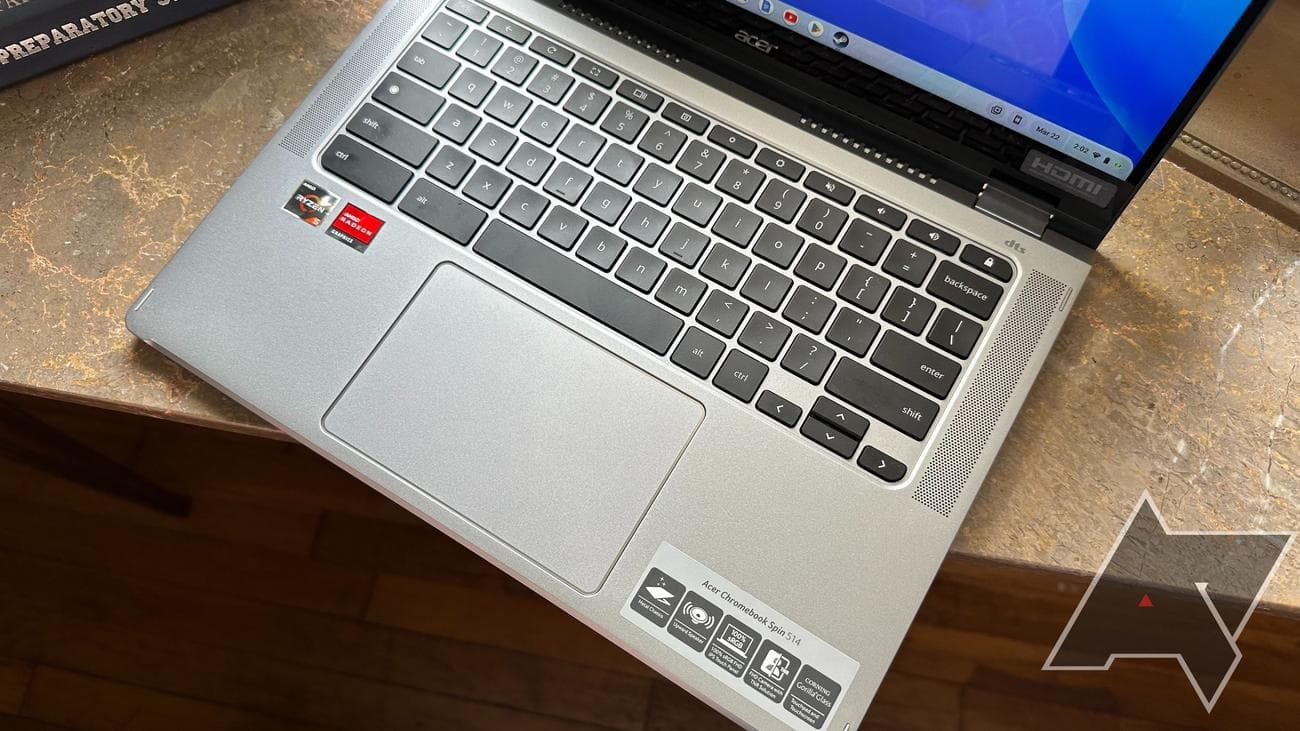
As I pulled the Acer Chromebook Spin 514 out of the box, I first noticed its substantial build quality. The laptop’s brushed aluminum top and bottom covers add to the premium construction, while its weight of 3.31 pounds strikes a nice balance between sturdiness and portability. The Spin 514 is MIL-STD 810H compliant, with Acer claiming it can survive falls from heights of up to four feet.
One of the strengths of the Spin 514 is all the ports are located around the frame. The headliner, to me, is the full-sized HDMI port. It gives a lot of flexibility and helps with the tent mode I will discuss later. There are two USB-C ports (doubling as DisplayPorts) on the Spin 514.
Both can be used for charging, and I love that the Spin can be charged from either side of the device. A Kensington lock port ensures no one runs off with your stuff, and a 3.5mm headphone jack is present for your audio needs. Rounding out the selection is a single USB-A 3.0 port.
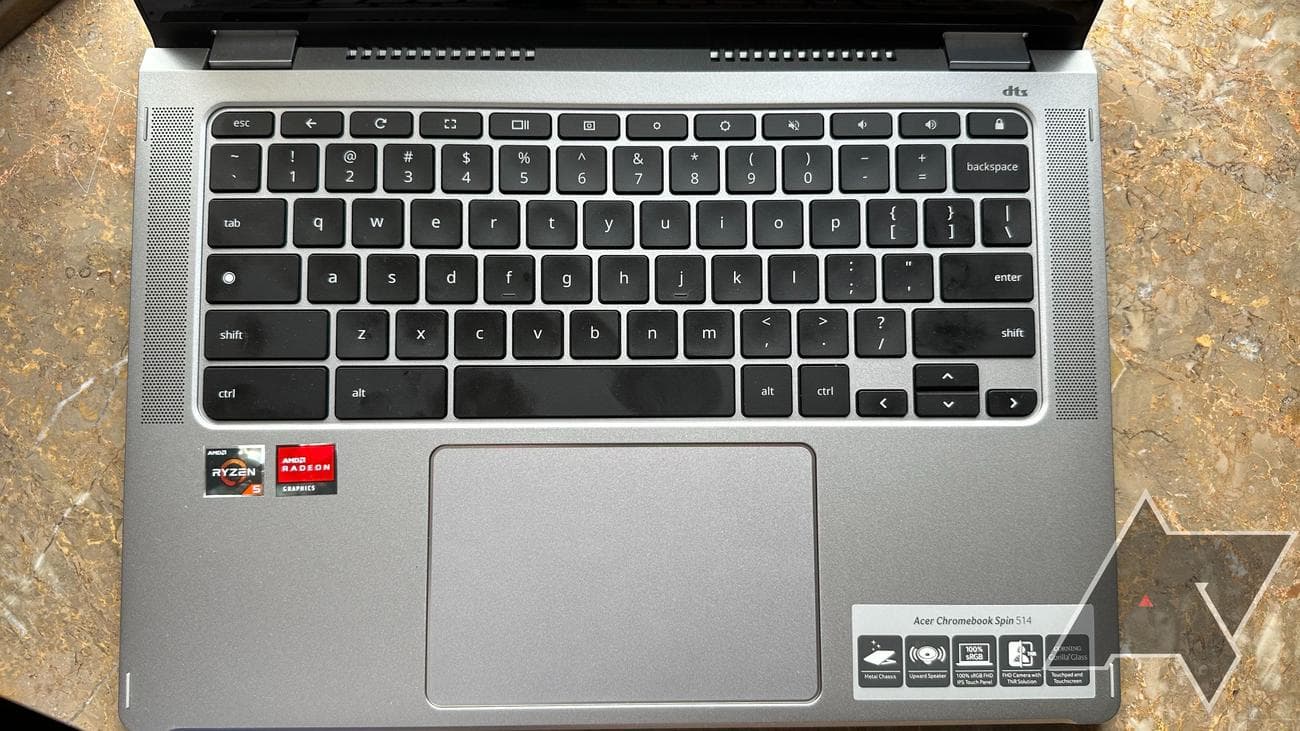
In a welcome design choice, Acer has included two upward-firing DTS-optimized speakers. I still don’t understand why upward-firing is not standard on devices with room for it. The sound quality from them is excellent, with little distortion.
Acer has included ventilation slats along the bottom lid to keep the Spin 514 running cool during gaming sessions. I had no problems with it overheating in my lap, and the experience overall with the design and build was pleasant.
Display
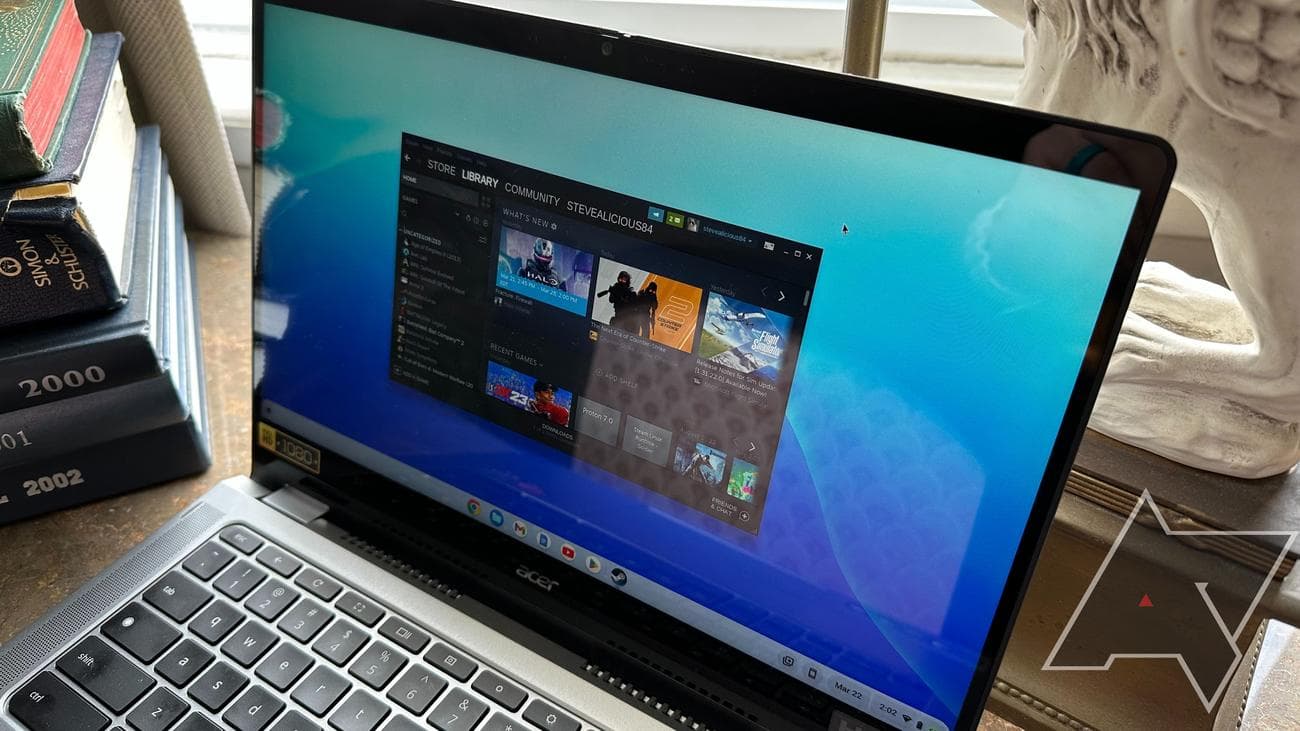
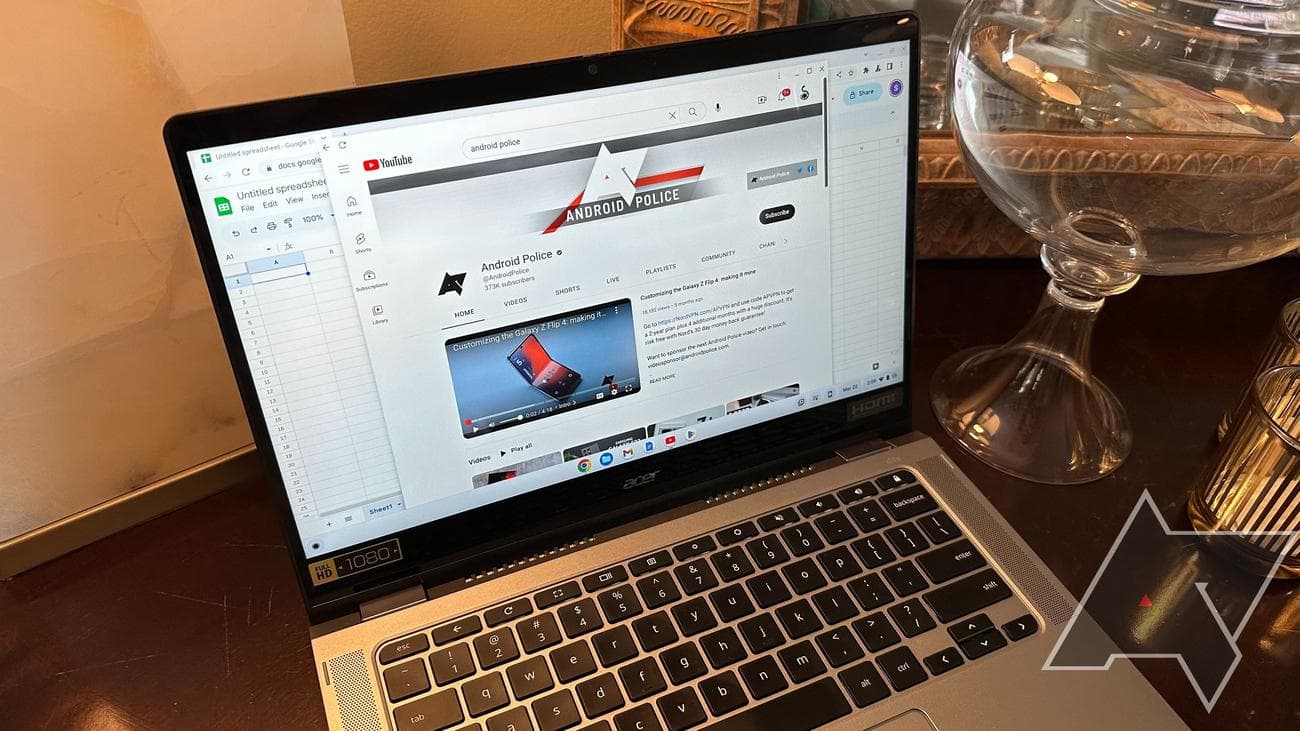
The display is a highlight of the Chromebook 514 Spin. The IPS panel can produce 100% of the sRBG spectrum, which results in a rich, colorful viewing experience. Low-light scenes in movies have their details preserved by excellent contrast. I also love the classic 16:9 aspect ratio for watching YouTube videos. Gaming looked great on the 1080p display. While it’s not a higher-resolution display, the depth of color helps create an immersive gaming experience.
The Chromebook 514 Spin features Corning Gorilla Glass to cover its display. While I understand the need for Gorilla Glass on a touchscreen, it creates some unfortunate glaring issues. Avoiding reflections on the display is almost impossible, and viewing in sunlight is challenging. The lack of brightness on the Spin 514 isn’t helping matters. I found myself constantly running the display brightness at 100%, negatively affecting battery life. Even at 100%, my eyes begged for more light from the display.
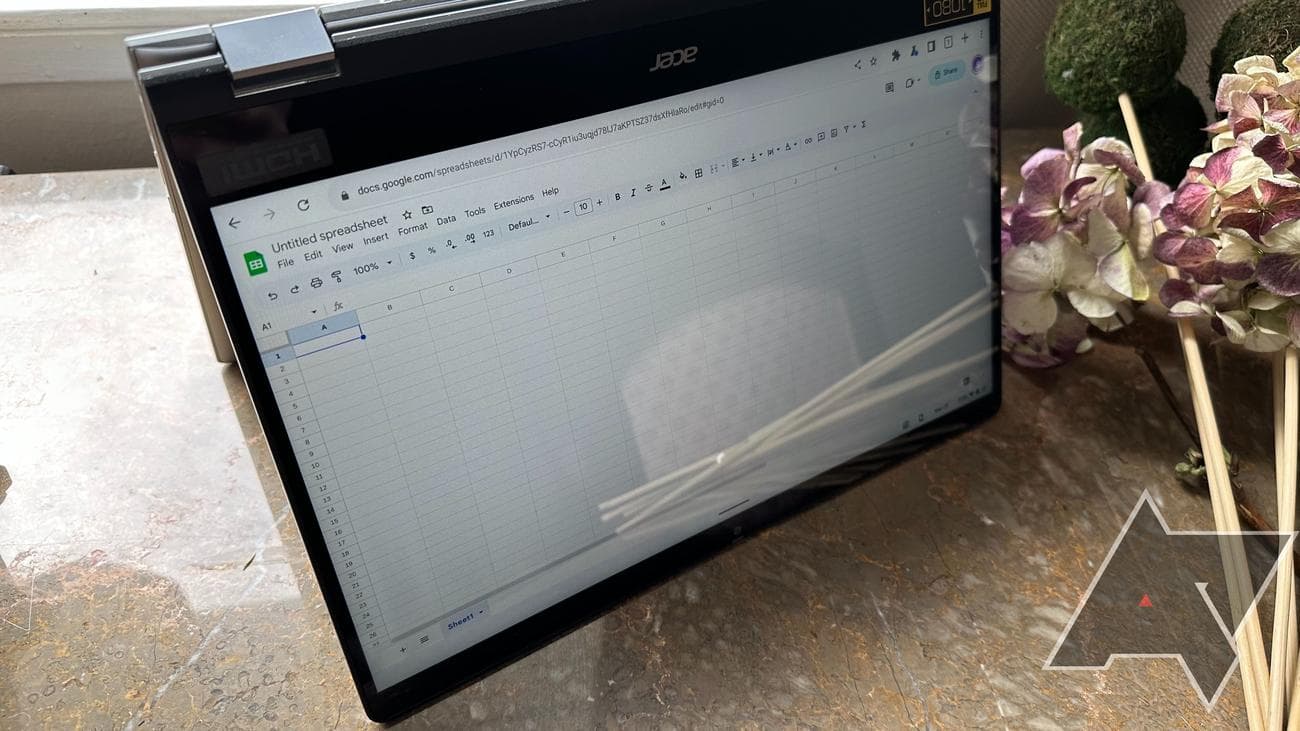
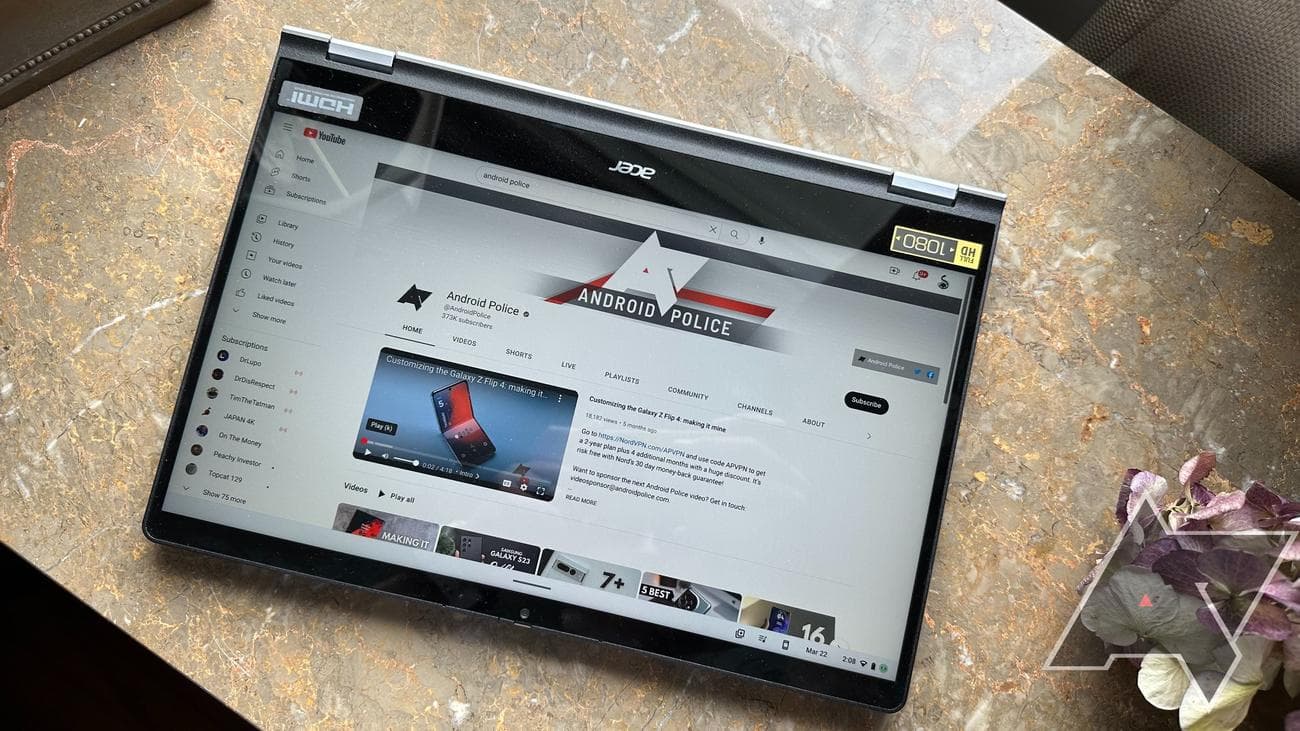
One of the main selling points of the Acer Chromebook Spin 514 is its versatility. I much preferred tent mode to tablet mode. While the swipe gestures and performance work well, the Spin 514 becomes unwieldy in tablet mode. It’s much too heavy to be used as a traditional tablet. I could see a use for tablet mode if laid flat on a table for drawings with a compatible USI stylus.
In tent mode, the flexibility of the Spin 514 comes alive. Acer claims they are targeting teachers and hybrid workers with the Spin, and in tent mode, I can see the appeal. Presentations and lesson plans become much easier to view, and when paired with the full-sized HDMI port, the possibilities increase for both the boardroom and the classroom.
Keyboard and Touchpad
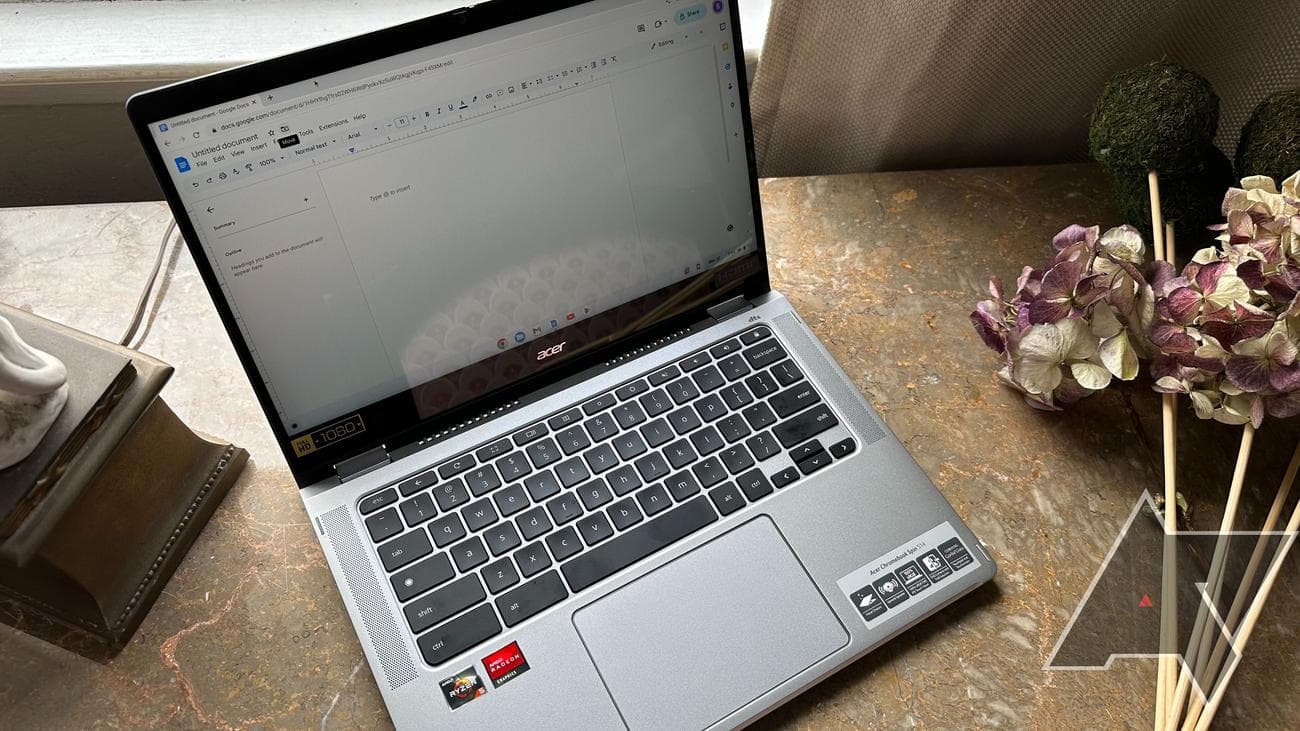
In a form of
technology
review inception, this entire article is being written on the Spin 514 keyboard. I really appreciate the key travel that Acer keeps building into their Chromebooks. It results in a quality typing experience that will have you effortlessly typing out emails and documents. The optional backlighting works well and makes the keyboard usable in low-light situations.
As expected at this price point, the keyboard deck has little to no flex. As a child of the 90s, I cried when we first transitioned to chicklet-style keyboards, but this is an excellent one.
Much like the display, the touchpad is covered with Gorilla Glass. The experience is premium, and each click results in a satisfying thud. While performance, on the whole, is good, the touchpad tends to get a little squirrely when I want more precision. It will do the job, but an external Bluetooth or wireless mouse is still preferred.
Software and Performance
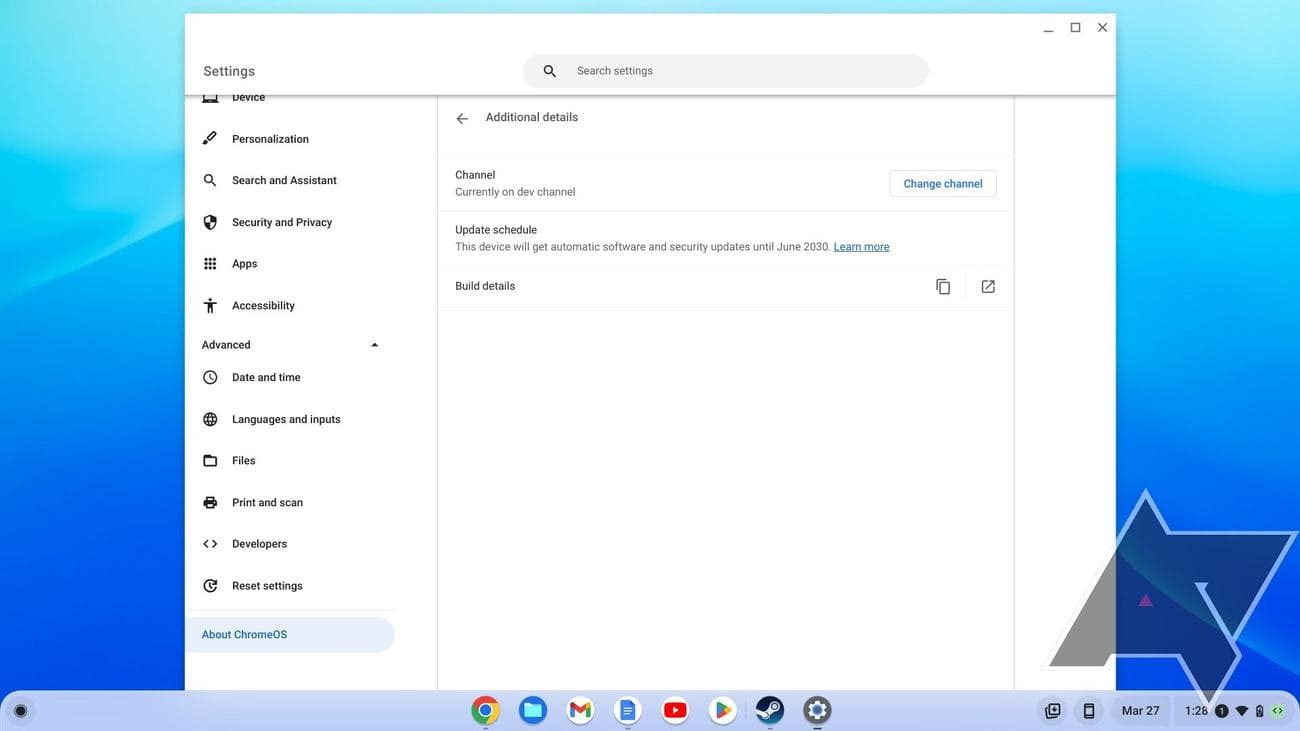
As I mentioned, the Acer Chromebook Spin 514 runs the latest version of ChromeOS. Similar to other Chromebooks, support longevity is of little concern. The Spin 514 is slated to get software updates through June 2030.
ChromeOS is what it is. Its integration with
Google
‘s web-based services is unmatched, but — as we’ll find out with gaming — it falls flat when trying to rival the more robust features of Windows.
Much as you’d expect at this price point, the Spin 514 performs exceptionally well at daily tasks. Whether it was pounding out an email, crunching the numbers in Google Sheets, or writing this review in Google Docs, the Spin 514 breezed through it easily. Web browsing with multiple Chrome tabs open was quick and painless. The 8GB of RAM helps keep the performance smooth by caching more pages and
apps
simultaneously.
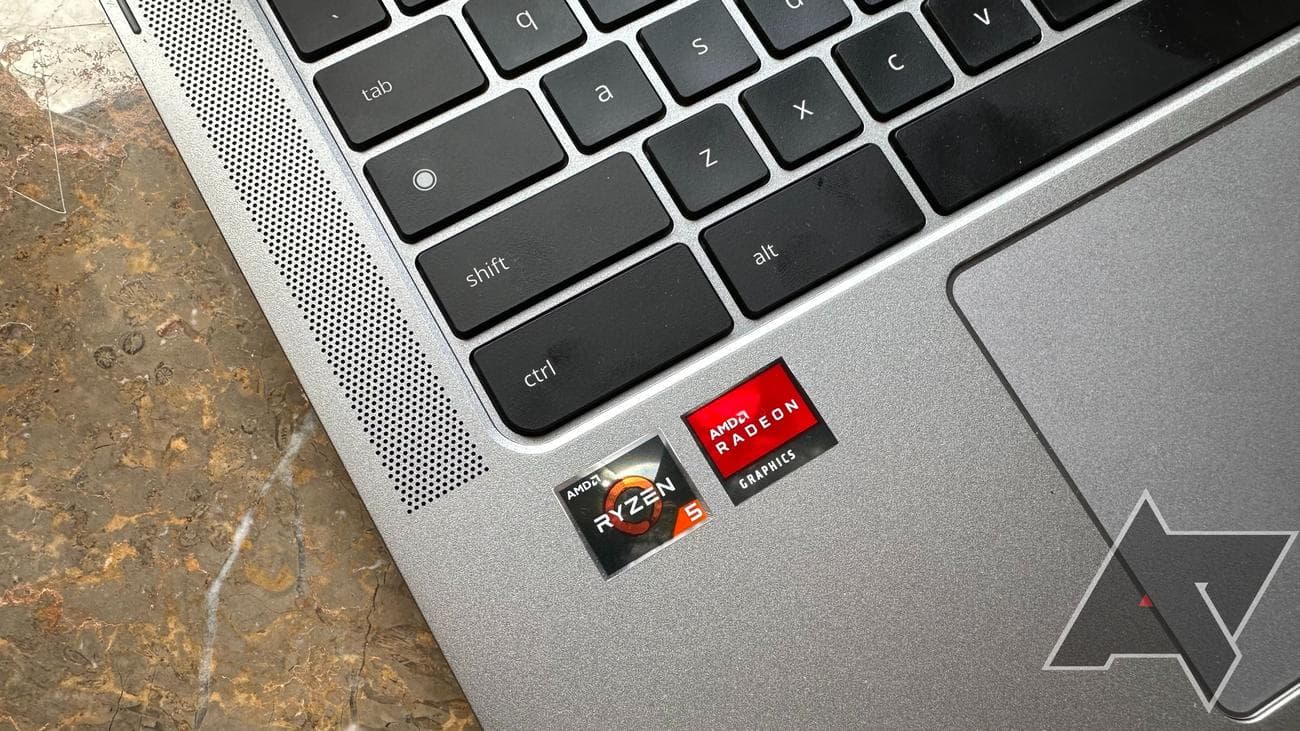
The driving force behind all this performance is an AMD Ryzen 5 CPU running at 2.3 GHz. While it is enjoyable, powering a Chromebook with an AMD 5625C mobile processor is a bit like powering a tricycle with a Ferrari engine. Sure, you’ll please the Jeremy Clarksons of the world, but does it justify the additional price?
Gaming
To answer that question, we have to look at the gaming capabilities of the Acer Chromebook Spin 514. If the versatility of the tent and tablet modes doesn’t appeal to you, the graphics performance has to make up the price difference over a typical Chromebook.
One of the selling points of the Spin 514 is its compatibility with the Steam beta for ChromeOS. Unfortunately, the gaming results are a mixed bag. While stamping passports in a simpler game like Papers, Please is great, getting in a virtual round on the links in PGA 2K23 is a no-go. Cat Quest, another less graphically-intensive game, ran as expected, but Tomb Raider wouldn’t even load. I was surprised when an older game like Total War: Shogun 2 had trouble booting up. Between the long load times, compatibility issues, and poor performance, the Steam beta for ChromeOS on the Spin 514 is not ready for prime time.
The 8GB of RAM and 128GB of storage compound the gaming issues on the Spin 514. Many compatible games listed wanted 16GB of RAM, and the hard drive would fill up after installing just a game or two. With 36.6GB reserved for system storage, it doesn’t leave much for today’s real estate-hungry titles.
While running games locally isn’t enjoyable, Steam streaming worked well — but that puts you at the mercy of your internet connection. You’ll also have to leave your home gaming computer on and connected to Steam all day to have access.
Google Play Store gaming was fine with games designed to run on larger screens like Stardew Valley. I don’t think this poor showing is the fault of Acer. ChromeOS and the Steam beta both have growing pains, but that still doesn’t mean I would recommend people paying extra to be beta testers.
Battery
Acer boasts up to 11 hours of usage browsing the web using Wi-Fi on a single charge. Unfortunately, that’s with the display brightness set to 50%, and unless Acer is footing the bill for your eye doctor after all that straining, that isn’t an acceptable level. At 85% brightness and higher, you can expect to get between 6 and 7 hours of screen time for web browsing and other daily tasks.
If you run out of juice using your Spin 514, charging back up from 0 to 100% takes a little over 2.5 hours using the included 45W charger.
Camera
The 1080p webcam produces a decent image even in low lighting. Zoom meetings and online classes won’t be an issue, and the built-in microphone sounds clean. I love that Acer has included a physical shutter for the webcam that you can close when it’s not in use.
In addition to photos and videos, the Spin 514’s webcam can document scanning. Even while holding a piece of paper in my hand, the camera quickly identified what should be scanned and edited out the rest of the image. Scans can be saved to PNG or PDF in the app.
Competition
The competition is fierce for Chromebooks, even at the premium level. Acer’s own Chromebook 516 GE provides a sensible alternative for $549. The 516 has a much better display sporting a 2500×1600 resolution panel refreshing at 120Hz. It also comes with 256GB of storage. Marketing itself as a cloud gaming machine, the 516 makes much more sense if gaming is your focus.
The Lenovo IdeaPad Flex 5i also has flex capability and matches the Spin 514 on RAM and storage, but weighs less. It also features a brighter display and a lower price, as the Flex 5i can often be found for around $270 on sale.
Should you buy it?
I enjoyed using the Acer Chromebook Spin 514. It’s well-built, the keyboard is a dream, and its performance is spot on, but it is incredibly difficult to justify the price. You can consider it if you can find value in the full HDMI port and tent mode for presentations and teaching.
At the end of the day, the beefier gaming capabilities didn’t work well enough for me to recommend the Spin 514 in this configuration. Acer makes wonderful Chromebooks, and I always appreciate their quality; I recommend the entry-level Spin 514 for most Chromebook users wanting a premium experience, and you’ll save over $150 in the process. The base model can be found on sale for around $300, while the model tested has been on sale for $479.
If you can get a great deal, there is a lot to like from both models — but understand that you’re buying a premium Chromebook, not an inexpensive gaming rig.
Source: Acer
Acer Chromebook Spin 514 (3HH)
$479
$629
Save $150
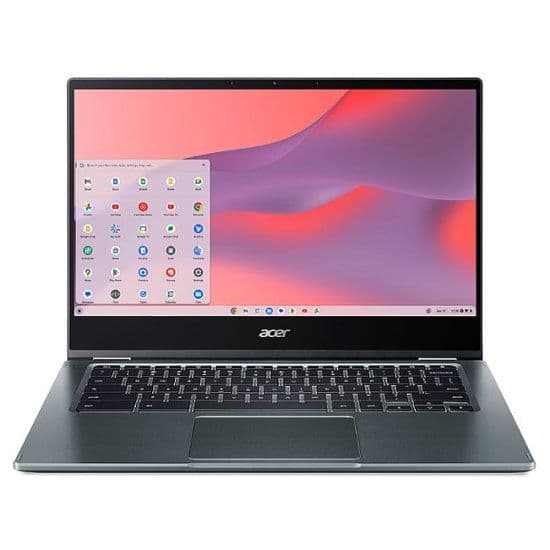
The Acer Chromebook Spin 514 is the bridge between affordable Chromebooks and feature-filled Windows machines. However, there are a few issues depending on what you plan to use it for.