Best streaming devices in 2023
Related Posts
Streaming devices are all but a necessity these days. Although cable TV is still around — as are online-exclusive cable replacement services like YouTube TV — most of us rely on streaming services such as Netflix, Disney+, and HBO Max to discover and watch new releases or old favorites. If your television’s new enough, it probably has some of these
apps
built right in. Yes, smart TVs can be pretty great, but a dedicated streaming device is absolutely worth the cost.
With better performance, more features, and a broader selection of apps, it’s no wonder Roku,
Amazon
, and even
Google
dominate in the living room. Each system has its benefits and drawbacks, though. For example, Amazon’s Fire TV streaming devices are plentiful and affordable but also prone to the whims of Amazon and Google’s petty fighting. And Google TV and Android TV boxes offer solid experiences but lack apps somewhat. So, to help you choose the best streaming experience for your home, here are the pros and cons of the best devices out there.
Steaming devices for your home entertainment setup
Amazon Fire TV Cube
Best overall
Best device for voice commands
$125
$140
Save
$15
The Amazon Fire TV Cube is a two-in-one streaming device and Amazon Echo. It’s twice as powerful and features the fastest streaming available today. The octa-core processor allows seamless navigation between programs and channels without any delay, and the 4K resolution and Dolby Vision, HDR, and Dolby Atmos provide an immersive entertainment experience. If you want a streaming device that has it all, the Amazon Fire TV Cube is the perfect choice.
Pros
- Integrated Alexa Assistant
- Support for Wi-Fi 6E
- Smart home controls
Cons
- More expensive than most competition
- Larger and more bulky than others
- Home screen is unorganized
The Amazon Fire TV Cube isn’t just your typical streaming device but also doubles as an Amazon Echo for your home. This device is twice as powerful as its predecessors and features the fastest streaming available today. In close competition with the Nvidia Shield TV Pro, and only a fraction of the cost, the only thing preventing the Fire TV Cube from taking its place is the overwhelming amount of ads. Of course, even cable TV has commercials and ads, so if that’s no big deal for you, you’ll get a lot out of this.
The octa-core processor allows seamless navigation between programs and channels without any delay. You’ll also find yourself fully immersed in every scene with the cinematic 4K resolution and support for Dolby Vision, HDR, and Dolby Atmos. The hands-free Alexa Assistant lets you control your compatible TV, soundbar, and receivers from anywhere in the room. You can also use your Alexa Assistant as a simple smart speaker. If you want a streaming device with it all, you can’t go wrong with the Amazon Fire TV Cube (3rd Gen).
Nvidia Shield TV Pro
Premium pick
Most powerful streaming device
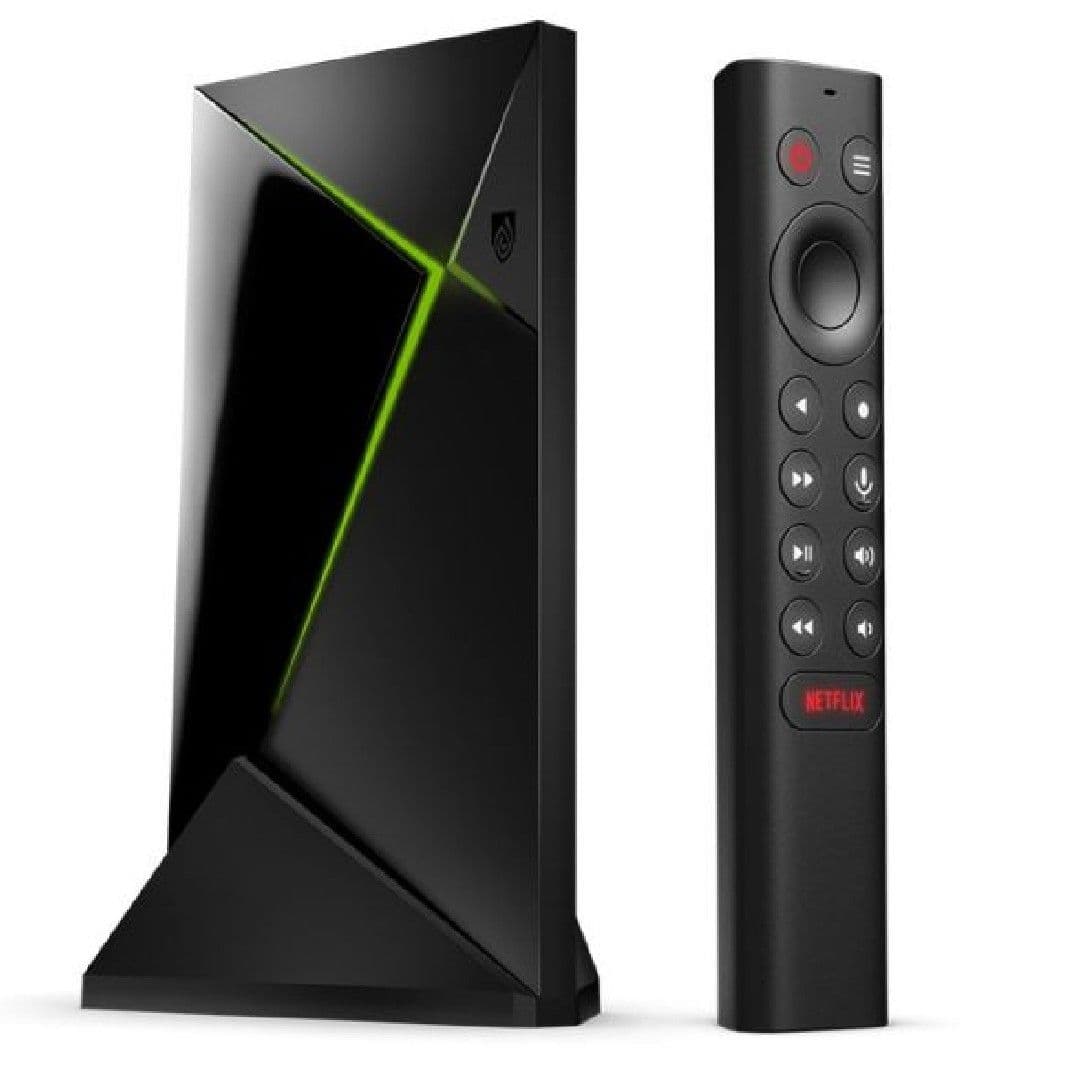
Nvidia’s Shield TV Pro is the best Android TV hardware you can buy right now. It is a competent set-top box perfect for gaming and streaming. However, updates for this device have been few and far between, making it difficult to compare to other devices. The main thing working against Nvidia’s top-tier Shield TV is the price, which is hard to justify compared to gadgets that cost as much as ten times less.
Pros
- Great video quality and AI upscaling
- Game streaming and media server capabilities
- Excellent support from Nvidia
Cons
- The most expensive option on the market
- Pro-features won’t appeal to everyone
- Remote doesn’t receive updates
Most basic streaming devices often come pre-programmed with specific platforms and features already installed and ready to go, which is great for people who aren’t overly tech-savvy. On the opposite end of the spectrum, however, Nvidia’s Shield TV Pro is the best Android TV hardware you can buy right now. It’s not just a competent set-top box. It’s also perfect for game streaming and even running a Plex server, something its die-hard fans will be quick to tell you. It’s also running a stripped-down version of the Google TV UI if you’re after a Chromecast-esque experience.
Since the Shield TV Pro debuted in 2019, updates for this device have been few and far between, while other devices, such as the Fire TV Cube, are receiving more regular updates; this might be something you want to factor in. Overall though, this device can’t compare to many others due to the sheer differences in programming. But really, the only thing working against Nvidia’s top-tier Shield TV is the price. At $200, it’s hard to justify compared to gadgets that cost as much as ten times less.
Source: Google
Google Chromecast with Google TV (4K)
Staff pick
Most affordable device
$40
$50
Save
$10
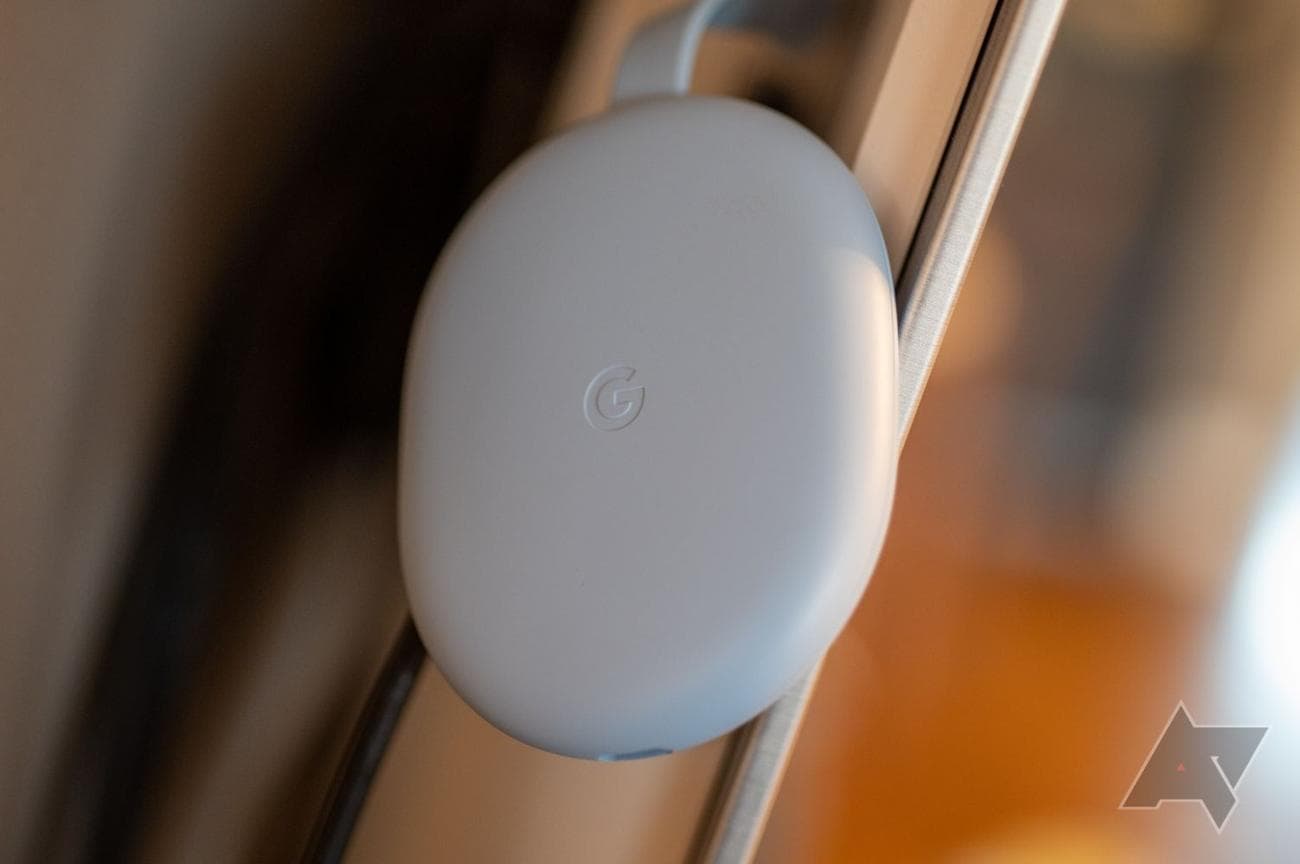
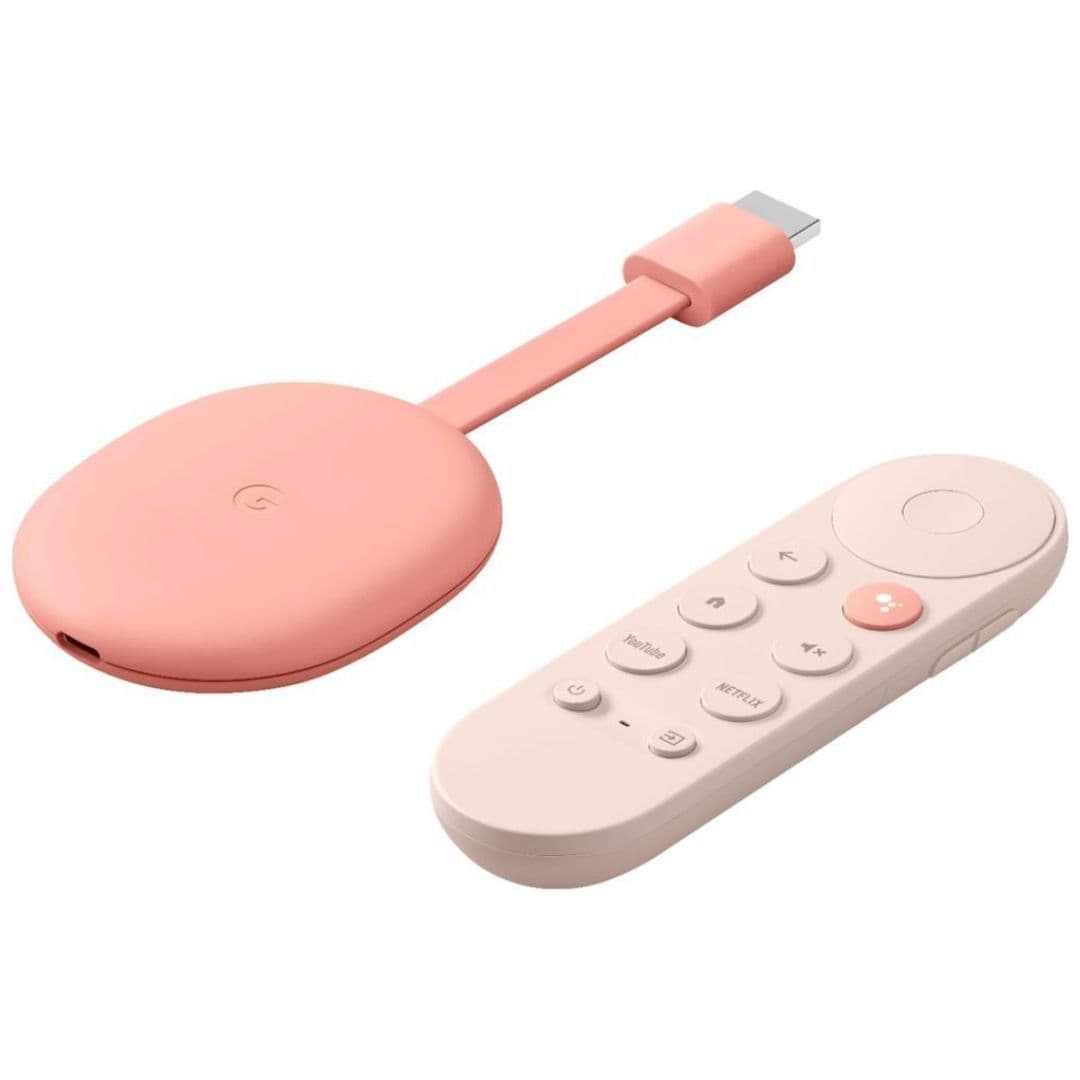
The Google Chromecast with Google TV has remained consistent with keeping its Chromecast up to date with software updates and bug fixes. A new device is rumored to be released, but the well-known Chromecast with Google TV is still a great option for home theater. Though it has limited storage space, it’s still a solid buy with a great UI, remote, and audio/video standards.
Pros
- Great UI and recommendations
- Excellent remote
- Cheaper than last-gen Chromecast Ultra
Cons
- Occasional slowdown on the home screen
- Limited storage space
- Continue watching list can be glitchy
Although it’s been a couple of years since we’ve seen a new device, Google has consistently kept its Chromecast up to date with software updates and bug fixes. If you already have a Chromecast, I’m sure you can attest that Google really seems to care about providing a quality streaming experience for all its users. So when we heard talk about Google potentially releasing a new Chromecast device, it was almost like they listened to their users.
As of yet, we don’t have an official release date or too much information on this new device, but the well-known and loved Chromecast with Google TV 4K is still holding its own as a great all-around option for your home theater. Long-term usage has proven a couple of flaws — namely, a limited amount of storage space that can get bogged down with system files and apps — but that hasn’t stopped us from highly recommending Google’s latest puck-shaped gadget. With a great UI, an excellent remote, and support for all the audio and video standards you’d expect, it’s still a solid buy.
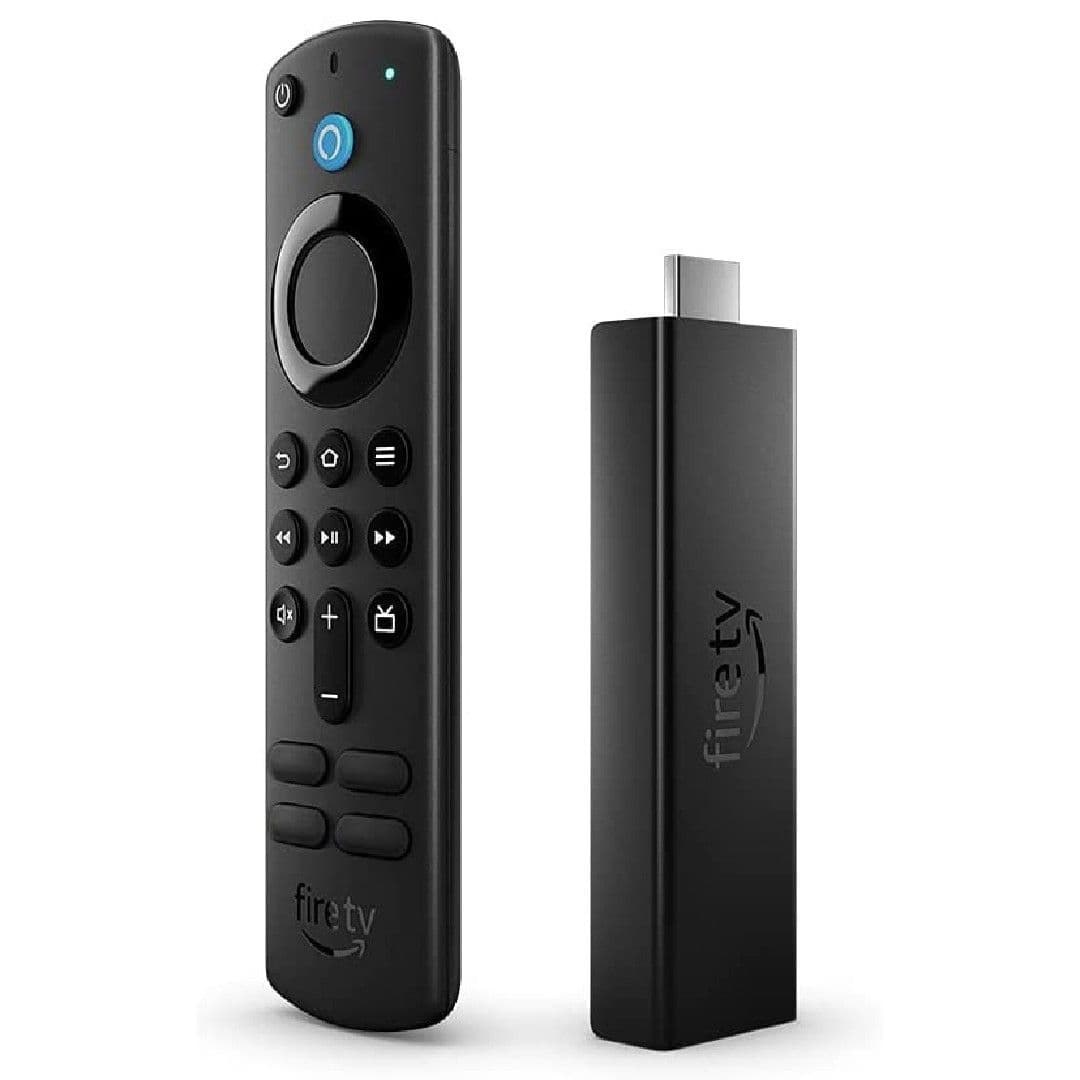
Amazon Fire TV Stick 4K Max
Best value
Fastest streaming device
$35
$55
Save
$20
The Amazon Fire TV Stick 4K Max is 40% more powerful than the Fire TV Stick 4K, offering an improved processor, extra RAM, and virtually no app loading times. It also integrates with the latest Wi-Fi 6 capabilities. The user interface still has some issues, but the tradeoff for a quick, powerful, and affordable streaming device is worth it.
Pros
- Performance speedy as ever
- Excellent video and audio quality
- Only $5 more than the original 4K model
Cons
- Remote includes dedicated shortcuts to services you might not use
- Interface loaded with ads and can be relatively difficult to navigate
- No apps with Google Play
While Amazon has a wonderful lineup of smart TVs, one of the best-selling streaming devices continues to be the Fire TV Stick. More specifically, the latest Fire TV Stick 4K Max, and yes, it is a mouthful to say. It’s small, but it packs a little punch of power. A substantial upgrade from the Fire TV Stick 4K, the Max is 40% more powerful, offering an improved processor, extra RAM, and virtually non-existent app loading times. The Fire TV Stick 4K Max also integrates with the latest Wi-Fi 6 capabilities for next-gen devices. The user interface still has its fair share of issues, but these issues can be easily overlooked for around $50 and often on sale.
If you’re hunting for an Assistant-supported gadget, you will need to pay the bigger bucks for the Fire TV Cube. But if the more simplified Alexa voice remote to search content with your voice is all the assistance you need, you can’t go wrong with the Fire TV Stick 4K Max. Even though Amazon’s devices are more ad-heavy than most, the tradeoff for a quick, powerful, and affordable streaming device seems well worth it.
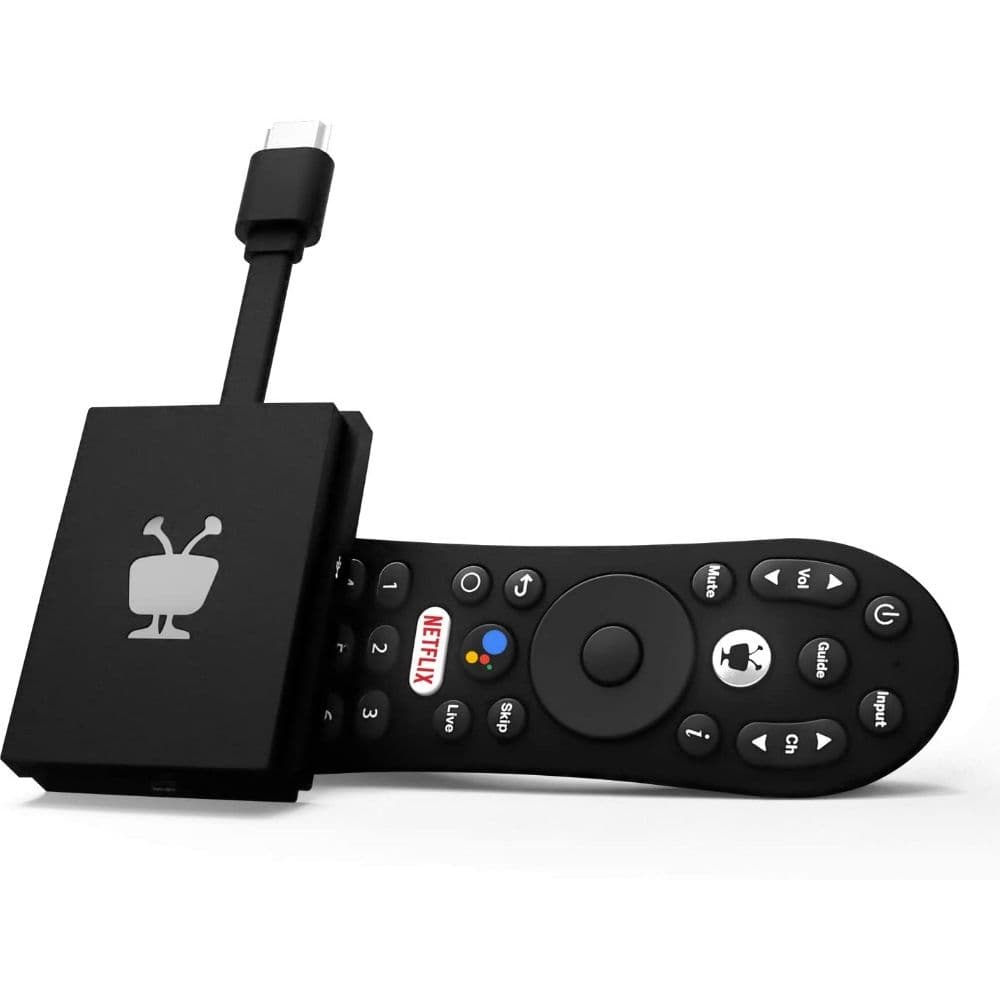
TiVo Stream 4K
Strong underrated device
Holds well against competition
$30
$40
Save
$10
TiVo was one of the first streaming devices to come to market in 1999 and, since then, has advanced to a 4K media streaming device, the TiVo Stream 4K. It’s powered by Android TV and features a quad-core Amlogic processor, Chromecast, Google Assistant, and a remote with a built-in Google Assistant button. It’s also priced at a fraction of its competitors, making it worth every penny.
Pros
- Low cost, very affordable
- Google Assistant compatible
- Live TV support
Cons
- Only compatible with Google Assistant
- Bulky remote
- Interface a little odd
Maybe you heard of TiVo a long time ago and didn’t realize they’re still hanging on, with a pretty solid grasp at that. TiVo was one of the first streaming devices to come to market, beginning as a DVR in 1999, and has advanced to a 4K media streaming device, the TiVo Stream 4K. This device may look small, but it packs quite a punch. Powered by Android TV, the Stream 4K uses a quad-core Amlogic processor to give you all your favorite channels at a super quick speed.
The TiVo Stream 4K is an Android powerhouse integrating some really great features like a built-in Chromecast to cast photos, videos, and music in an instant. In addition, you can use Google Assistant to control your shows hands-free and voice-controlled easily, and the remote also comes with a built-in Google Assistant button. The best part about the TiVo Stream 4K is that it comes at a fraction of the price of its many competitors. So even though TiVo is no longer mainstream, their device is nothing to overlook and worth every penny.
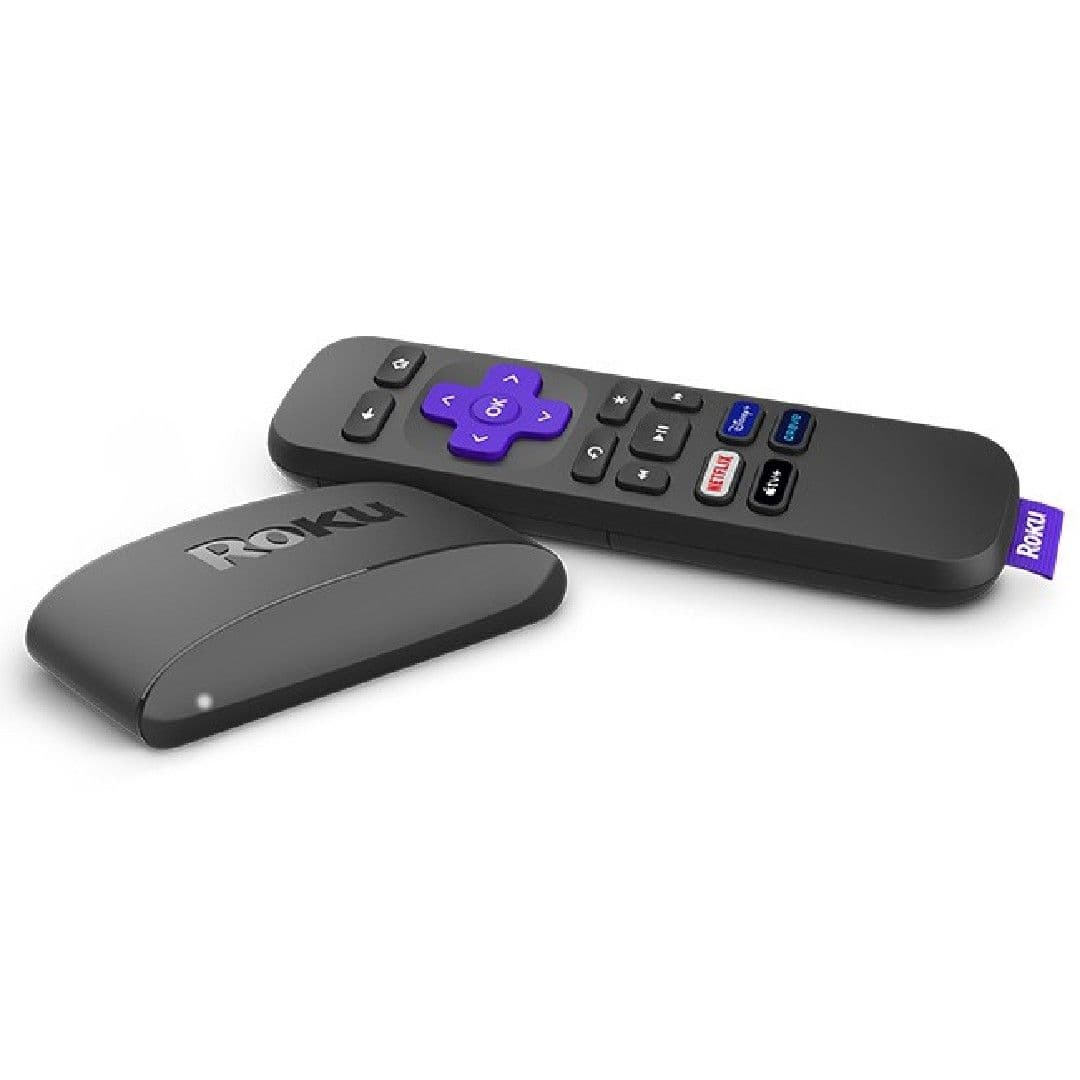
Roku Express 4K+
Budget runner-up
Extremely affordable device
$30
$40
Save
$10
The Roku Express 4K+ is the best entry-level device, featuring support for Alexa and Google Assistant, 4K and HDR10+, and improved networking. Software updates are automatic, and the user interface is a love-it-or-hate-it affair. The remote is simple, but no voice control option, so users must search for everything by typing. The Express 4K+ is usually priced at around $40 but is often discounted as low as $25, making it perfect for a guest or kids’ room TV.
Pros
- Affordable, especially on sale
- Roku OS is simple and easy to learn
- Speedy performance
Cons
- Roku’s UI is pretty dated
- No Dolby Vision or Atmos support
- Roku occasionally loses support for certain apps
Roku has dominated the field of low-cost streaming gadgets for many years, with countless variations available. The Roku Express 4K+ isn’t quite a streaming “stick,” nor is it a massive box; this device is small and oh-so mighty. The Express 4K+ is the best entry-level device that Roku makes today, featuring support for Alexa and Google Assistant, 4K and HDR10+, and improved networking compared to the standard Express. Software updates are automatic, so that is something you don’t have to worry about compared to other streaming devices.
Roku’s user interface is a love-it-or-hate-it affair, but all the usual services you’d expect to find in the competition are here for the most part. As for the remote, if simple is what you want, then simple is what you get. Unfortunately, that also means no voice control option, so you will have to search for everything by typing. Although the Express 4K+ is usually priced at around $40, it’s often discounted as low as $25, which is the perfect price for a guest or kids’ room TV.
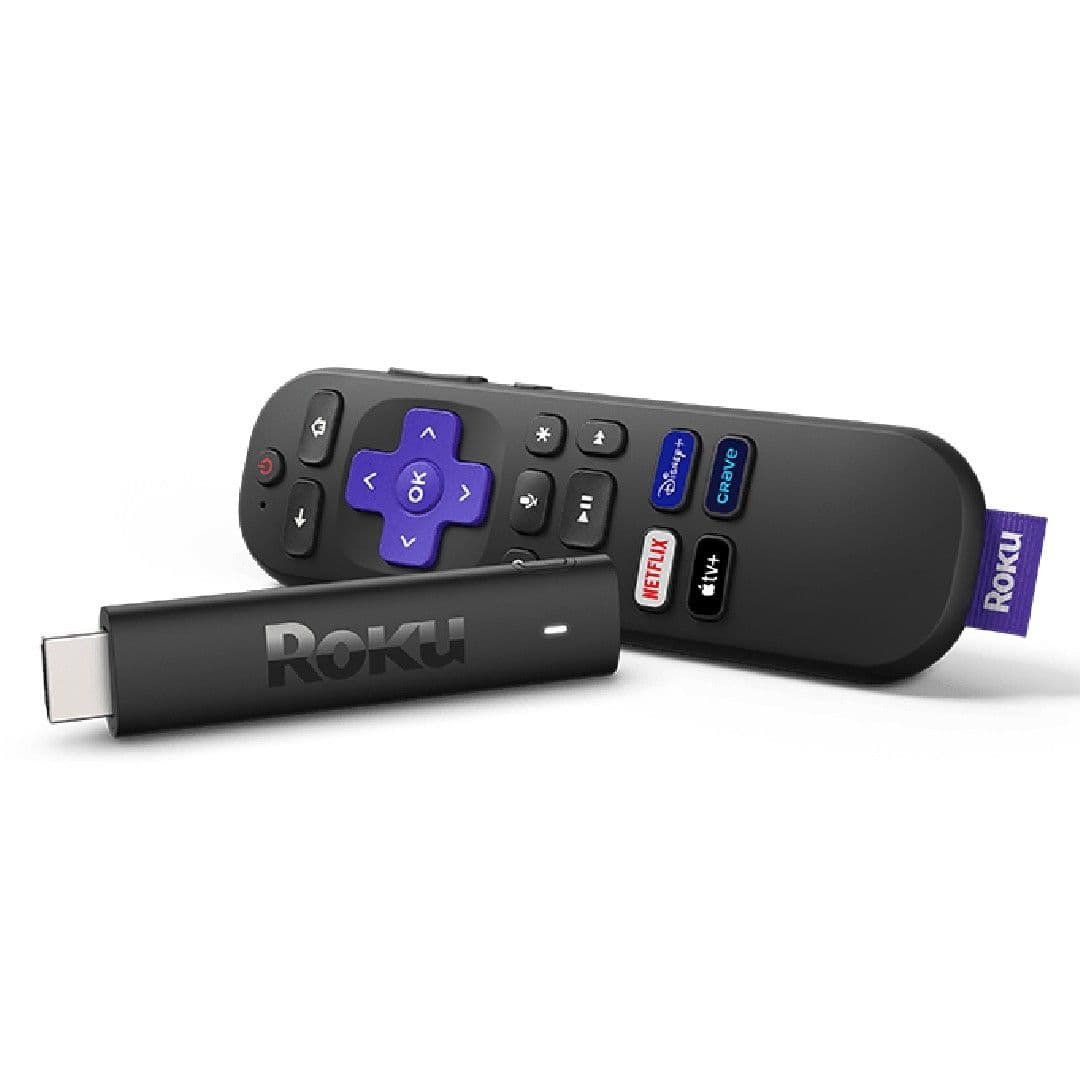
Roku Streaming Stick 4K
Simple and straightforward
Easiest streaming stick for users
$40
$50
Save
$10
The Roku Streaming Stick 4K is a better entry-level device than the Roku Express 4K+ due to its improved picture quality, integration of
Apple
AirPlay and HomeKit, and a voice command button. It also has faster loading times, better performance, and unbranded shortcuts, making it worth the upgrade for most.
Pros
- Easy interface and home screen
- Dolby Atmos support, even if it’s not on the box
- Improved Wi-Fi performance
Cons
- Limited RAM and storage compared to competition
- You’ll have to pay more for the better remote
- No support for Wi-Fi 6E
The Roku Express 4K+ might be the best entry-level device that Roku makes today due to the sheer pricing factor, but the Roku Streaming Stick 4K knocks it out of the park in every other way. By introducing Dolby Vision and HDR10+, the picture quality alone is worth upgrading. Aside from picture quality, the integration of Apple AirPlay and HomeKit gives users more smart home control options, and the new and improved remote finally includes a voice command button. These differences might not seem significant, but if you’ve been stuck typing in all your movie searches, the voice command button might be a life changer.
With faster loading times, all-around better performance, and unbranded shortcuts, the updated Roku Streaming Stick 4K at only $50 is worth the upgrade for most, especially if it is your main streaming device. However, if your Roku Express 4K+ is a secondary room device and is still going strong in the kid’s room, it might be best to let them learn to spell out their favorite shows. Who knows, they might learn a little something themselves.
Nvidia Shield
Compact and dynamic
Best for gaming
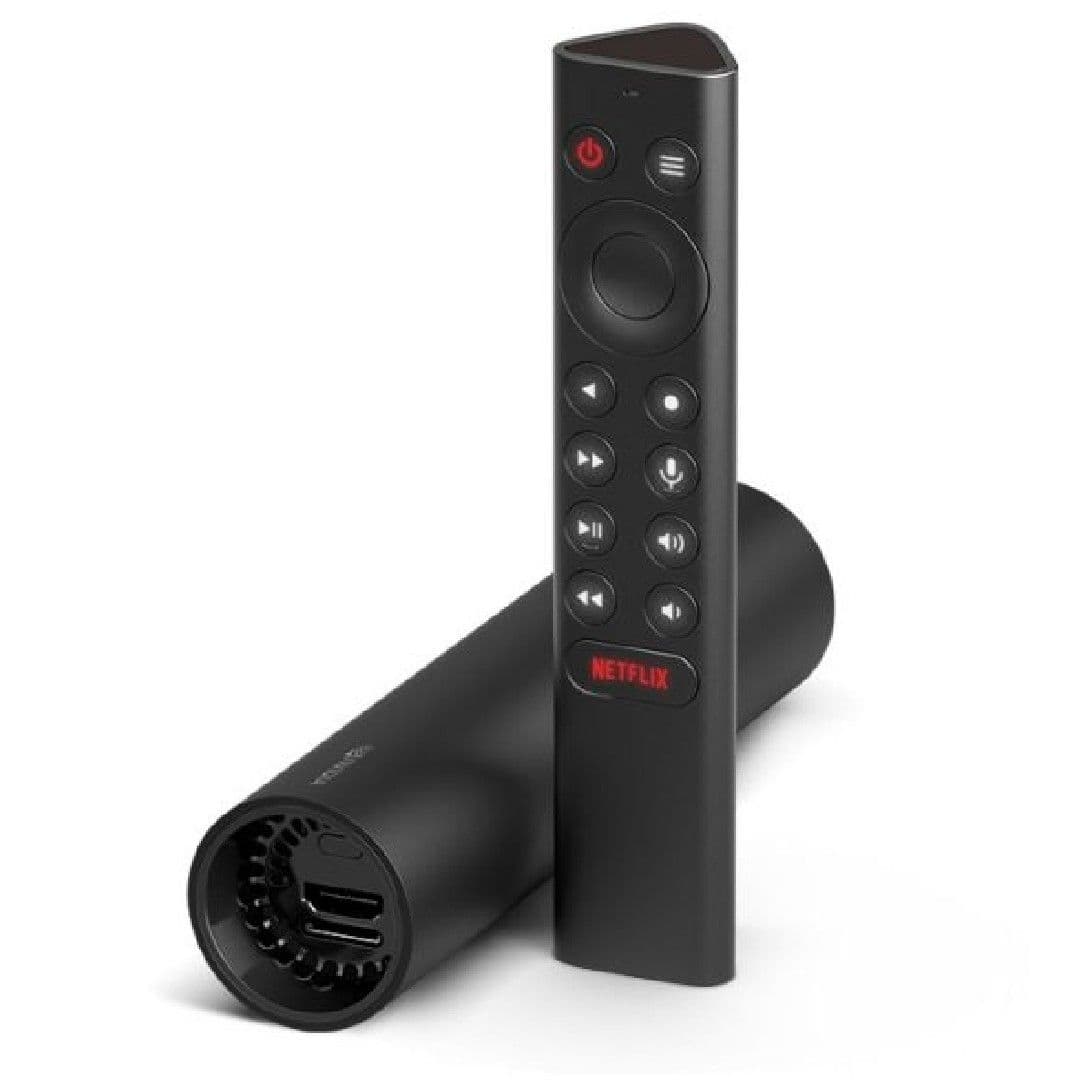
The Nvidia Shield is a redesigned version of the Shield TV with a tube-based look that’s easy to hide behind your television. It is slightly cheaper than its top-tier sister but still costs around $150. It also offers more storage and faster performance than the Chromecast but won’t function as a Plex server. If you’re looking for a basic streaming stick to watch all your favorite shows, the Nvidia Shield won’t let you down as a small but powerful device.
Pros
- Cheaper alternative to the Shield TV Pro
- More powerful than competitors like Google Chromecast
- Great for game streaming
Cons
- Can’t act as a media server
- Still pretty expensive
- No USB ports
We already know Nvidia has a very different approach to the overall operation of their devices, and the classic Nvidia Shield is no exception. This device has been radically redesigned from the non-Pro version of the Shield TV in 2019, switching to a tube-based look that’s easy to hide behind your television. Naturally, with Nvidia devices, the price does reflect the quality, and while the Nvidia Shield is slightly cheaper than its top-tier sister, you’re still looking at around $150 for the streaming stick. The Nvidia Shield does offer more storage and faster performance than the Chromecast, making it a solid upgrade, but this version won’t function as a Plex server.
Now if you’re searching for a basic streaming stick to watch all your favorite shows, you probably don’t need to shell out all this money for the Nvidia Shield. Alternatively, if you just can’t get on board with the basic Chromecast, Amazon, or Roku devices, and you’re looking for more customization options and larger storage capabilities, the Nvidia Shield won’t let you down as a small but powerful device.
Apple TV 4K
Apple powerhouse
Best for Apple users
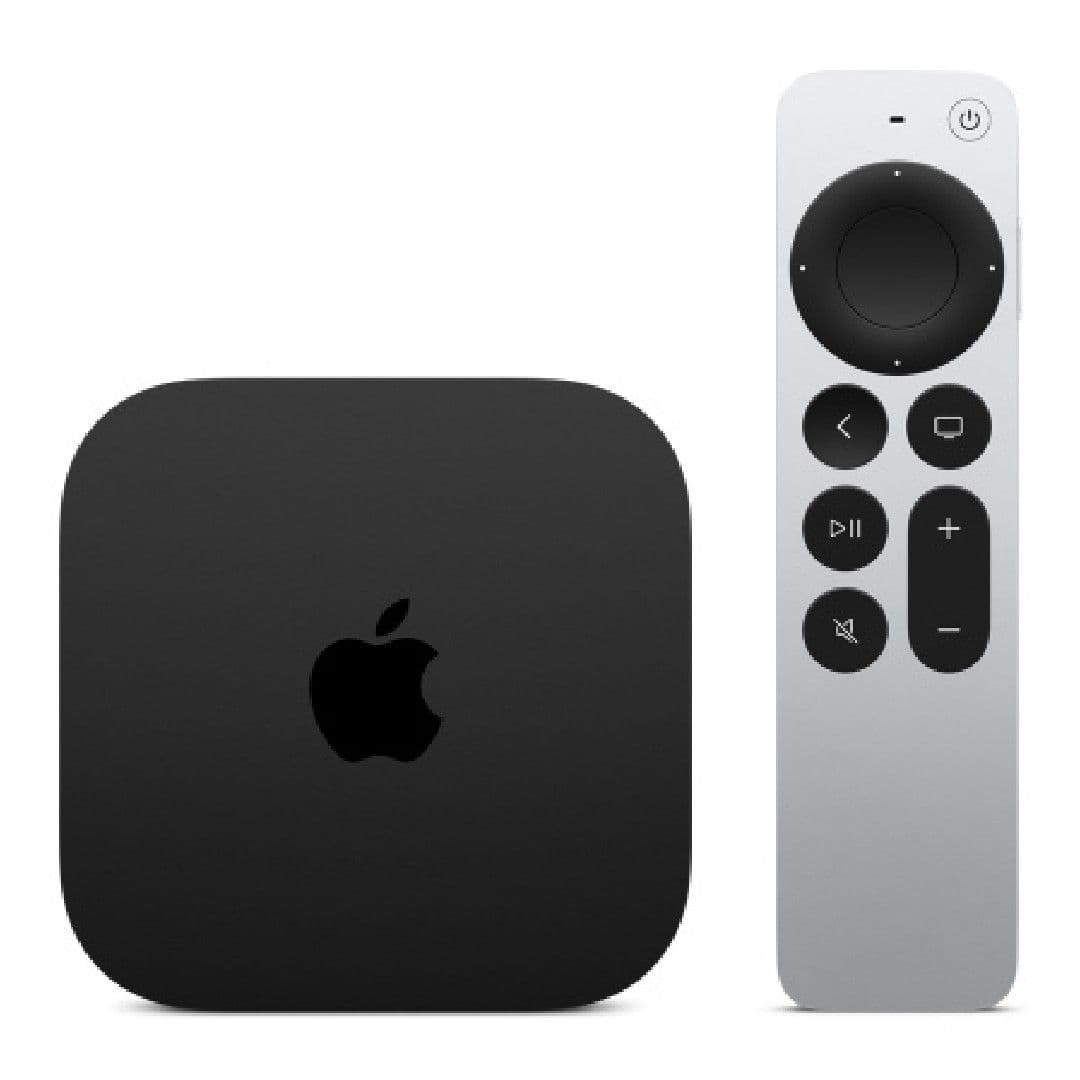
The Apple TV 4K system sits at around $180 and is arguably one of the most powerful streaming devices available for Apple users. Equipped with an A12 Bionic, the Apple TV 4K receives a significant boost in graphics performance, audio processing, and video decoding. It is missing Cast support, and Apple AirPlay won’t do much for many of our readers until the Android crossover is released, but it is a decent and more cost-effective alternative to the Shield TV Pro.
Pros
- Powerful and fast
- Apple Arcade support for gaming
- Improved remote
Cons
- No Cast support for Android phones
- Expensive compared to the competition
- No remote finder app
I know what you’re thinking: why would Apple TV make this list when it’s exclusive to Apple users? Well, that’s where the game is changing big time. While still in beta testing, Apple has recently announced its plan to bring the Apple TV+ collection to Android users. So, even though it will be a good while before anything is released to the public, we do have this avenue from Apple to look forward to.
The Apple TV 4K system is priced at around $180 and is arguably one of the most powerful streaming devices you can buy. It comes with an A12 Bionic, significantly boosting graphics performance, audio processing, and video decoding to create a quality entertainment experience right in the comfort of your living room. Apple Arcade makes for a decent home console replacement, while the redesigned remote again includes a D-pad (after swapping it for a touchpad in previous generations). It is obviously missing Cast support, and Apple AirPlay won’t do much for many of our readers until the Android crossover is released. But if you have Apple devices, the Apple TV 4K is a decent and more cost-effective alternative to the Shield TV Pro.
Onn Android TV 4K
Cheap off-brand device
Last resort option
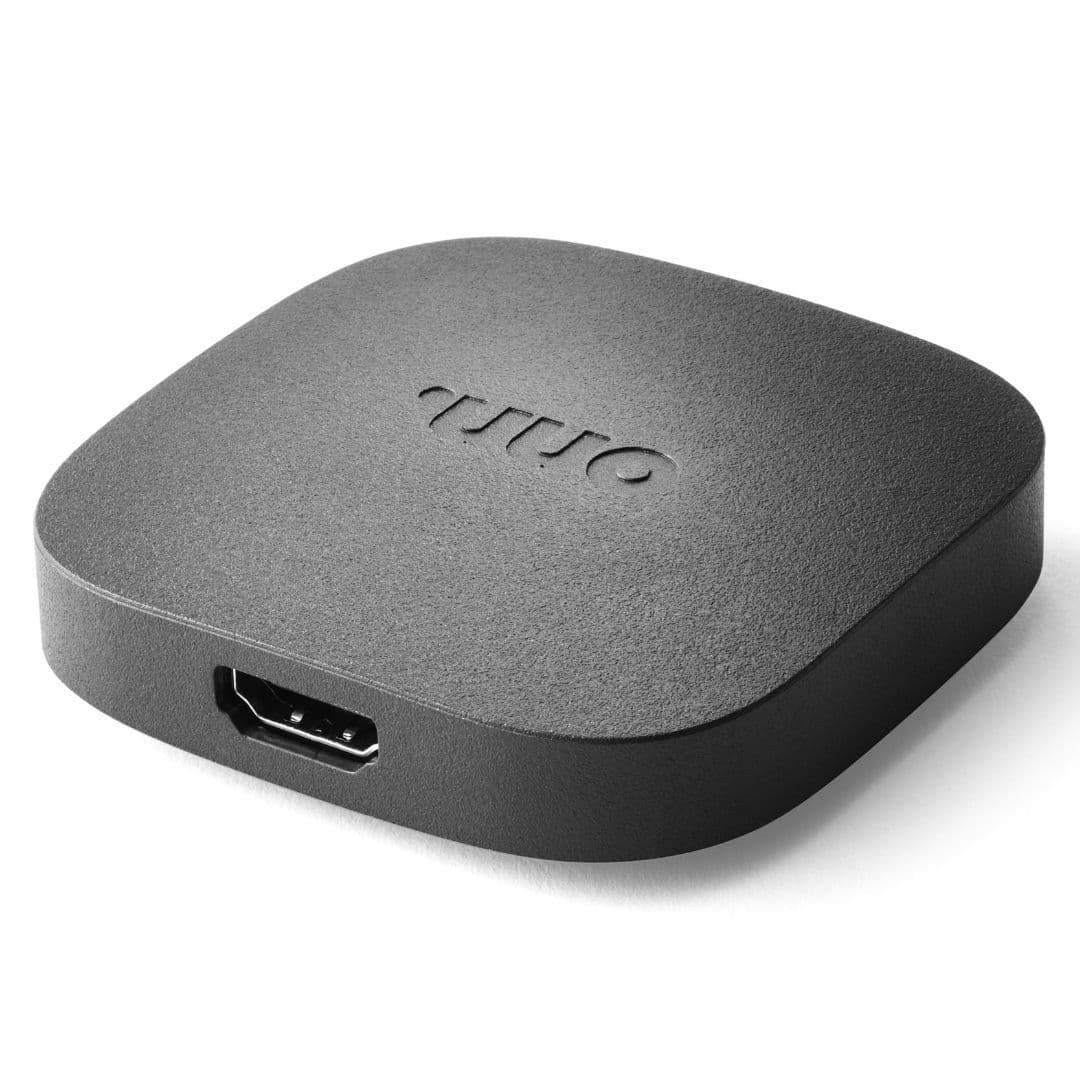
The Onn Android TV 4K is a low-cost streaming device with Dolby Vision and a smart assistant built into the remote. It is similar to Google’s Chromecast but has a no-frills Android TV interface while missing some of the flourishes offered by Chromecast. However, it is a great option for multiple rooms and is often on sale. Walmart plans to release a new 4K streaming stick with some great features in the near future.
Pros
- One of the cheapest options available
- Smooth and fast performance
- Very cheap
Cons
- Some missing standards like HDR10+ and Dolby Atmos
- Mediocre remote
- Missing Google TV features found on the Chromecast
Walmart’s own streaming device, the Onn Android TV Box, is one of the most affordable and low-cost options for streaming devices. But with such a low price, it’s not expected to have many fancy features. Like Google’s Chromecast, this TV box supports Dolby Vision and includes a smart Assistant built into the remote. However, you will have to settle for a no-frills Android TV interface, and it’s missing some of the flourishes offered by Chromecast (Dolby Atmos and HDR10+, for example). That said, for a low-cost streaming device often on sale, the Onn Android TV box is a great option for multiple rooms. The TV box keeps you from shelling out tons of money for multiple streaming devices.
If you’re less of a fan of big and bulky TV boxes and prefer a small streaming stick, you have this to look forward to soon: According to reports from 9to5Google, Walmart plans to release a new 4K streaming stick to their Onn brand devices with some great features. In the meantime, if you’re looking to pick up a cheap streaming device, the Onn Android TV Box will have you well on your way to streaming your favorites.
Stream your favorite shows however you want
With the sheer amount of streaming platform options out today, finding the best streaming services can be overwhelming, especially since they generally offer access to the same platforms and content. For example, you can watch Apple TV+ on your Roku or Amazon Prime Video on your Chromecast, so the things that separate the hardware and their platforms are in the margins — the remotes, the UI, and the overall experience.
If you’re looking for the best overall streaming device, you’ll probably want to take a closer look at the Amazon Fire TV Cube. This small but powerful device isn’t just a streaming platform — it’s also your dedicated smart home control hub using Amazon’s Alexa Assistant. This do-it-all streaming device is appropriately priced for all the functions it offers. But if you’re looking for something more affordable, we believe the Chromecast with Google TV (4K) is the best option, and many of us use these for multiple hours every day.
It’s easy to fall in love due to the remote Google designed for Chromecast with Google TV (4K) and Google Assistant’s speed. However, even though the Chromecast updates are still coming in, it’s hard to deny the strain the 8GB of storage places on you, especially once you get above a dozen streaming services. With the rumors of a new Chromecast coming soon, we can expect big things soon.
If storage woes with the Chromecast are an issue, the NVIDIA Shield TV Pro answers that in ways no other device on this list can. The ability to add external storage drives and use the Shield TV Pro as a Plex server is a unique and alluring proposition for those of us who prefer to curate our own media catalog.
When it comes to affordable devices with the best streaming values, it truly is a close race between Roku and the Amazon Fire TV Stick. These devices offer their own features, each with its shortcomings, but the Amazon Fire TV Stick Max gives you the best value for a streaming device that won’t break the bank.