Best Wi-Fi 6 routers for your home in 2023
Related Posts
If you’re in the market for a new router for your home, it makes sense to pick one that supports the newer Wi-Fi 6 standard. It will be good for future-proofing your home network and boosting network performance for all your connected devices — with better bandwidth allocation and channel capacity over previous Wi-Fi versions. As a bonus, these modern routers come with several convenient features, such as app support and a ton of smart controls for your network and the devices on it.
So many routers on the market offer different features and capabilities — especially once you get into Wi-Fi 6 mesh routers — that it can be tough to find the right one. But from all those options, we handpicked some of the best Wi-Fi 6 routers to beef up your home network and allow for your ever-growing smart home setup.
These are the top Wi-Fi 6 routers for upgrading your home network
Asus RT-AX86U Pro
Best overall
The right router for your gigabit connection
The Pro upgrade for Asus’s popular RT-AX86U comes with all the bells and whistles you can ask for from a modern router and then some. It can easily handle your gigabit internet connections, and Asus bundles its security suite with the router without any extra monthly fee.
Pros
- Comes with an upgraded processor
- Offers a 2.5GbE LAN port
- AiProtection Pro is bundled for free
Cons
- Slightly pricey for a standalone router
The most notable upgrade on the Asus RT-AX86U Pro has to be its processor. It’s a new quad-core unit that runs at 2GHz and is paired with 1GB of RAM. This extra horsepower allows it to better support your entire smart home setup, efficiently handle your QoS rules, and even run VPN natively on the router, saving you from setting up VPN individually on all your devices.
Its three high-gain external antennae can cover a medium to large home without dropping signals at the outer edges. But Asus lets you extend its range even more with an AiMesh-compatible extender for a rock-solid connection even in your backyard. And in case you want to have a wired connection to your gaming console, you will find the included 2.5GbE port on the router’s back handy. Being a gaming router, additional features are included, such as setting up gaming profiles and prioritizing mobile gaming to give you an edge in multiplayer games.
In terms of other modern features, you get the whole package — OFDMA, Beamforming, MU-MIMO, and 160MHz wide channel — you name it! Plus, you won’t have to spend a dime extra as the Asus RT-AX86U Pro comes bundled with AiProtection Pro without any monthly subscription.
Amazon
Eero Pro 6
Premium pick
Fix spotty network in your multi-storied home
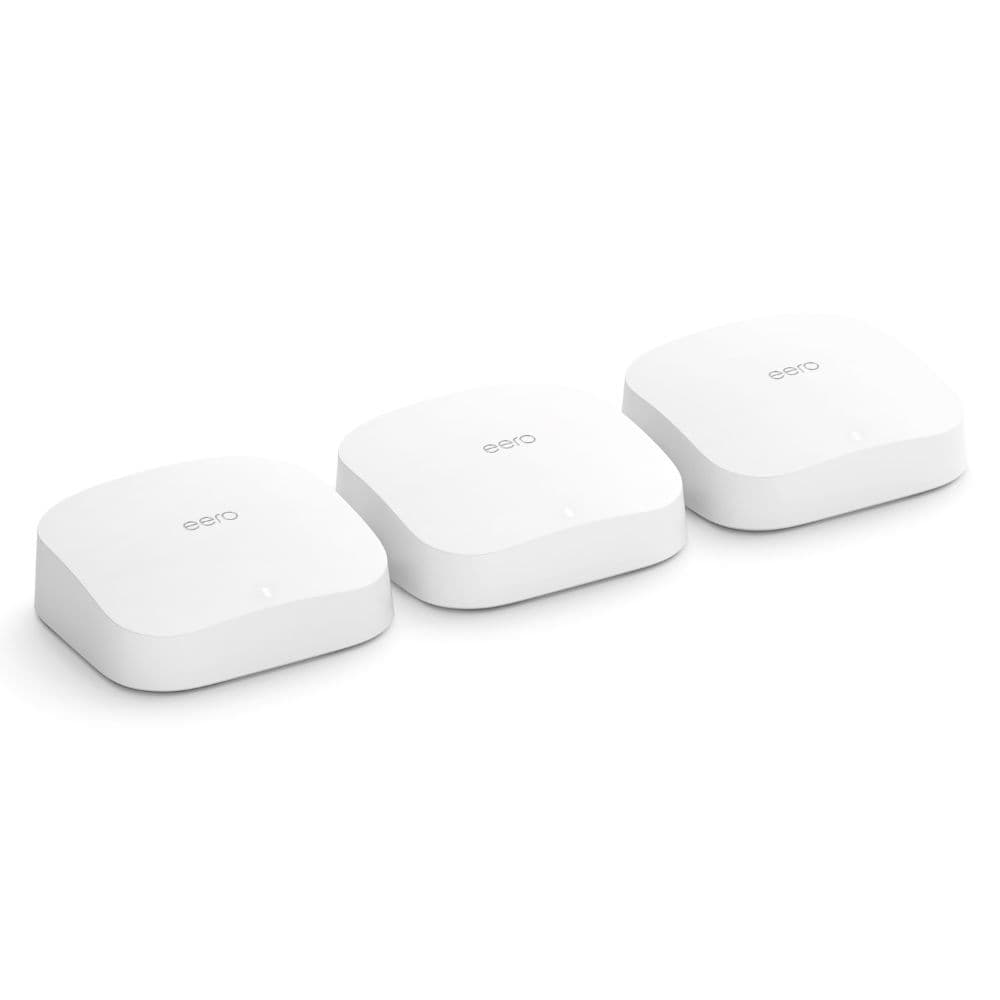
Bring home the Amazon Eero Pro 6 — a true mesh system that fixes your spotty home network. This router system is easy to set up, works well with the Alexa ecosystem, and has Zigbee built-in for controlling your smart home devices without requiring a dedicated hub.
Cons
- Some essential features need a monthly subscription
- Not cheap
Giving you the benefit of a whole-home Wi-Fi network, Amazon’s high-end Eero Pro 6 can cover up to 6,000 square feet with its 3-pack option, but if you don’t need that much coverage, there’s a 2-pack option, too. This Pro model has a slimmer profile than its non-Pro alternative and comes in a pretty discreet design that you don’t have to hide.
The Eero Pro 6 is a tri-band system, which means it has a dedicated 5GHz band for backhaul to talk to other Eero nodes in your house without eating up the bandwidth; it’s among the cheaper routers to offer this feature. Plus, each unit (the main router and satellite nodes) has Zigbee built-in, which lets you connect your smart home devices without needing additional hubs.
As we mentioned in our Eero Pro 6 review, the router was easy to set up and use, with excellent network performance in terms of coverage and throughput. Everything you need is available in the easy-to-navigate companion app (there’s no web interface). However, certain features like parental controls and detailed insights are behind the paywall, and you must cough up $3 or $10 every month to access those features, depending on the package you pick.
TP-Link Archer AX55
Best value
Best bang for your buck Wi-Fi 6 router
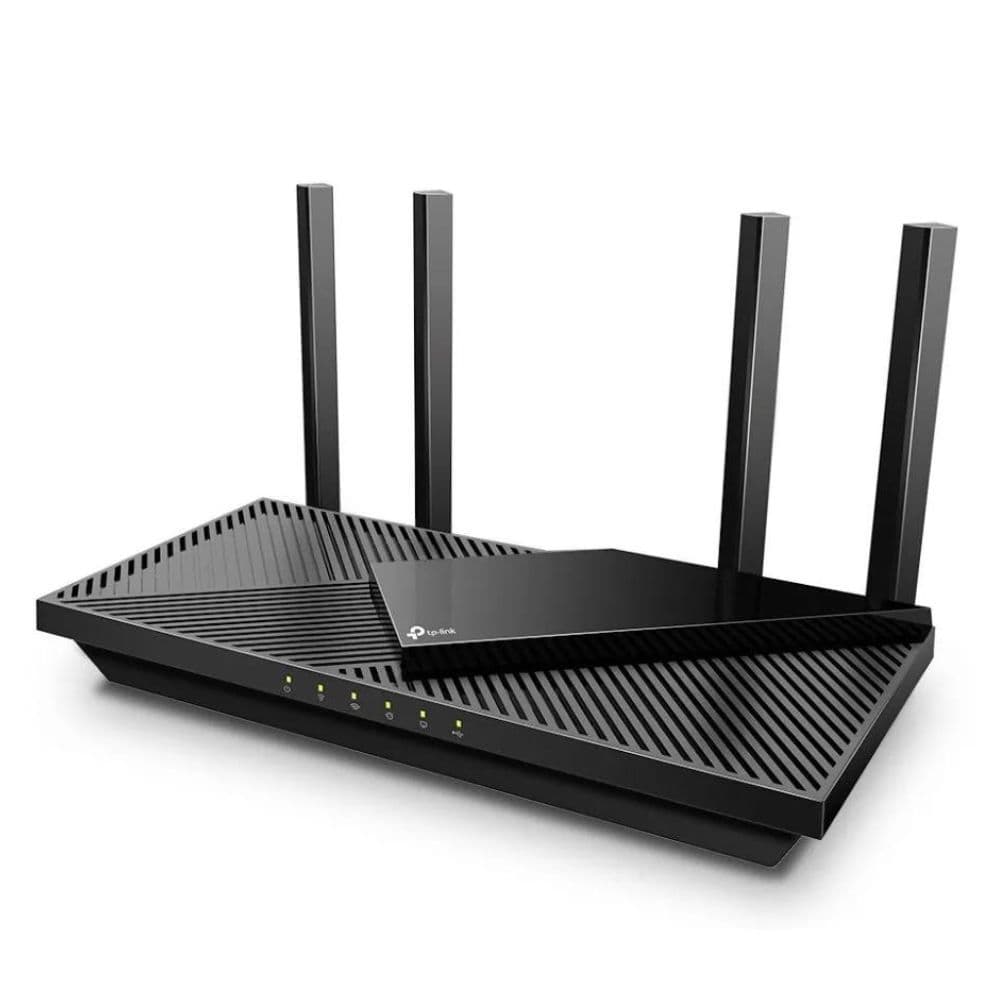
With the TP-Link Archer AX55, you can give your home a much-needed Wi-Fi 6 upgrade without going over budget. Despite its affordable price, this router is packed with smart features that you may typically find on pricier models, and it doesn’t compromise on full-house coverage either.
Pros
- Improved and more stable signal performance
- Excellent value for your money
- Plenty of smarts with HomeShield, OneMesh, and Alexa
Cons
- No link aggregation and MU-MIMO
- HomeShield requires you to pay a monthly fee
When it comes to affordable routers, TP-Link’s budget Archer AX series offers the best value for your money. The TP-Link Archer AX55 is a recent addition to the company’s affordable lineup and includes many smart features that you expect from a modern router without breaking the bank. While the Archer AX55 looks very similar to the Archer AX50 on paper, a lot has changed on the inside to make it a far better performer than its predecessor.
For starters, the company has used a much-improved dual-core processor from Qualcomm and doubled the RAM capacity on the new model. These hardware upgrades translate into a far more stable network performance on the Archer AX55, fixing a major weakness of the previous model’s 2.4GHz band. If you have up to 500Mbps connection in your small home or apartment, this AX3000 router would be sufficiently fast and capable for your needs, even if you have tens of smart home devices.
Aside from all the smart features borrowed from the outgoing model, like Beamforming and OFDMA, the Archer AX55 now supports OneMesh, TP-Link’s mesh solution for adding compatible mesh extenders to increase the router’s coverage later. The company has also upgraded the included security system to HomeShield, which is now even more family focused with granular controls and features like time rewards, protection for IoT devices, and malware protection. However, many advanced tools, such as setting time limits for users and traffic stats, have been put behind a $6 per month subscription.
TP-Link Archer AXE75
Wi-Fi 6E on a budget
Stay a step ahead of the curve with a Wi-Fi 6E router
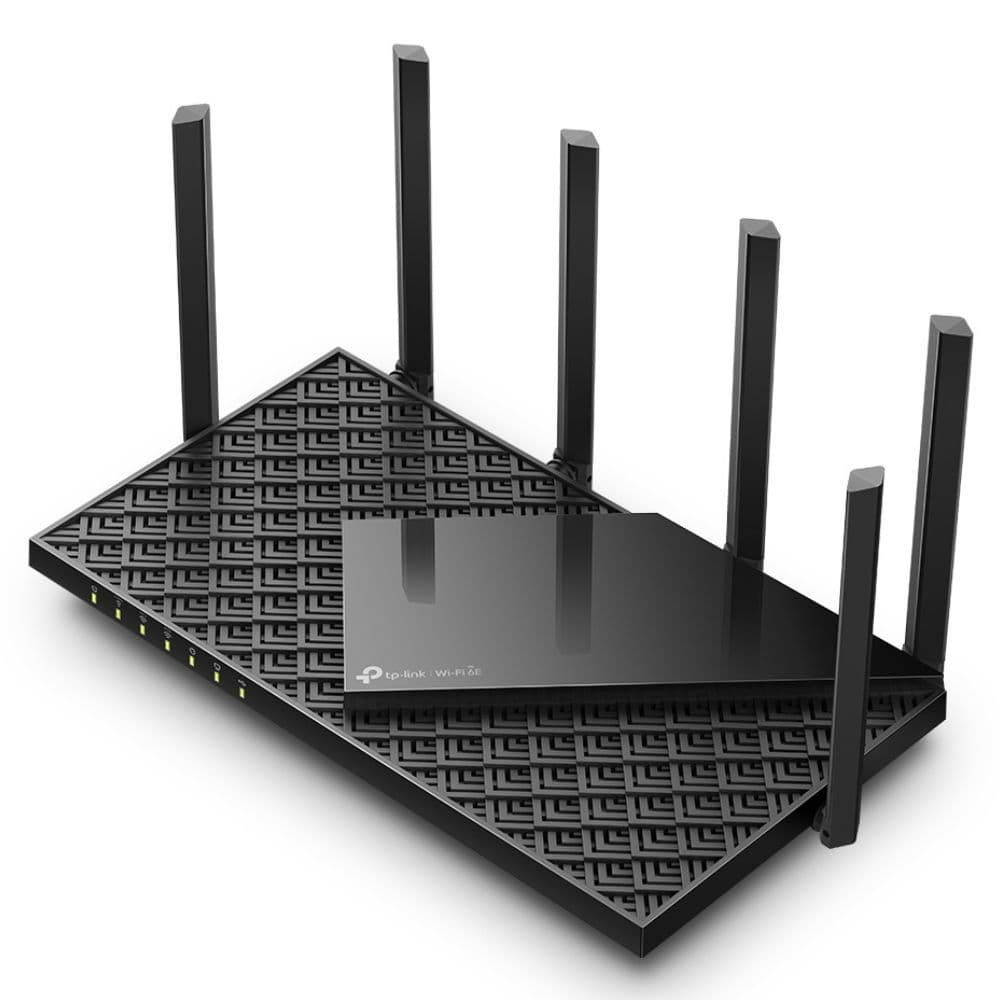
The tri-band TP-Link Archer AXE75 gives you access to a third 6GHz band, which is way less congested than your regular 2.4GHz and 5GHz bands. While Wi-Fi 6E routers are still new, this TP-Link router lets you stay ahead of everybody else and make full use of your phone’s Wi-Fi 6E capabilities.
Pros
- Gets you Wi-Fi 6E on a budget
- Can handle gigabit connections
- Six-antenna setup for better coverage
Cons
- 6GHz band does not offer the best range
- HomeShield Pro is a paid subscription
The Wi-Fi 6E standard may still be relatively new, but you don’t necessarily need to spend top dollar to access it. With the Archer AXE75, you can have the full tri-band Wi-Fi experience while staying within your budget. But its affordability doesn’t mean it’s lacking in any way. TP-Link has included a respectable quad-core processor and ample RAM for efficient network management.
You will find an array of six external antennae, ensuring excellent reception around your house so that all your smart home devices stay online without a hiccup. And you can expect better speeds with the less congested 6GHz band, which will surely come in handy if you live in an apartment building — but don’t count on the third band to cover a large area. Thankfully, the Archer AXE75 is designed to handle even gigabit internet connections, which is a big deal for a router of this price.
The Archer AXE75 pairs with TP-Link’s easy-to-use and clean Tether app, so you won’t have trouble navigating your way around the app. For certain advanced settings, you will have to use the web interface, but that shouldn’t happen very often. You can manage most of your basic QoS and parental settings from the phone app itself.
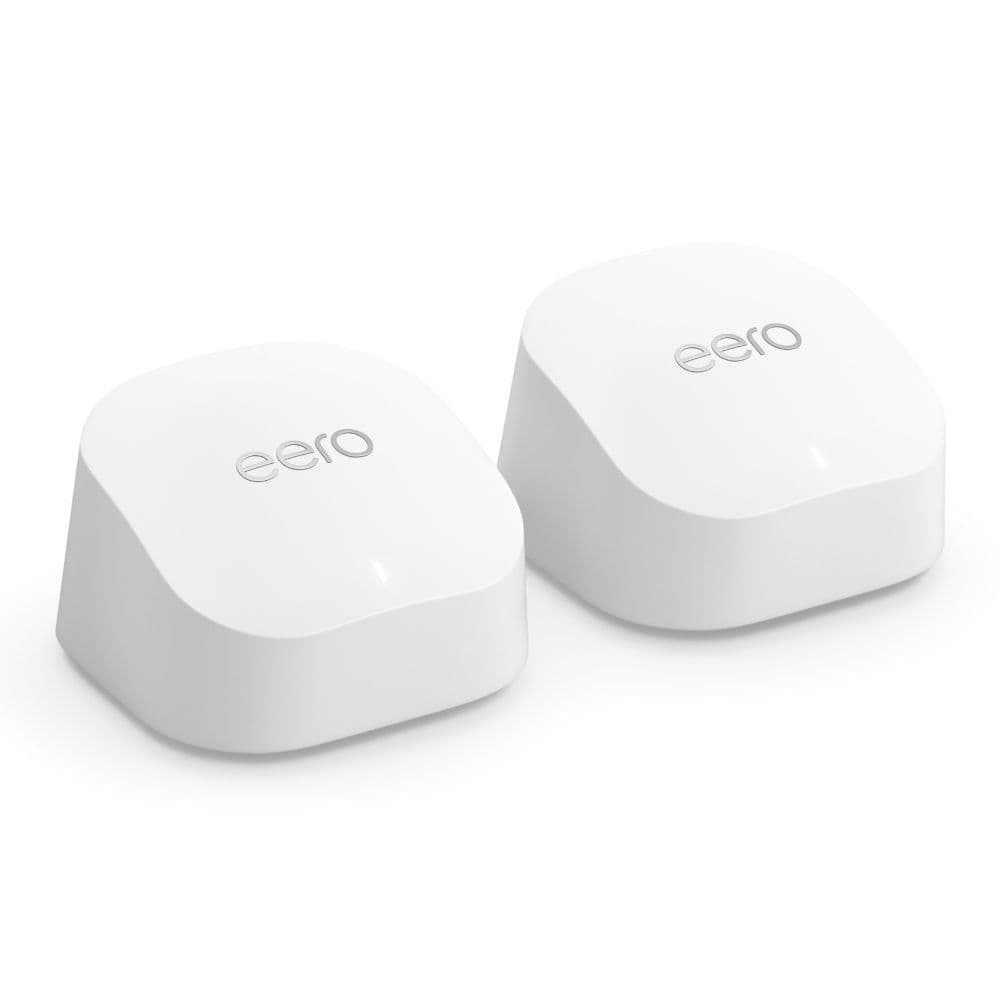
Eero 6+
The Eero model for most
The more flexible Amazon Eero mesh system
This Plus upgrade for the Amazon Eero 6 range brings you the ability to handle gigabit connections, and each node now comes with a pair of Ethernet ports. This means you can hook wired devices around the house and even connect a switch for even more flexibility.
Pros
- Significant network improvements for gigabit connections
- Excellent coverage
- Built-in Zigbee hub
Cons
- Many features are tucked behind a paywall
- Noticeable latency when online gaming
The upgraded Eero 6+ takes all the goodies of the previous model and makes the package even better with support for higher wireless speeds. The new Plus model supports up to a 1Gbps connection, double the non-Plus variant. In our testing, the improved network performance on the Eero 6+ was evident on nearly all client devices, though latency in online gaming wasn’t up to the mark. For anything that requires low latency, such as online gaming, you can always use a wired connection, which is now possible as each node on the Eero 6+ comes with two gigabit ports.
As an Amazon product, the Eero 6+ works flawlessly with any Alexa-powered speaker, allowing you to change basic settings with just a voice command. However, you will have to rely on the companion app for most other settings since there’s no web interface as with conventional brands. The app interface is simple and easy to understand, which would help those who aren’t as tech-savvy. Yet, the app irks you by constantly nudging you to take Eero’s premium subscription to unlock additional settings and features.
A 3-pack Eero 6+ costs $300 at its full MSRP, which is a tad more expensive than the Eero 6. But that higher price gets you significant performance improvements with gigabit speeds and a 160MHz channel width, making the Eero 6+ well worth its price. In addition, each node has a Zigbee hub built-in, further saving you some cash.

Netgear Nighthawk RAX70
The head turner
Bring home a spaceship and use it as a router, too
This eye-catching router is packed to the brim with features along with the support for super-fast wireless internet across three bands. Your devices can connect to the most suitable and fastest band, which means connection drops will be a thing of the past during your Zoom calls or online gaming sessions.
Pros
- Excellent signal performance and throughput
- Can easily cover a house of about 2,500 square feet
- Packed with all the smarts expected from a modern router
Cons
- Many security features require a paid subscription
- Limited number of LAN ports
Do you want a spaceship in your home? You can indeed have one, and it will double up as a top-notch Wi-Fi 6 router! The Nighthawk RAX70 from Netgear draws many eyes with its interesting design, but the router’s network performance really makes it worth it. To let you stream your 8K videos or 4K games without a hitch, this tri-band router uses two 5GHz bands for added throughput. Even its standard 2.4GHz band supports high transfer speeds that can go up to 600Mbps, allowing even your farthest smart gadgets, like garage sensors or backyard sprinklers, to receive good signal strength.
The Nighthawk RAX70 is made for gigabit connections (multi-gig network is supported with port aggregation) and can easily replace your mesh system in a medium to large house, thanks to its high-gain antennae hiding inside those wings. And with eight simultaneous network streams, you won’t have to face slow internet speeds on your phone even if someone is binging a Netflix series in 4K on the living room TV. All this handling is done using a beefy quad-core processor, giving the router ample performance headroom for years to come.
Netgear routers come with a neatly laid out companion app, and it’s pretty easy to find the feature you’re looking for. The Netgear Armor app is powered by Bitdefender and offers robust network tracking and security features such as vulnerability scans and anti-theft protection for all your connected devices. And your kids get a dedicated app to see their allotted time and permissions right on their devices. But as you’d expect, many of these features require a paid subscription, which is becoming the norm with new-age routers.
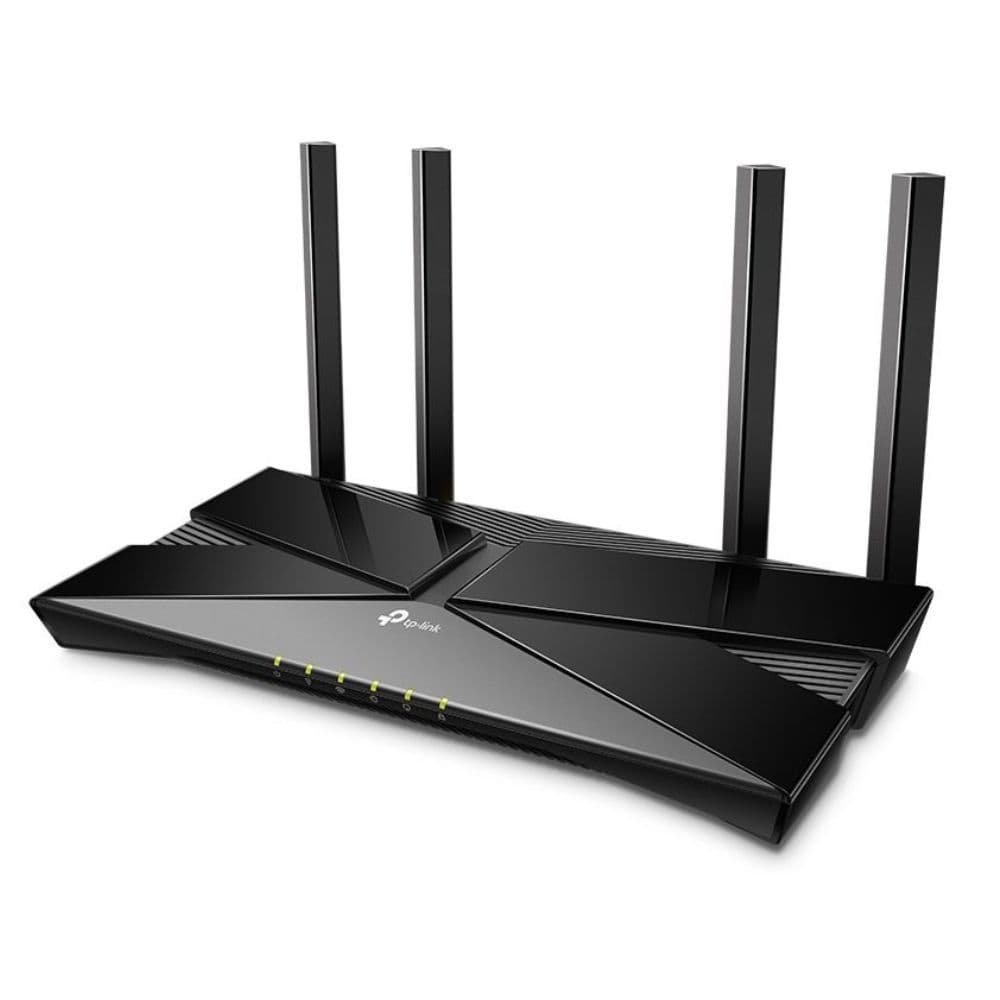
TP-Link Archer AX10
Cheap yet capable
Those on a tight budget cannot go wrong with the Archer AX10
For under $80, you can bring home a perfectly capable Wi-Fi 6 router with advanced features such as voice control with Alexa, OFDMA, and MU-MIMO. And with those external antennae, signal reception won’t be a problem at all in your apartment, even if you have tens of connected devices.
Pros
- Management is easy with Tether app
- OneMesh support
- Several advanced connectivity features
Cons
- Only basic parental & QoS controls
- No USB port
If you don’t want to spend a lot on a router or want something basic, say for a small apartment, the TP-Link Archer AX10 meets those needs. A lower-end trim of our best-value pick, the AX10 borrows many features, like app support, MU-MIMO, beamforming, and some basic QoS and parental controls from the AX50. On top of that, it gets OneMesh and WPA3 support, which the AX50 lacks. TP-Link has outfitted this router with a capable processor and memory configuration, which should be more than enough for connecting tens of smart home devices at once.
As for the range, you can expect a strong performance on both bands, though don’t bank on it to cover every corner of a large home. If you aren’t expecting a lot from the Archer AX10 in terms of coverage, it’s a terrific Wi-Fi 6 router for the price. It’s an AX1500 router, so it can technically handle gigabit connections, but the speeds will fall off quickly as you move further. This router works better with your basic internet connections up to 300Mbps, where the speed drop won’t be as dramatic.

Netgear Nighthawk RAX43
Max performance for small homes
Perfect fit for high-speed internet in an apartment
The Netgear Nighthawk RAX43 is made for a range of 2,000 square feet, but it can deliver gigabit-class speeds within that range. Plus, it can just as easily handle your gaming as it does your online work needs. And unlike many other routers, the Nighthawk RAX43 works with both
Google
Assistant and Alexa.
Pros
- Reliable signal performance in the suggested range
- Speeds are good even on the 2.4GHz band
- Works with Google Assistant and Alexa
Cons
- Netgear app does not offer the smoothest setup process
- Subscription required for advanced security features
You can easily get by without any of the best mesh routers in a house or an apartment under 2,000 square feet, but you will need a solid standalone router like the Netgear Nighthawk RAX43. This mid-tier router from one of the most trusted networking brands takes in a gigabit internet connection and maintains a strong signal throughout your house using its four external antennae.
From the initial setup on the web to handling device configuration from a modern companion app, things work seamlessly across the board (the setup process on the app could use some work, though). In addition, it is compatible with both Alexa and Google Assistant, so it can easily integrate with either smart home ecosystem. However, Netgear requires you to pay a monthly fee if you want to access advanced security and parental controls after a 30-day trial.
Speaking of smart homes, the Nighthawk RAX43 can handle over two dozen connected devices simultaneously, enough for an average home. It supports Beamforming+ on both bands for a better signal-to-noise ratio on compatible client devices. And if you want to hook your gaming PC or Nvidia Shield over LAN, you can do so with four gigabit ports.
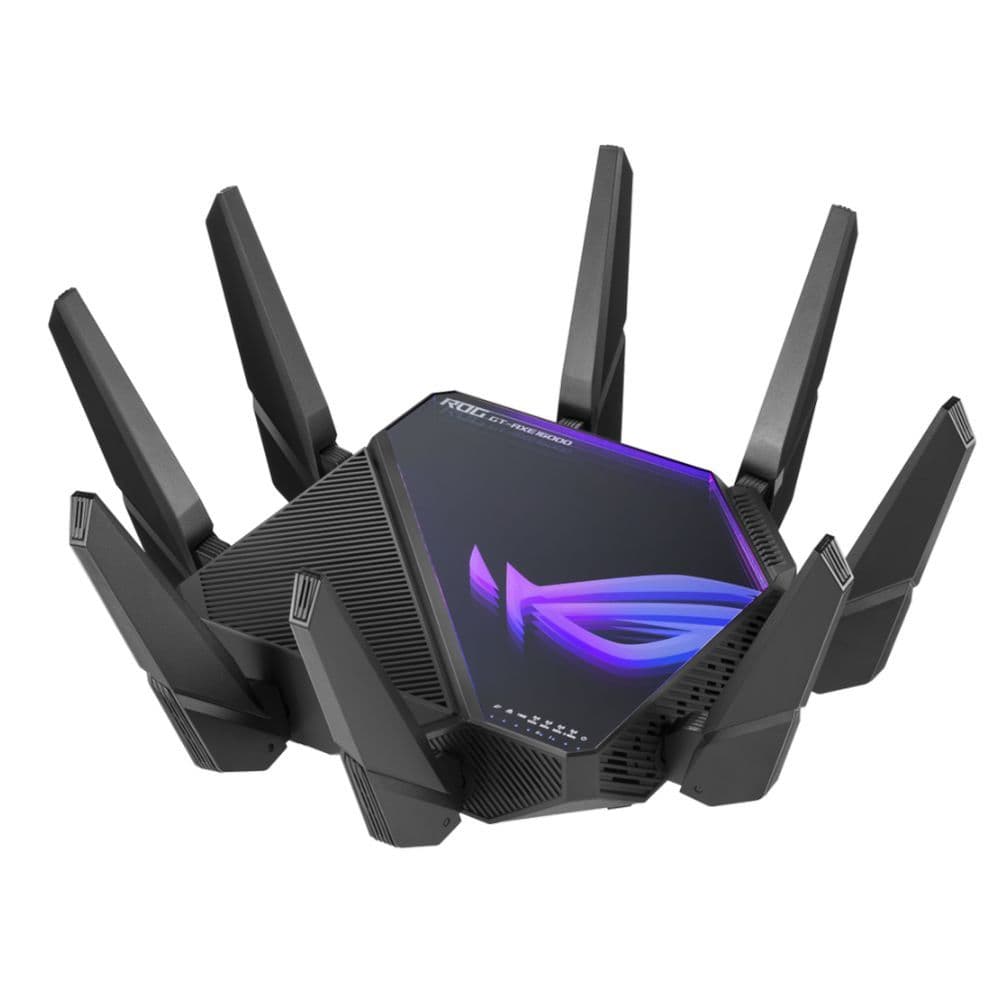
ASUS ROG Rapture GT-AXE16000
The ultimate router
It doesn’t get better than this for those eyeing a standalone router
This ROG-branded router is made for gaming, and it’s the best you can do when it comes to routers. With a multi-gig internet connection and this quad-band router, you can have a truly remarkable Wi-Fi experience across your home. More notably, you can use the 10GbE port to make your wired connections even faster and more reliable.
Pros
- Blazing-fast internet speeds
- Game acceleration features
- Offers two 10GbE ports
Cons
- Super expensive
- AiProtection sometimes interferes with the speed
The ROG Rapture GT-AXE16000 is absolutely a beast of a router, considering what it packs on the inside. There are a total of 12 antennae — eight on the outside and four on the inside. What powers everything up is a quad-core processor paired with 2GB of RAM; it is basically a mini computer disguised as a router.
Thanks to all those hefty internals, the router comes with good performance as well. It is a quad-band router with two 5GHz bands, one 2.4GHz band, and one 6GHz band. The best part is that you can use either the 5GHz or the 6GHz band for backhaul in an AiMesh setup. With the latter, it would be particularly helpful since the 6GHz band is a lot less congested, giving you a more stable backhaul between two compatible mesh routers.
Along with all other benefits of Asus routers, like the bundled security suite, you also get a pair of 10GbE LAN ports, allowing you to hook your NAS for full-speed transfers. However, it’s worth noting that some AiProtection features are known to interfere with the internet speed from the router, but that isn’t something Asus cannot fix with a software update.

Google Nest Wifi Pro
Made for Google-powered smart homes
Perfect addition to smart homes with Nest devices controlled by Google Assistant
Google’s latest Nest Wifi Pro is a tri-band Wi-Fi 6E router that is easy to set up right from the Google Home app and integrates easily with your Google Assistant-powered smart home. It comes with a ton of smart features that you don’t need to pay separately for, and it’s future-proof, too, with support for Matter and Thread.
Pros
- Wi-Fi 6E performance is solid
- Easy to set up and plenty of smarts for network optimizations
- Thread and Matter support for future-proofing
Cons
- Limited port selection
- Lags behind competition in terms of malware protection
While Google has had mesh routers for quite a while now, it stayed behind the curve without a Wi-Fi 6 offering. So the company jumped straight to the newer Wi-Fi 6E standard with the Nest Wi-Fi Pro, making it one of the market’s more affordable Wi-Fi 6E mesh systems. While the third 6GHz band brings fantastic internet speeds to your compatible phones, the wide coverage of these mesh routers — with each node covering 2,200 square feet — makes the News Wi-Fi Pro an ideal choice for large homes with many connected devices.
The Nest Wi-Fi Pro’s biggest strength is its compatibility with the Google ecosystem. From the get-go, you don’t need a separate app to set up and manage the routers; all you need is the Google Home app, which comes pre-installed on all Android devices. It works with your Nest speakers, and Google says that the router prioritizes Nest smart home devices like doorbells and cameras for better network performance. Another unique perk of Google products is that you get to pick the router from a bunch of nice colors instead of the mundane black and white. Aesthetics matter a lot for mesh routers that need to be placed around the house.
Not a lot of routers are as future-proof as the Nest Wi-Fi Pro. This Google mesh system supports Matter and Thread out of the box, allowing it to easily connect with your compatible devices without a hub. However, we wish the router supported more than 1Gbps connections and had additional LAN ports on each node for additional flexibility with wired connections.
The best Wi-Fi 6 routers for your home
When deciding which router will be perfect for your home, there are only two things that should ideally matter: how big your house is and your budget. Wi-Fi routers are long-term investments that you don’t upgrade as frequently as, say, your smartphone. So, it would be most beneficial to pick one that will meet your current and future needs, even if it means going slightly over budget.
There’s no “one size fits all” approach for routers. Your choice highly depends on your home. A single router with strong signal transmission right in the middle will do the trick for a medium-sized house with two floors. But for larger homes, you’d be better off investing in a mesh system that will give you a seamless internet experience anywhere in your house. These systems also allow you to add more nodes as your requirements grow in the future, without the need to replace the whole setup.
Another important factor to consider is the number of connected devices in your home. In a typical smart home, it’s easy to find dozens of Wi-Fi-enabled devices that must stay connected to the internet even for their basic functionalities. But they don’t really take up much of the available bandwidth — think of your connected lights, vacuum cleaners, and smart speakers. The real hoggers are 4K TVs, your phone when downloading a large file, or a laptop during your office meeting on Zoom.
It could be a real stress test for your router when all that occurs simultaneously. If you find that happening often at your place, it would make much more sense to invest in a mesh system and a faster internet connection, which will take the pressure off of a single router’s hardware. But for most lower-stress environments, one of our recommended standalone routers will do just fine.
So, which should you pick?
If you’re wondering which brands are the best, it depends on the experience with its interface. Routers from Amazon and TP-Link have a simple and easy-to-navigate app and webpage, which works well for users who aren’t as technically inclined while still giving them the benefits of a fast and reliable home Wi-Fi network. The companion mobile app for Asus routers, on the other hand, gives you access to nearly all options and controls right on your phone, instead of limiting the more advanced features to the web interface.
These different approaches to the app interface make it rather easy to go for the brand that fits the bill for you. But one thing that particularly works in Asus’ favor is that the parental and QoS controls and malware protection on its routers are available for free. At the same time, most other brands have started to charge a subscription fee, sometimes even for basic functionalities.
Whether you are looking to future-proof your network or just upgrade, these are some of the best Wi-Fi routers available. Just be sure to pick the one your future self will thank you for.
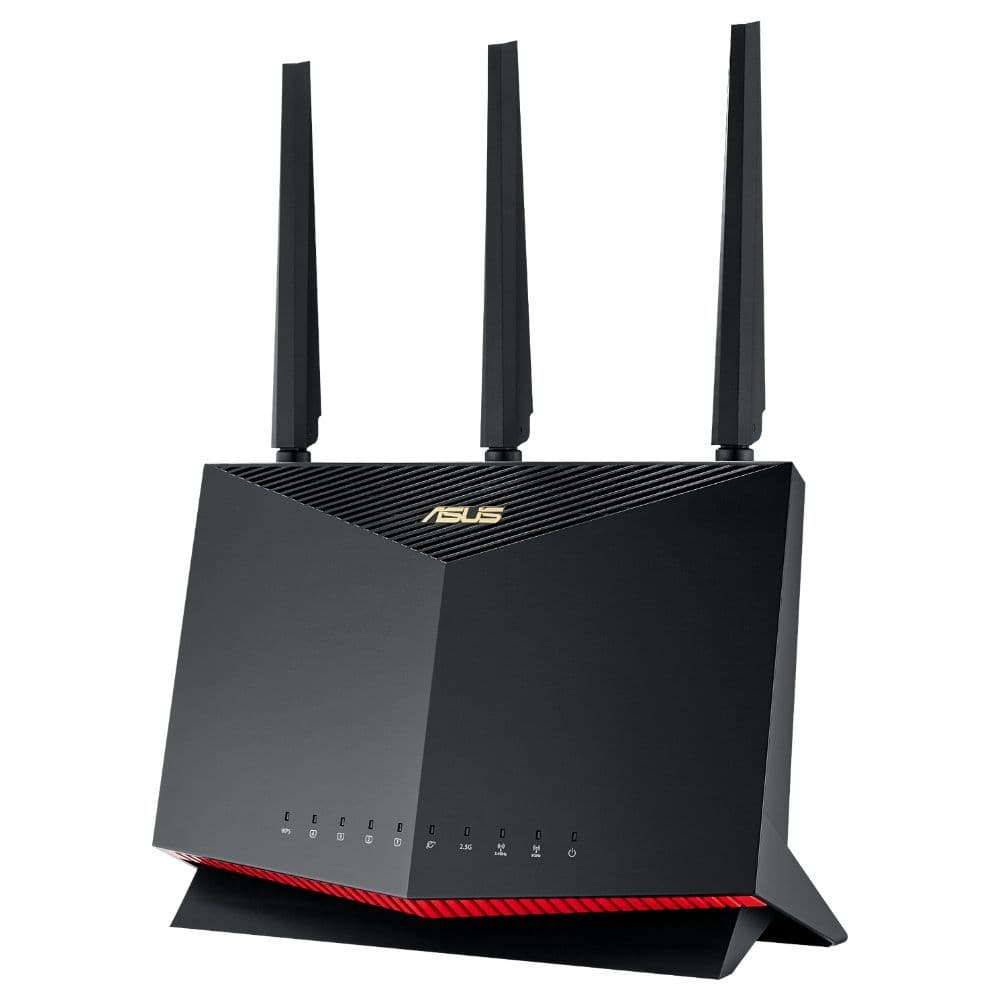
Asus RT-AX86U Pro
Best overall
Just the right router for your gigabit connection
The Pro upgrade for Asus’s popular RT-AX86U comes with all the bells and whistles you can ask for from a modern router and then some. It can easily handle your gigabit internet connections, and Asus bundles its security suite with the router without any extra monthly fee.
FAQ
Q: Do I really need a Wi-Fi 6 router yet?
In short, yes. Chances are, the devices you’ve purchased in the last couple of years already support Wi-Fi 6, so it only makes sense to pair them with a router that can take full advantage of this capability. Wi-Fi 6 isn’t all about speed, though, as the standard brings features like MU-MIMO and OFDMA to the table, allowing for more efficient communication with multiple devices at once and WPA3 for better security. And considering the Wi-Fi 6 standard is already a couple of years old, the router prices have come down markedly to more approachable levels.
Having said that, Wi-Fi 5 routers are still aplenty in the market and are often available at a significantly lower price than their Wi-Fi 6 counterparts. For instance, the Google Nest Wifi is a good value for money pick if you don’t care much about Wi-Fi 6.
Q: Will my older devices work with a Wi-Fi 6 router?
Wi-Fi 6 is backward compatible. So even if you’re using a client device from the early 2000s, it will most likely work just fine with your new Wi-Fi 6 router.
Q: What’s the difference between Wi-Fi 6 and Wi-Fi 6E?
Wi-Fi 6E is an iterative upgrade to the Wi-Fi 6 standard. It gets an additional 6GHz band (for a total of three bands) that enables higher throughput on devices that support the new Wi-Fi version.
Most wireless devices connect using the freely available 2.4GHz and 5GHz bands, making the two bands heavily congested in most urban areas. With the 6GHz band being new and not as congested, the signal performance and efficiency improve quite a bit.
But again, Wi-Fi 6E is relatively new, and hence it’d cost a lot to get a 6E-enabled mesh system in your home just yet. That’s also why not a lot of client devices and routers support it, but it’ll surely catch up in the next year or two. Right now, you can justify coughing up top dollar for a Wi-Fi 6E system only if your home internet and devices are affected by network congestion and you already own compatible devices.
Q: Should I get a Wi-Fi extender or a mesh system?
If it’s only a single corner of your house with a dead spot, you can probably get away with a cheap Wi-Fi extender.
But if a lot of rooms/floors and outdoor spaces don’t receive strong Wi-Fi signals, you should be looking at a mesh system. A couple of satellites along with the main router can cover your entire home with good reception, and such mesh systems are usually capable of handling more connected devices with their additional nodes.
Plus, unlike range extenders, mesh systems share the same SSID, so the handshake is seamless for your client devices.