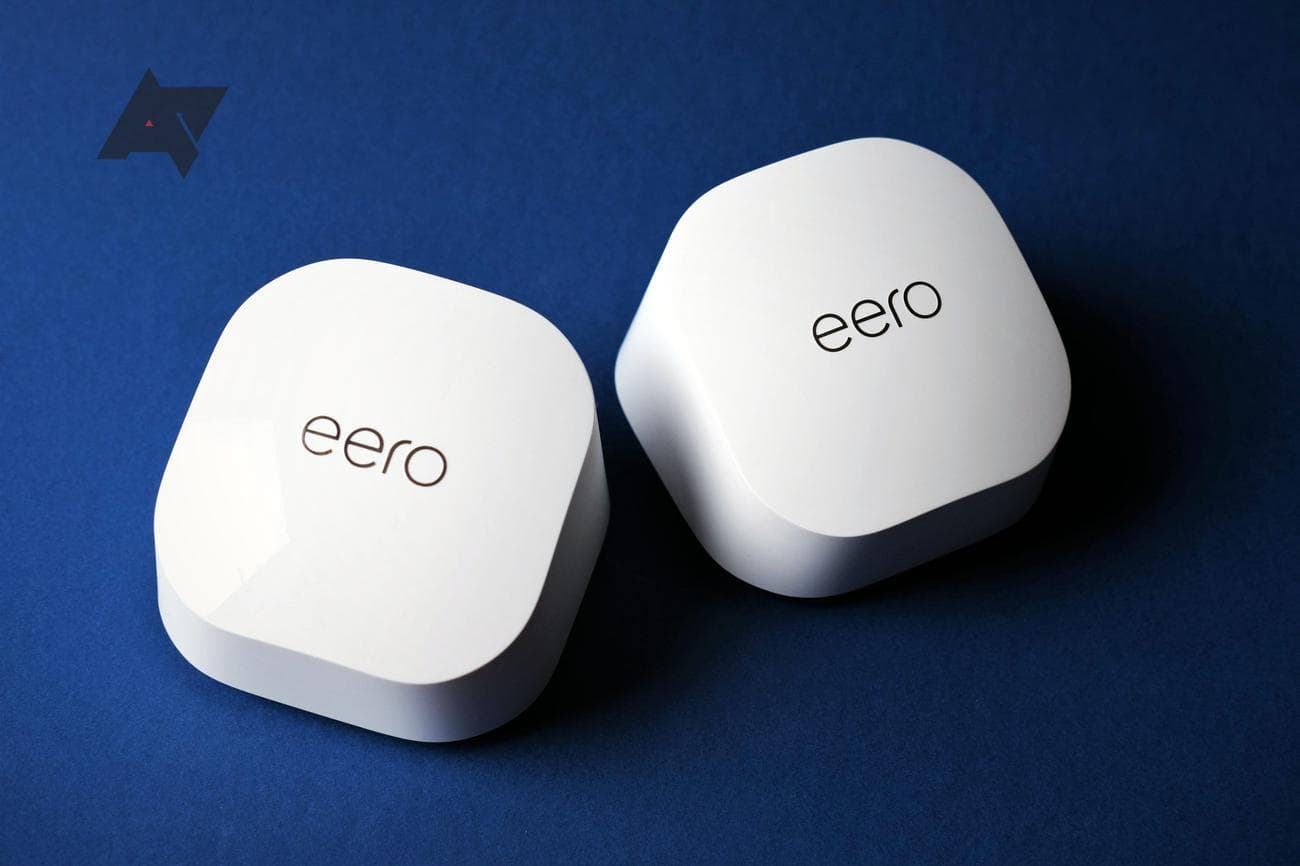
Best Wi-Fi 6 mesh routers in 2023
Related Posts
If your single Wi-Fi router struggles to deliver dependable wireless connectivity through your home, it’s time to upgrade. And the best way to ensure that you never have to deal with Wi-Fi dead spots or coverage issues is to get a mesh networking kit. Mesh routers provide better coverage and performance by using multiple nodes to create a seamless network, which is why many of them are also
featured
in our best Wi-Fi 6 router recommendations. Moreover, you can easily upgrade them to cover more area by adding another node.
With Wi-Fi 5 or 802.11ac quickly becoming a thing of the past, it’s best to pick a Wi-Fi 6 mesh router to be future-proof. Wi-Fi 6 offers improved performance and faster speeds, making it an ideal choice for those who need a robust network that can handle a heavy workload.
Here are the top Wi-Fi 6 mesh routers you can upgrade to in 2023
Asus ZenWiFi XT8
Best overall
The mesh router upgrade your home deserves
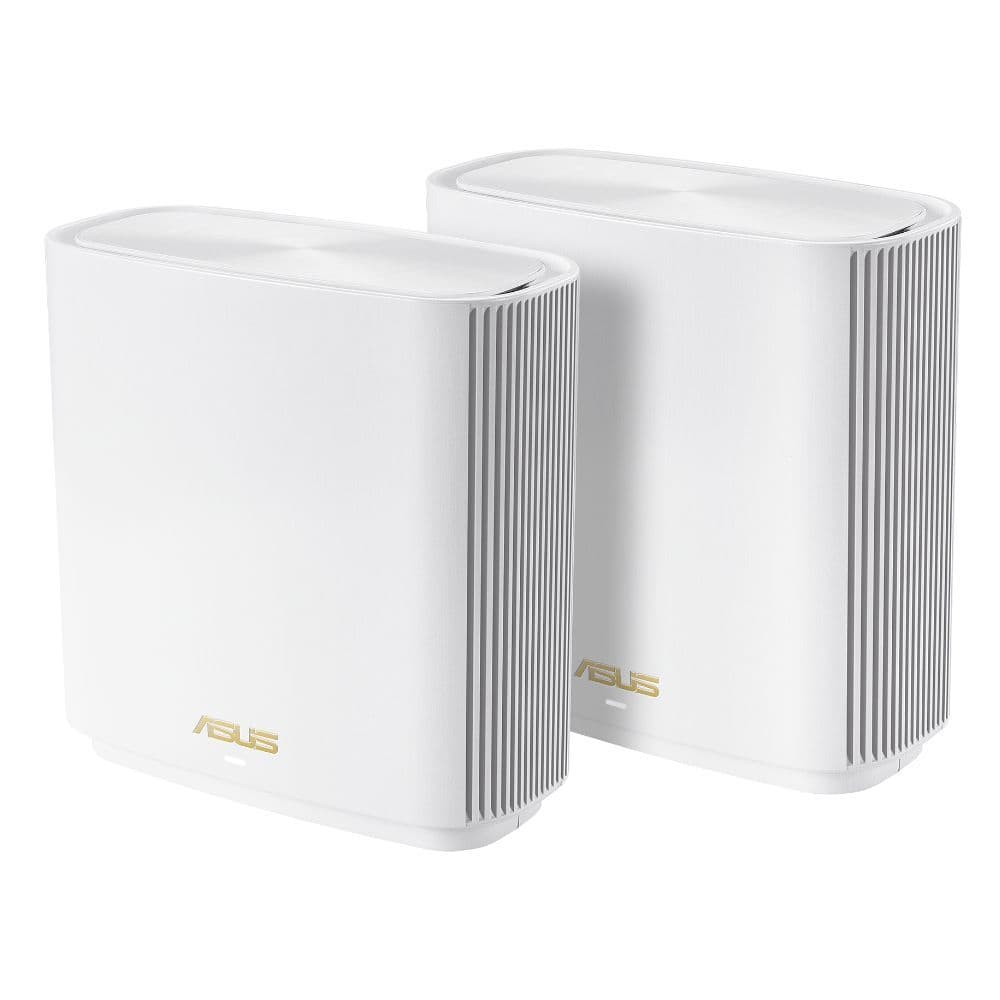
If you’ve been eyeing a terrific mesh router to replace your current system, you don’t need to look any further than the Asus ZenWiFi XT8. It packs a whole host of features while offering rock-solid Wi-Fi usability. And most importantly, you aren’t required to pay a monthly fee for its advanced features.
Pros
- Each node covers a fairly large area
- Tri-band, with a second 5GHz band
- AiProtection Pro is bundled for free
Cons
- LAN ports are still 1GbE
- Advanced settings available only on the web
The Asus ZenWiFi XT8 is a solid mesh router with speedy performance and an extensive range. It also packs a lot of free features with AiProtection Pro (powered by Trend Micro) that are rare on other routers or require a paid subscription. The service is completely free and gives you anti-malware protection and parental controls.
The ZenWiFi XT8 is easy to set up, and you can choose to have three separate networks (two on the 5GHz band and one on the 2.4GHz) or a single network that automatically switches between the 2.4GHz and 5GHz bands. Each ZenWiFi node comes with three gigabit Ethernet ports for wired connectivity if you want lower latency for gaming, video conferencing, or other activities. In addition, the mesh router supports the company’s AiMesh
technology
, so you can add any compatible router as an additional node to the mesh network to expand it further.
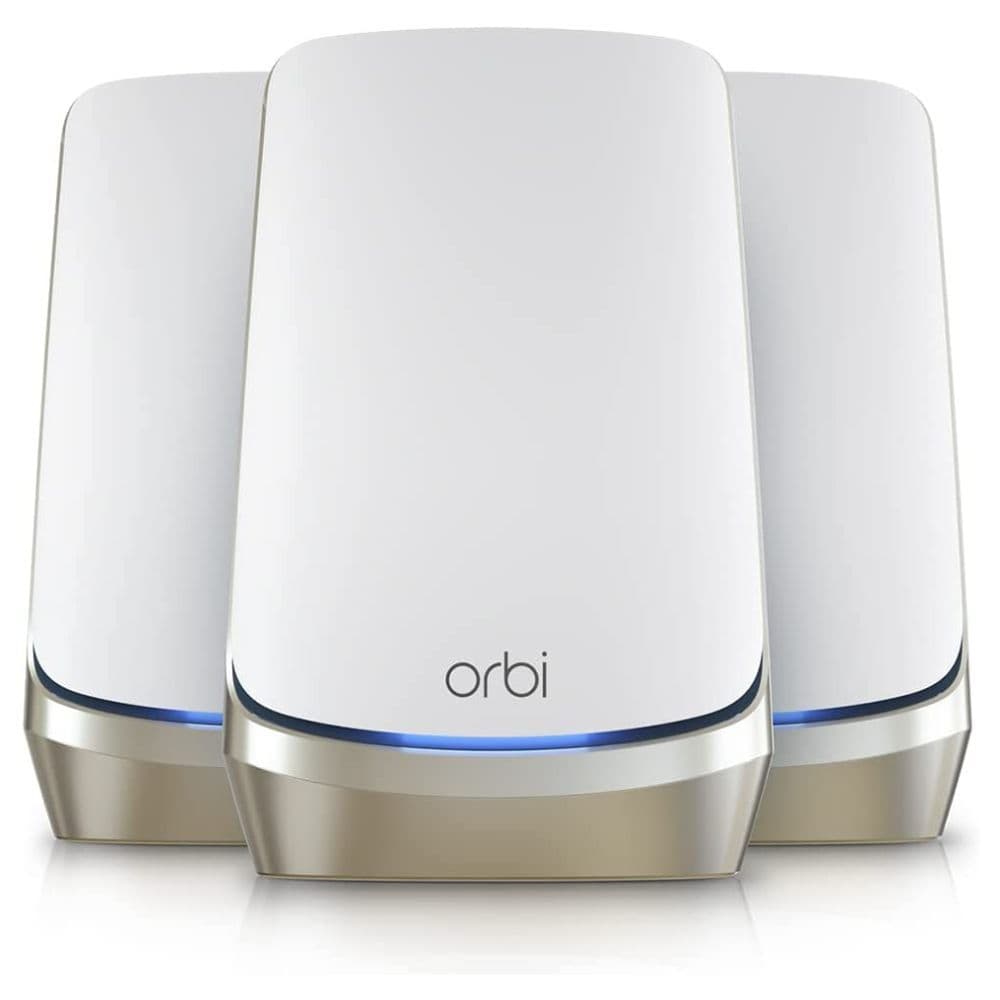
Netgear Orbi RBKE963
Premium pick
The best mesh router money can buy
With price no bar, the Netgear Orbi RBKE960 series gets you the absolute best experience of any mesh router. Its performance is phenomenal, and you cannot go wrong with it, especially if range is a concern for your house. Your beastly multi-gig internet connection will greatly benefit from this Orbi model.
Pros
- Blazing-fast performance with Wi-Fi 6E
- Supports 2.5GbE wired backhaul
- Can take up to 10 gigabit internet connection
For the best-in-class experience, the Netgear Orbi RBKE960 series gets you everything that you can ask for from a mesh router kit. Its range is some of the greatest we’ve seen on mesh systems, with each unit covering up to 3,000 sq. ft. of area. All your connectivity woes can be easily addressed with its two-pack variant, but you can always add more units to expand the coverage to all the floors and even your lawn. But the greatest benefit of this model is its support for Wi-Fi 6E’s third 6GHz band, which helps decongest the network for supported client devices.
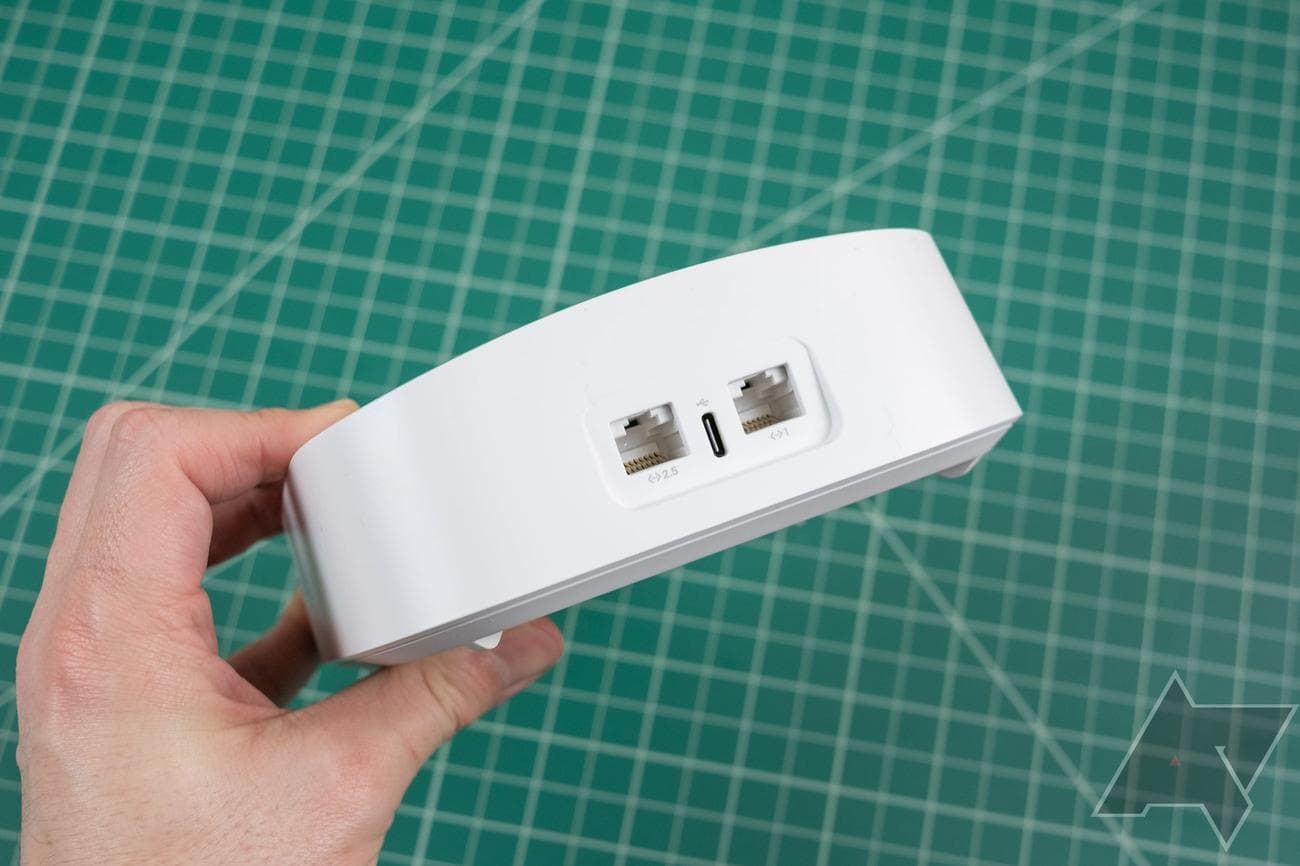
The Orbi RBKE963 comes with a dedicated band for wireless backhaul, allowing the main three bands to stay available for your use. But there is a 2.5GbE Ethernet port on the back as well that you can use for wired backhaul or connecting your devices. And if that isn’t enough, the router can take an internet connection of up to 10Gbps, making it the most future-proof mesh system out there. We just wish Netgear didn’t require you to pay extra for its paywalled features considering the hardware already comes with a hefty price tag.
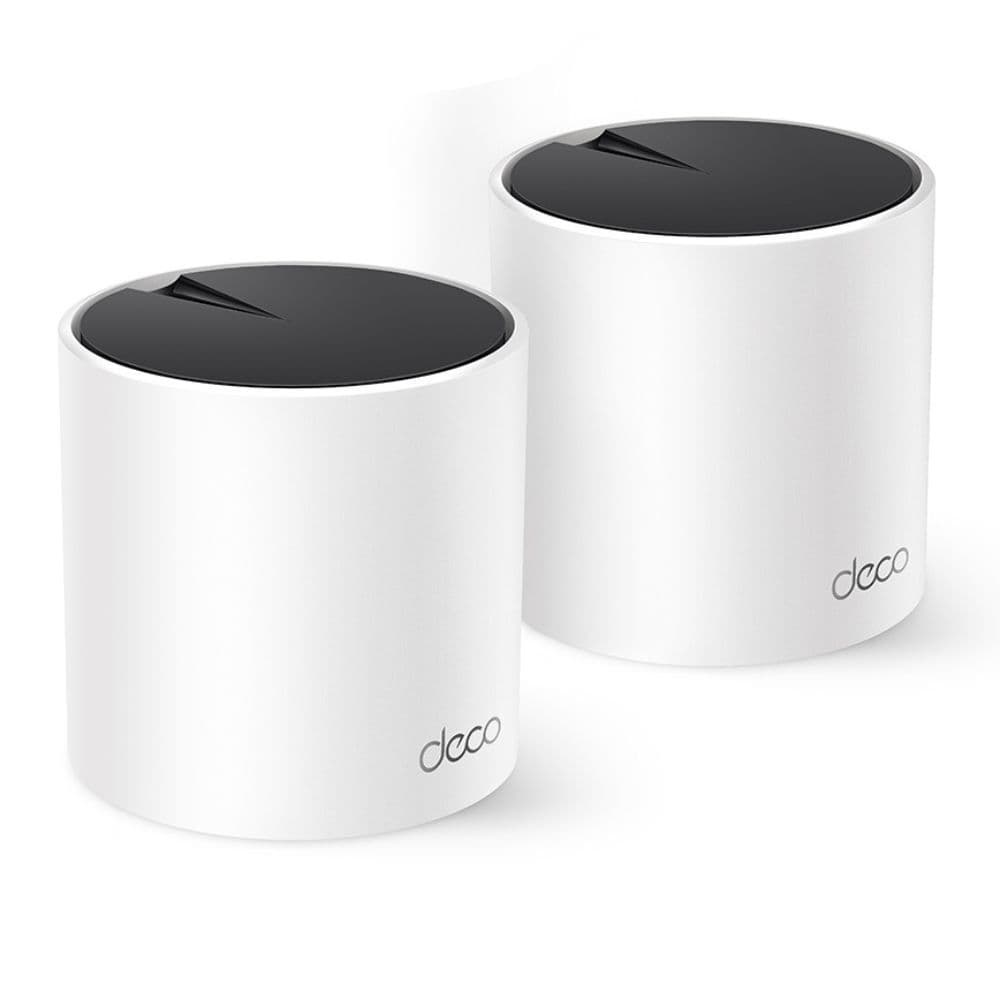
TP-Link Deco X55
Best value
Whole home Wi-Fi on a budget
The Deco X55 from TP-Link can help you get started with your first mesh system to fix your patchy Wi-Fi network on a budget. Even its two-pack variant can cover a decently large house, giving you access to super-fast internet in every corner of your home, from the living area to your kids’ room a floor above.
Pros
- Supports dozens of simultaneous devices
- Three gigabit LAN ports on each node
- Fairly inexpensive
Cons
- HomeShield Pro is an extra subscription
- No dedicated band for backhaul
If you are looking for something on a budget to fill your home with reliable Wi-Fi signals, the Deco X55 could be a perfect fit. With a two-pack, you can cover an area of about 4500 square feet, making the mesh system suitable even for two-storied houses. A good thing is that each node comes with three gigabit LAN ports, and you can use them for wired backhaul for an even more solid connection between each router point. This will come in handy if you want to make the most of your speedy internet connection and improve any latency issues.
The TP-Link Deco X55 is also a great addition to your smart home, considering it can easily work with dozens of connected devices. And this router comes with plenty of smart features, ranging from the support for Alexa for quick voice controls to the bundled HomeShield conveniences, like security scans and basic parental controls. You can pay $6 per month for the Pro subscription to unlock even more advanced options for extra network protection or give your children time rewards.
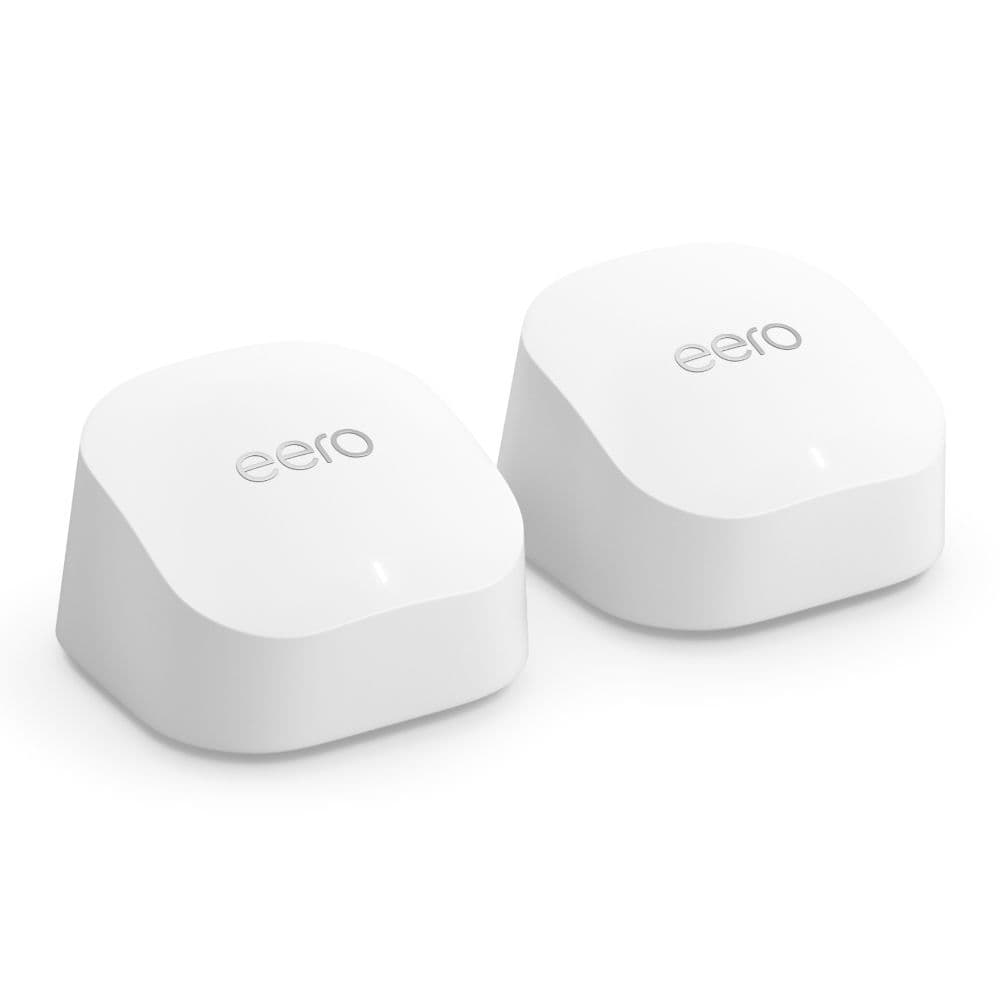
Eero 6+
The easy-to-use mesh
Fits right in your
Amazon
-powered smart home setup
The Amazon Eero 6+ is a step up from its predecessor and now supports up to gigabit connections to keep up with your rapidly expanding smart home setup. While it comes with many handy features, it is still easy to operate with its neatly laid-out phone app.
Pros
- Easy to set up and use
- Zigbee built-in
- Works with gigabit connections
Cons
- Noticeable latency in gaming
- A lot of paywalled features
You can finally use the Amazon Eero 6+ with your gigabit connection, which is double what its predecessor supported. So, you don’t need to spend a lot of money on a high-end mesh system to work with your high-speed home internet. Much like most Eero routers, this model also comes with Zigbee built in, saving you from setting up a dedicated hub for your smart home devices. And since it comes from the house of Amazon, it integrates well with Alexa.
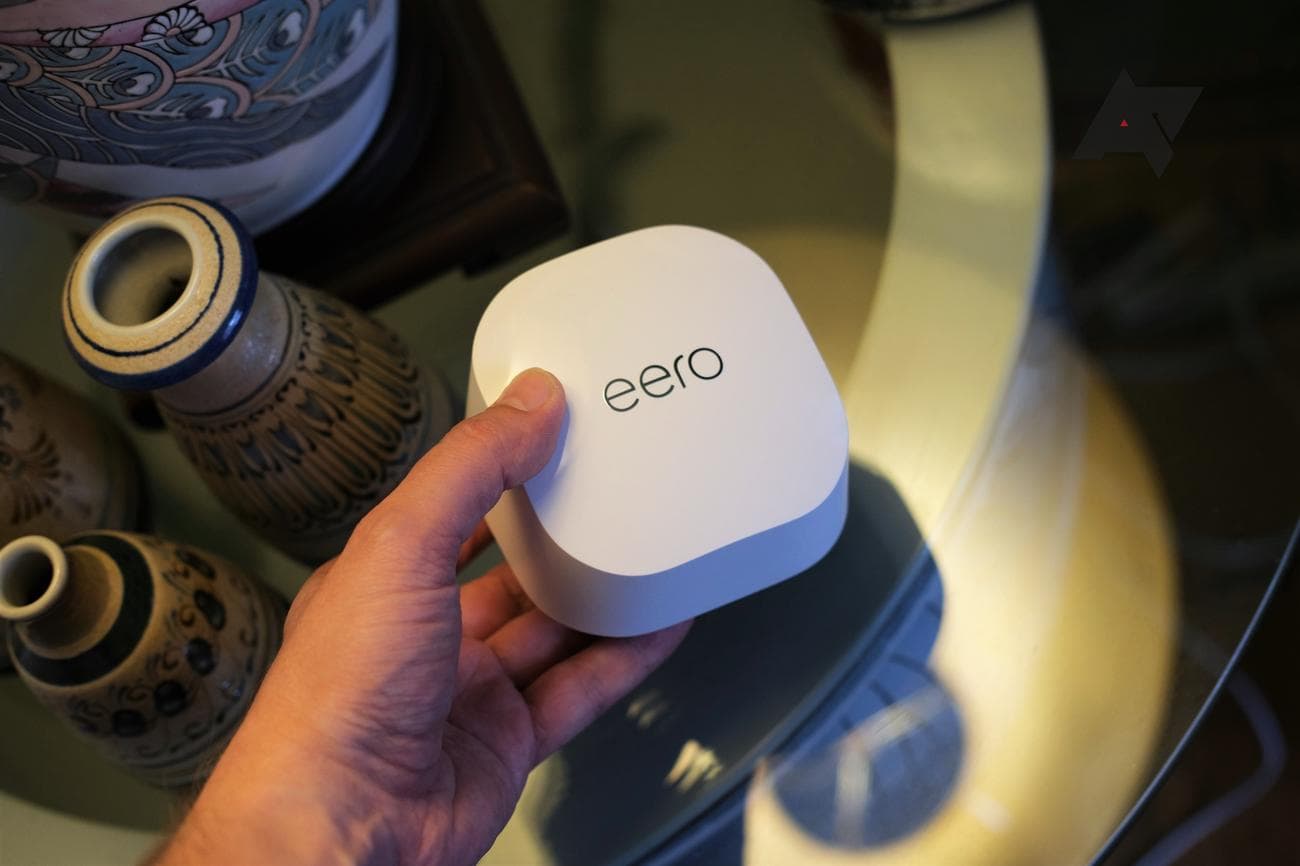
In our review, we found the wireless performance of this mesh system to be impressive across the house. You can get a three-node system to cover an average-sized home with solid reception. The Eero 6+ improves the movie streaming performance by reducing the delay, but there was some latency when streaming an online game. Amazon makes up for it with a clean phone app that is easy to use without needing to mess with complicated web interfaces.
TP-Link Deco XE75
Wi-Fi 6E on a budget
Fix network congestion with a third 6GHz band
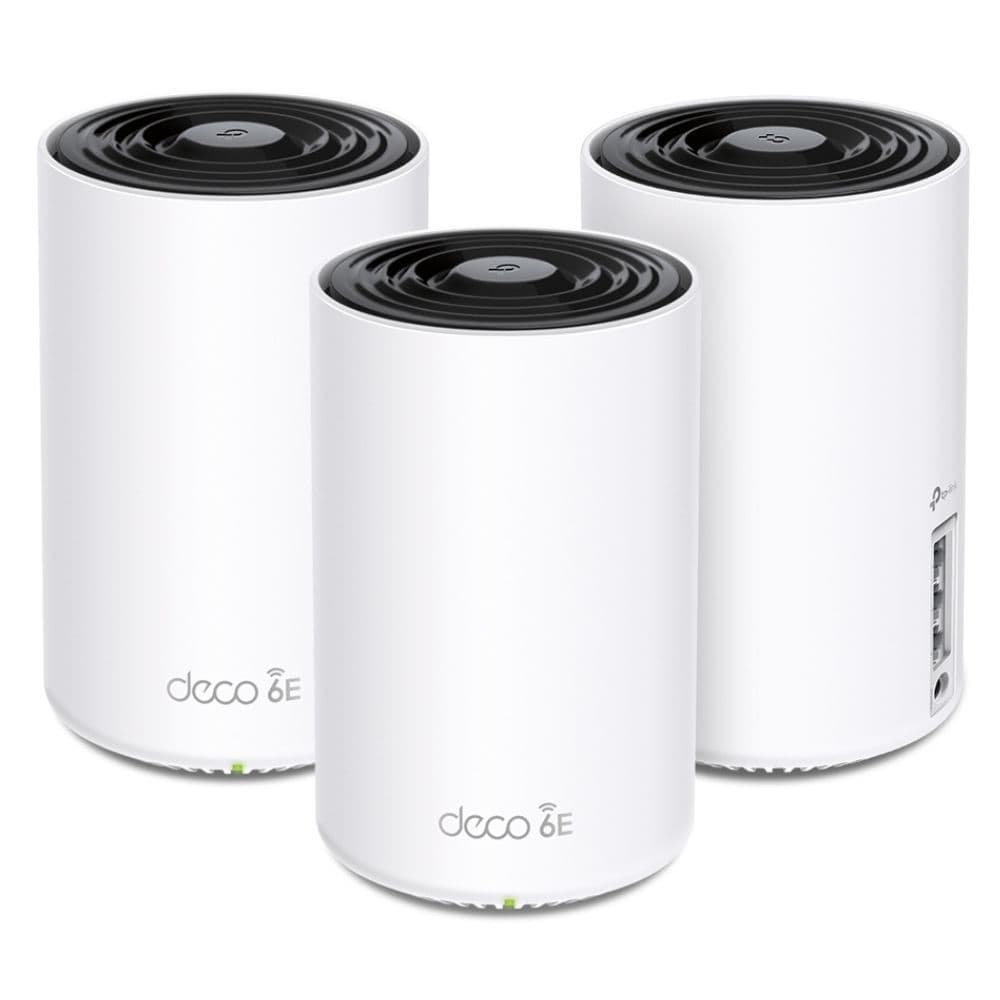
For future-proofing your home network without going over budget, the TP-Link Deco XE75 nicely fits your bill. The third 6GHz band is perfect for gaming consoles and work machines needing a more reliable internet connection. And this router system offers an excellent range, so you won’t need a lot of nodes around your house.
Pros
- 6GHz band helps with network congestion
- Each node provides ample coverage
- Three gigabit ports on every unit
Cons
- Lacks multi-gig ports
- Not the smallest footprint
These tower-shaped mesh routers from TP-Link don’t cost a bomb but still give you access to the latest mainstream tech in-home Wi-Fi. With the Deco XE75, you can add a third 6GHz band to your home network for devices with critical workloads, like your office laptop — or even your gaming console because game time is as important! The 6GHz band is typically way less congested than the traditional 2.4GHz and 5GHz bands. And if you have multiple mesh router units spread strategically across your entire house, you will get a better range with this new band as well.
TP-Link has included three gigabit ports on each node, so you have plenty of LAN ports accessible for home use, though you can always hook a switch to add more Ethernet ports. The router cannot handle anything above a gigabit connection, which is acceptable for a product of this class. But the company could’ve still included a 2.5GbE port for offline wired connections, like for a network storage unit. Being a Deco-branded router, there is a separate Deco app for setting up and managing the system. In addition, you have access to TP-Link’s HomeShield features with the paid Pro upgrade.
Asus ZenWiFi XD5
The more affordable Asus
Dead spots in your house will be a thing of the past
You don’t need to spend top dollar to get all the benefits of an Asus router, such as a lifetime free security suite and a
feature
-packed companion app. The ZenWiFi XD5 does all that and more to get your entire family a reliable Wi-Fi experience around a large house.
Pros
- Reliable whole-home coverage
- Lifetime free security suite
- Covers a large area with the 3-pack
Cons
- Not a lot of spare LAN ports
- Has fewer QoS and parental control features
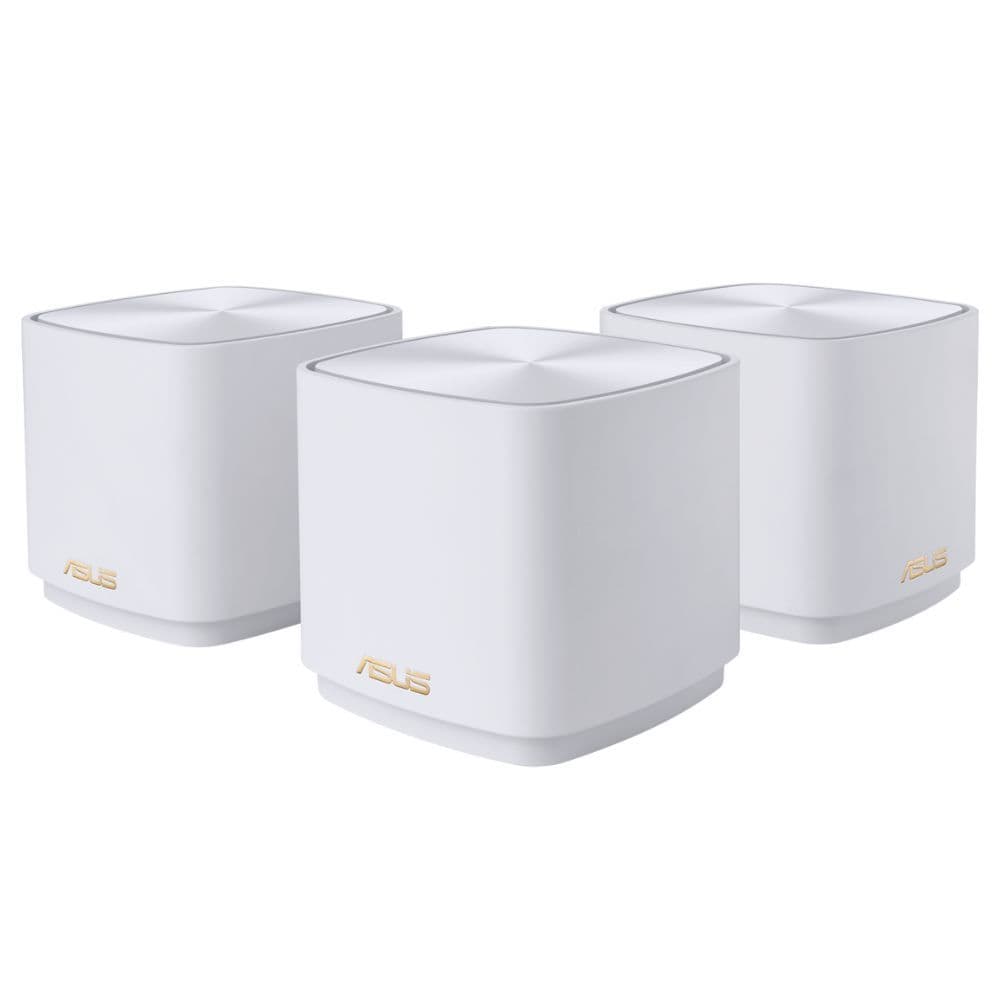
Besides its ZenWiFi XT8 mesh kit, Asus offers the ZenWiFi XD5 as an affordable Wi-Fi 6 mesh router for consumers who don’t wish to spend north of $500 on their mesh purchase or have a sub-gigabit internet connection. The XD5 is a reliable mesh system, and you can get its three-pack for well under $300, which will cover up to 5,000 sq. ft.
In other highlights, each unit of this dual-band mesh router comes with two gigabit LAN ports for wired networking, and one of these doubles as a WAN port. While XD5’s feature set isn’t as expansive as the XT8, you still get more than the essentials, such as QoS support, wired backhaul, network protection, parental controls, VPN support, and guest networking. AiMesh technology is also available if you want to connect another AiMesh-enabled router to your mesh setup. Finally, it’s pretty easy to set up using the companion app or the web interface.
Netgear Nighthawk MK72
Your smart Wi-Fi upgrade
Give your apartment a much-needed mesh upgrade
For smaller homes and apartments, the two-pack Nighthawk MK72 can provide solid network coverage across all rooms, especially if you have a high-speed line to your home. It can save you from embarrassing glitches during important office presentations while also keeping all your smart devices connected to the internet.
Pros
- Made for your high-speed connections
- Performs well with tens of smart devices connected
- User-friendly companion app
Cons
- Available only in a two-pack currently
- Just one usable Ethernet port on each node
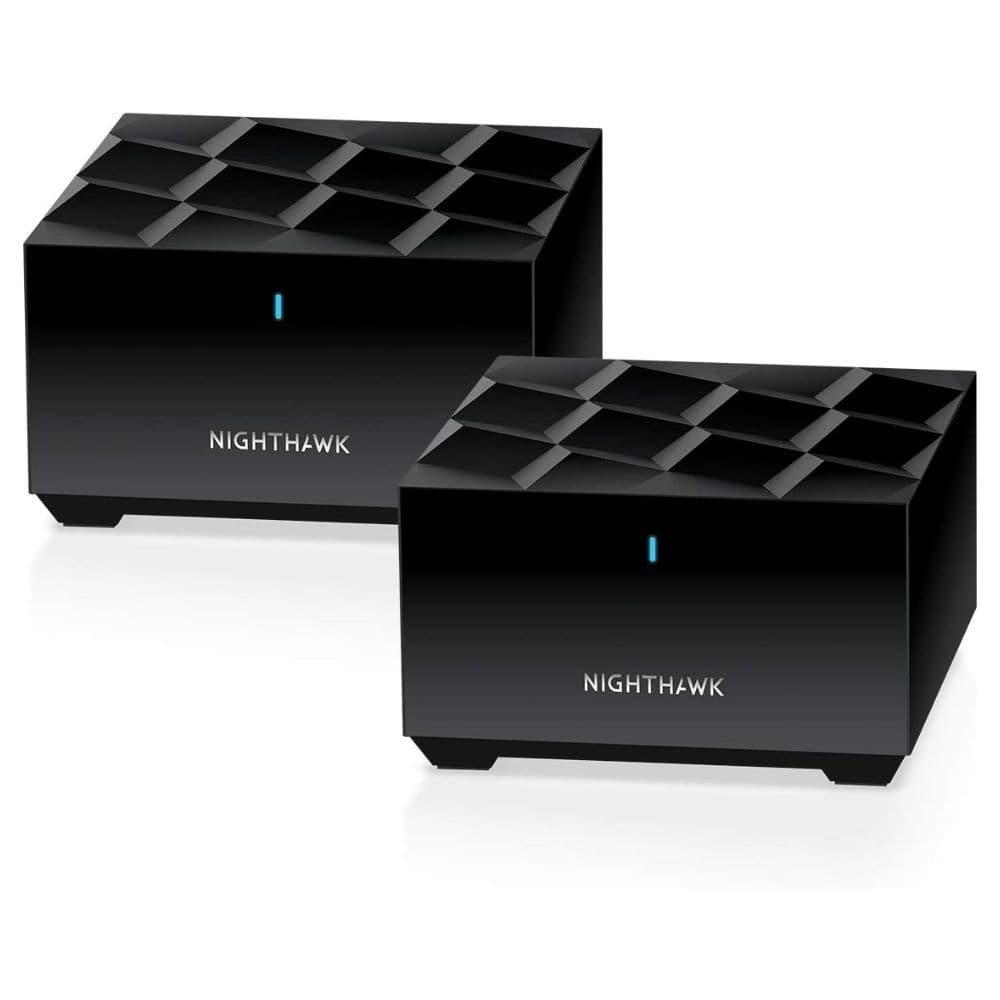
If you have a high-speed connection in your apartment, you can upgrade to the Netgear Nighthawk MK72 to make the best of your gigabit internet. You will appreciate upgrading to this router when you have an important Zoom call to take while someone is streaming a 4K movie on Netflix in the living room. The Nighthawk MK72 will give a seamless experience to both users. In fact, handling a lot of connected devices is a breeze for this router, given homes are now filled with tons of smart lights, outlets, curtains, and whatnot.
Since the Nighthawk MK72 is available only in a two-pack, it is suitable for an area of 3,000 square feet, enough for average size homes and apartments. And it helps that the router has a discreet design and won’t be an eyesore on a living room shelf. However, we wish Netgear had included more LAN ports on all units and opened up more parental and QoS controls to the users who aren’t paying for Netgear Armor.

Google
Nest Wifi Pro
An upgraded Google router
Your Google Nest speakers are going to love having a pal
The Google Nest Wifi Pro jumps straight to the newer Wi-Fi 6E standard, offering you the third 6GHz band. Unlike with most other routers, you don’t have to spend anything every month just to access its features — everything comes bundled with the upfront price. And since it’s a Google product, it integrates seamlessly with your Google Assistant-powered smart home setup.
Pros
- No subscription fee attached
- Easy to set up and use
- Integrates seamlessly with Google Assistant
Cons
- Ethernet ports should have been multi-gig
- Parental controls are not the most fleshed out
Although “Pro” may suggest a professional-grade router, the Nest Wifi Pro is far from that. Instead, it’s an entry-level Wi-Fi 6E mesh router for users who don’t want to deal with complicated router settings and prefer a no-frills option. It’s also the first router in the company’s portfolio to offer faster speeds than Wi-Fi 5. The router looks good, and you can choose from four color options to match the aesthetics of your home. In addition, Google promises a coverage area of around 2,200 sq. ft. per node, which aligns with competitor offers.
You get three wireless bands: 2.4GHz, 5GHz, and 6GHz. Plus, there are two gigabit LAN/WAN ports per node that you can use for a wired connection to your devices or a wired backhaul. Unfortunately, as the Ethernet port is limited to gigabit speeds, the mesh router is only suitable for sub-gigabit connections. Otherwise, the Nest Wifi Pro delivers consistent performance and reliable speeds. It’s also easy to set up, and everything is managed within the Google Home app.
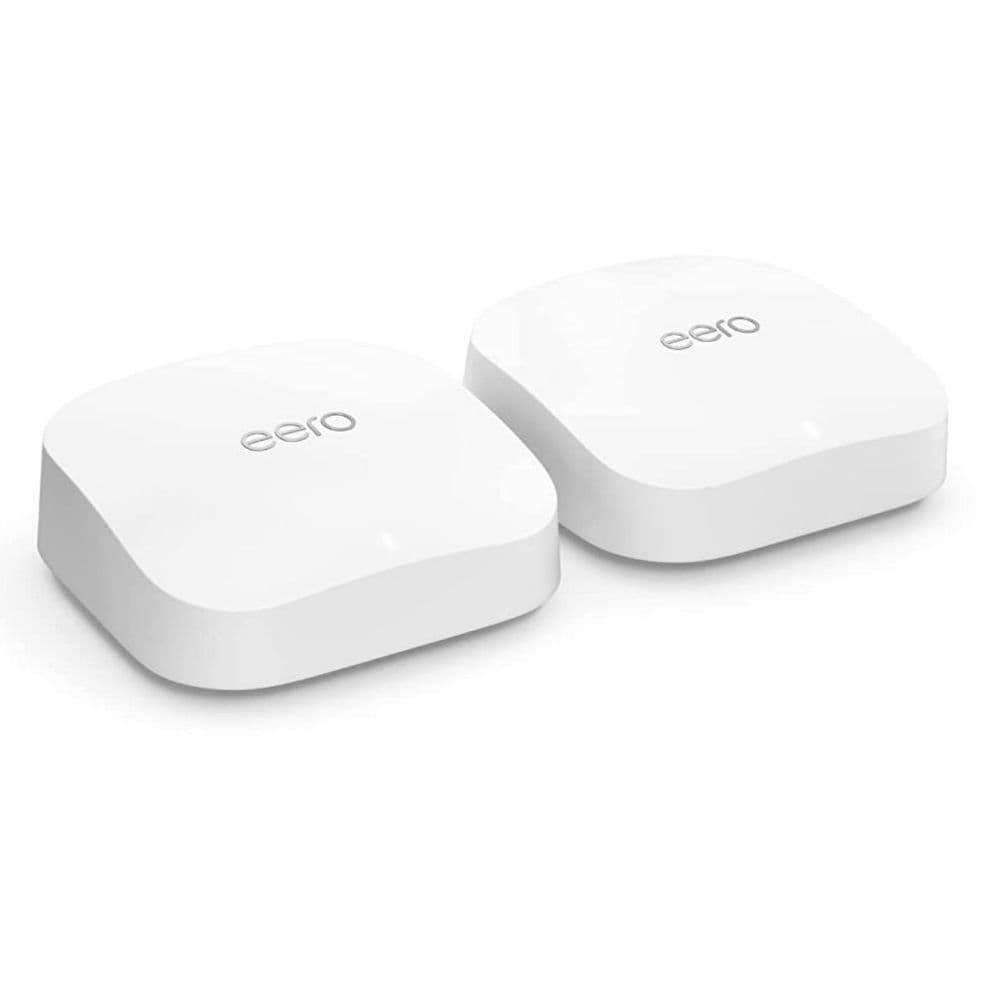
Amazon Eero Pro 6E
For Amazon-powered houses
Make your smart home even smarter with the Eero 6E
The Wi-Fi 6E upgrade to the Eero Pro range combines the best parts of Amazon routers and the latest wireless internet tech for a reliable connection. It comes with a simple app that doesn’t make things complicated for users, and with Alexa integration and a smart hub built-in, the router is perfect for smart homes.
Pros
- Excellent range
- Easy to set up
- Reliable with multiple devices
Cons
- The app may seem too simplistic
- Subscription required for some features
The Amazon Eero Pro 6E is a Wi-Fi 6E router. So, in addition to the various benefits offered by Wi-Fi 6, it also includes a 6GHz band that can deliver ultra-fast connectivity to compatible devices but has a relatively smaller range than the 2.4GHz and 5GHz bands. The Eero Pro 6E offers excellent performance and is a great option for homes with a gigabit or faster connection. It packs a 2.5Gbps auto-sensing port that you can use as a WAN or LAN port, as required. In other features, its two-pack can cover up to 4,000 square feet and connect to over 100 devices. Thanks to the support for Thread and Zigbee devices with Alexa, you can also use it as a smart home hub.
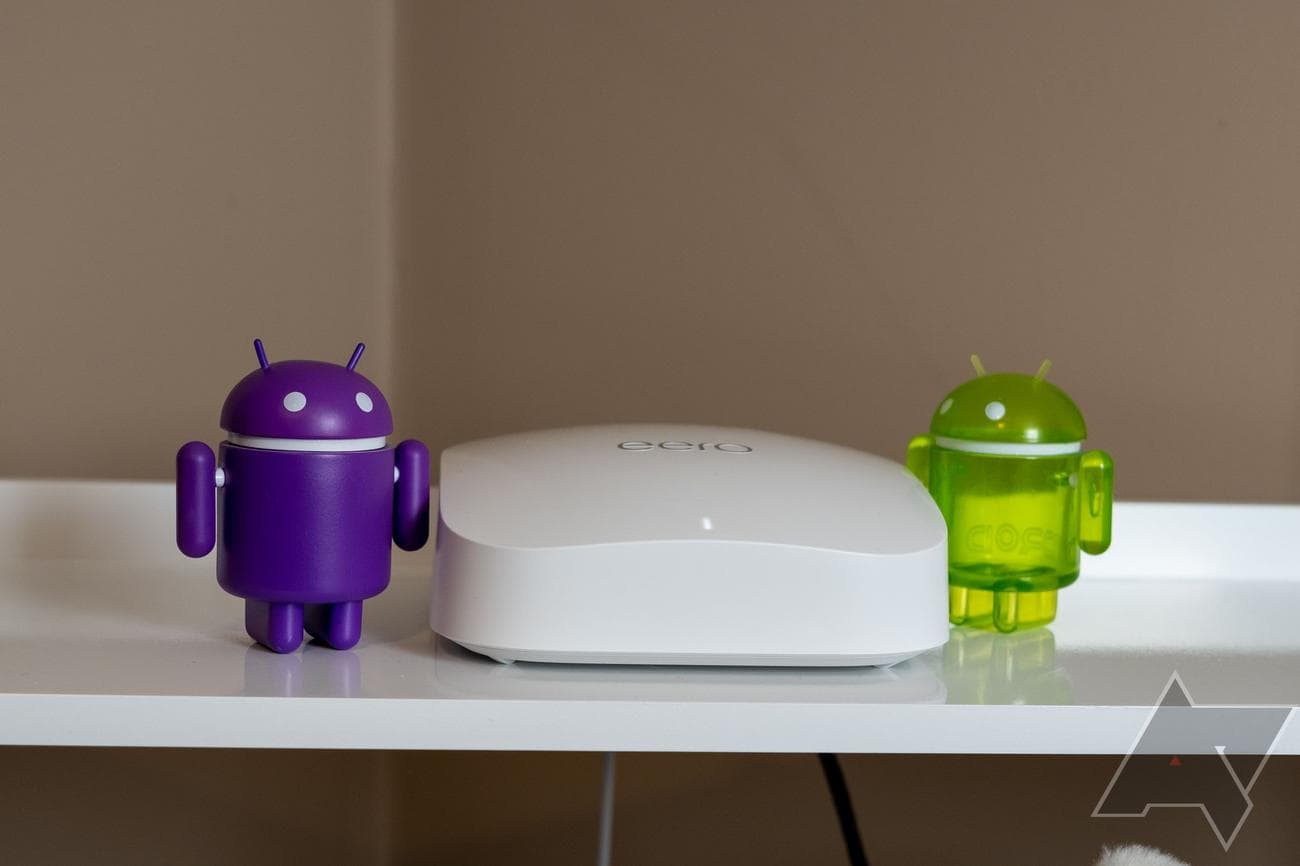
Moreover, it’s painless to set up and use, making it an ideal option for people who aren’t savvy enough to tweak their router settings or don’t want to make an effort. While there is a lot to like in the Eero Pro 6E, it lacks a dedicated wireless backhaul band, includes only two Ethernet ports per node, and requires a paid subscription to access parental controls, network security software, and more. That said, you can still use a wired backhaul, but that’ll leave you with just one port for wired connectivity.
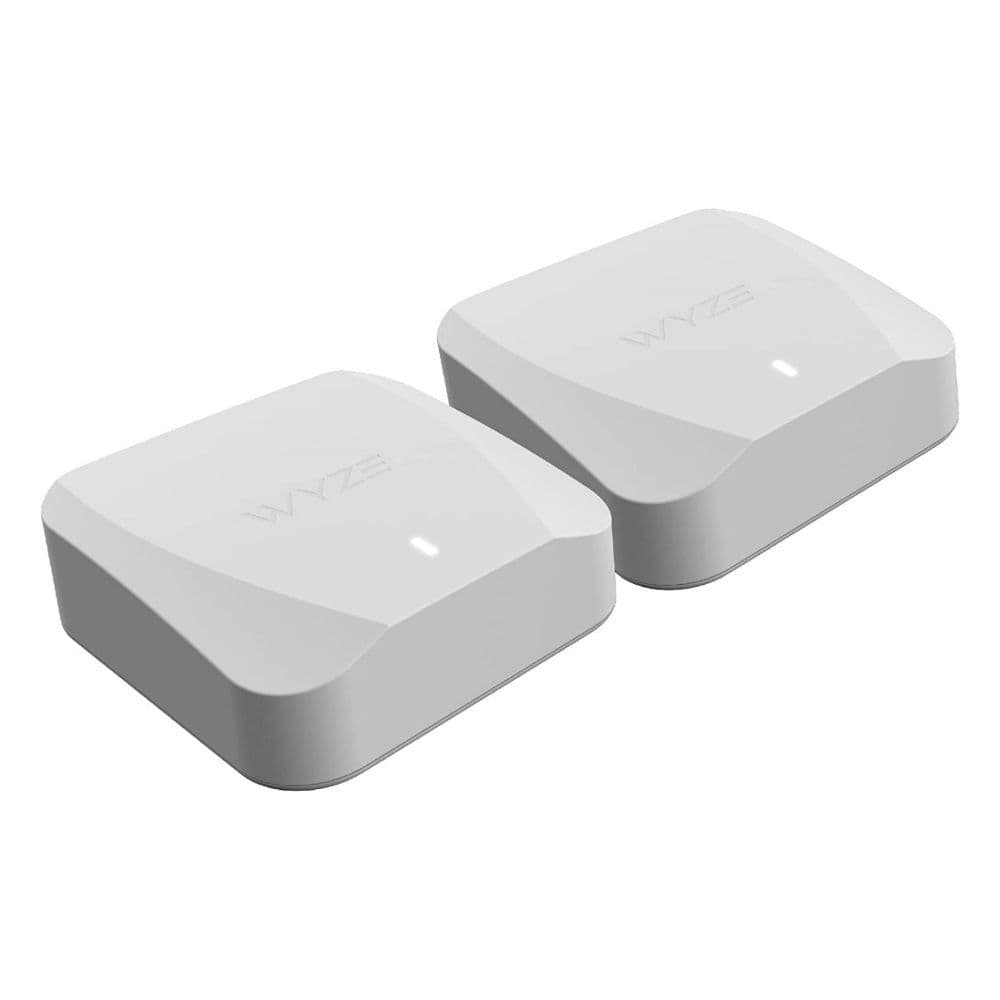
Wyze Mesh Router
A budget alternative
Going with Wyze may indeed be wise for your home
The Wyze Mesh router is inexpensive and could be the way to go if you don’t have a lot of requirements. But an affordable price doesn’t mean fewer features. You can get started with it in just a few minutes, and its app is a feature-packed command center in your palm. More importantly, its signal performance is reliable with minimal latency.
Pros
- Set up is straightforward
- Supports dozens of devices
- Comes cheap
Cons
- Parental controls are not the best
- Only two Ethernet ports
Primarily known for its affordable smart home products, Wyze entered the mesh router business in late 2022, and its first mesh networking kit — the Wyze Mesh Router — is pretty good for a budget Wi-Fi 6 option. You can get it in single, two-pack, and three-pack options, with a single router capable of serving up to 1,500 sq. ft. area.
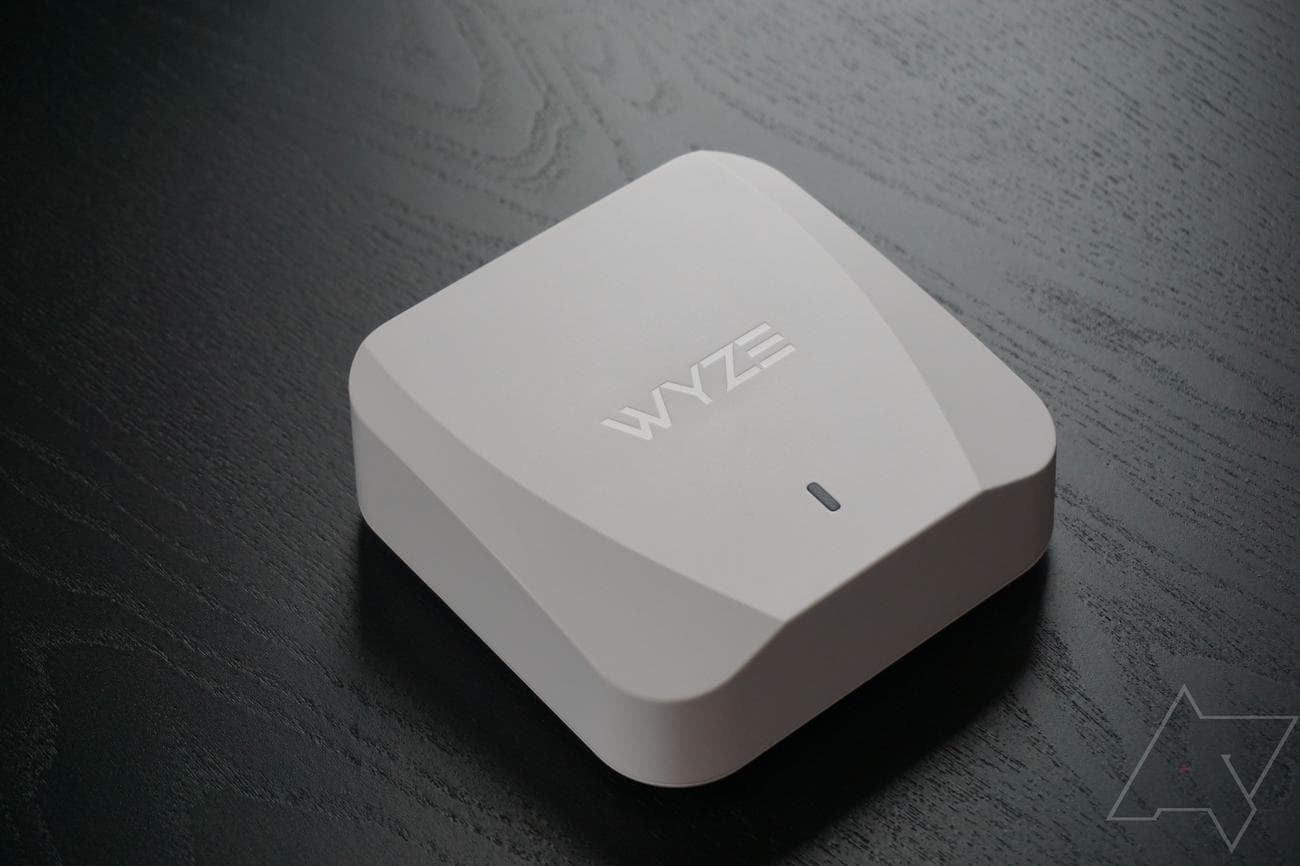
Like the Asus ZenWiFi XD5, each dual-band Wyze Mesh Router unit also features two WAN/LAN ports. Other features include parental controls, wired backhaul for faster connectivity on satellite units, and network security. Plus, you can install it pretty easily using the company’s app, which also gives you access to most of the basic router settings. Lastly, each router can support up to 50 connected devices.
Should you consider a wired backhaul?
Mesh router nodes typically rely on a wireless backhaul network to “talk” to each other and seamlessly hand off your client devices from one node to another as you move around the house. But as with everything wireless, the backhaul connection may not always be dependable, especially when two units are too far apart or if there is no dedicated band for backhaul.
By connecting your mesh system’s nodes with a high-speed Ethernet cable, you can make the backhaul more reliable with theoretically zero latency. At the same time, you will free up the 5GHz band (if a dedicated backhaul band isn’t available) for your own use.
You can lay a high-speed Ethernet cable across your house to connect the nodes and say goodbye to your network issues caused by an iffy wireless backhaul connection. To ensure your wired connection is future-proof, you should go for a Cat 6 or higher Ethernet cable, preferably one that supports up to 10Gbps transmission speed, so you don’t have to upgrade it for a good few years.
Additionally, make sure the mesh router of your choice has enough LAN ports on each unit. There should be spare ports even after accounting for wired backhaul for connecting devices like your gaming console or a NAS over a LAN cable.
The right Wi-Fi 6 mesh router for you
With so many excellent Wi-Fi 6 mesh routers on the market, it can be tricky to pick one. But that doesn’t mean you should just go for any mesh router. As each home is different, not every mesh router will suit you. That said, you can find the best mesh router for you by considering factors like coverage, Wi-Fi speed, Ethernet ports, and price.
A mesh kit’s coverage is one of the most important features to look for, as you are most likely purchasing the mesh router to resolve your Wi-Fi coverage issues. Remember, the coverage reported by the manufacturers doesn’t always materialize in the real world, as it’s calculated in ideal situations. Furthermore, if you aren’t entirely sure whether a mesh kit will cover your entire property, you can start conservatively and add more nodes if needed.
It’s also a good idea to keep your connection speed in mind while picking a mesh router. There is no need to shell out for a premium kit if you have a sub-gigabit connection with no immediate plans to upgrade. Something with AX1800 bandwidth is good enough for internet speeds up to 150Mbps. And you can go AX3000 or AX5400 for speeds up to 500Mbps.
In other features, mesh router nodes with built-in Ethernet ports help bring low-latency wired internet to devices like a gaming console or your work computer. You can also use these ports for a wired backhaul for consistent speeds across the home.
Our editor’s choice, the Asus ZenWiFi XT8, is an excellent option to start your search for a Wi-Fi 6 mesh router. It has a wide coverage area, offers fast connectivity, and is easy to set up. It is a complete package and will fit the bill for most users. But if you need more, you can always go with the Netgear Orbi RBKE963 or save some cash with the TP-Link Deco X55.
Asus ZenWiFi XT8
Best overall
The mesh router upgrade your home deserves
If you’ve been eyeing a terrific mesh router to replace your current system, you don’t need to look any further than the Asus ZenWiFi XT8. It packs a whole host of features while offering rock-solid Wi-Fi usability. And you aren’t required to pay a monthly fee for its advanced features.