Best smart locks in 2023
Related Posts
Smart home security systems make a crucial safety-minded addition to the constantly expanding smart device market. One significant portion of that market, smart locks, represent one of the most convenient uses of smart technology. A good smart lock gives you near-instantaneous control and monitoring over the doors in your home. It prevents getting locked out of your house; makes it easy to admit guests, contractors, and cleaners; and ensures you’re always aware when people are entering or leaving.
But there’s a decent number of features to consider: Does this lock support auto-unlocking, so I can open it with my hands full of groceries? Can that lock fit over an existing deadbolt so I don’t need to install a new one? Are those locks compatible with common voice assistants like Alexa and Google Assistant? These are the questions worth asking, and there are plenty of options available for which the answer is a resounding “yes.” With the best smart locks on the market today, you’ll be able to ensure the overall safety and security of your smart home.
Smart locks for your smart home
Yale Assure Lock 2
Best overall
Well-rounded quality smart lock
$210
$240
Save
$30
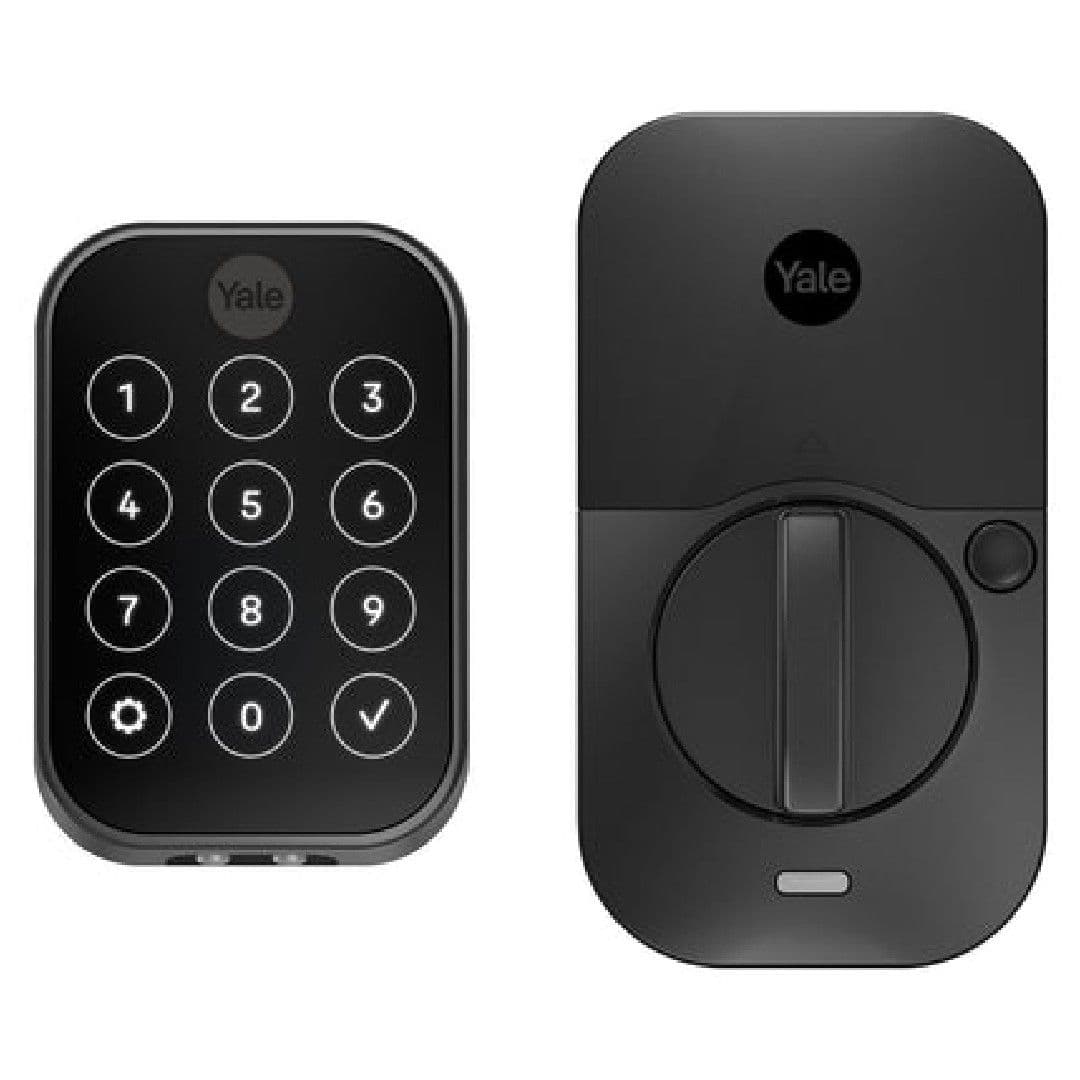
The Yale Assure Lock 2 is a highly dependable smart lock from one of America’s most respected lock companies. It can automatically unlock for multiple registered users and allows for automatic relocking after a customizable time period. It’s compatible with Alexa, Google Assistant, and Apple HomeKit, as well as SmartThings, Z-Wave, and Matter smart wireless networking. It can be a pain to install, but if you’re willing to make the investment, this is one of the best you can get.
Pros
- Touch or tactile keypad
- Optional keyed model
- Will support the upcoming Matter ecosystem
Cons
- Installation is a bit of a hassle
- Matter and Z-Wave network modules sold separately
- Battery life less than ideal
From one of America’s most respected lock companies, the Yale Assure Lock 2 is straightforward and highly dependable, with an intuitive app and all the bells and whistles you’d expect from a late-model smart lock. It can automatically unlock for multiple registered users and allows for automatic re-locking after a customizable time period. Whether you use Alexa, Google Assistant, or Apple HomeKit to control your various smart home devices, the Assure 2 will work swimmingly alongside them. It’s even primed for compatibility with SmartThings, Z-Wave, and Matter smart wireless networking, though you’ll need to pony up for a separate, dedicated wireless module from Yale to get it up and running.
One of the drawbacks is that it can be a pain to install, even if you’ve swapped out a deadbolt before, but if you’re willing to make the investment, it’s one of the best you can get. And as a new release, we expect it to see a bevy of useful software updates over the next year or so.
August 4th Generation
Premium pick
Stable connection to Wi-Fi
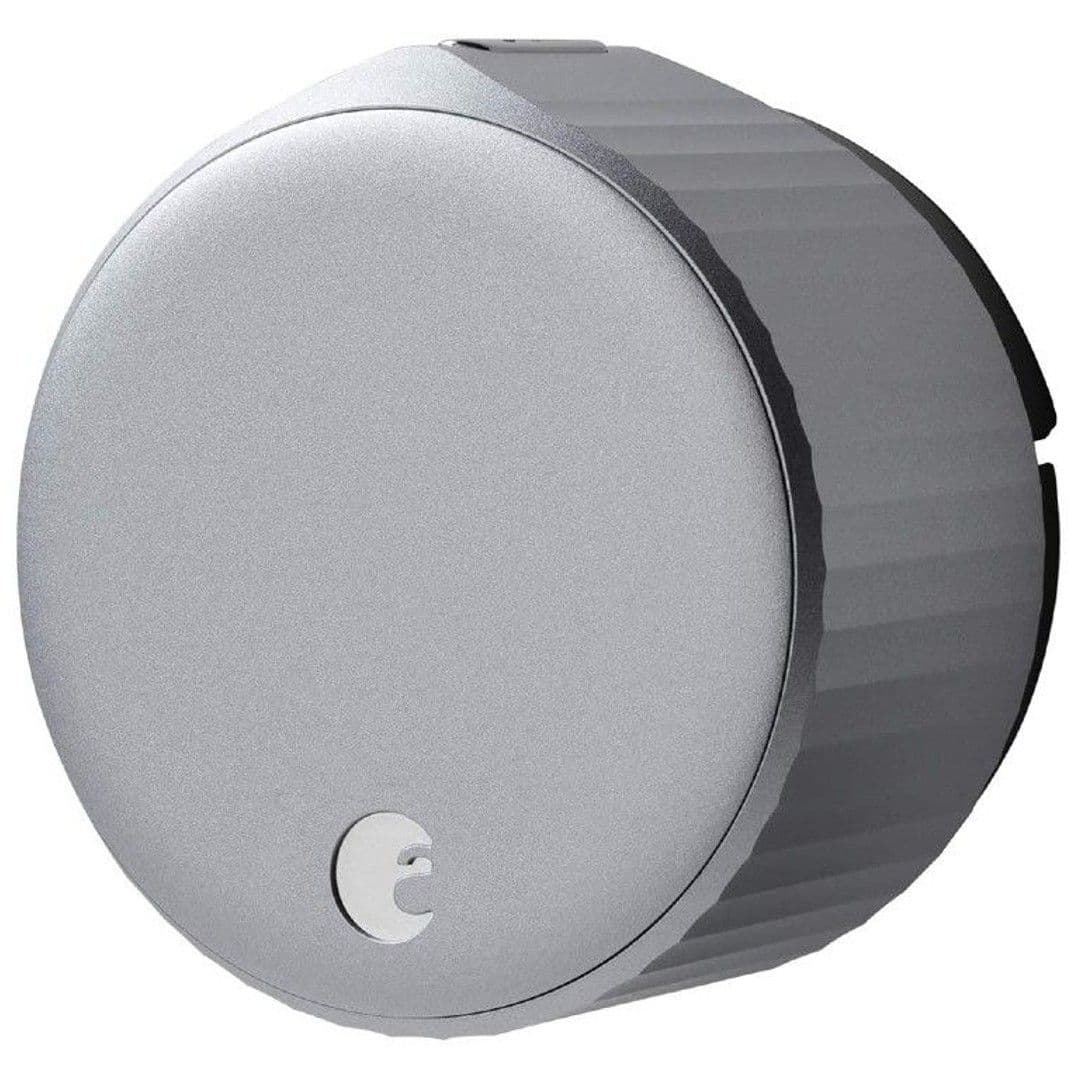
The August Smart Lock is easy to install, even smaller than its predecessors, and can be retrofitted to most deadbolts with minimal modification. The built-in Wi-Fi bridge eliminates the need for a separate device altogether, and Alexa, Google Assistant, and Siri can be used to issue voice commands, activate routines, and process automations. The lock also offers geolocation-based auto-locking and unlocking without additional payments or subscriptions.
Pros
- Works with all three major voice assistants
- No subscription or hub required
- Reliable Wi-Fi connectivity
Cons
- Not cheap
- Keypad is sold separately
- Battery life shorter than others
One of the first reasons to consider the August Smart Lock is that you can retrofit it to most deadbolts with minimal modification. Not only is it easy to install, but the 4th-generation model is also even smaller than its already compact predecessors. You won’t have to deal with a bulky and unsightly addition to the inside of your door. Another improvement compared to older models is that this one finally has the Wi-Fi bridge built-in, eliminating the need for a separate device.
Once it’s installed and configured, you can use Alexa, Google Assistant, or Siri to issue simple voice commands or activate preset routines and automation. August also offers geolocation-based auto-locking and unlocking, so you don’t have to search for your keys. Finally, you can access all those features and assign multiple guest keys without additional payments or any kind of subscription.
Wyze Lock
Best value
Simple and affordable
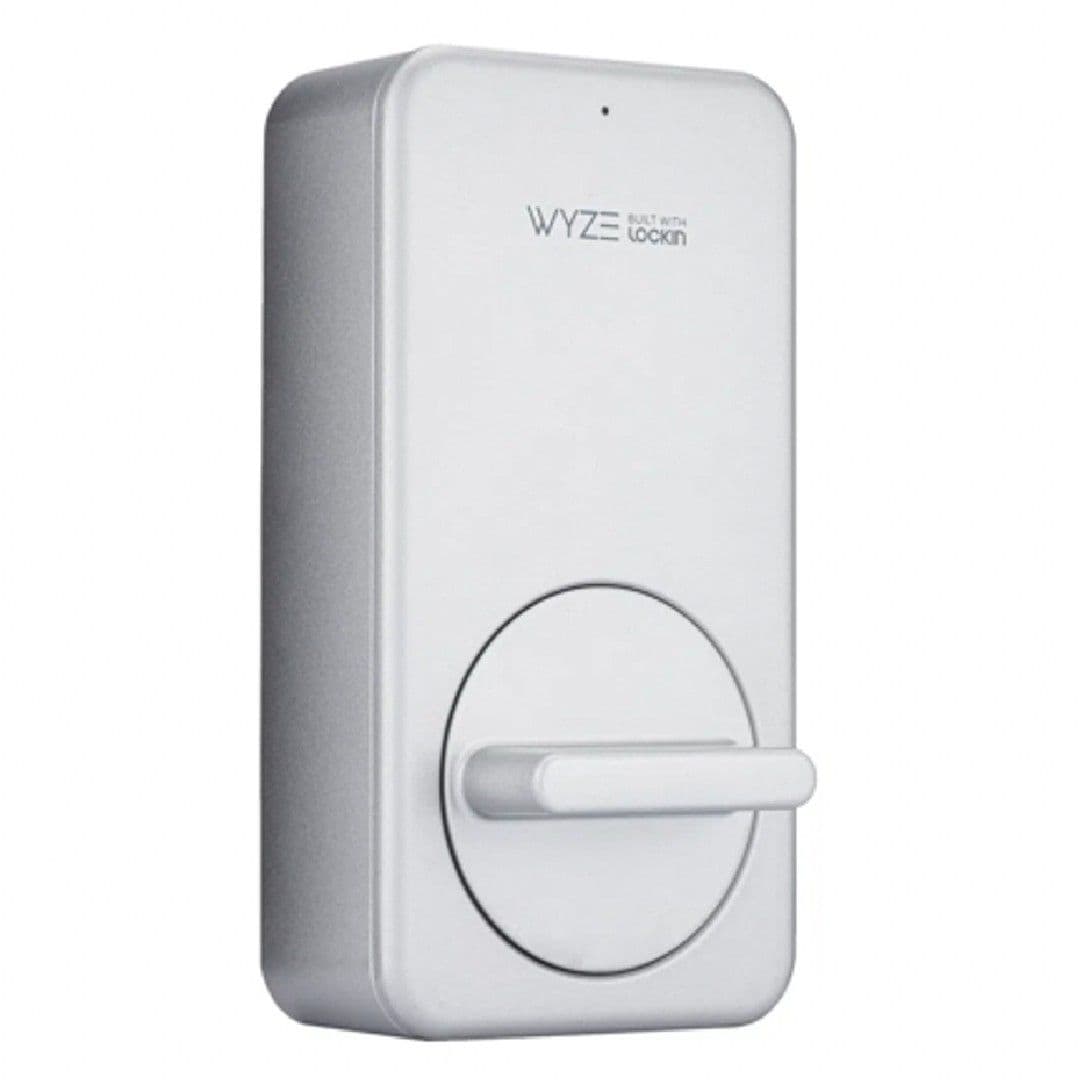
The Wyze Lock is an affordable smart lock that can be installed without replacing your current deadbolt. It is compatible with both Alexa and Google Assistant, and can be used to lock, unlock, or check its current status. However, it requires a hub to connect to your home Wi-Fi network, which can take up an empty AC outlet. It is not compatible with most third-party smart home electronics.
Pros
- Simple installation
- Looks like a normal door lock
- Costs relatively little
Cons
- Inconsistent auto-unlock feature
- No Apple HomeKit support
- Less durable design
Not being particularly advanced is one of the strengths of the affordable Wyze Lock. You can install it without replacing your current deadbolt, which means you won’t be advertising to the world that you have a new smart lock. Plus, you can continue to use your old keys. It’s compatible with both Alexa and Google Assistant, and you can use either to lock, unlock, or check its current status. It does require you to use a hub to connect to your home Wi-Fi network, though.
While the hub is included, it will take up an empty AC outlet, which can be slightly inconvenient. Unfortunately, while you can link it to several automations in conjunction with other Wyze smart devices, it’s not compatible with most third-party smart home electronics.
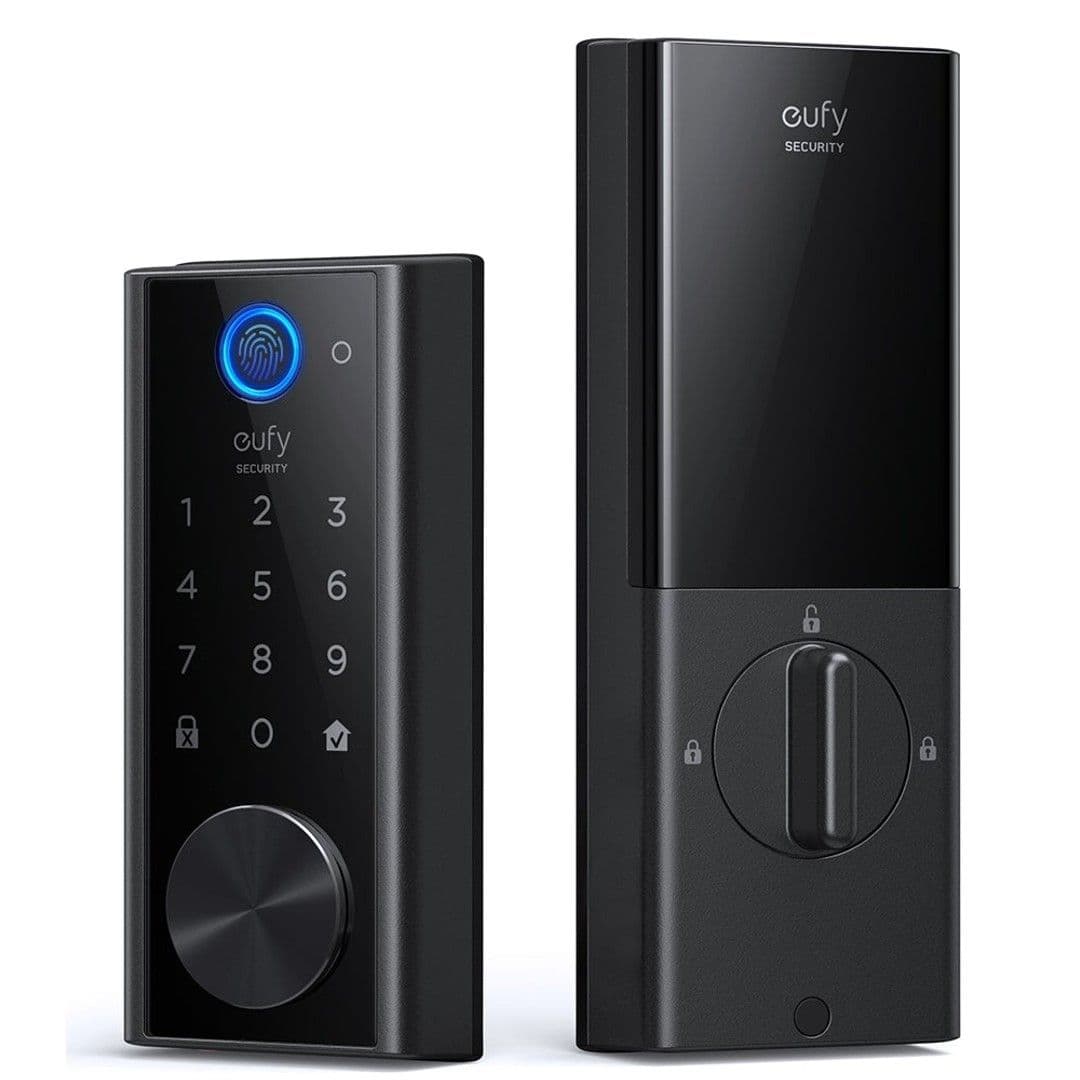
Eufy Security S230
Sleek and straightforward
Extremely user-friendly
The Eufy Security S230 is a smart lock that offers fast and reliable auto-unlocking, an integrated fingerprint reader, an easy-to-use app, and sleek exterior decor. It doesn’t support advanced protocols such as IFTTT, but the hope is that Eufy will implement them in the coming months.
Pros
- Perfect for retrofitting over most deadbolts
- Fingerprint reader
- Consistent auto-unlocking
Cons
- Subpar installation instructions
- Battery life could be better
- Physical key unusual
If you don’t want to hassle with replacing your entire deadbolt, the Eufy Security S230 is one of your best options. It supports fast and reliable auto-unlocking, one of a smart lock’s most convenient features. It’s also sleek enough to fit in with most exterior decor and won’t stand out or look especially gaudy or technical from the outside. In addition, the app is easy to use and gives you straightforward access from anywhere you can use the internet.
One minor complaint is that it doesn’t support advanced protocols such as IFTTT, but hopefully, Eufy will implement these in the coming months, as this is a relatively recent release.

Google Nest x Yale
Google-based smart lock
Small, elegant, and stylish
$230
$280
Save
$50
The Google Nest x Yale smart lock is endorsed by Google, making it easy to access most of its features with Google Assistant voice controls. However, Apple HomeKit and Amazon Alexa users are out of luck. Additionally, many of its best features — including in-depth remote access — require the Google Nest Hub, but anyone who loves the Nest family is likely already using one. The Nest x Yale smart lock is a great addition to any household invested in the Nest ecosystem.
Pros
- Simple yet stylish design
- User-friendly app experience
- Very quiet locking functions
Cons
- Smart functions require the Wi-Fi bridge
- Exclusively for the Google Nest ecosystem
- Pass codes can bug out sometimes
One of the hallmarks of the entire Nest ecosystem is that its devices and app are about as streamlined as anything else on the market. So, if yours is one of the many households invested in many Nest products, the Nest x Yale smart lock will fit right in. As it’s clearly endorsed by Google, the owners of the Nest family of products, it’s no surprise that you can access most of its features with Google Assistant voice controls. This includes simple tasks like checking whether it’s locked, locking or unlocking it, and activating custom Google Routines.
As you might imagine, though, Apple HomeKit and Amazon Alexa users are out of luck. It’s also worth noting that many of its best features — including in-depth remote access — require the Google Nest Hub, but anybody who loves the Nest family, in general, is probably already using one.
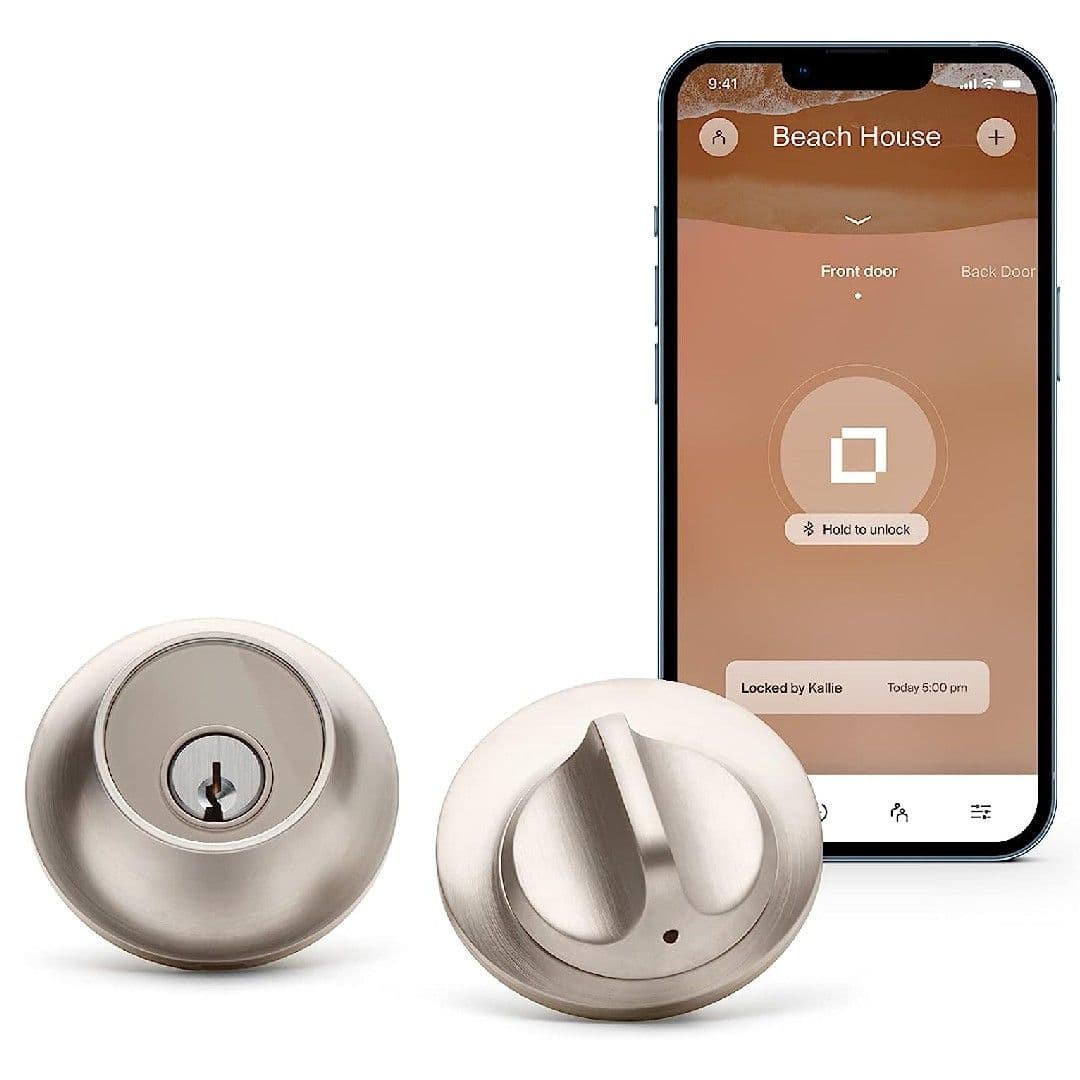
Level Lock – Touch Edition
Unobtrusive standard design
Solid deadbolt replacement
$235
$329
Save
$94
The Level Lock Touch Edition is a smart lock developed for Apple HomeKit, but is not suitable for Google Nest homes and its Alexa support is less than ideal. It doesn’t come with a keypad, but you can add additional users and codes using the smartphone app. It can also be operated with an NFC-enabled smartphone or one of the two NFC tags it comes with. However, it requires complete replacement of the existing lock and cannot be re-keyed.
Pros
- Especially compact
- Compatible with Apple HomeKit
- Key card access
Cons
- No Google Assistant support
- Touch delay of several seconds
- Very expensive
If you didn’t know better, you wouldn’t be able to tell that the Level Lock Touch was a smart lock. It’s also one of the few explicitly developed for Apple HomeKit. Unfortunately, it won’t be suitable for Google Nest homes, and even its Alexa support is less than ideal. While it doesn’t come with a keypad, you can grab yourself the Level Keypad, which works with any Level Lock or Level Bolt.
Otherwise, you can add additional users and codes using the smartphone app, and lock or unlock it via compatible voice controls. You can also operate it with an NFC-enabled smartphone or one of the two NFC tags it comes with. Keep in mind, though, that it requires complete replacement of your existing lock and can’t be re-keyed.
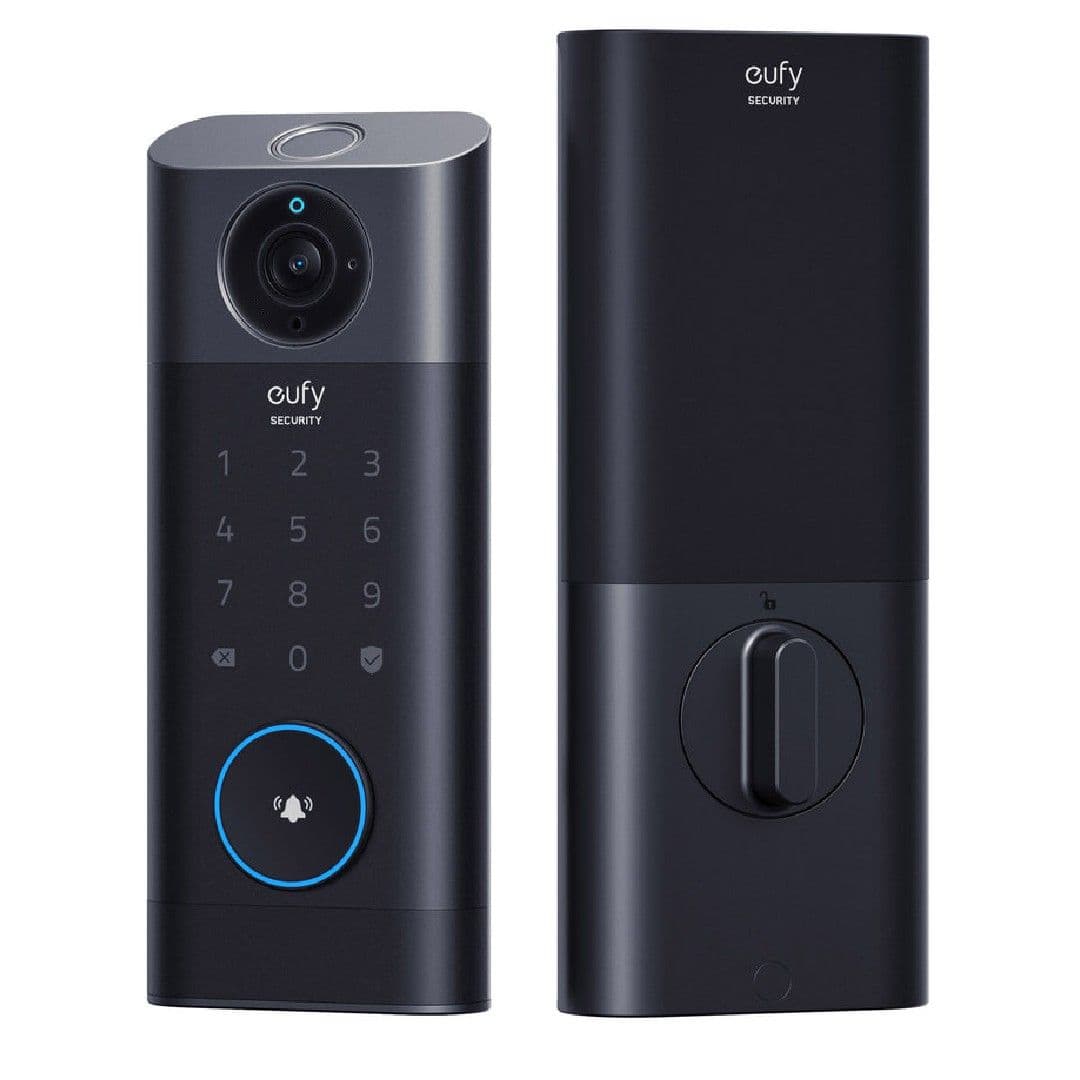
Eufy Security S330
High-quality resolution
Substantially upgraded image
The Eufy Security S330 is the ultimate two-in-one video doorbell and smart lock. It features a fingerprint reader with lightning-fast recognition, an incredibly low error rate, and the ability to store 50 separate fingerprints for residents and guests. It also has infrared and radar motion sensors with an impressive resolution, two-method motion detection, and a speaker and microphone for effective two-way audio.
Pros
- An all-in-one security package
- Fast-response operation
- Supports internal SD card storage
Cons
- Extremely expensive
- Keypad requires wired installation
- No continuous recording
We’ve looked hard and can’t find any others that combine a powerful video doorbell and full-featured smart lock like the Eufy Security S330 does. The smart lock side of things incorporates a host of advanced features, such as a fingerprint reader with lightning fast recognition, an incredibly low error rate, and the ability to store 50 separate fingerprints for residents and guests. That’s in addition to the numeric keypad, which lets you save 100 different pass codes to accommodate anybody who might need to visit.
It’s just as packed with features on the smart lock side, too, including infrared and radar motion sensors and an impressive resolution of 2,560 by 1,920. On top of simple two-method motion detection, it can tell if people are arriving, leaving, or even sticking around to loiter after you’ve answered the door. A speaker and microphone combine for effective two-way audio. It’s the ultimate two-in-one video doorbell and smart lock, and it should make installation and setup easier on most homeowners. As a relatively new product, Eufy has already implied that it will someday receive support for Apple HomeKit, IFTTT, and the Matter smart ecosystem, although those updates haven’t yet been released.
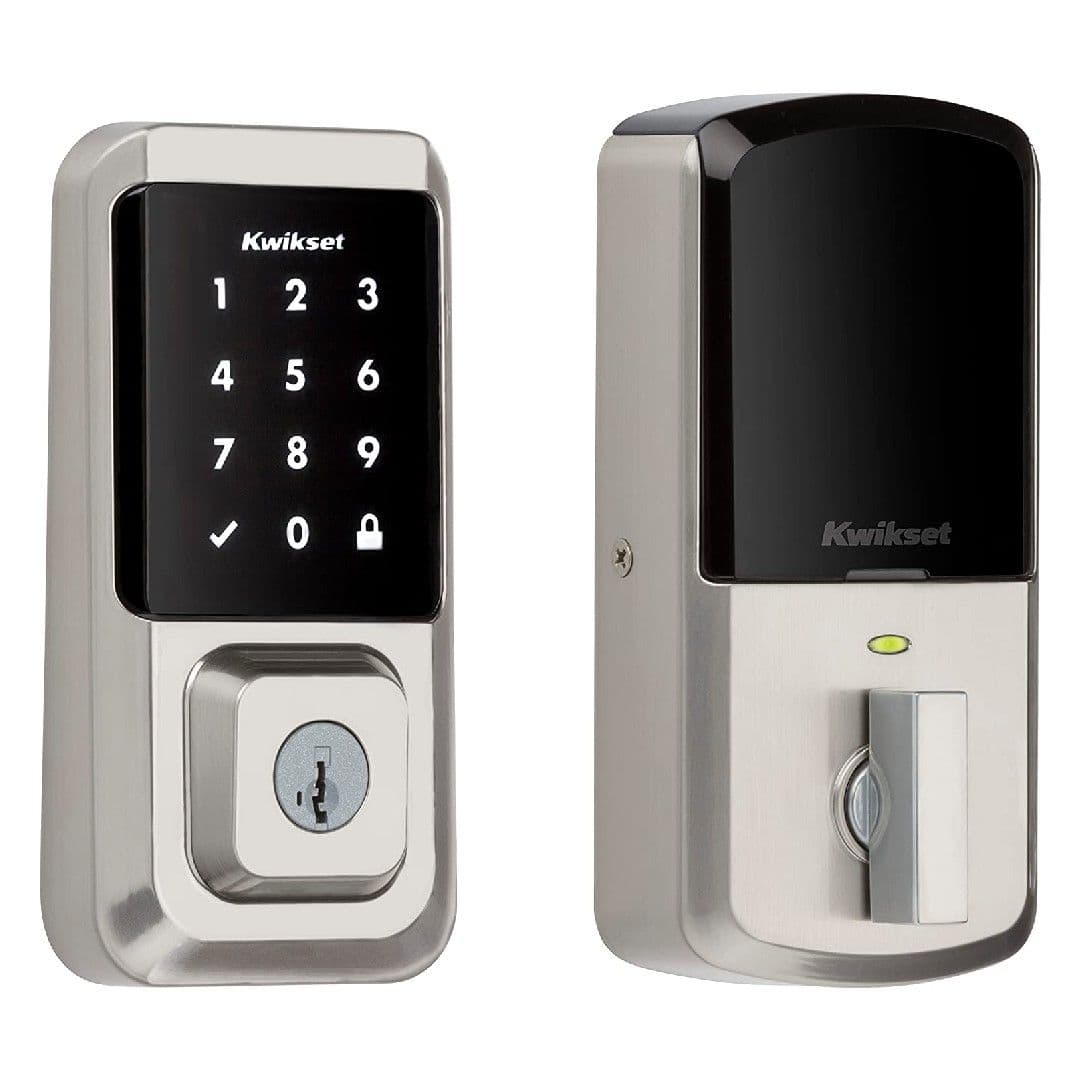
Kwikset Halo
Designed for multiple users
Ideal for large households
$196
$249
Save
$53
The Kwikset Halo is a good choice for families because it stores an easy-to-read access history, delivers security notifications after three incorrect code entries, and has a random number confirmation feature. It doesn’t have the same in-depth level of smart integration as some of the competition, but it’s a capable option that will keep your property safe. It offers extensive remote management capabilities that let you set up 250 different codes and assign full-time, limited, or one-time use status to each.
Pros
- Responds to commands quickly
- Includes replacement deadbolt and keys
- Integrated Wi-fi radio
Cons
- Lacks proximity-based auto-unlocking
- No IFTTT support
- Touch screen response dependent on pressure
The Kwikset Halo is a good choice for families because it stores an easy-to-read access history that tells you when and how it’s been used recently. It also delivers security notifications after three incorrect code entries. Plus, it has a random number confirmation feature that prevents terrible actors from figuring out the code based on fingerprint residue. It doesn’t have the same in-depth level of smart integration as some of the competition, but it’s a capable option for keeping your property safe.
All the wireless connectivity hardware is contained within the unit, so you won’t need to plug in a hub anywhere else. It also offers extensive remote management capabilities that allow you to set up 250 different codes and assign a full-time, limited, or one-time use status to each. If you’re looking for something dependable but not fancy, the Halo’s a great choice.
The best smart lock for your home
Whether you’re just starting your smart home or looking to tighten security, one lock at a time, one of these smart locks should stand out. The right smart lock depends partly on which smart home voice control system you prefer. The Yale Assure Lock 2, Level Lock Touch, and August 4th Generation are all compatible with HomeKit, the most exclusive environment in general. Speaking of August, it remains a top option and premium pick despite being a few years old. It offers all the features most people need, implements commands, and sends alerts as fast as possible. Its consistent response and straightforward control keep it on top of our recommendations.
Dedicated Google households should strongly consider the Google Nest x Yale smart lock, although, to be fair, there are nearly as many options with Google Assistant support as there are with Alexa support. That said, some explicitly lack Google support, namely the Level Lock Touch, which is otherwise one of the best-looking and most streamlined smart locks. It’s also worth considering other advanced features, in particular auto-unlocking. Auto-unlocking uses geolocation to determine when you and your smartphone are approaching the door so that it can unlock itself without any commands from you. Most smart locks support this. However, the Kwikset Halo does not.
Always a favorite in the smart tech world, the Eufy Security S230 and S330 combine a video doorbell and smart lock, so if you’re in the market for both, put one of them at the top of your list. They are outfitted with tons of novel features, including dual motion sensing that uses both radar and passive infrared for enhanced accuracy and precision.
For homeowners on a tight budget, we’ve highlighted the Wyze Lock; however, quality is sacrificed with this model and the overall implementation is rather inconsistent. We’ve also added a couple of new premium smart locks, including our favorite high-end model, the Yale Assure Lock 2. It’s discreet, dependable, recently released, and made by one of the most popular manufacturers in the country.
Yale Assure Lock 2
Best overall
Well-rounded quality smart lock
$210
$240
Save
$30
The Yale Assure Lock 2 is a highly dependable smart lock from one of America’s most respected lock companies. It can automatically unlock for multiple registered users and allows for automatic relocking after a customizable time period. It’s compatible with Alexa, Google Assistant, and Apple HomeKit, as well as SmartThings, Z-Wave, and Matter smart wireless networking. It can be a pain to install, but if you’re willing to make the investment, it’s one of the best you can get.