
Best Chromebook for kids in 2023
Related Posts
The best Chromebooks for kids should assume a different role than a Chromebook you buy for yourself; thus, there are some specific things to watch out for when shopping. First, you generally want a laptop that’s compact and lightweight, making it easier to fit into a backpack and for small hands to hold onto. You also might want to add a touch display with a convertible form factor for improved versatility. Then there’s the question of durability and performance, as you don’t want to buy something that’s underpowered or that will fall apart after a few months.
The sheer amount of Chromebooks on the market can make it difficult to find the right one for your kids, but we can help you get the right device at the right price.
Our favorite Chromebooks for kids in 2023
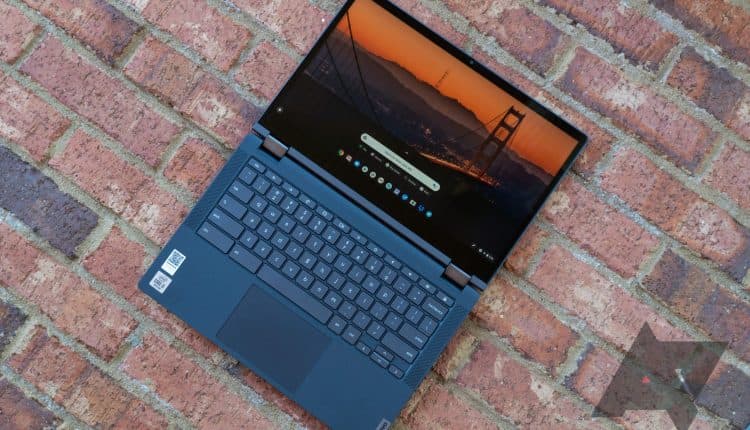
Lenovo Chromebook Flex 5i
Best overall
High-end with a mid-range price
$362
$430
Save
$68
The Chromebook Flex 5i from Lenovo is our top pick thanks to its convertible design, 13.3-inch FHD display, Intel Core i3 CPU, and proper M.2 SSD. The current price is tough to pass up, and if you need a Chromebook for the kids, this should be a top choice.
Pros
- Snappy Core i3 performance
- 13.3-inch FHD touch display
- Versatile convertible design
Cons
- Screen could be brighter than 250 nits
- Smallish touchpad
In our Lenovo Chromebook Flex 5i review, we noted that one of the pain points was the asking price, but otherwise, the laptop had “plenty of power and zippy storage, […] a great keyboard, and is light enough to be used on the go.” And now that the regular price has come down to about $350, you can pick it up with even fewer concerns. Sure, it’s starting to show its age with 11th Gen Intel Core processors, but the AUE date extends to June 2029, so you’ll still get enough power to tackle just about any task.
The 11th Gen Core i3-1115G4 chip is better than just about anything else in this roundup, and it’s paired with 8GB of DDR4X RAM and a 128GB M.2 PCIe NVMe solid-state drive (SSD) for zippy transfers. The convertible design lets you rotate the display around for tablet mode, and the touch display is ready to accommodate. It has a sharp 1080p resolution, and at 13.3 inches, there’s plenty of space for handling homework. Speakers flank the comfy keyboard and deliver unmuffled audio, while the Wi-Fi 6 connection provides reliable internet.
This is a great option for users who can handle a slightly larger device and need the extra power that the Intel Core processors can provide.
Source: Dell
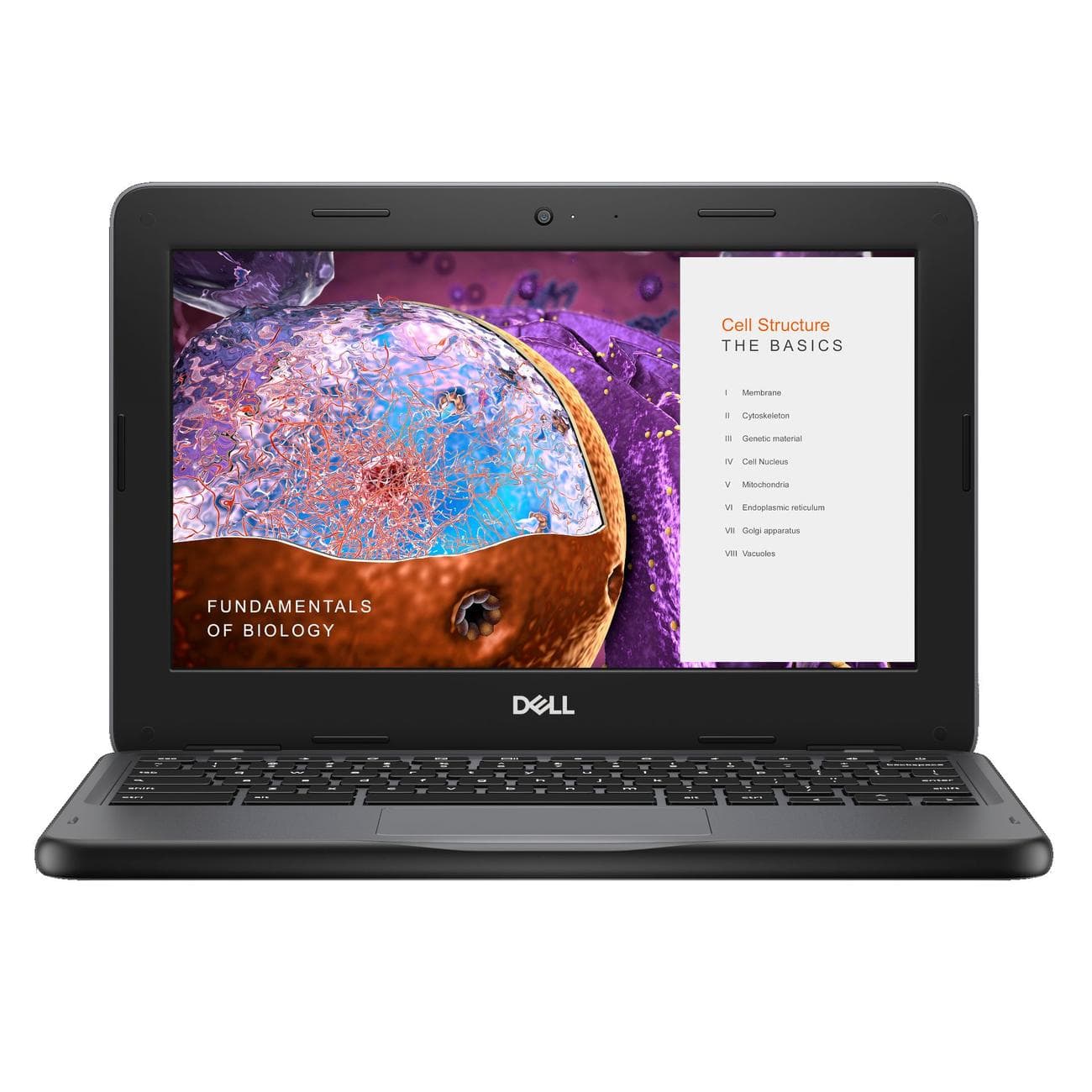
Dell Chromebook 3110
Best value
Basic but affordable
Dell’s Chromebook 3110 is an affordable and compact clamshell laptop that will best suit younger users thanks to its 11.6-inch size and moderate performance hardware. Its competitive price helps keep it in the running.
Pros
- Compact and durable design
- Optional LTE connectivity
- Solid battery life
Cons
- Thick bezel around display
- Not particularly powerful
The Chromebook 3110 is one of the best Dell Chromebooks out there today, especially if you’re looking to buy on the cheap. You can usually pick up a model for just a bit more than $250, which lands you an Intel Celeron N4500 CPU, 4GB of LPDDR4 RAM, 32GB of eMMC storage, and an 11.6-inch HD display with anti-glare finish. You can even upgrade to a touch display for just a few dollars more, which is recommended if you’re buying for a younger child. LTE connectivity also seems to be an option in some markets, but in any case, Wi-Fi 6 is on board.
The laptop’s chassis can withstand a hard life of drops and scratches, the keyboard is best used under smaller hands, and there’s even a 720p webcam for video conferencing. Dell claims the battery can go for six to ten hours on a charge, which should be enough to get through most of a school day without searching for an outlet. If this isn’t quite what your kid needs, we have a roundup of the best cheap Chromebooks with plenty more options.
Acer Chromebook 516 GE
Premium pick
Made for gaming
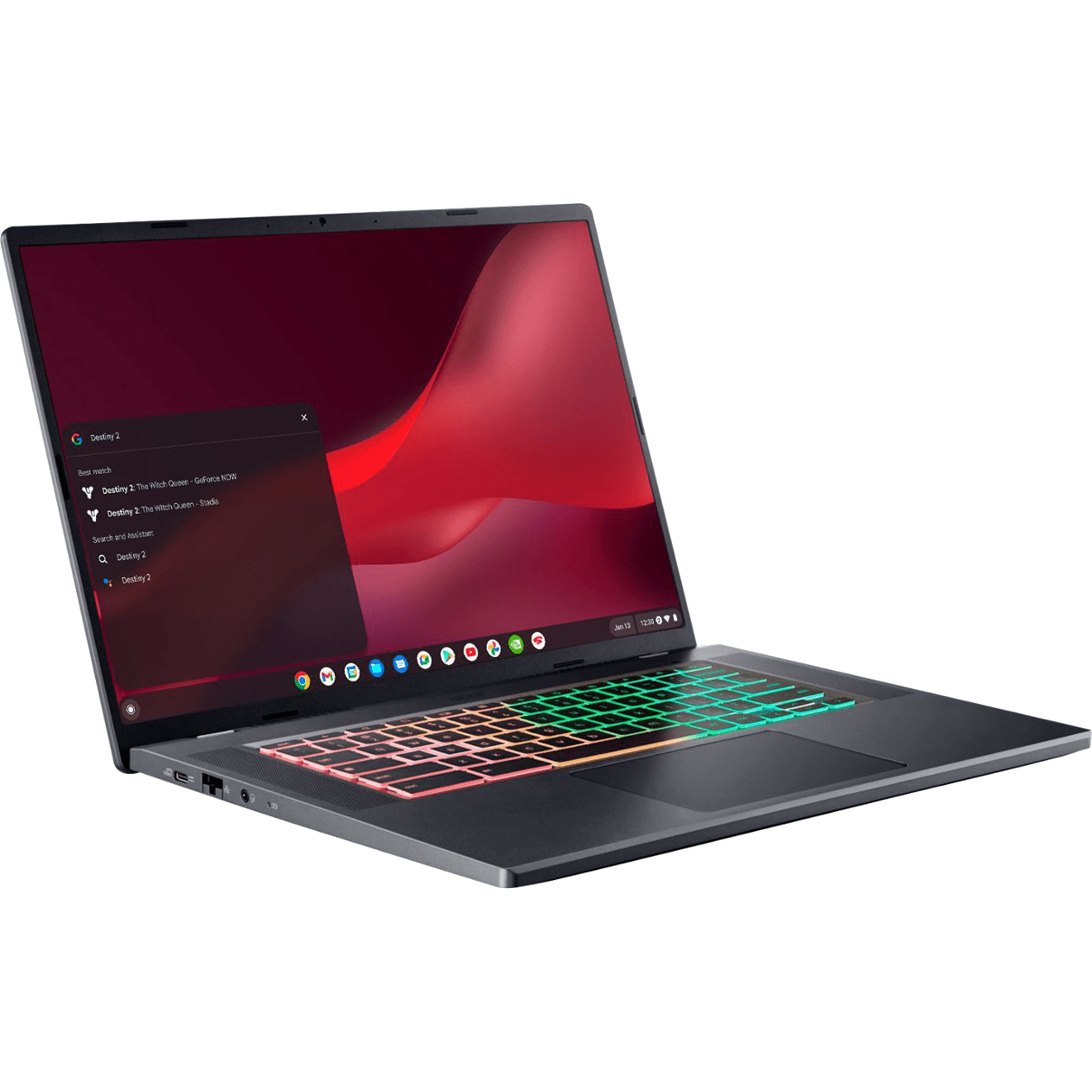
This Chromebook is built to accommodate gamers’ tastes and needs, but it can still crush homework and other tasks with ease. It has a gorgeous 16-inch display with QHD+ resolution, strong performance from 12th Gen Intel CPUs, and even an RGB keyboard.
Pros
- Gorgeous 16-inch QHD+ display with 120Hz refresh rate
- Outstanding audio from quad speakers
- Customizable RGB keyboard
Cons
- No Thunderbolt 4
- No touch display
Acer’s Chromebook 516 GE is our top pick for the best gaming Chromebooks out there, and any parents buying a new laptop with gaming at the top of their kid’s priorities will want to check it out. It’s also one of the best Acer Chromebooks in general, capable of tackling just about any task.
It’s built from the start to handle cloud and local gaming best, all thanks to the 12th Gen Intel Core P-series processors, integrated Intel Iris Xe graphics, plenty of LPDDR4x RAM, and lots of speedy storage space. There are also four speakers with DTS Audio tuning and a smart amp for impressive sound, and the keyboard has RGB lighting that can be customized.
Perhaps the best feature is the 16-inch display with 2560×1600 (QHD+) resolution, 120Hz refresh rate, and 100% sRGB. Wi-Fi 6E and an Ethernet port are also available to handle cloud gaming better. It won’t be easy to find a greater display for gaming than this one, especially at the asking price.
Source: Samsung
Samsung Galaxy Chromebook 2 360
Best display
Touchscreen with QHD+ resolution
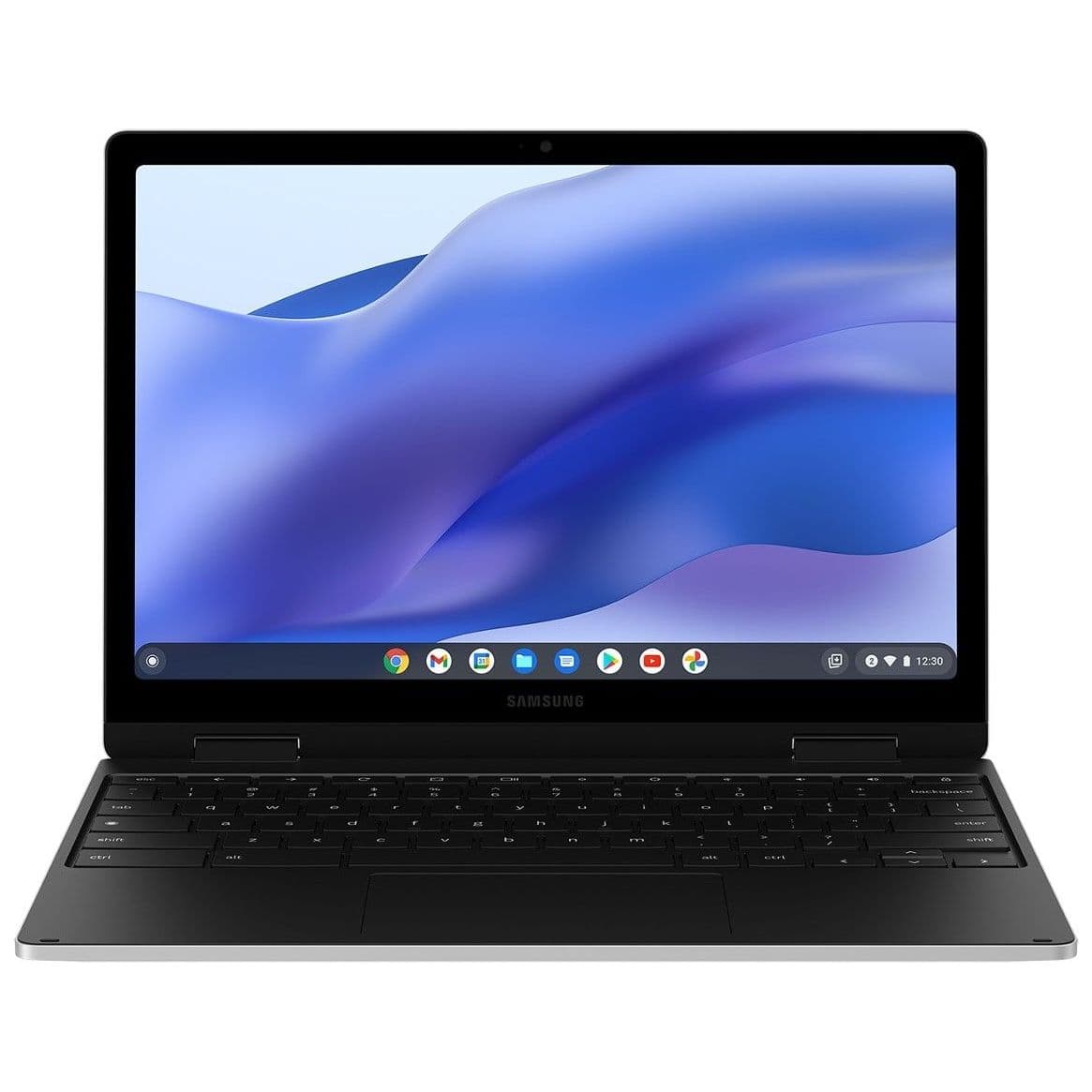
Samsung’s Galaxy Chromebook 2 360 comes with a compact 12.4-inch display that boasts an impressive QHD+ resolution. This is a great choice if your kids want a great screen without all the gamer features.
Pros
- Gorgeous high-res QHD+ display
- Versatile convertible design
- Compact and lightweight
Cons
- Slow eMMC storage
- No 8GB RAM option
Need a high-res display without all the gamer add-ons? The Galaxy Chromebook 2 360 can deliver. Its 12.4-inch size makes it easy for smaller hands to hold onto, yet it packs in a touch display with 2560×1600 (QHD+) resolution and a 16:10 aspect ratio. This is great for kids who can’t stand a low-res screen, whether it’s for homework, browsing, or streaming.
An Intel Celeron N4500 CPU delivers OK performance with long battery life (Samsung says up to 10 hours on a charge), and it’s joined by 4GB of RAM and up to 128GB of eMMC storage. This isn’t going to win any races, but it will still handle productivity work while making it through most of the day without needing a charge. By way of ports, the laptop offers two USB-C (with one used part-time for charging), one USB-A, a microSD card reader, and a 3.5mm audio jack. Be sure to check out more of the best Samsung Chromebooks for more selections.
Source: Lenovo
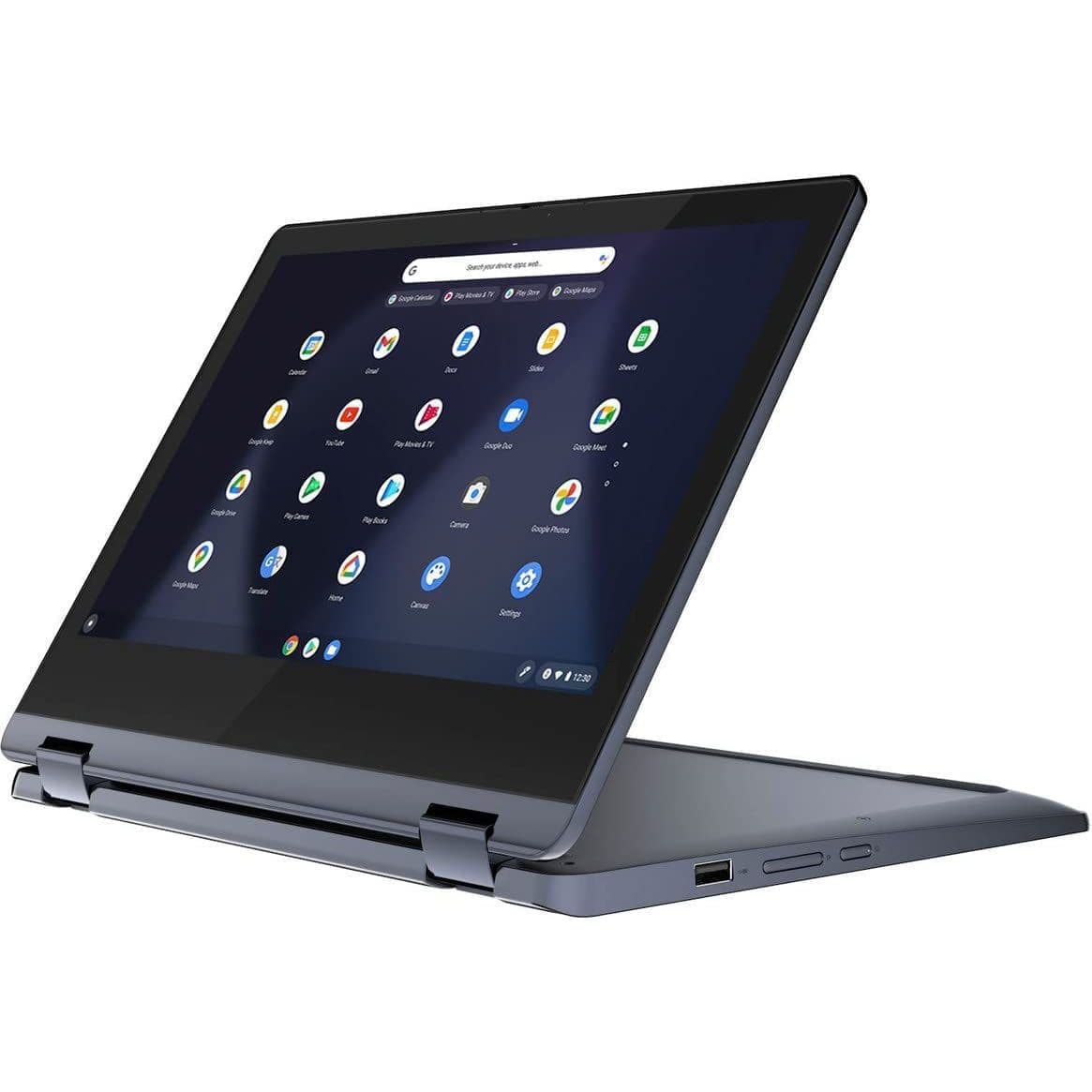
Lenovo Chromebook Flex 3
Affordable convertible
Compact and versatile
Love the Flex 5 but want something smaller and more affordable? The Chromebook Flex 3 from Lenovo comes with the right hardware and display for younger users who mainly browse the web, handle homework, and stream content.
Pros
- The price is right, especially on sale
- Durable but lightweight build
- Great for casual computing
Cons
- Limited performance
- HD display not ideal for everyone
The Lenovo Flex 5i might take the top spot in this roundup of great Chromebooks for kids, but we can go cheaper and still get the Lenovo perks of durability and a comfortable keyboard. The Flex 3 is more compact at 11.6 inches, with a lighter build and HD touch display, perfect for younger users. You still get the versatility of a convertible build — and it has lots of ports, including USB-C and a microSD card reader — plus, the battery will go more than nine hours before needing a charge.
This isn’t the most powerful Chromebook, but the MT8183 CPU with 4GB of RAM and 64GB of eMMC storage will be enough to handle homework, browsing, and streaming with ease. Prices seem to hover around the $200 mark, with plenty of opportunities to buy it for an even cheaper rate during sales.

Asus Chromebook Detachable CM3
Best 2-in-1
Detachable keyboard and garaged stylus
Need a Chromebook that your kids can use as a tablet just as well as a notebook? The ASUS Detachable CM3 is the right pick, with its FHD+ touch display, garaged USI stylus, and lightweight performance hardware.
Pros
- 16:10 aspect ratio for the touch display
- Convenient 2-in-1 build
- Garaged stylus included
Cons
- Pricey for the performance you get
- A 2-in-1 design not ideal for everyone
Convertible laptops can accommodate notebook and tablet users, but not everyone enjoys handling the full bulk of a laptop when the screen is folded around. That’s where a true 2-in-1 comes in. The ASUS Flip CM3 has a keyboard and touchpad portion that’s completely detachable from the tablet, giving your kid a lot of options with which to work. For example, they can attach the keyboard and fold out the stand on the back of the tablet for a stable notebook experience, or they can just grab the tablet and go.
An included USI stylus that lives inside the tablet when not in use provides a great inking experience, and the 10.5-inch touch display has a crisp 1920×1200 (FHD+) with a 16:10 aspect ratio. While this isn’t the most powerful Chromebook, its MT8183 CPU with 4GB of RAM and 64GB of eMMC storage will still easily handle streaming, homework, and general productivity.

Acer Chromebook Spin 311
Budget convertible
Versatile build at a low price
$169
$249
Save
$80
Want a dependable convertible laptop that’s as affordable as possible? Your younger kids will love the Acer Chromebook Spin 311’s versatile design and touch display — and you will also love the budget price that’s often even cheaper with sales.
Pros
- Excellent battery life
- Durable build quality
- Versatile convertible design
Cons
- Limited storage options
- Low-res screen doesn’t get very bright
Acer’s Chromebook Spin 311 is one of the best Acer Chromebooks out there, especially if you’re shopping for something affordable for your kids. It regularly takes the top spot when it comes to cheap laptops, generally coming in at around $210. Its MediaTek MT8183 CPU isn’t going to blow you away, but paired with 4GB of RAM and up to 64GB of eMMC, it will easily handle the needs of younger children. In addition, battery life is outstanding at around 15 hours from a charge.
The 11.6-inch touch HD display’s chunky bezels make it easy to grab onto in tablet mode, while the keyboard and touchpad are small enough to suit young hands. This isn’t the most glamorous Chromebook out there, but it should offer exceptional battery life while being able to take a beating.
Getting the best Chromebook for your kids
There are certain things every parent needs to know when buying a Chromebook for their kids. First, you want to be sure the Auto Update Expiration (AUE) isn’t coming up anytime soon (all laptops listed here offer years of future updates), and you want solid battery life for use at school or while traveling. You also don’t want to overspend on performance hardware or a display size that won’t be put to good use. Finally, you want something durable and, in some cases, extra versatile with a convertible or 2-in-1 build.
With all that in mind, the Lenovo Chromebook Flex 5i is our top choice when it comes to Chromebooks for kids. It’s a couple of years old, but it still delivers strong performance from an 11th Gen Intel Core i3 CPU, 8GB of RAM, and up to 128GB of M.2 SSD storage. Its age also means the price has dropped quite a bit since its launch; you can reliably find it for about $350.
The 13.3-inch touch display with FHD resolution can be rotated around for use as a tablet; the top-firing speakers around the keyboard produce quality audio, and the battery life is quite good.

Lenovo Chromebook Flex 5i
Best overall
High-end with a mid-range price
$362
$430
Save
$68
The best Chromebook for your kids is the Lenovo Flex 5i. It brings relatively high-end specs and a gorgeous 13.3-inch touch display with FHD resolution, yet it is often found for only around $350.
