

When the original reMarkable paper tablet launched in 2017, it wasn’t received well thanks to a laggy experience plagued with loading problems. Fortunately, the company has proven that everyone deserves a second chance, with the reMarkable 2 paper tablet providing a stellar writing experience across the board, as well as robust battery life and a slick, comfortable design that will make it even harder to put down.
To be clear, though, the reMarkable 2 definitely has a specific audience it’s going for. If you’re looking for an e-reader that can also support writing, you might want to look elsewhere, as the reMarkable 2 supports very few e-book formats, has no backlight, and doesn’t offer page-turning buttons for easy reading. All that to say, it’s clearly a writing tablet first and an e-reader second, so if note-taking is your goal, you’re in the right place.
Source: reMarkable
reMarkable 2
The reMarkable 2 provides a top tier writing experience, with a sturdy stylus that actually feels like you’re writing on paper. Still, it lacks a lot of important ereader features, so if you want a more versatile device, you might want to look else.
-
Resolution
-
1872×1404 226 PPi
-
Storage
-
8 GB
-
Screen Size
-
10.3 inches
-
RAM
-
1 GB
-
Supported formats
-
PDF and ePUB
-
Battery
-
3,000mAh
-
Weight
-
403.5g
-
Connectivity
-
USB-C, Wi-Fi
-
Front light
-
No
-
Buttons
-
Power
Pros
- Thin, comfortable design
- Excellent writing experience
- USB-C charging with good battery life
Cons
- Very limited functionality
- Must swipe display to turn page
-
High
price
tag with
accessories
- No backlight
Price and availability
At $279, the reMarkable 2 may seem pretty affordable at first glance, particularly compared to competing paper tablets like the Kindle Scribe, which retails at $340. However, a stylus is not included with the reMarkable 2, unlike its competitor from Amazon, and the Marker costs $79 while the Marker Plus costs $129, which brings the total cost of the e-reader and pen to at least $360.
On top of that, the standard folios for the device retail between $79 and $129, while the keyboard folio costs $199, so your overall price for a fully-loaded paper tablet comes out to around $610, which brings a maxed-out reMarkable 2 closer to the likes of the Onyx Boox Tab Ultra C. The reMarkable 2, the Type Folio, the Book Folio, the Marker, and Marker Plus are understandably unavailable on Amazon, but you can get them at Best Buy or directly from the reMarkable website.
If you purchase the reMarkable 2 from the company’s website, you’ll also get a 1-year subscription to Connect, which allows for unlimited cloud storage, mobile and desktop note-taking, the reMarkable 2 protection plan, and access to exclusive features. After that, the subscription costs $2.99 per month or $29.90 per year.
Design and what’s in the box
Right out of the box, the reMarkable 2 is clearly committed to a minimalist design as its predecessor. There are no speakers and no cameras. You get one port, one button, and generally, the device just feels like it’s meant to be a fully distraction-free paper tablet for easy writing.
As is common with paper tablets, the reMarkable 2 features a large, metallic bezel on the left edge (when holding it vertically), which makes it easier to hold while reading. Compared to most other e-readers, the bezel is actually quite small, measuring less than an inch, substantially smaller than the Amazon Kindle Scribe, which is more than double the size. Unfortunately, the bezel doesn’t offer any features, providing no page-turning functionality. All it does is provide an easy place to hold the device, as well as do a good job of concealing the power button and USB-C port on the tablet.
The power/standby button rests at the top left of the device as part of the metallic bezel along the left edge. To keep the rest of the device as clean as possible, the USB-C charging port is on the bottom left corner of the same bezel, which means that the majority of the reMarkable 2 edges are devoid of any impediments to comfort. You’ll also find three magnetic spots on the left edge, which are used to connect the reMarkable 2 to one of the many folios available.
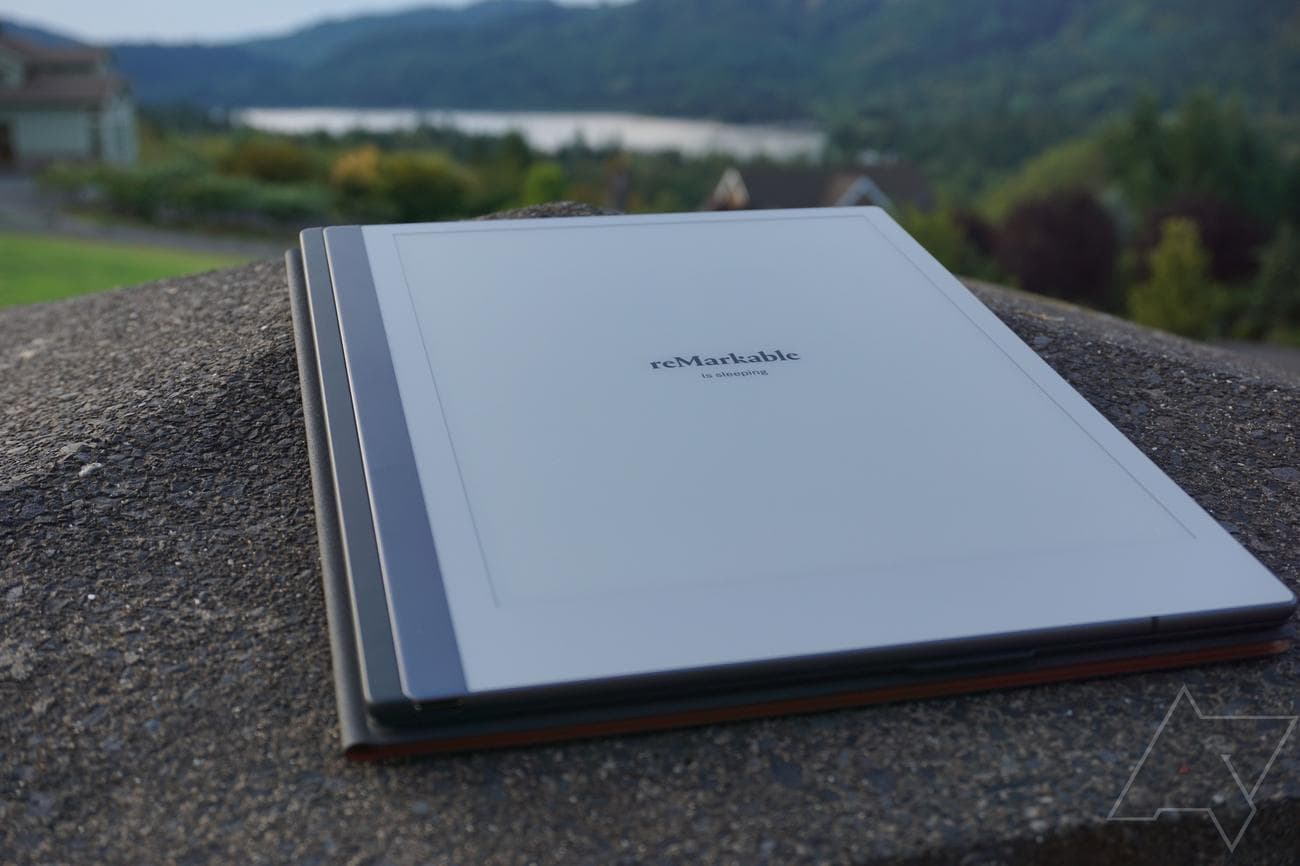
Speaking of comfort, the reMarkable 2 is quite thin. At only 4.7 millimeters, it’s one of the thinnest tablets on the market, and it very much feels like it in your hands. It’s quite light, too, weighing in at a mere 403 grams or 14.2 oz. Even the Onyx Boox Nova Air is more than 6 millimeters, so you’re really getting one of the thinnest possible tablets with the reMarkable 2.
Obviously, these minuscule measurements are hard to notice, but every gram counts when you’re taking your note-taking on the road. Even better, the reMarkable 2 features four plastic nubs on the back of the device, so you won’t have to worry about scratching the pristine tablet when you set it down to write.
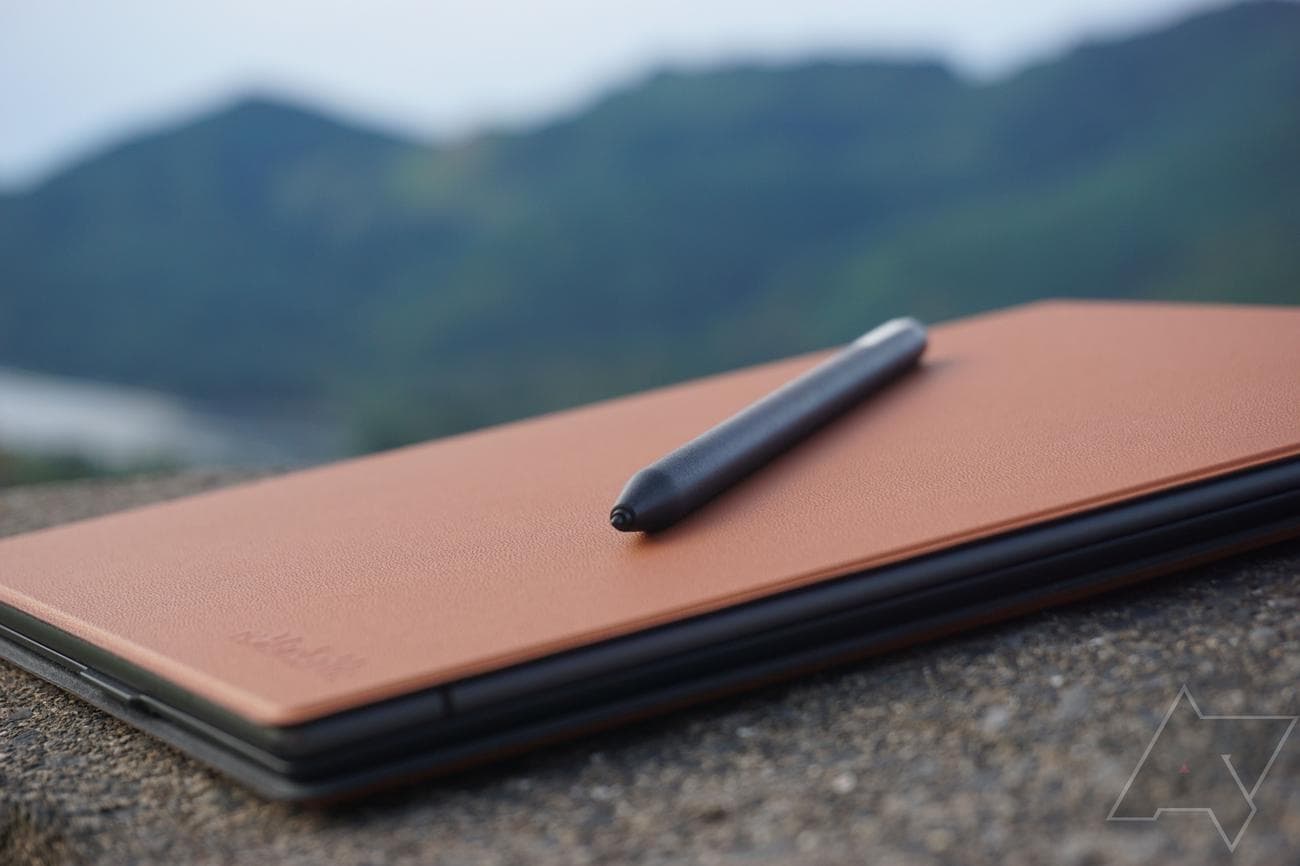
In the box, you won’t find much, as the minimalism carries over to the accessories as well. Other than the actual reMarkable 2 tablet, you’ll get a USB-A to USB-C charging cable as well as a small quick-start guide. In all likelihood, you’ll also purchase the Marker ($79) or Marker Plus ($129) so that you can actually use the tablet for its intended purpose. The only major difference between the two styluses is that the Plus comes with a digital eraser on the tip, which is pretty cool but is probably not entirely worth the additional cost.
Display and accessories
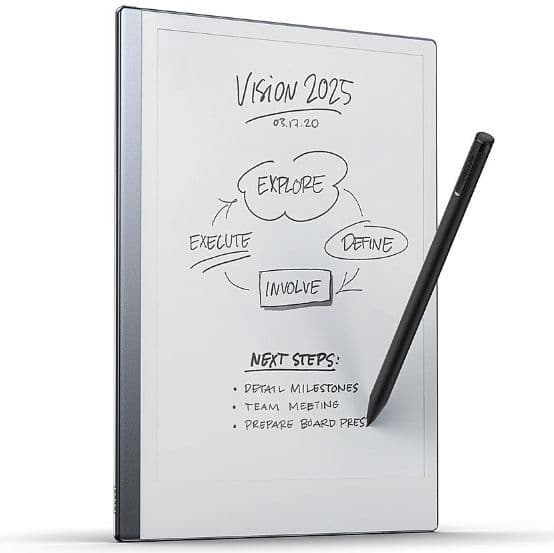
As mentioned, the writing experience on the reMarkable 2 is nothing short of delightful, and it has the display to thank. The 10.3-inch E Ink display comes in at 1872×1404 pixels and 226 ppi, which feels smooth and comfortable, creating a writing experience that genuinely feels like you’re writing on paper.
The biggest downside, however, is that because there is no LCD or other display technology involved, the reMarkable 2 has no backlight to speak of, so night readers might as well turn tail now and find another tablet to satisfy their needs. Additionally, the touchscreen leaves a lot to be desired if you’re expecting a tablet-like responsiveness with a laggy feel that can be a bit frustrating at times. The darker screen also made comic book reading that much more difficult. While the grayscale display didn’t make it impossible, the reading experience was noticeably diminished.
Beyond the actual tablet, you’ll also want to purchase one of the two magnetic styluses available from reMarkable, the Marker or the Marker Plus. Unfortunately, neither is included in the price of the reMarkable 2, despite being integral to its functionality.
I had a chance to test out the Marker Plus, and as someone who’s used to standard tablet styluses, it felt a bit long and heavy, coming in at 10 inches and 19 grams, which was frustrating while writing, but the sturdiness was definitely a plus. The digital eraser was a nice touch, though, allowing me to easily erase errors with the other end of the stylus, another nod to its immersive writing experience.
On top of that, reMarkable offers an array of folios that can provide everything from protection to typing functionality, of course, for an additional fee. The Folio and Book Folio are both designed to provide an easily accessible cover, so you don’t have to worry about it bouncing around in the bag. They don’t provide a convenient place to put the stylus, though, which can be stressful, as the magnets holding the stylus to the tablet are far from shake-proof.
The Type Folio, however, adds a bit more, acting as a cover and keyboard for your device. This was one of the best
parts
of the reMarkable 2, actually, as the Type Folio keyboard is satisfying to use despite the smaller design, and the three different positions were actually made for comfortable, practical writing while lying down, standing up, or sitting at my desk.
Plus, with the Microsoft Surface-like magnetic connector, it’s incredibly easy to attach and detach as needed. The design of the Type Folio is admittedly a bit confusing, with a lot of different folds and angles, so there will be a slight learning curve, but once you’ve figured it out, you’ll love it.
Software and performance
The minimalism continues when it comes to the software and performance of the reMarkable 2. There’s no Android functionality like with the Onyx Tab X, with the bare-bones Codex operating system, a Linux-based OS, giving you little to do but write or read, which is, of course, the point of this distraction-free device. Along with the 1.2 GHz dual-core ARM processor and the 1 GB of RAM, you’re not getting a lot as far as actual power is concerned.
The Connect subscription does add a bit more functionality, though, particularly when it comes to accessing and contributing to your
notes
. It will allow you to edit and add to existing sheets via the reMarkable mobile and desktop apps, which gives you more control over the content on your device. You get one year free when you buy from their website, too, so there’s no harm in trying it out, but after that, you’ll have to pay $2.99 per month, which isn’t a lot, but likely isn’t worth it unless you absolutely need access everywhere you go. You’ll also get a little peace of mind, thanks to the added 3-year protection plan that will replace your device if something happens, although it doesn’t cover “accidental damage or similar external factors.”
There’s no online store to speak of, so you’re going to have to use your smartphone or a computer to add e-books, articles, and other content to your library. Fortunately, the process is quite easy, with a simple drag-and-drop box on the website and an import button on the mobile app that lets you easily upload e-books, articles, and other content onto the tablet. Remember, though, the reMarkable 2 only supports two formats (EPUB and PDF), so you’ll be pretty limited for uploading options, although a good conversion tool should help you stay within those parameters, such as Calibre.
For reading, the reMarkable 2 wasn’t exactly ideal. The arduous upload process was one thing, but considering most e-readers have page-turning buttons or a simple touchscreen tap to get to the next page, the reMarkable 2 just doesn’t match up. It requires you to swipe left or right to turn the page, which isn’t that much of a problem until you remember that it doesn’t have to be like this.
That all may sound a bit daunting, but rest assured, for writing, the experience is quite seamless and enjoyable. You can easily open new pages with the “quick sheets” button at the top of the screen, along with folders and notebooks that can better organize your writing. Once in an actual sheet, you’ll find a comprehensive menu bar along the left edge, offering a limited selection of customization options, including eight different writing utensils, writing thickness, and colors (black, gray, and white). There’s also a selection tool that lets you crop or rotate your writing and an erasure tool that can, well, erase stuff.
You’ll also find a few more advanced tools down at the bottom of that menu bar, including the ability to tag pages, utilize shortcuts, and even convert your handwritten notes into text. After testing out this feature a few times, I can confidently say that, even with my mediocre-at-best handwriting, the device had a near-100% success rate and transcription. You can also have the reMarkable 2 email you a particular page in various formats, including sending it as the actual text. So you can even get a few work emails in if you need to, although you naturally won’t be able to receive the response.
All that to say, yes, the reMarkable 2 interface has some seriously limited functionality, but if you’re actually trying to write, it’s the perfect tool. There are just enough features to get you writing in an organized and enjoyable way without the distractions brought by an Android operating system or an online store.
Battery life
The reMarkable 2 is equipped with a 3,000 mAh battery, which is obviously nothing to write
home
about compared to flagship smartphones equipped with massive batteries. However, because paper tablets require so little power, and in the case of the reMarkable 2, they don’t have a backlight, that battery goes a long way. While most devices’ battery life is measured in hours, paper tablets like the reMarkable 2 aren’t even measured in days; we’re using weeks.
With regular use, the reMarkable 2 is supposed to last at least two weeks, and in this case, it actually lasted longer than that, although the term regular use is obviously up for debate. As for standby, this reviewer has only had the device for one month, so I wasn’t able to fully test whether it lasts the full three months promised in advertising, but based on the almost- unbelievably slow crawl of the battery icon in the bottom left corner, three months seems like a conservative estimate.
Competition
While the reMarkable 2 offers an excellent experience for distraction-free writing, some users want their nearly $300 devices to be able to distract them in more ways than one. Subsequently, you may be looking at the competition for this popular paper tablet to see if there’s anything else out there that has more functionality for your busy, on-the-go lifestyle. Fortunately, there are a few options out there that could fit your needs a bit better.
The most obvious competitor to the reMarkable 2 is the Amazon Kindle Scribe, a comparably priced paper tablet with the same size screen and stellar battery life. Beyond that, though, the Scribe does offer more format compatibility, allowing users to access nearly 20 different formats, whereas the reMarkable 2 only offers two (PDF and EPUB). The reMarkable 2 does still take the cake when it comes to the writing experience, but if you want a more flexible e-reader to go along with your note-taking device, the Amazon Kindle Scribe is likely a better fit.
The Kobo Elipsa 2E is another good choice; although it’s definitely a bit pricier at $399, at least the stylus is included, and it comes with a backlight for nighttime writing and reading. The bezel is also much larger, and it’s compatible with audiobooks, unlike the reMarkable 2. All in all, the extra price could definitely be worth the added features, but if distraction-free writing is your vibe, the reMarkable 2 is still the best way to go.
Should you buy it?
If you’re looking for a premium writing experience out of a paper tablet, the reMarkable 2 is absolutely it. The stylus-to-tablet feel is unmatched, almost completely replicating the paper and pen texture, particularly with the variety of writing options available. That, combined with an excellent battery life, USB-C charging, and the thin, comfortable design, makes the reMarkable 2 a definite go-to device for all tablet writers out there.
Still, as an e-reader, the reMarkable 2 will definitely leave you wanting. The lack of a backlight is a dealbreaker for night readers, and the absence of page-turning buttons and supported formats makes downloading and reading content that much more uncomfortable, particularly compared to competitors. Simply put, if you want a dedicated e-reader, look elsewhere. However, if you want a top-tier writing paper tablet that can occasionally pretend it’s an e-reader for a few hours, we’d recommend the reMarkable 2.
Source: reMarkable
reMarkable 2
As mentioned above, the reMarkable 2 is hard to beat when it comes to writing experience, thanks plenty of features and a display-stylus combo that actually feels like writing on paper. It is missing some key ereader features, though, so look elsewhere for a device that can do it all.