
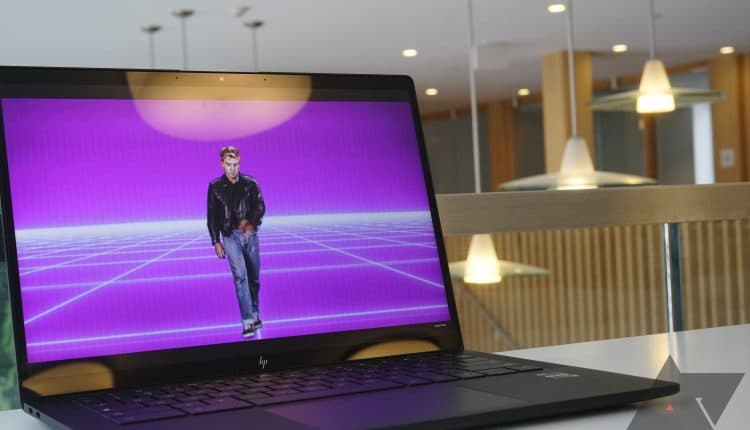
Best touchscreen Chromebooks in 2023
Related Posts
The best Chromebooks come in all shapes and sizes, with varying levels of performance hardware and features available at different price points. One feature we often recommend when buying a Chromebook is a touch display, especially if you’re shopping for younger users. A touch display in a Chromebook gives you an entirely different way to use your device, and for many users who grew up with a phone or tablet, it’s the more natural function.
The crossover of Android apps with Chromebooks compounds the usefulness of a touchscreen, as does a convertible design that allows you to turn the Chromebook into a tablet. We’ve put together this collection of the best Chromebooks with touch displays to help you land the perfect computer.
Our favorite touchscreen Chromebooks in 2023
Source: Lenovo
Lenovo Flex 5i Chromebook (13″)
Best overall
Touch display and a whole lot more
$368
$430
Save
$62
Lenovo’s Flex 5i Chromebook with a 13.3-inch FHD touch display is our top pick thanks to its versatile and sleek design, snappy performance, and optional inking capabilities.
Pros
- 13.3-inch touch display at 1080p
- Capable of inking with USI pen
- Snappy performance from Intel Core CPU and 8GB RAM
Cons
- Screen could use more brightness
The Lenovo Flex 5i Chromebook we’re highlighting here is the 2021 model with 11th Gen Intel Core processors (CPU) and a 13.3-inch touch display with 1920×1080 (FHD) resolution. The convertible design lets you rotate the screen around for tent, stand, and tablet modes, and the aluminum lid with a plastic base is plenty durable to withstand daily use and abuse. The Flex 5i can handle a moderate workload thanks to the Core i3 chip with 8GB of RAM, and the battery just keeps going and going.
The display measures 13.3 inches with an IPS panel and about 250 nits brightness. The touch functionality means it has a glossy finish, plus it has a traditional 16:9 aspect ratio and wide viewing angles (up to 170°), making for easy collaboration. If you’d like to enjoy some inking, Lenovo’s USI Pen offers 4,096 levels of pressure sensitivity; however, the pen is sold separately. Alternatively, you can check out other great USI pens for Chromebooks if the Lenovo option isn’t quite what you’re looking for.
Other notable features include top-firing speakers that flank a comfortable keyboard, a 720p webcam with a privacy shutter, and a decent selection of ports with dual USB-C 3.2 (Gen 1), USB-A 3.2 (Gen 1), a microSD card reader, and a 3.5mm audio jack.

Source: Acer
Acer Chromebook Spin 311
Best value
Touchscreen on the cheap
Acer’s Chromebook Spin 311 is one of the most affordable options on the market. This convertible laptop has an 11.6-inch touch display with HD resolution and ultra battery life; it’s not particularly powerful or flashy, but it only costs about $200.
Pros
- Hard to beat the price
- 11.6-inch touch display is great for new users
- Easy to carry with you
Cons
- Screen isn’t particularly impressive beyond the touch function
- Limited storage space
We’ve been fans of the unassuming Acer Chromebook Spin 311 for quite a while, mostly due to its compact size and cheap asking price. You can land this Chromebook for about $200, and while it won’t turn heads, it will certainly make a great device for young or new ChromeOS users. The 11.6-inch touch display has a 1366×768 (HD) resolution, which doesn’t look nearly as grainy as you might think at this size. The bezels are large, but they provide a good spot to grip the convertible laptop when it’s in tablet mode.
The performance hardware won’t knock you over, but the MediaTek MT8183 CPU with 4GB of RAM and up to 64GB of storage will handle productivity and homework, web browsing, and streaming. Best part? We’ve seen the battery go for over 15 hours on a single charge.

Acer Chromebook Spin 714
Premium pick
High-end convertible Chromebook
Acer’s Chromebook Spin 714 is one of the best options available today if you’re looking to maximize high-end features and performance. It has a 14-inch touch display with FHD+ resolution, as well as a built-in stylus for inking.
Pros
- 12th Gen Intel Core performance
- 14-inch FHD+ touch display, built-in stylus
- Rigid and durable convertible design
Cons
- No SD or microSD card reader to expand storage
- Undersized touchpad
- Display brightness could be higher for some situations
While the new Acer Chromebook Spin 714 (CP714-2W) is expected to launch in 2023 with 13th Gen Intel Core performance hardware, the 2022 model with 12th Gen chips is still readily available for anyone who doesn’t mind spending more on a premium device. In my Acer Chromebook Spin 714 (2022) review, I called it “an outstanding choice for power users and pros.” This is easily one of the best Acer Chromebook on the market. Part of the magic involves a 14-inch IPS touch display with a taller 16:10 aspect ratio, which translates to a 1920×1200 (FHD+) resolution.
The screen has good color and contrast, and the resolution keeps everything looking crisp, but the glossy finish to go with the touch functionality will cause some glare when you’re working in well-lit spaces. Is it a deal-breaker? Certainly not. Acer includes a stylus built right into the base of the laptop; you can pull it out at any time for inking, and it has 4,096 levels of pressure sensitivity for a natural feel. Flipping the display around for tablet mode looks great with the taller aspect ratio, and the bezels are wide enough to get a solid grip without hitting the screen.
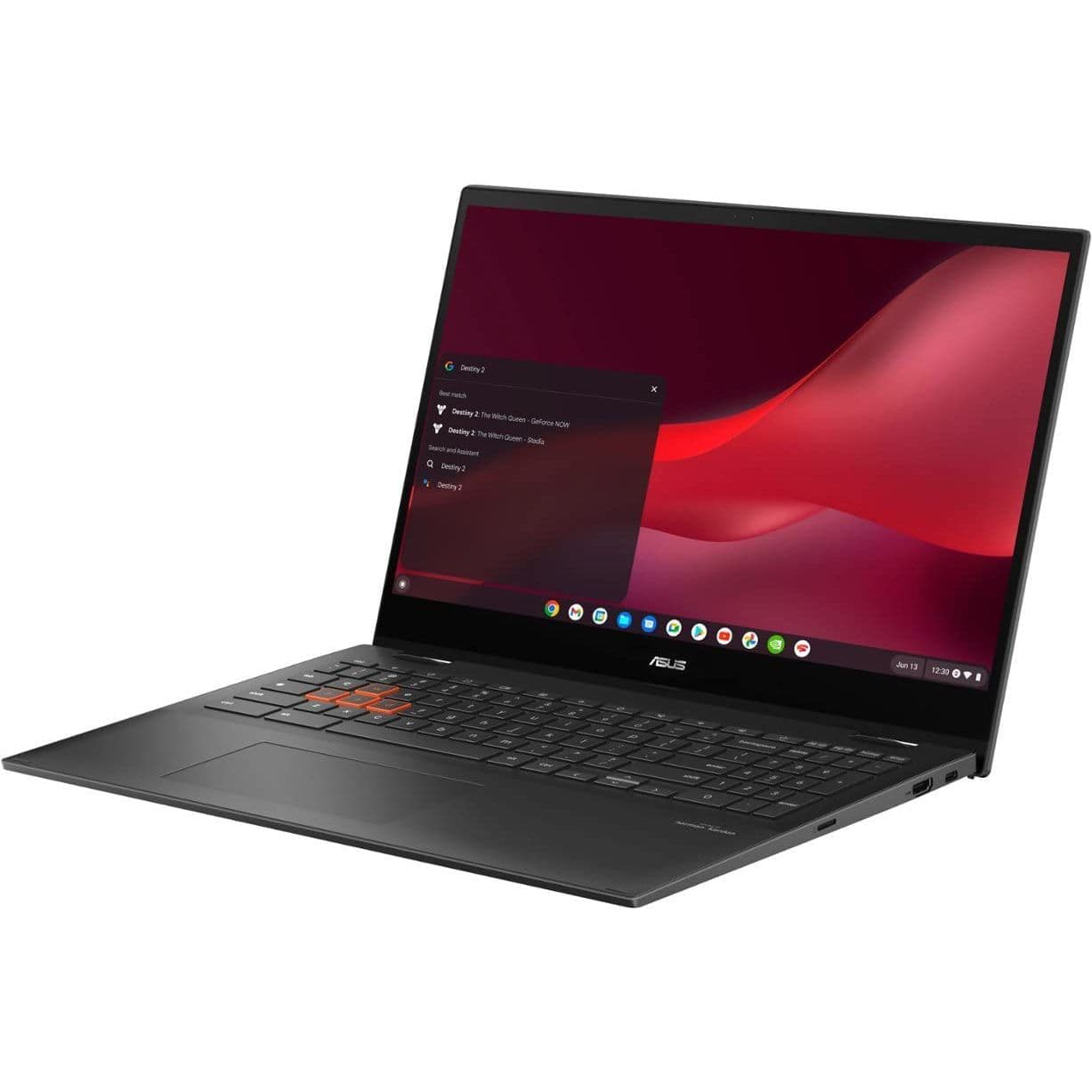
Asus Chromebook Vibe CX55 Flip
Best gaming
Have some fun
$549
$699
Save
$150
Chromebooks aren’t just for homework and web browsing. Pick up something like the Asus Chromebook Vive CX55 Flip and get busy with local and cloud gaming on ChromeOS.
Pros
- 15.6-inch FHD touch display at 144Hz
- Sleek convertible design
- 11th Gen Intel Core CPUs, M.2 PCIe NVMe storage
Cons
- Screen could use more brightness
- No Thunderbolt 4
The Asus Chromebook Vibe CX55 Flip is considered one of the best Chromebooks for gaming, and it just so happens to have a touch display. The display is 15.6 inches for plenty of screen real estate, with a 1920×1080 (FHD) resolution and 144Hz refresh rate. This combination will make your games look super smooth, whether coming from the cloud or the Steam beta for ChromeOS. This is a convertible laptop, so you can also rotate the screen around to enjoy Android games in tablet mode. The only real downside is the 250 nits of brightness, but you can avoid issues by not gaming in direct light.
The Vibe CX55 Flip is powered by Intel’s 11th Gen Intel Core CPUs (with up to a Core i7-1165G7), LPDDR4x RAM, and a speedy M.2 PCIe NVMe solid-state drive (SSD). Wi-Fi 6 lands you a reliable wireless connection, and you can always add a great Chromebook dock if you need Ethernet or more ports in general.
Source: HP
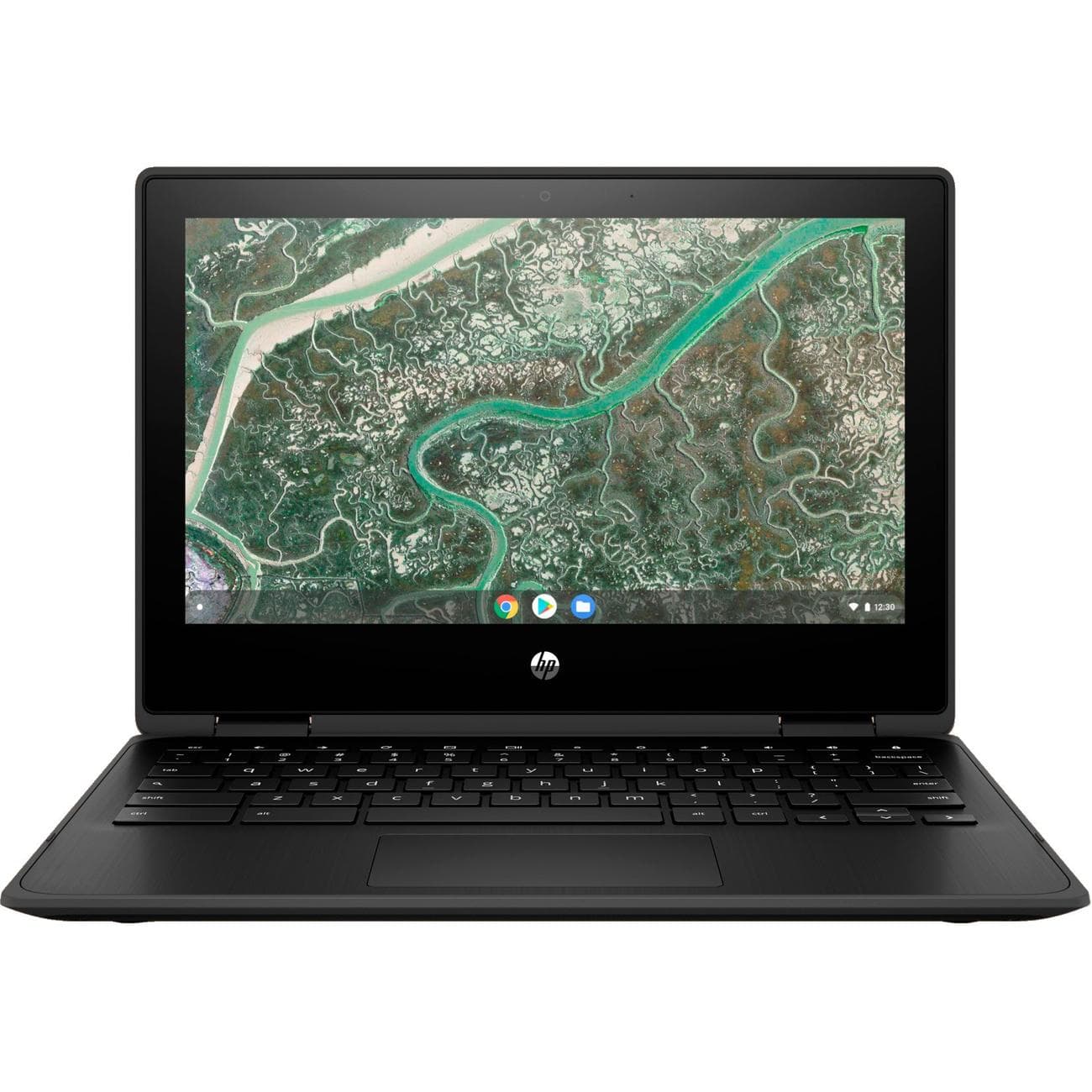
HP Chromebook x360 11MK G3 Education Edition
Best for students and kids
Compact and durable
This durable little convertible Chromebook comes with access to educational tools and is built to withstand a hard life. If you’re shopping for your child or student, this Chromebook should last longer than many others in the same price range.
Pros
- Education Edition is ideal for students
- Durable build with MIL-STD 810H certification
- Compact convertible design works with small hands
Cons
- Not ideal for power users
- Small size doesn’t work well with large hands
The HP Chromebook x360 11MK G3 Education Edition (what a mouthful) is a compact, convertible laptop designed specifically for use in schools. The compact 11-inch size makes it perfect for younger users — it has a spill- and dust-resistant keyboard, it can withstand drops from up to about four feet, and it has been certified with MIL-STD 810H testing. Bottom line? It’s going to put up with daily use in schools quite well.
The 11.6-inch display has a 1366×768 (HD) resolution that doesn’t look as grainy at the small size, and it can hit up to 220 nits brightness. The IPS panel also provides wide viewing angles. And because this is a convertible Chromebook, you can rotate the screen around for tablet mode; the thick bezel provides plenty of space to get a firm grip.
It’s all powered by a MediaTek MT8183 CPU, up to 8GB of LPDDR4x RAM, and up to 64GB of eMMC storage. That’s good enough to handle homework, web browsing, and streaming, and the battery life should be outstanding.
Source: Asus
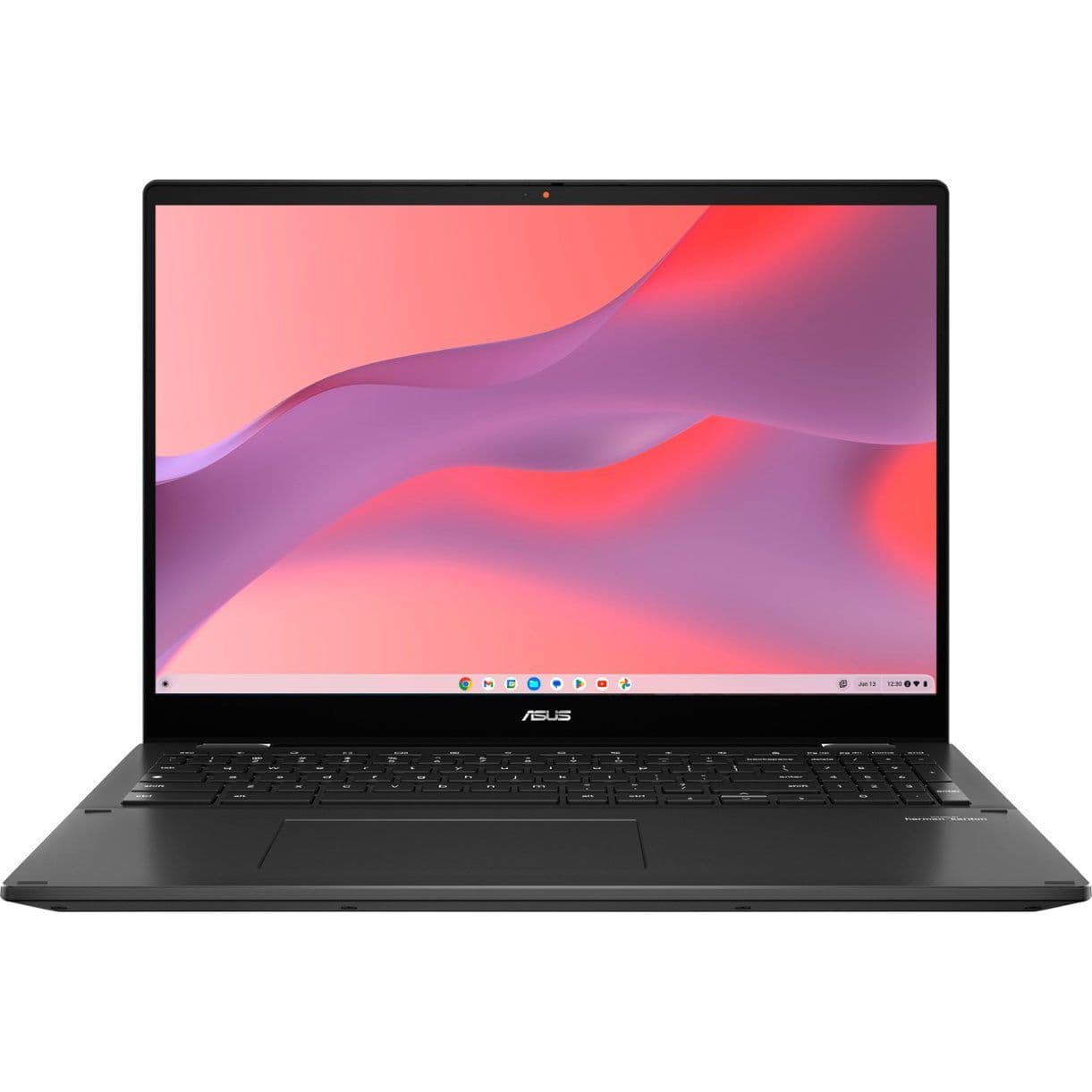
Asus Chromebook Flip CX5601
Best large display
16-inch FHD+ touchscreen
The Asus Chromebook Flip CX5601 is perfect for users who can’t live with a small display. The 16-inch touchscreen has an FHD+ resolution with a 16:10 aspect ratio, and the system is powered by Intel’s 12th Gen CPUs.
Pros
- Gorgeous 16-inch touch display with FHD+ resolution
- 12th Gen Intel Core performance
- Quad speakers for bumping sound
Cons
- No Thunderbolt
- Might be too large for younger users
Looking to expand your Chromebook’s screen size? The Asus Chromebook Flip CX5601 is one of the best Asus Chromebooks on the market, especially if a 16-inch screen is your cut-off point. The touch display has a taller 16:10 aspect ratio with a boosted 1920×1200 (FHD+) resolution, as well as up to 300 nits brightness to help deal with glare on the glossy finish. It also features stylus support, allowing you to easily jot down notes or make sketches.
Overall, the Flip CX5601 should make for an incredible productivity machine with the combination of a spacious display and powerful performance hardware. Inside are 12th Gen Intel Core U-series CPUs, 8GB of LPDDR4x RAM, and a 128GB M.2 PCIe NVMe SSD. In addition, the convertible design has undergone MIL-STD 810H durability certification, ports are plentiful (though it does lack Thunderbolt), and the keyboard is comfy with 1.4mm of key travel. If you’d like to pick up a Chromebook that relies less on a great external monitor, the 16-inch Flip CX5601 should be a great fit.
Source: Lenovo
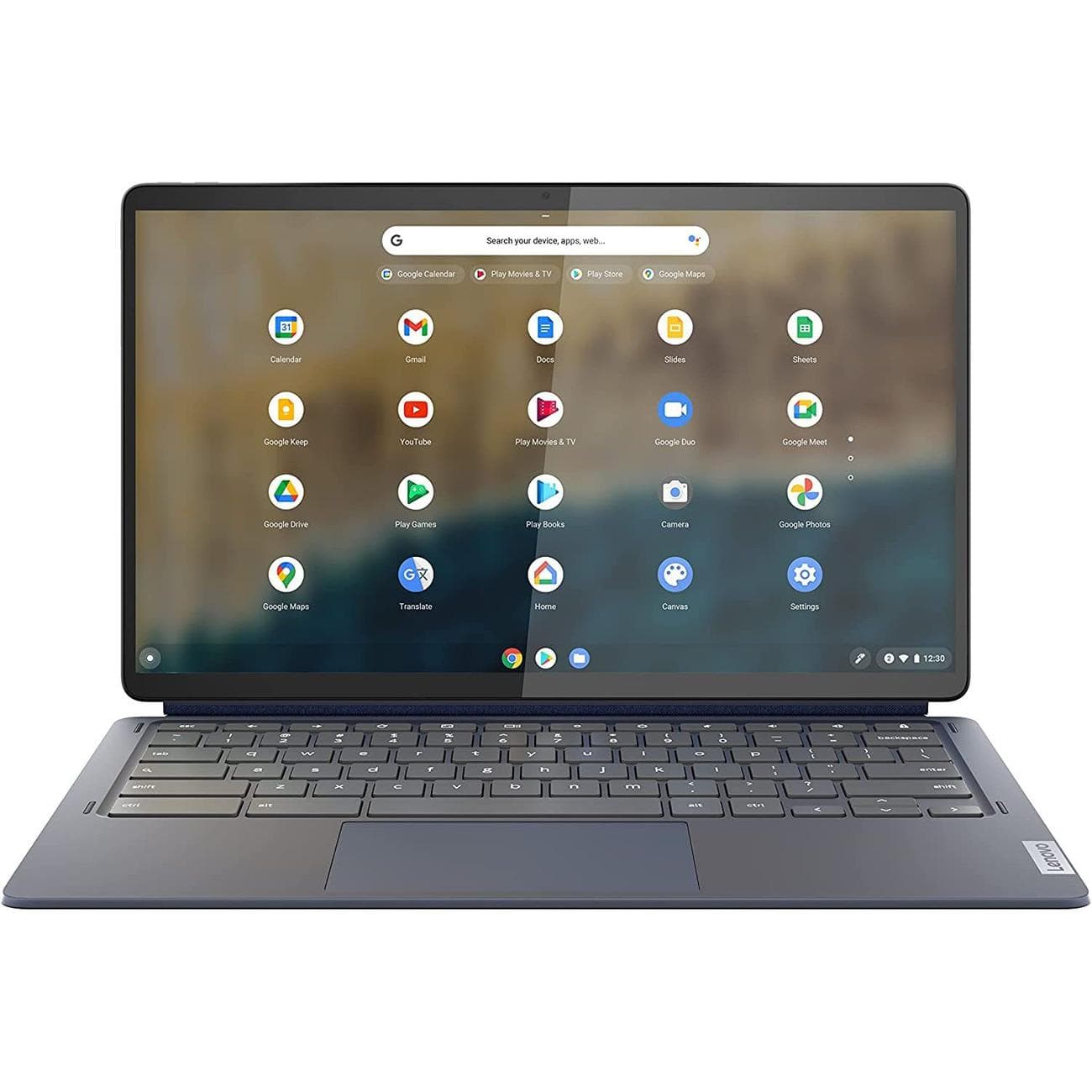
Lenovo Chromebook Duet 5
Best 2-in-1
Detachable keyboard and touchpad
This 2-in-1 Chromebook features a main tablet portion with a 13.3-inch FHD OLED touch display, as well as an attachable keyboard and touchpad for times when you need a full laptop for productivity work.
Pros
- 13.3-inch OLED touch display at 1080p
- Versatile detachable design
- Excellent keyboard and touchpad
Cons
- Qualcomm 7c can feel underpowered at times
The sixth-gen Lenovo IdeaPad Duet 5 Chromebook is all about delivering a high-end display in a 2-in-1 form factor. The device is primarily a thin tablet sporting a 13.3-inch OLED touch display, set at a 1920×1080 (FHD) resolution for the 16:9 aspect ratio. The OLED panel provides deep color and contrast for an outstanding picture, and it even hits 100% DCI-P3 color gamut reproduction. Moreover, at up to 400 nits brightness, you shouldn’t have issues using the tablet even in bright areas.
When you’re ready to get to work, you can attach a keyboard and touchpad to the tablet portion. In usual Lenovo fashion, the keyboard is comfortable and will not stand in your way of productivity. It’s all powered by a lightweight but nimble Qualcomm Snapdragon 7c (Gen 2) with 4GB of RAM and 64GB of eMMC storage. Other standout features include quad speakers, dual USB-C ports, and a battery that Lenovo says can go for up to 15 hours.
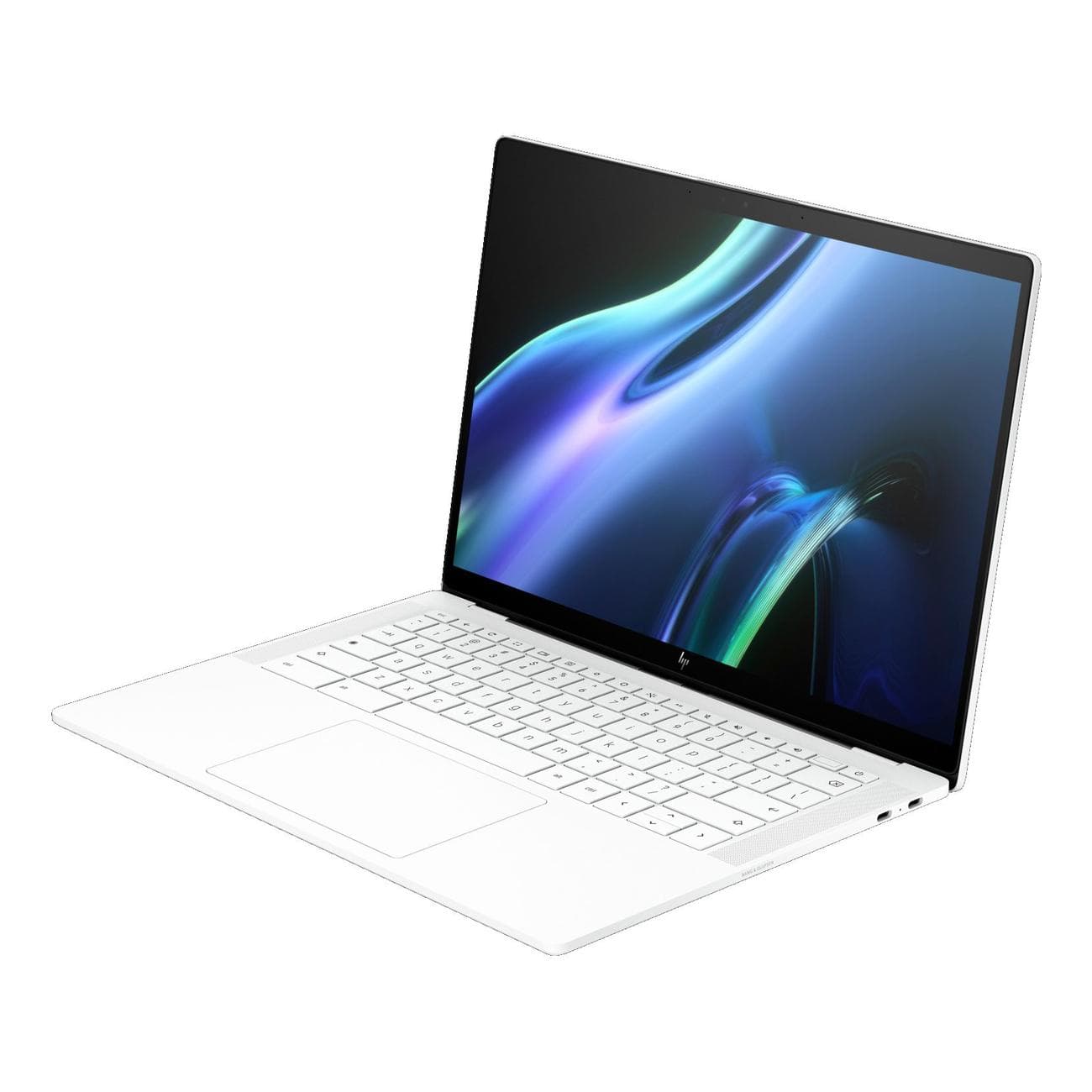
HP Dragonfly Pro Chromebook
Best business
Premium Chromebook
HP’s Dragonfly Pro Chromebook has a stunning display that is really just the cherry on top of a high-end laptop. Strong performance, a gorgeous design, and many premium features help justify the elevated price.
Pros
- Beautiful 1200-nit QHD+ touch display
- Loud Bang & Olufsen speakers
- Recycled materials used in the premium design
Cons
- Battery life could be better
- Fans can get loud
- No convertible design
Professionals looking to land a high-end laptop without Windows or MacBook branding should love what the HP Dragonfly Pro Chromebook has to offer. It’s more business-casual than the Elite Dragonfly Chromebook predecessor, and it should appeal to a wider range of users. In our HP Dragonfly Pro Chromebook review, we mentioned that “we’re pleasantly surprised at how enjoyable of a Chromebook this is.”
HP really only offers one configuration available in either Sparkling black or Ceramic white color schemes, but it is a stacked build. First, you get a 12th Gen Intel Core i5-1235U CPU with 16GB of LPDDR5 RAM and a 256GB M.2 PCIe SSD, altogether able to crush most tasks (including gaming). HP doesn’t stop there, bringing a 14-inch touch display with 2560×1600 (QHD+) resolution, up to 1,200 nits brightness, an IPS panel, and 100% coverage of the sRGB gamut. This is one of the best touch displays you’ll find in a Chromebook, but keep in mind there’s no convertible ability.
Other features include a fingerprint reader, four Thunderbolt 4 ports, an 8MP webcam, quad speakers with grilles flanking the keyboard, and even an RGB keyboard for extra style.

Source: Lenovo
Lenovo IdeaPad Flex 3i (Gen 8, 12.2″)
Best 12-inch convertible
Brand new Chromebook from Lenovo
The new Lenovo IdeaPad Flex 3i Chromebook gets an upgrade to a larger 12.2-inch FHD+ touch display and newer Intel Atom N100 CPU, all while slimming down compared to the older 11-inch model.
Pros
- Larger 12.2-inch touch display with FHD+ resolution
- Quad-core Intel Atom CPU
- Sleek convertible design
Cons
- Slow eMMC storage
- Only 4GB of RAM
Lenovo just launched its eighth-gen Flex 3i Chromebook, which is a relatively affordable convertible for younger or casual users. The display has been resized to 12.2 inches, yet despite the upgrade, the Chromebook isn’t any larger than the last generation. Instead, Lenovo slimmed the bezels and reworked the internals to deliver a convertible laptop that’s just as portable and easy to use as the previous model.
The touchscreen has a boosted 1920×1200 (FHD+) resolution to match the taller 16:10 aspect ratio, and it’s better suited for use as a tablet than 16:9. A quad-core Intel Atom N100 CPU powers the laptop, matched with 4GB of RAM and 64GB of eMMC storage. This is still a Chromebook that’s best cut out for light duties, and it should be a great fit for younger users tackling homework or casual users browsing the web and streaming video.
Getting the right touch-enabled Chromebook for you
We generally recommend picking up a touchscreen Chromebook, as the feature usually doesn’t add much cost and provides users with a whole other way to operate. Even the best cheap Chromebooks often come with a touch display. This advice is especially true if you’re buying for a younger user or for someone who loves Android apps. All of the Chromebooks in this collection (except for the HP Dragonfly Pro) also have a convertible design that allows the screen to rotate around completely. This turns your Chromebook into a tablet, greatly increasing its versatility in daily use.
Our top pick when it comes to touch-enabled Chromebooks is the Lenovo Flex 5i Chromebook. It’s one of the most well-rounded laptops available today, and its price (which keeps on dropping) won’t leave you feeling strapped. Our Flex 5i Chromebook review called it “a zippy laptop that’s well-suited for entertainment and work, especially if you’re entrenched in Google’s ecosystem of products and services.” That still holds true, and anyone shopping for a Chromebook with a touch display should give it a serious look.
If you’d like to spend even less and don’t particularly care about high-end performance, the Acer Chromebook Spin 311 is another top choice. It regularly costs about $200, it has a versatile convertible design, and it’s sized right to fit smaller hands. It will make a great homework machine, but it can also serve as a platform for casual computing around the house or while traveling.
Source: Lenovo
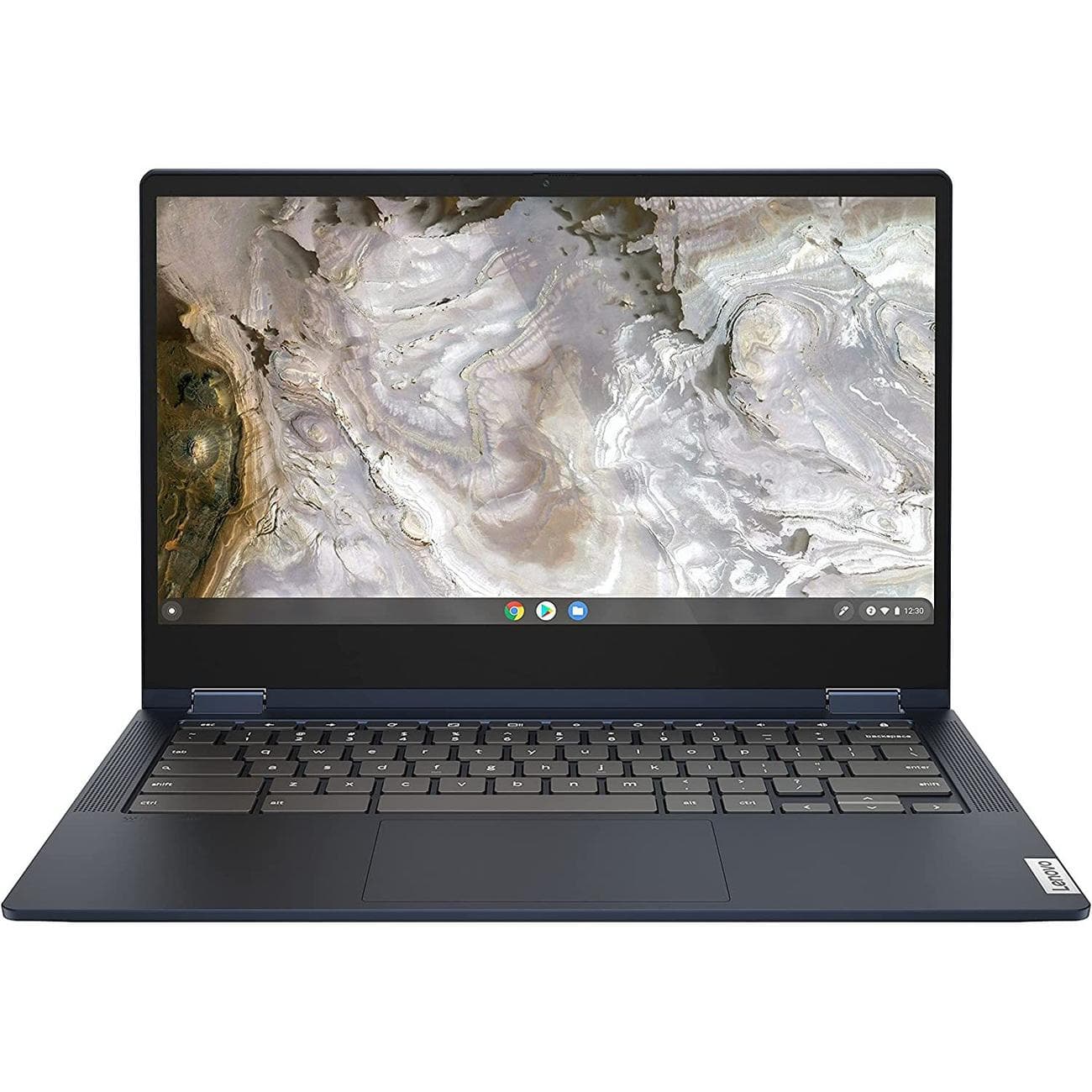
Lenovo Flex 5i Chromebook (13″)
Best overall
Touch display and a whole lot more
$368
$430
Save
$62
With an Intel Core i3 CPU, long battery life, beautiful design, and 13.3-inch FHD touch display, the Lenovo Flex 5i Chromebook is a balanced laptop that should appeal to many people.
